For people in the United States, a chatbot may get information from several places: data used to train its AI model, the text you enter, earlier messages in the same chat, connected websites or apps, and live search tools. The exact source depends on the chatbot, its settings, and the task you give it.
A chatbot does not usually look up every answer in one fixed database. Instead, it predicts a helpful response from patterns learned during training. Some chatbots can also search the web, read uploaded files, or access business systems when those tools are turned on.
The most important point is this: a chatbot can sound certain even when its answer is wrong. Treat important medical, legal, financial, safety, and current-event claims as information to check, not as final advice.

The Five Main Places Chatbots Get Information
Most chatbots use a mix of five information sources. These sources work in different ways, so knowing the difference helps you judge an answer.
1. Training data
A chatbot first learns from large collections of data. These collections may include:
- Public web pages
- Books and articles
- Licensed content
- Data made by human trainers
- Public records
- Code repositories
- Other text, image, audio, or video data, depending on the model
During training, the model studies patterns in the data. It learns how words relate to one another and how people commonly answer questions.
The model does not normally store a neat copy of every page it read. Instead, training changes the model’s internal numerical settings, often called weights. Those weights help it predict the next word or token in a reply.
This is similar to how a person may read many cookbooks and later explain how to make bread. The person may understand common methods without memorizing every page. A chatbot works in a much more mathematical way, but the basic idea is similar.
Training data has limits:
- It may stop at a certain date.
- It may contain errors or bias.
- It may include conflicting claims.
- It may not contain local or private information.
- It may not reflect recent changes.
For example, a chatbot trained before a new U.S. law took effect may not know the change unless it has access to current information.
OpenAI explains that its models may be developed with publicly available information, licensed information, and information created by human trainers. Other companies use different data sources and policies. Check the provider’s own documentation for the specific chatbot you use.
2. Your prompt
Your prompt is the message you send to the chatbot. It gives the system the facts, goals, limits, and wording needed to form a response.
For example, these two prompts may produce very different answers:
- “Explain taxes.”
- “Explain the U.S. federal income tax filing deadline for a self-employed person in simple terms. Tell me what I need to verify.”
The second prompt gives more context. A chatbot can use details in your message as temporary working information. It may summarize text you paste, analyze a spreadsheet, or answer questions about a document you upload.
Do not assume that a chatbot knows whether information in your prompt is true. If you provide a false date, faulty calculation, or misleading claim, the chatbot may build its answer around that error.
3. Earlier messages in the conversation
A chatbot may use earlier messages in the same conversation. This gives it short-term context.
For example, if you first say that you are planning a trip to Chicago and later ask, “What should I pack?” the chatbot may connect the question to that trip.
This context can include:
- Your earlier questions
- Its earlier answers
- Corrections you made
- Documents uploaded in the chat
- Preferences you stated
- Instructions for tone or format
Conversation memory differs by product. Some services remember details across chats when a memory feature is enabled. Others keep context only for one session. Business accounts may also apply separate data controls.
A long chat can create a new risk: the chatbot may rely on an earlier mistake. Starting a new chat or restating the key facts can sometimes produce a cleaner answer.
4. Live search and retrieval tools
Some chatbots can search the web or retrieve information from connected sources. This is often called retrieval-augmented generation, or RAG.
In a retrieval system, the chatbot may:
- Read your question.
- Search a selected source.
- Pull back relevant text.
- Use that text to draft an answer.
- Sometimes show links or citations.
The source may be:
- A search engine index
- A company knowledge base
- A government website
- A cloud drive
- A customer support system
- A database
- A file you uploaded
Search can improve answers about current topics. It does not guarantee accuracy. The chatbot may choose a poor source, misunderstand a page, or cite a result that does not support its claim.
For U.S. government questions, primary sources such as USA.gov, Congress.gov, the IRS, or a relevant state agency are usually better than an anonymous summary page.
5. System and developer instructions
A chatbot also follows hidden or visible instructions. These can come from the company that built the system, the developer who installed it, or the organization that manages it.
These instructions may control:
- The chatbot’s role
- Its tone
- Topics it must avoid
- The tools it may use
- The format of its answer
- Privacy and safety rules
- Which company documents it can access
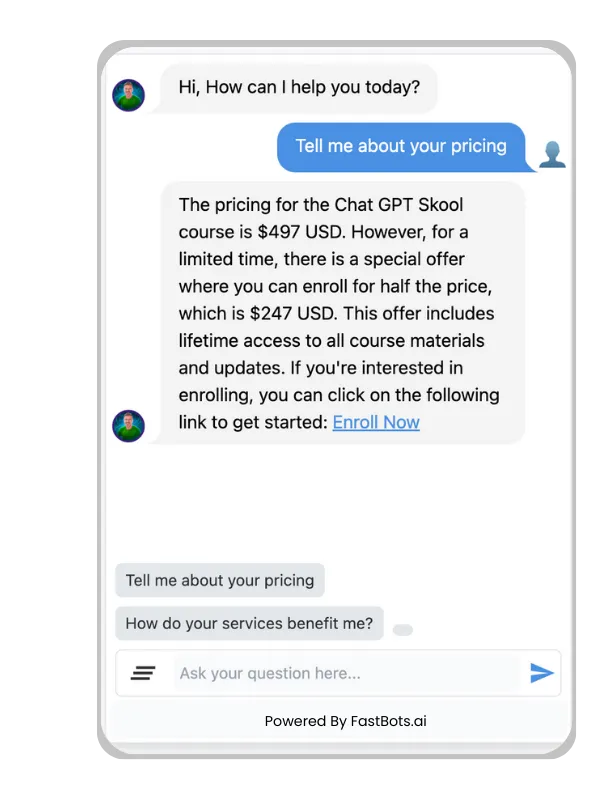
A customer service bot, for example, may answer only from a company’s return policy. A general chatbot may have broader training but no access to that company’s private records.
These instructions shape the response, but they are not the same as facts. A rule such as “answer in a friendly tone” changes style. A connected policy document supplies information.
How a Chatbot Turns Information Into an Answer
A chatbot usually does not “think” in the same way a human researcher does. It generates a response by estimating which words or tokens should come next based on its model, your instructions, and any available context.
The process often looks like this:
-
Input is split into tokens.
Words and parts of words are converted into units the model can process. -
The system reads the context.
This may include your prompt, earlier messages, uploaded files, system rules, and retrieved pages. -
The model predicts a response.
It calculates likely next tokens based on learned patterns. -
The answer is assembled.
The system repeats the prediction process until it reaches a stopping point. -
Safety or formatting checks may apply.
Some services review the output before showing it to you.
This explains why chatbot answers can feel fluent without being reliable. Fluency shows that the model can produce natural language. It does not prove that the answer is based on a current or correct source.
Chatbot knowledge is not the same as a database lookup
A standard database returns a stored record that matches a query. A language model usually generates new text from learned patterns.
That difference matters:
| Information method | What it does | Main strength | Main risk |
|---|---|---|---|
| Training model | Learns patterns from large data sets | Broad language and subject coverage | Old, incomplete, or incorrect knowledge |
| Search tool | Finds current pages or records | Better for recent information | Weak or misleading sources |
| Uploaded file | Uses the text you provide | Useful for private documents | Misreading or missing details |
| Business database | Retrieves approved records | Consistent answers within its scope | Limited coverage or stale records |
| Conversation context | Uses earlier messages | Personalized replies | Carries forward earlier errors |
A chatbot may combine several methods. For example, it can use a trained model to understand a question, a search tool to find a current IRS page, and the conversation history to tailor the explanation.

Does a Chatbot Use the Internet for Every Answer?
No. Many chatbots can answer without live internet access.
A chatbot may rely only on its trained model when:
- Web browsing is turned off
- The product does not offer search
- The question is general
- No outside tool is connected
- The provider limits access for privacy or security reasons
A chatbot may use live sources when:
- A browsing feature is enabled
- You ask for current information
- The service connects to a search engine
- You upload a document
- A company connects the bot to internal records
- An application gives the bot access to an API
Do not infer web access from the writing style. A chatbot can produce a very current-sounding answer without checking the internet.
Look for clear signs of retrieval, such as:
- Clickable source links
- A list of references
- Statements that name the source
- A tool or browsing indicator
- Direct quotations you can verify
Even then, open the source. A citation can be real but still fail to support the exact claim.
Where Does ChatGPT Get Its Information?
ChatGPT can draw on its model training, the messages in your conversation, files you provide, and tools such as web browsing when those tools are available in your account or workspace.
OpenAI says that ChatGPT models are developed using three broad categories of information:
- Information publicly available on the internet
- Information obtained through partnerships or licensing
- Information provided or created by users, human trainers, and researchers
The exact behavior depends on the model, product, account type, settings, and enabled tools. OpenAI’s documentation also explains that users can manage some data controls, including whether conversations may be used to improve models in certain products and settings.
For a current ChatGPT answer, ask:
“Did you use web search for this answer? If yes, list the sources and identify which claims each source supports.”
That request does not guarantee perfect citations, but it makes the answer easier to check.
Where Do Google Gemini and Other AI Chatbots Get Their Information?
Google Gemini and other AI assistants also use a trained model. Depending on the product and settings, they may connect to search, files, apps, or other services.
The broad pattern is similar across major chatbots:
- The model supplies general language and subject knowledge.
- Your prompt supplies the immediate task.
- Chat history supplies context.
- Connected tools may supply current or private information.
- Safety and developer rules shape the response.
The details vary. A chatbot’s privacy policy and help center are the best sources for questions about data use, retention, training, and account controls.
Do not assume that one company’s rules apply to another company’s chatbot. A workplace assistant may be governed by your employer’s contract and settings. A free consumer app may have different data practices.
Why Do Chatbots Sometimes Give Wrong Answers?
Chatbots can give wrong answers because they generate likely text rather than independently proving every statement.
Common causes include:
Outdated training data
A model may not know a recent court decision, product release, agency rule, or election result unless it can access current sources.
Weak or conflicting source material
The web contains errors, copied claims, satire, outdated pages, and opinion. If a chatbot retrieves poor material, its answer may reflect that weakness.
Hallucination
A hallucination is a confident-sounding claim that is false, unsupported, or invented. A chatbot may create a fake citation, article, case, study, person, or product detail.
Ambiguous questions
A short question may have several meanings. “What is the filing deadline?” could refer to federal taxes, a state return, a court form, or a business report.
Faulty assumptions
If your prompt includes an incorrect premise, the chatbot may accept it instead of challenging it.
Calculation and reasoning errors
Language models can make mistakes with numbers, dates, units, and multi-step logic. Use a calculator, spreadsheet, official table, or specialist software when the result matters.
The safer habit is to separate drafting help from fact verification. A chatbot may be excellent at organizing ideas while still needing a reliable source for the facts.
How to Check Information From a Chatbot
Use this short verification process when an answer affects money, health, work, school, safety, or legal rights.
-
Ask whether the answer used live sources.
If it did, request direct links. -
Check the date.
Confirm that the source is current for the relevant U.S. state, agency, or industry. -
Prefer primary sources.
Use government agencies, court records, official manuals, laws, contracts, and original research when available. -
Read the source itself.
Do not rely only on the chatbot’s summary. -
Check the scope.
A federal rule may not answer a state-level question. A company policy may not apply to another company. -
Compare high-impact claims.
For important decisions, confirm the answer with a qualified professional or a second reliable source. -
Ask the chatbot to show uncertainty.
Try:“List the parts you are least certain about and explain what I should verify.”
A useful response should make its limits clear. Be cautious when a chatbot gives exact numbers, legal conclusions, medical instructions, or citations without showing where they came from.
Does a Chatbot Store or Learn From Your Questions?
A chatbot may store your questions, depending on the product, account, settings, and organization that operates it. Storage and model training are separate issues.
A service might:
- Save chats in your account
- Keep logs for security
- Use some conversations to improve its models
- Exclude certain business data from training
- Let you turn off history or model improvement
- Retain data for a stated period
- Share data with service providers under its policy
Read the specific privacy policy and settings for the chatbot you use. Rules can differ between consumer, business, education, and government accounts.
Avoid entering sensitive information unless you understand the data terms. This includes:
- Social Security numbers
- Bank and credit card details
- Passwords
- Medical records
- Confidential legal documents
- Trade secrets
- Private customer data
- Information about children
Redact private details before uploading a file. For example, replace a Social Security number with [SSN REMOVED] and remove account numbers that the chatbot does not need.
Can a Chatbot Access Private Company Information?
Only if an approved connection gives it access. A general chatbot cannot automatically see your email, files, customer database, or workplace systems.
A business chatbot may access private information through:
- An application programming interface, or API
- A document connector
- A company search index
- A customer relationship management system
- A permissions-based cloud drive
- A custom knowledge base
Access should follow the user’s permissions. Even then, errors can occur. A bot may retrieve the wrong document, misunderstand a policy, or reveal more context than intended.
Organizations should limit access, log activity, review permissions, and test answers with real examples. Workers should not paste confidential company data into an unapproved public chatbot.
Common Mistakes People Make
The most common mistake is treating a smooth answer as proof. Clear writing and correct information are not the same thing.
Avoid these errors:
- Assuming every chatbot uses live web search
- Treating a citation as proof without opening it
- Asking a vague question about a high-stakes topic
- Giving the bot private data without checking the policy
- Using an old answer for a current rule
- Accepting invented sources or exact quotes
- Asking the chatbot to confirm a belief instead of testing it
- Copying an answer without checking facts, rights, or attribution
- Using a general chatbot as a substitute for a licensed professional
A better prompt asks for sources, dates, assumptions, and uncertainty. For example:
“Explain the federal rule in plain English. Use official U.S. government sources published or updated recently. Separate confirmed facts from points that need professional advice.”
Frequently Asked Questions
Does a chatbot know everything on the internet?
No. Its training data may cover a large amount of information, but it does not contain everything online. It may also lack current pages, private records, local details, and reliable information about rare subjects.
Can a chatbot see my Google searches or files?
Not by default. It can access outside services only when the product has a connection, you grant permission, or you provide the information directly. Check the app’s permissions and privacy terms.
Are chatbot answers based on facts or guesses?
They can be based on learned information, retrieved sources, your prompt, or a mixture. Because the system generates text, it can also produce unsupported guesses. Verify important claims.
How can I make a chatbot give better answers?
State the goal, audience, location, date, constraints, and desired format. Ask it to identify assumptions and provide primary sources. For U.S. questions, name the relevant state or federal agency.
Can a chatbot use information from a PDF?
Many chatbots can read uploaded PDFs, but results vary. Scanned pages, tables, charts, poor formatting, and long files can cause errors. Check important figures against the original document.
Key Takeaways
- Chatbots get information from training data, your prompt, chat history, connected tools, and system instructions.
- They do not always use the live internet.
- Search access can improve current answers but does not remove the need to verify sources.
- A fluent answer may still contain false or invented claims.
- Do not share sensitive information until you understand the chatbot’s privacy and data settings.
- For important U.S. legal, medical, financial, tax, or safety decisions, check an official source and seek qualified advice when needed.
The best next step is simple: ask the chatbot where its answer came from, request direct sources, and verify the claims that could affect you.

Everett Ashford is a tech reviewer at mytechgrid.com specializing in SSDs, cameras, TVs, earbuds, headphones, and other consumer electronics. He provides honest, data-driven reviews based on hands-on testing and real-world performance analysis. Everett simplifies complex tech details to help readers make smart, confident buying decisions.