Managing a distributed team spread across multiple time zones can feel like juggling clocks that never quite sync. You’ve probably faced the frustration of scheduling meetings that suit everyone or sending messages that get buried because of time differences.
But what if you had the right tools to make all of this effortless? You’ll discover the best tools for time zone management that help you stay connected, coordinate seamlessly, and boost your team’s productivity—no matter where they are. Keep reading to unlock simple, effective solutions that transform your time zone challenges into a smooth, well-oiled workflow.
Credit: www.oncehub.com
Popular Time Zone Tools
Managing time zones in distributed teams can be challenging. Popular time zone tools help teams coordinate work and meetings across different regions. These tools simplify the process of finding overlapping work hours. They also reduce scheduling errors and save time. Here are some widely used tools that support effective time zone management.
World Time Buddy Features
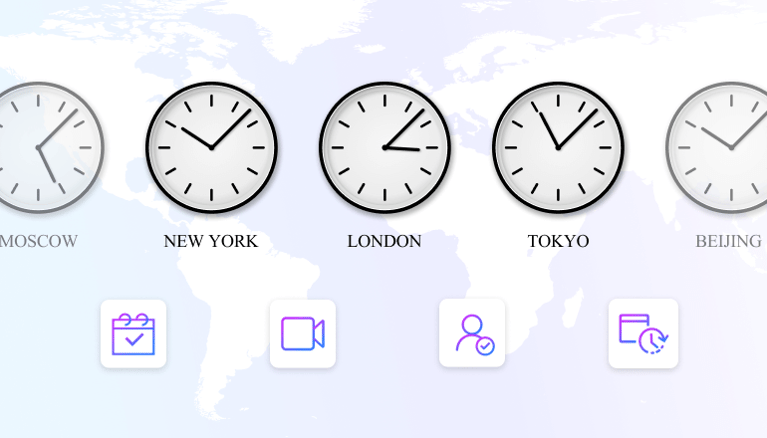
World Time Buddy shows multiple time zones side by side. Users can compare times easily. It offers a clear, visual interface. You can add cities or locations for quick reference. The tool helps find the best meeting times for all team members. It also works on mobile devices, making it easy to use on the go.
Calendly For Scheduling
Calendly simplifies meeting scheduling across time zones. It connects with your calendar to show available times. Invitees can pick a time that fits their zone. The tool automatically adjusts for different time zones. It reduces back-and-forth emails and scheduling conflicts. Calendly supports integration with popular apps like Zoom and Google Meet.
Timezone.io Benefits
Timezone.io displays your team’s locations on a world map. It shows current local times for each member. The tool highlights overlapping work hours visually. It helps managers plan meetings at convenient times. Teams can update their locations and work hours easily. Timezone.io improves communication and coordination for remote teams.
Project Management With Time Zones
Managing projects across multiple time zones requires clear visibility and coordination. Teams need tools that show deadlines and meetings in local times. This avoids confusion and missed tasks. Project management software with built-in time zone support simplifies collaboration. It helps teams track progress and schedule work without time conflicts.
Asana’s Time Zone Awareness
Asana displays task deadlines in each team member’s local time. This feature reduces errors caused by time differences. Teams can assign tasks and set due dates with confidence. Notifications also adjust to individual time zones. This keeps everyone informed without waking someone at odd hours.
Clickup’s All-in-one Approach
ClickUp combines project management with time zone tools. It shows task times adjusted to each user’s zone. The platform also offers shared calendars and reminders. Teams can plan work and meetings with clear timing for all. ClickUp’s interface helps remote teams stay organized and synced.
Integrating Zoom For Meetings
Zoom integration in project tools helps schedule meetings easily. Meeting times automatically convert to each participant’s local time. This prevents missed calls and confusion about start times. Zoom’s calendar sync works well with project management apps. Teams can join video calls without worrying about time zones.
Scheduling Strategies
Scheduling strategies help distributed teams work smoothly across time zones. They reduce confusion and improve meeting attendance. Smart planning keeps everyone connected and productive.
Finding Overlapping Hours
Start by identifying common work hours across locations. Use tools that show multiple time zones side by side. This helps find slots when most team members are available. Focus on short windows that fit everyone’s schedule.
Choose times that avoid very early or late hours. Respect personal time and local holidays. This builds trust and keeps morale high.
Rotating Meeting Times
Rotate meeting times to share inconvenience fairly. Change schedules weekly or monthly depending on team size. This way, no one always meets at odd hours.
Keep track of who meets when to maintain balance. Ask for feedback to improve the rotation plan. Rotating times show respect for all team members.
Using Google Calendar Effectively
Google Calendar offers features to manage time zones well. Set event times in your local zone and invitees see their local time automatically.
Use the “Find a Time” tool to compare calendars across zones. Add time zone labels in event titles for clarity. Enable notifications to remind attendees ahead of time.
Share calendars openly to avoid scheduling conflicts. Regular updates keep everyone informed about changes.
Asynchronous Communication
Asynchronous communication allows team members to work across different time zones without needing to be online simultaneously. It lets people send messages, share updates, and complete tasks at their own pace. This style reduces pressure to respond immediately. It also improves focus and productivity by minimizing constant interruptions.
Distributed teams benefit from asynchronous communication. It supports collaboration despite time differences. Teams stay connected and informed without long delays or scheduling conflicts.
Benefits For Distributed Teams
Asynchronous communication fits different work hours and locations. It reduces stress caused by strict meeting times. Team members can think before they reply, leading to clearer communication. It creates a written record of conversations for future reference. This approach supports diverse work styles and boosts team inclusion.
Tools Supporting Async Work
Tools like Slack and Microsoft Teams allow messaging at any time. Platforms such as Trello and Asana help track tasks and progress asynchronously. Email remains a core tool for detailed updates and formal communication. Video tools like Loom let team members record messages and presentations. These tools keep everyone in sync without needing live interaction.
Best Practices For Flexibility
Set clear expectations about response times and availability. Use shared calendars to note working hours and time zones. Encourage detailed messages to avoid confusion and reduce follow-ups. Avoid scheduling meetings outside common working hours. Promote respect for personal time and rest to prevent burnout. Flexibility builds trust and keeps communication smooth.
Cultural And Regional Considerations
Managing time zones in distributed teams requires more than tracking hours. Cultural and regional differences shape work habits and communication styles. Awareness of these differences helps create respect and cooperation. Tools can aid in managing schedules but understanding people’s customs and preferences is key. This section covers important cultural and regional considerations for effective time zone management.
Adapting To Different Work Hours
Work hours vary widely around the world. Some countries start early, others late. Lunch breaks and workday length differ too. Teams must adjust to these patterns to avoid conflicts. Time zone tools can show overlapping hours but respect for local work rhythms matters most. Flexibility improves teamwork and lowers stress.
Respecting Holidays And Customs
Holidays are not the same everywhere. National and religious holidays affect availability. Ignoring these can cause frustration or missed deadlines. Use calendar tools that include regional holidays. Recognize important cultural events and customs. This shows respect and builds trust among team members.
Building Inclusive Schedules
Inclusive schedules consider everyone’s time zones and cultural needs. Rotate meeting times to share inconvenience fairly. Avoid always scheduling meetings at one region’s preferred time. Allow asynchronous communication to bridge time gaps. Use scheduling tools that highlight best times for all. Inclusive planning leads to better participation and morale.

Credit: niftypm.com
Advanced Time Zone Tools
Advanced time zone tools help distributed teams work smoothly across different regions. They simplify scheduling by showing multiple time zones clearly. These tools reduce confusion and save time. Teams can plan meetings without guesswork. They also improve communication by respecting everyone’s local time.
Team Time Zone Pro Overview
Team Time Zone PRO displays team members’ locations and times on one screen. It offers a clear view of overlapping work hours. This helps find the best meeting times fast. The tool updates automatically with daylight saving changes. It supports teams with members in many countries.
Time Zone Ninja Capabilities
Time Zone Ninja focuses on choosing the best meeting time for everyone. It analyzes each person’s work hours and time zones. The tool suggests optimal meeting slots with minimal disruption. It works well for teams spread across continents. The simple interface makes scheduling easier for all users.
Teleport Sundial Features
Teleport Sundial shows a visual timeline for team members’ work hours. It highlights the best overlap times for meetings. The tool supports multiple users and time zones simultaneously. It is useful for planning daily standups or regular check-ins. Teleport Sundial helps teams stay aligned without extra effort.
Free Tools And Trackers
Managing time zones in distributed teams can be challenging without the right tools. Free tools and trackers help teams coordinate work hours easily. They show local times, suggest meeting slots, and avoid confusion. These resources save time and improve team communication.
Timezone Tracker Options
Several free timezone trackers help you manage global teams. World Time Buddy lets you compare multiple time zones on one screen. Timezone.io offers a simple view of team members’ locations. Every Time Zone provides a clear visual timeline for scheduling. These tools run on web browsers and mobile devices.
Open Source Solutions
Open source tools offer flexibility and no cost. Projects like Timezone Converter provide basic features without extra charges. They allow customization to fit team needs. Developers can adapt these tools for unique workflows. Open source communities often update these tools regularly.
Community Recommendations
Many teams share their favorite free tools online. Reddit and GitHub discussions highlight reliable options like Google Calendar’s timezone features. Users suggest combining tools for better results. Peer reviews help find easy and effective trackers. These recommendations guide teams toward practical solutions.

Credit: www.kanbanchi.com
Tips For Smooth Time Zone Management
Managing time zones in distributed teams can be challenging. It requires clear planning and understanding. Smooth time zone management helps teams work better. Here are key tips to keep your team connected and productive.
Leveraging Technology
Use tools designed for time zone management. Apps like World Time Buddy and Google Calendar show overlapping work hours. Scheduling software helps avoid confusion and missed meetings. Automate reminders to keep everyone on track. Technology reduces errors and saves time.
Encouraging Flexibility
Allow team members to adjust their work hours. Flexibility helps cover different time zones fairly. Rotate meeting times to share convenience and inconvenience. Support asynchronous work to reduce pressure. Flexibility builds trust and improves morale.
Maintaining Clear Communication
Set clear expectations about response times and availability. Use simple language to avoid misunderstandings. Share calendars so everyone knows each other’s schedules. Encourage regular updates to stay aligned. Clear communication prevents delays and confusion.
Frequently Asked Questions
What Are The Top Tools For Time Zone Management?
Popular tools include World Time Buddy, Calendly, and Timezone. io. These help teams convert time zones, schedule meetings, and organize global locations efficiently.
How Do Time Zone Tools Improve Distributed Team Work?
They enable easy scheduling across zones, reduce meeting conflicts, and increase productivity by showing overlapping working hours clearly for all members.
Can Time Zone Tools Integrate With Calendar Apps?
Yes, most tools sync with Google Calendar, Outlook, and other calendars. This integration automates scheduling and sends reminders for cross-time zone meetings.
What Features Make Time Zone Tools Effective?
Key features include real-time time conversion, multi-location support, meeting overlap visualization, and calendar synchronization. These help teams coordinate seamlessly despite time differences.
Conclusion
Effective time zone management improves teamwork and productivity. Use reliable tools to track and convert time zones easily. Clear scheduling reduces confusion and missed meetings. Encourage flexible work hours to support all team members. Regularly update your tools to match your team’s needs.
Strong communication and good planning keep projects on track. Distributed teams can work smoothly across different zones. Choose simple, user-friendly tools for best results. Consistency and respect for time differences build trust. Time zone tools help your team stay connected and efficient.

Everett Ashford is a tech reviewer at mytechgrid.com specializing in SSDs, cameras, TVs, earbuds, headphones, and other consumer electronics. He provides honest, data-driven reviews based on hands-on testing and real-world performance analysis. Everett simplifies complex tech details to help readers make smart, confident buying decisions.