Managing remote teams can feel like juggling countless tasks all at once. If you’ve ever wished for a way to simplify your workload without breaking the bank, you’re in the right place.
Affordable task automation tools are game-changers for remote managers like you, helping to save time, reduce errors, and keep your team on track effortlessly. You’ll discover the best budget-friendly automation tools that can transform how you manage tasks, boost productivity, and bring more control to your remote workflow.
Ready to make your job easier? Let’s dive in.
Credit: quixy.com
Top Affordable Automation Tools
Affordable task automation tools help remote managers save time and reduce errors. These tools simplify daily tasks and improve team productivity. Choosing the right tool depends on your team’s size and needs. The following options offer great features without breaking the budget.
Zapier For Workflow Automation
Zapier connects apps and automates workflows easily. It moves data between your favorite apps automatically. This saves time on repetitive tasks. Zapier supports thousands of apps, making it flexible. Its free plan covers basic automation needs.
Asana For Task Management
Asana helps teams organize and track tasks in one place. You can assign work and set deadlines clearly. It offers simple project views and notifications. Asana works well for small to medium teams. The free plan includes essential task management features.
Trello For Visual Organization
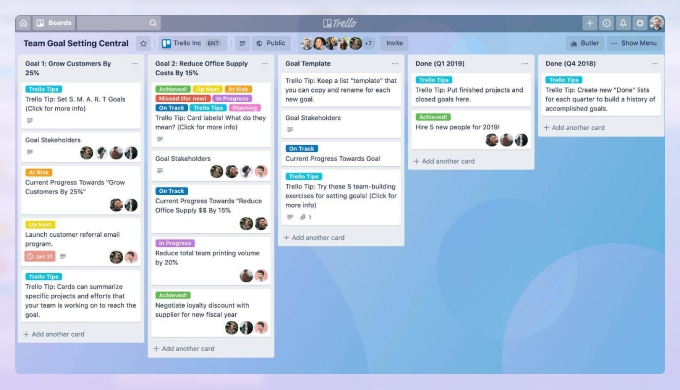
Trello uses boards, lists, and cards to display tasks visually. It makes project progress easy to see at a glance. Trello is intuitive and simple to use. It fits teams that prefer a flexible, drag-and-drop interface. The free version supports unlimited boards and users.
Clickup For Customizable Dashboards
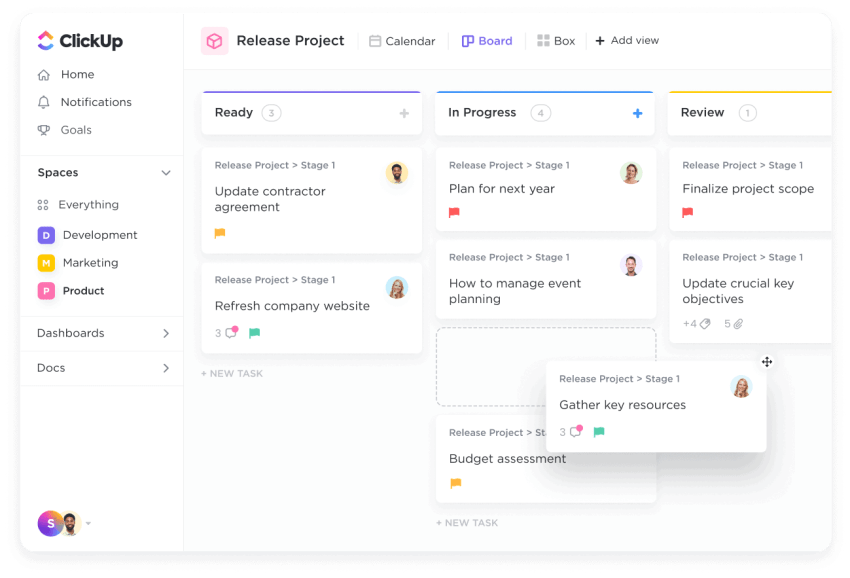
ClickUp offers customizable dashboards to fit your workflow. You can track goals, tasks, and projects in one place. It includes built-in docs and time tracking. ClickUp adapts to many work styles and team sizes. Its free plan provides many powerful features.
Monday.com For Team Collaboration
Monday.com improves team collaboration with clear task assignments. It provides visual project tracking with timelines and charts. The platform supports automation for routine processes. Monday.com is suitable for teams needing detailed planning tools. A basic plan is available at an affordable price.
Features That Boost Efficiency
Choosing the right task automation tools is key for remote teams. The right tools help manage tasks smoothly and keep everyone connected. They should fit team size, skills, and daily needs. This choice affects productivity and team satisfaction.
Focus on tools that grow with your team, are easy to use, and work on all devices. Also, check their cost and security features. These factors ensure your remote team works well without extra stress.
Scalability For Growing Teams
Pick tools that support your team’s growth. Start small but plan for more users. Tools should add features as teams expand. Avoid tools that limit users or functions. Scalability saves switching costs later.
User-friendly Interfaces
Choose tools with simple, clear interfaces. Easy navigation helps all team members. Avoid complex setups that slow work. A user-friendly tool reduces errors and training time. Everyone should use it without frustration.
Cross-platform Accessibility
Tools must work on different devices and systems. Support for Windows, Mac, Android, and iOS is best. Remote teams use varied devices daily. Cross-platform tools keep work seamless everywhere. No one should lose access due to device type.
Pricing Plans And Affordability
Look for tools with clear and fair pricing. Affordable plans help small budgets. Free or low-cost options suit startups and small teams. Check what features come at each price level. Avoid hidden fees or costly upgrades.
Security And Data Privacy
Security matters for remote work tools. Choose tools that protect data with encryption. Check if they meet privacy laws and standards. Safe tools build trust and prevent breaches. Protect your team’s information at all times.
Choosing Tools For Remote Teams
Automation helps remote managers save time and reduce errors. Success depends on smart planning and clear steps. Follow simple tips to make automation work well for your team. These tips guide you through choosing and using tools effectively.
Identifying Repetitive Tasks
Find tasks that repeat daily or weekly. These tasks waste time if done manually. Examples include sending emails, updating spreadsheets, and scheduling meetings. Automate these tasks first for quick results. This frees up time for more important work.
Setting Clear Automation Goals
Define what you want to achieve with automation. Goals could be saving time, reducing mistakes, or improving communication. Clear goals help you choose the right tools. They also measure success after automation is set up.
Training Remote Employees
Teach your team how to use automation tools well. Provide simple guides and video tutorials. Encourage questions and regular practice. Training reduces errors and builds confidence. Well-trained employees use tools more effectively.
Monitoring And Adjusting Workflows
Check automation results regularly. Look for errors or delays in tasks. Ask team members for feedback on tool use. Make adjustments to improve workflows. Continuous monitoring keeps automation running smoothly.
Combining Tools For Maximum Impact
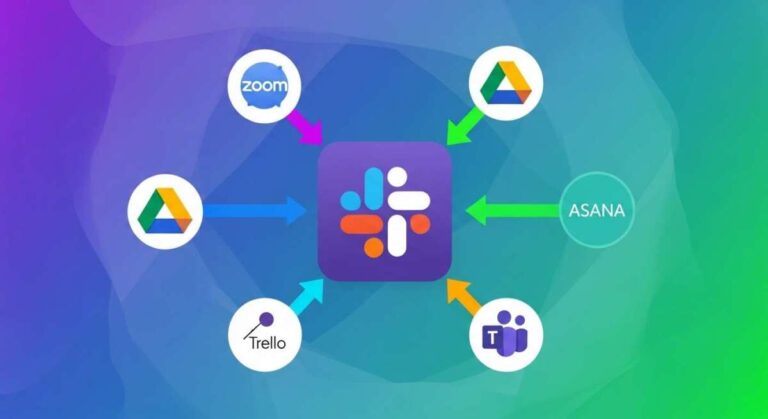
Use several tools together to cover different needs. For example, combine task managers with communication apps. Integration saves time by syncing data and alerts. Choose tools that work well with each other. This creates a strong system for remote teams.
Credit: www.4pmti.com
Tips For Successful Automation
Understanding real-world user experiences helps remote managers choose the right automation tools. These insights reveal how tools perform in daily work and solve common problems. Learning from actual users improves decision-making and tool adoption.
Case Studies From Remote Managers
Many remote managers share their stories using affordable automation tools. One manager used Trello to track team progress and reduce email clutter. Another preferred Asana for assigning tasks and meeting deadlines easily. These cases show how simple tools can boost productivity and keep teams aligned.
Common Challenges And Solutions
Remote managers often face communication gaps and task overload. Automation tools help by sending reminders and organizing work clearly. Some users struggled with tool setup but found online tutorials helpful. Choosing tools with easy interfaces reduces frustration and saves time.
Community Recommendations
Online communities suggest tools like ClickUp and Monday.com for their affordability and features. Members recommend starting with free plans before upgrading. They advise testing tools to match team needs and workflow. Community feedback guides new users toward practical choices.
Feedback From Reddit And Forums
Reddit threads and forums reveal honest opinions about task automation tools. Many users praise Slack for communication and Zapier for connecting apps. Some warn about steep learning curves in complex software. These platforms offer real advice from people working remotely every day.
Lessons Learned And Best Practices
Users stress the importance of clear task definitions and regular updates. Automating repetitive work frees time for creative tasks. Keeping tool use simple avoids confusion among team members. Sharing tips and experiences helps build a stronger remote work culture.
Credit: clean.email
Frequently Asked Questions
What Are Affordable Task Automation Tools For Remote Managers?
Affordable task automation tools help remote managers streamline workflows. Examples include Trello, Asana, and ClickUp. These tools offer task tracking, team collaboration, and deadline management at reasonable prices. They improve productivity without a high investment, making them ideal for remote teams.
How Do Task Automation Tools Improve Remote Team Productivity?
Task automation tools reduce manual work by automating repetitive tasks. They centralize communication, assign tasks, and track progress in real-time. This leads to better organization, fewer errors, and faster project completion, enhancing overall remote team productivity.
Which Task Automation Tool Is Best For Small Remote Teams?
Trello and Asana are popular for small remote teams. Trello offers simple, visual task boards, while Asana provides more advanced project tracking features. Both are affordable and user-friendly, making them great for managing small teams remotely.
Can Task Automation Tools Integrate With Other Remote Work Apps?
Yes, many automation tools integrate seamlessly with communication apps like Slack and Zoom. This integration ensures smooth workflow by syncing tasks, messages, and meetings. It helps remote managers keep everything connected and accessible in one place.
Conclusion
Affordable task automation tools help remote managers save time and stay organized. Choosing the right tool depends on your team’s size and needs. Tools like Trello, Asana, and ClickUp offer easy setups and useful features. These options fit tight budgets without sacrificing quality.
Start small and grow your automation as you learn. This approach keeps your workflow smooth and efficient. Embrace automation to reduce stress and boost productivity daily.

Everett Ashford is a tech reviewer at mytechgrid.com specializing in SSDs, cameras, TVs, earbuds, headphones, and other consumer electronics. He provides honest, data-driven reviews based on hands-on testing and real-world performance analysis. Everett simplifies complex tech details to help readers make smart, confident buying decisions.