You want to get the most out of your remote work setup, right? The secret lies in having the right tech stack—tools that keep you connected, organized, and productive no matter where you are.
But with so many options available, how do you choose what truly works for you? This guide will walk you through building a smart, efficient remote work tech stack tailored to your needs. Stick around, and you’ll discover simple yet powerful tools and strategies that can transform your daily workflow and help you achieve more with less hassle.
Ready to level up your remote work game? Let’s dive in.
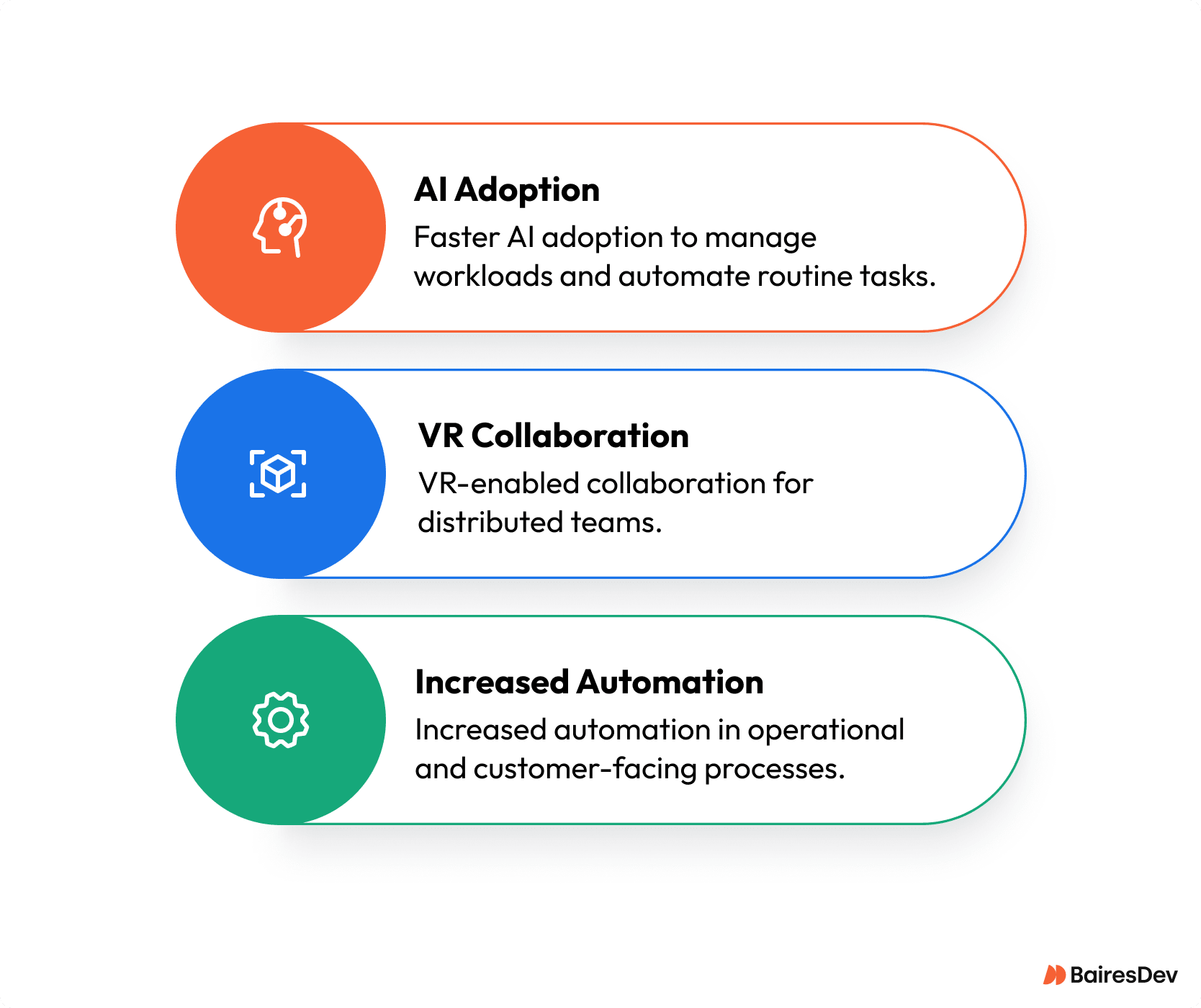
Credit: www.bairesdev.com
Remote Work Trends
Remote work has changed how businesses and employees operate. It is no longer just a temporary fix. Many companies adopt new ways to balance office and home work. Understanding current remote work trends helps build a productive tech stack. These trends shape what tools and systems teams need for success.
Hybrid Models
Hybrid work mixes office and remote work days. Employees enjoy flexibility and face-to-face meetings. Companies use hybrid models to boost teamwork and keep work-life balance. This model requires tech that supports seamless switching between locations.
Outcome Focus
Work now values results over hours spent online. Companies trust employees to meet goals without constant supervision. Tools that track progress and support communication are vital. Outcome focus drives the need for clear, simple project management software.
Tech Advancements
New technology improves remote work every day. Video calls, cloud storage, and collaboration apps become easier to use. Fast internet and secure connections are essential. Advanced tools help teams stay connected and productive anywhere.
Talent And Cost Benefits
Remote work opens access to talent worldwide. Companies save on office space and related costs. Employees save time and money on commuting. This trend leads to a more diverse and cost-effective workforce supported by technology.
Growing Acceptance
Remote work is now widely accepted across industries. It is a standard, not a trend. Businesses invest in tools and policies to support remote teams long-term. This acceptance encourages continuous improvement of remote work tech stacks.
Key Benefits Of Remote Work
Remote work has reshaped the modern workplace. It offers many benefits for both employees and businesses. Understanding these advantages helps build a productive remote work tech stack. This section highlights the key benefits of remote work that support productivity and satisfaction.
Employee Autonomy
Remote work lets employees control their schedules. They decide when and how to complete tasks. This freedom increases motivation and job satisfaction. Autonomy encourages creativity and problem-solving. Workers feel trusted and empowered to do their best work.
Business Productivity
Companies see higher productivity with remote teams. Less commuting means employees have more time and energy. Focused work environments reduce distractions. Digital tools help track progress and improve collaboration. Businesses can achieve goals faster and with better quality.
Work-life Balance Shift
Remote work allows better separation of work and personal life. Employees can spend more time with family and friends. Flexible hours make it easier to handle personal tasks. This balance reduces stress and burnout. Happier workers lead to lower turnover and stronger teams.
Core Components Of A Tech Stack
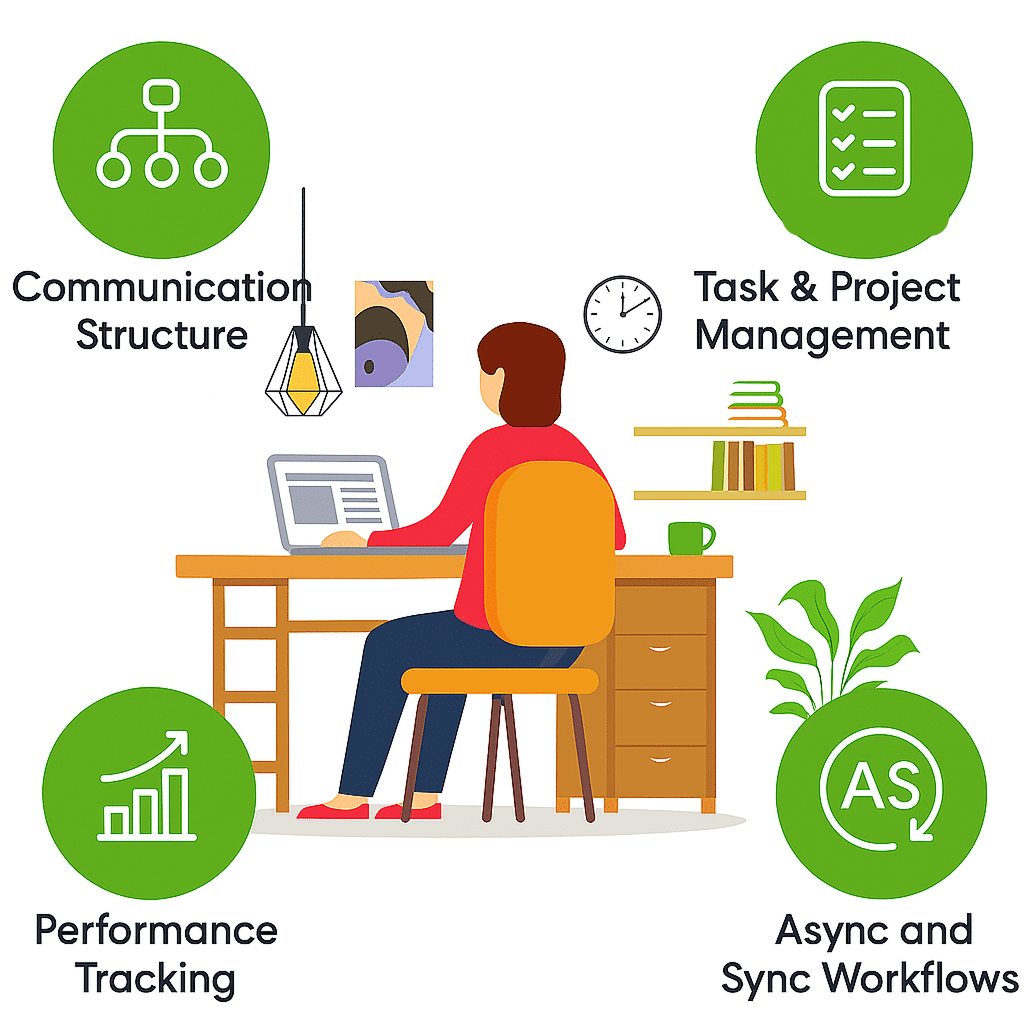
Building a productive remote work tech stack starts with choosing the right core components. These components form the foundation for smooth communication, task management, and data security. Each tool plays a key role in keeping remote teams connected and efficient.
A well-rounded tech stack supports daily workflows and helps avoid common remote work challenges. It should be easy to use and reliable to maintain team focus and momentum. Below are the essential parts of a productive remote work tech stack.
Communication Tools
Clear communication is vital for remote teams. Communication tools enable instant messaging, video calls, and voice chats. They help teams share ideas quickly and stay in touch throughout the day. Popular tools include Slack, Microsoft Teams, and Zoom. These tools reduce email overload and keep conversations organized.
Project Management
Project management software tracks tasks, deadlines, and progress. It helps teams stay on schedule and meet goals. Tools like Trello, Asana, and Monday.com allow managers to assign tasks and monitor work easily. These platforms increase accountability and provide a clear overview of project status.
Collaboration Software
Collaboration software supports joint work on documents, designs, and reports. It allows multiple users to edit files simultaneously and share feedback. Google Workspace and Microsoft 365 are common choices that integrate well with other tools. These platforms enhance teamwork despite physical distance.
Security Solutions
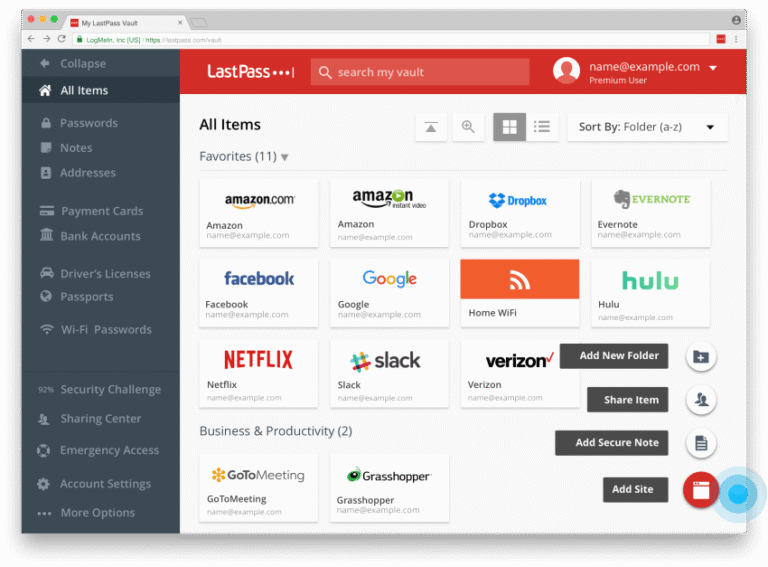
Security is crucial to protect company data and privacy. Security solutions include VPNs, firewalls, and antivirus software. They prevent unauthorized access and keep information safe. Remote teams should use tools like LastPass for password management and multi-factor authentication to boost security.
Cloud Storage
Cloud storage offers easy access to files from any location. It enables secure file sharing and backup. Services like Google Drive, Dropbox, and OneDrive provide scalable storage options. Cloud storage ensures all team members have the latest versions of important documents.
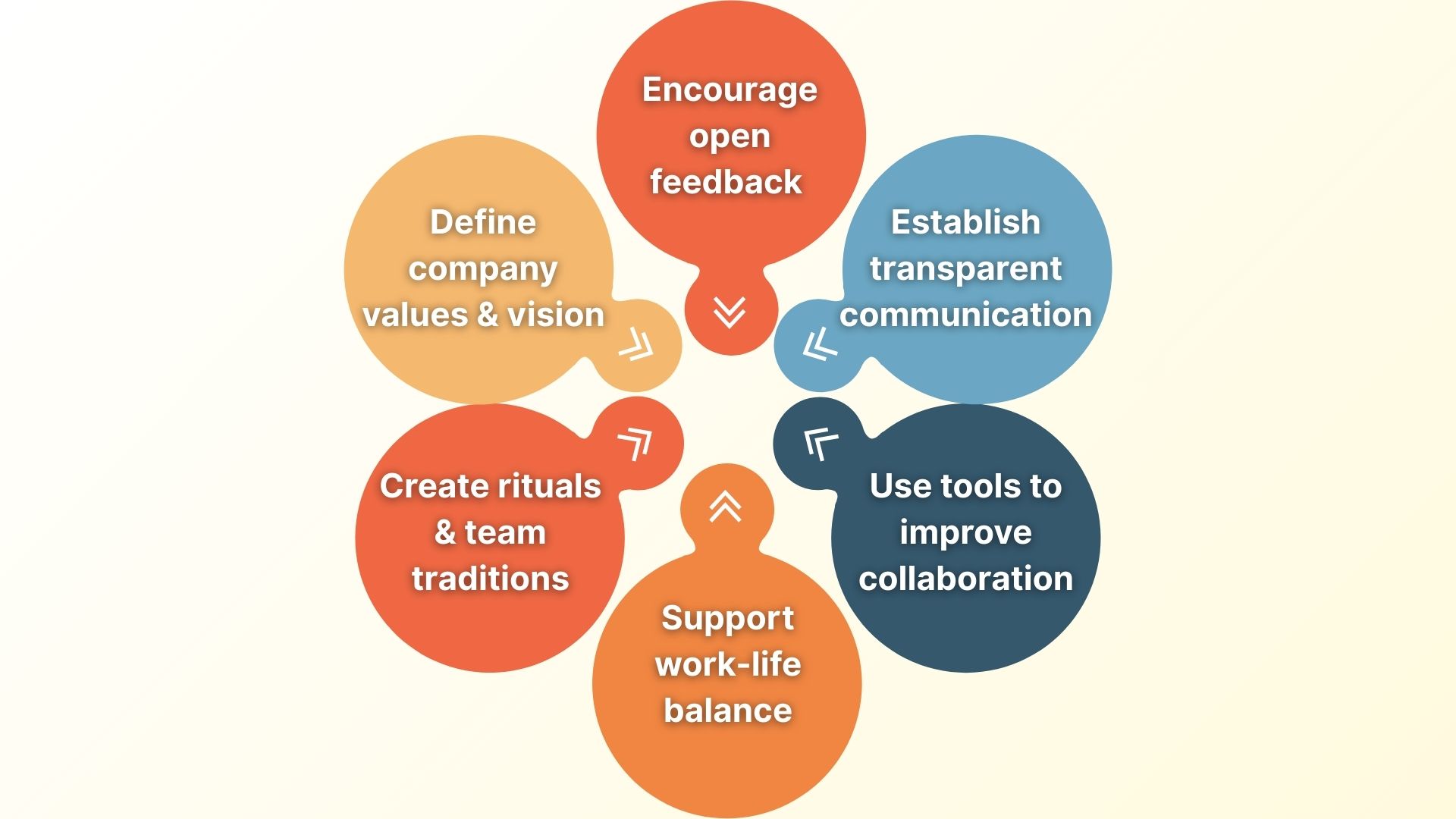
Credit: www.sembly.ai
Choosing The Right Tools
Choosing the right tools is a crucial step in building a productive remote work tech stack. The tools must fit the team’s workflow and help everyone stay connected. Picking unsuitable tools can cause delays and reduce efficiency. Focus on tools that support communication, collaboration, and task management. The goal is to create a smooth experience for all team members.
Assessing Team Needs
Start by understanding what your team requires to work well. Consider the size of the team and the type of projects handled. Identify key tasks that need digital support, such as file sharing or video calls. Ask team members about their preferences and challenges. Choose tools that solve the specific problems your team faces daily.
Integration Capabilities
Ensure the tools you pick work well together. Integration between apps saves time and reduces errors. Look for tools that connect with your current software. This helps maintain a smooth flow of information. Avoid tools that operate in isolation and cause extra manual work.
Scalability
Select tools that can grow with your team. As your team expands, your tech stack should handle more users and tasks. Tools with scalable plans help avoid switching costs later. Choose solutions that offer flexibility in features and pricing. This ensures long-term support for your remote work needs.
User Experience
Pick tools that are easy to use for everyone. A simple interface reduces learning time and frustration. Tools should work well on different devices, like phones and laptops. Good user experience increases adoption and productivity. Test tools with your team before full implementation to gather feedback.
Building A Remote Culture
Building a remote culture is key to making remote work successful. It shapes how your team connects, works, and grows together. A strong culture helps everyone feel part of the company, even from a distance.
Creating this culture means more than just choosing the right tools. It requires clear guidelines, open communication, teamwork, and care for employees’ well-being. Let’s explore how to build this culture step by step.
Setting Clear Expectations
Clear expectations guide remote workers on their roles and tasks. Define work hours, deadlines, and communication norms. This reduces confusion and helps employees manage time better. Clarity in goals keeps everyone focused on what matters most.
Encouraging Open Communication
Open communication builds trust and openness in remote teams. Use video calls, chat apps, and regular check-ins to keep conversations flowing. Encourage team members to share ideas and concerns freely. This creates a safe and supportive work environment.
Promoting Collaboration
Collaboration sparks creativity and problem-solving among remote workers. Use project management tools and shared documents to work together easily. Organize virtual brainstorming sessions or team projects. This strengthens teamwork and keeps everyone engaged.
Recognizing Employees
Recognition motivates remote employees and shows their value. Celebrate achievements and thank team members often. Use shout-outs in meetings or digital rewards to boost morale. Feeling appreciated helps maintain high productivity and loyalty.
Supporting Well-being
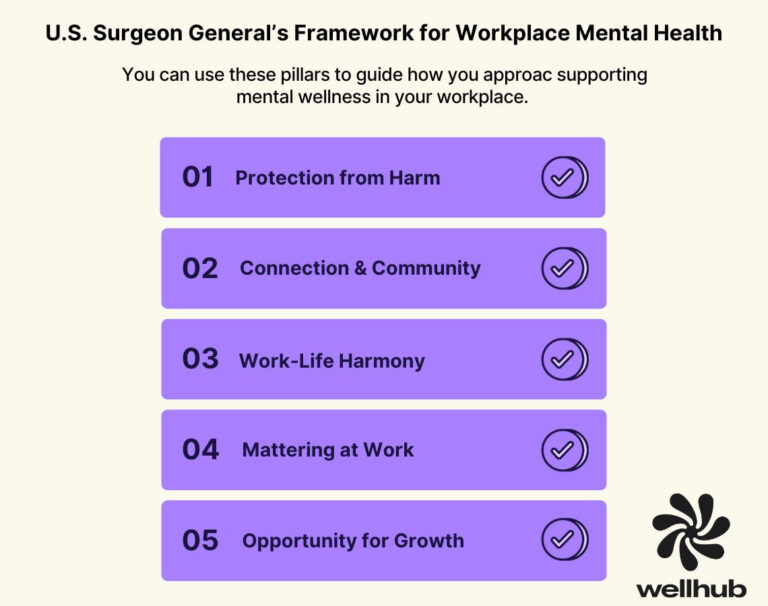
Well-being is vital for remote workers’ health and focus. Encourage regular breaks, physical activity, and work-life balance. Offer resources for mental health and stress management. Supporting well-being creates a happier and more productive team.
Productivity Tips For Remote Teams
Creating a productive remote work environment depends on more than just the right technology. Teams need clear habits and strategies to stay focused and efficient. Productivity tips help remote workers maintain balance and work well together, no matter the distance.
Simple practices improve daily work and reduce stress. Clear routines, strong boundaries, smart notification handling, and focus methods all boost productivity. These tips support a remote team’s success and wellbeing.
Establishing Routines
Start each day with a set schedule. Consistent routines create a sense of normalcy and help manage time. Plan work hours and breaks to maintain energy. Teams should agree on core hours for meetings and collaboration. Routines reduce distractions and keep everyone aligned.
Creating Work Boundaries
Separate work from personal life by setting clear limits. Use a dedicated workspace to focus better. Communicate your work hours to family and friends. Avoid working beyond your set time to prevent burnout. Boundaries help keep work and life balanced.
Managing Notifications
Control alerts to avoid constant interruptions. Turn off non-urgent notifications during deep work times. Use tools that prioritize important messages only. Check emails and chats at set times instead of constantly. Managing notifications helps maintain focus and reduces stress.
Using Focus Techniques
Apply methods like the Pomodoro Technique to work in short bursts. Take regular breaks to refresh your mind. Remove distractions such as phone or social media during focus periods. Use noise-cancelling headphones or ambient sounds if needed. Focus techniques improve concentration and work quality.
Future Of Remote Work Tech
The future of remote work tech is shaping how teams connect and perform. New tools aim to boost productivity and simplify online collaboration. Businesses must adapt their tech stack to stay effective and competitive. Innovations in AI, video tools, and mobile solutions will define the next phase of remote work.
Ai Integration
Artificial intelligence will automate routine tasks and manage workflows. AI can analyze data to offer insights and improve decision-making. Virtual assistants will help schedule meetings and organize tasks. This reduces distractions and lets employees focus on key work. AI-powered tools also enhance communication by summarizing discussions and tracking progress.
Enhanced Video Collaboration
Video calls will become clearer and more interactive. New software will support real-time editing and brainstorming during meetings. Features like virtual whiteboards and breakout rooms encourage team engagement. Improved video technology makes remote meetings feel more natural and productive. This helps teams solve problems faster and build stronger connections.
Mobile-first Solutions
Remote work tech will prioritize mobile device use. Employees can work effectively from smartphones and tablets anywhere. Apps will offer full functionality without needing a desktop. Mobile-first design supports flexibility and quick responses. This approach ensures teams remain connected and productive on the go.

Credit: levelup.gitconnected.com
Frequently Asked Questions
Is Remote Work Dying In 2025?
Remote work is not dying in 2025. Hybrid models blend remote and office work, boosting flexibility and productivity. Technology advances and employee preference keep remote work thriving. Businesses value remote work for talent access, cost savings, and improved retention, making it a lasting workforce trend.
How To Be Productive While Working Remotely?
Create a daily routine and dedicated workspace. Use productivity tools and limit distractions. Take regular breaks and set clear boundaries. Communicate effectively with your team. Prioritize tasks and focus on outcomes to stay productive while working remotely.
How To Build A Technology Stack?
Identify your project needs, choose compatible tools for development, testing, and deployment, then integrate and regularly update them.
How To Build A Strong Remote Culture?
Set clear expectations and communicate regularly. Foster trust and transparency. Use collaborative tools. Encourage social interactions. Recognize achievements to boost engagement and loyalty.
Conclusion
Building a strong remote work tech stack takes thoughtful choices. Pick tools that fit your team’s needs and work style. Keep software simple and easy to use every day. Regularly review your tools to ensure they help productivity. A good tech stack supports clear communication and smooth collaboration.
Focus on what makes remote work easier, not more complex. This approach leads to better results and happier teams. Remember, technology is a tool to help people work well together.

Everett Ashford is a tech reviewer at mytechgrid.com specializing in SSDs, cameras, TVs, earbuds, headphones, and other consumer electronics. He provides honest, data-driven reviews based on hands-on testing and real-world performance analysis. Everett simplifies complex tech details to help readers make smart, confident buying decisions.