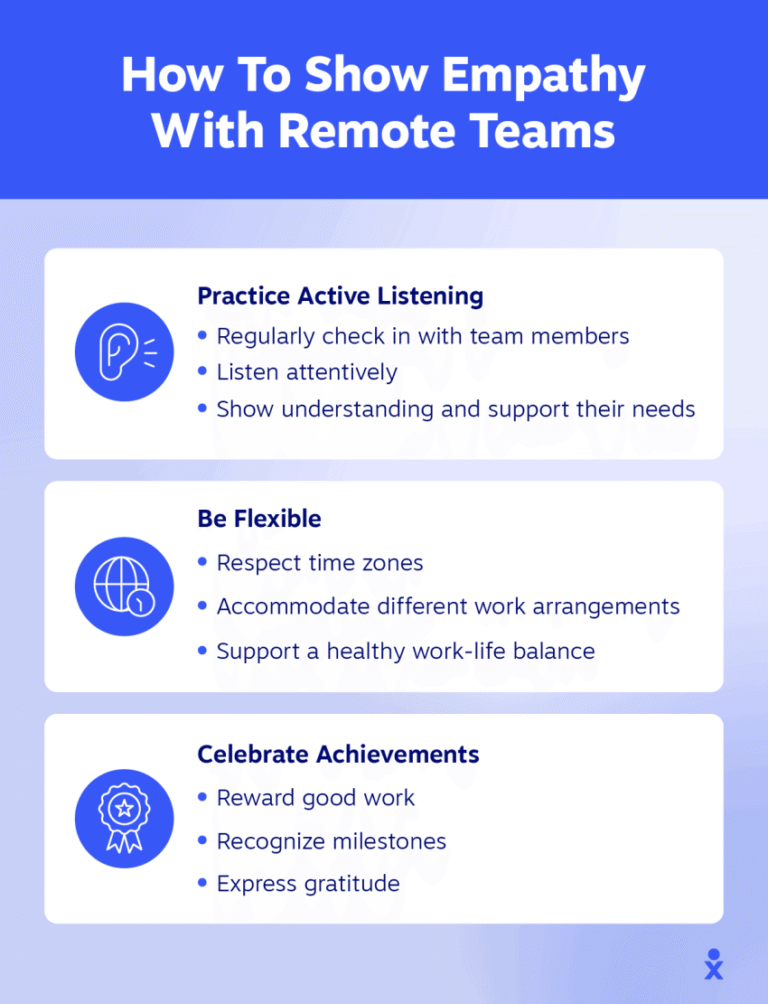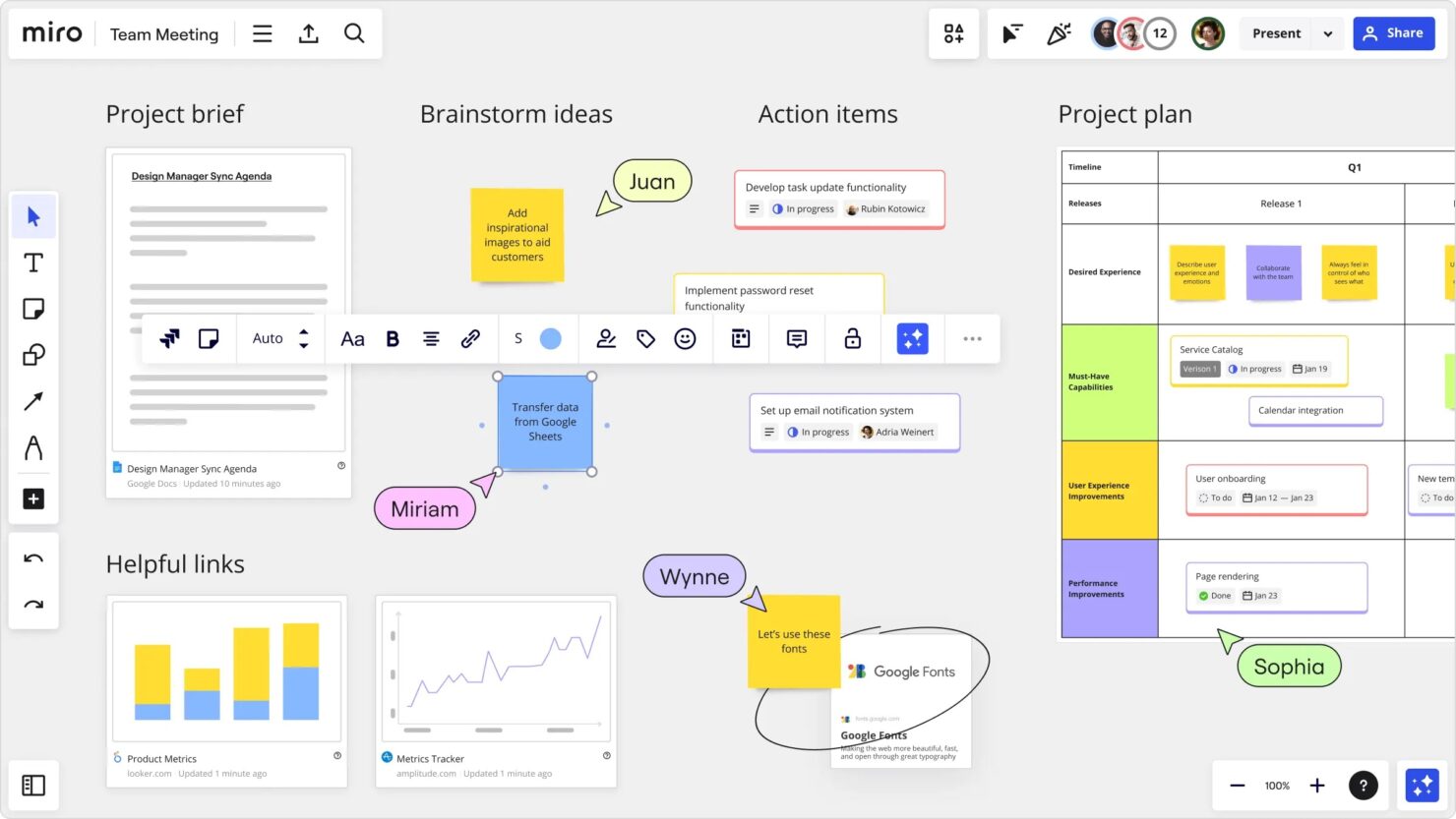
If you’re a creative professional working remotely, juggling multiple projects and deadlines can quickly become overwhelming. You need a task management app that not only keeps you organized but also fits the way your creative mind works.
The right app can help you focus on what matters most—bringing your ideas to life—while making sure nothing slips through the cracks. You’ll discover the best task management apps designed specifically for creative remote professionals like you. These tools will help you stay on top of your tasks, collaborate smoothly, and boost your productivity without adding extra stress.
Ready to transform how you manage your work? Let’s dive in.

Credit: thedigitalprojectmanager.com
Top Apps For Creatives
Creative remote professionals need task management apps that fit their unique workflow. These apps help organize ideas, manage deadlines, and keep projects on track. The right tool boosts productivity and reduces stress.
Here are top task management apps popular among creatives. Each app offers different strengths to suit various working styles.
Todoist For Quick Task Capture
Todoist lets you add tasks quickly using natural language. Just type what you need to do, and it sets the date automatically. This app is great for capturing ideas before they slip away. It keeps your to-do list simple and clear.
Evernote For Note-taking
Evernote organizes notes, sketches, and voice memos in one place. Creatives can save inspiration from anywhere. Use tags and notebooks to find notes fast. It works offline, so ideas stay safe without internet.
Trello’s Visual Boards
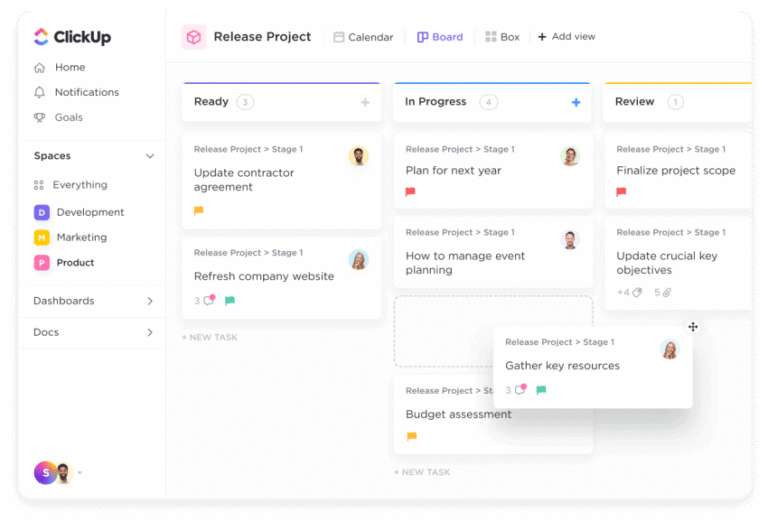
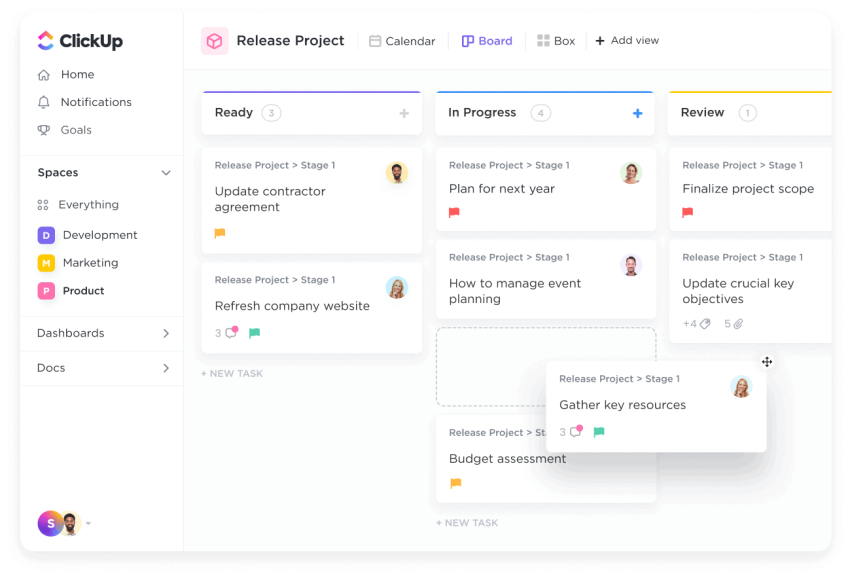
Trello uses boards and cards to show tasks visually. Move cards as work progresses to track projects easily. It suits those who think in pictures and need a big overview. Collaboration is simple with shared boards.
Omnifocus For Gtd Fans
OmniFocus follows the Getting Things Done method closely. It lets users break tasks into projects and contexts. This app is perfect for those who want strict task organization. It helps keep focus on what matters next.
Any.do’s Simple Interface
Any.do offers a clean and easy design. Add tasks, set reminders, and plan your day with ease. It syncs across devices for work on the go. The app keeps distractions low with a straightforward layout.
Notion’s Custom Workspaces
Notion lets creatives build their own workspaces from scratch. Combine notes, tasks, databases, and calendars in one app. It adapts to any workflow or project type. Teams can share pages and work together smoothly.
Credit: www.nextiva.com
Managing Complexity
Managing complex projects as a creative remote professional requires clear organization and focus. Tasks can quickly become overwhelming without the right approach. Task management apps help simplify this complexity. They break down work into smaller parts, show how tasks connect, and warn about possible delays. These features keep projects on track and reduce stress.
Breaking Down Tasks
Complex projects often involve many steps. Task management apps allow users to divide big tasks into smaller, clear actions. This makes work easier to handle and less intimidating. Smaller tasks are quicker to complete and easier to track. Breaking down work helps creative professionals stay focused and make steady progress.
Visualizing Dependencies
Many tasks depend on others to finish first. Visual tools in apps show these links clearly. Seeing task dependencies helps plan the right order of work. It prevents confusion and avoids delays caused by waiting on unfinished tasks. Creative remote workers can better coordinate their schedule and deliver projects on time.
Anticipating Roadblocks
Task management apps help spot potential problems early. Alerts and progress tracking highlight tasks that may fall behind. Knowing about roadblocks ahead allows users to adjust plans quickly. Early action reduces stress and keeps projects moving forward. Creative professionals can meet deadlines and maintain quality.
Prioritizing Tasks
Prioritizing tasks is essential for creative remote professionals. It helps manage workload and meet deadlines efficiently. Without clear priorities, important tasks can get lost in the shuffle. Using task management apps can simplify this process. These apps help organize tasks by importance and urgency. Prioritizing ensures that creative energy focuses on what truly matters.
Using The Eisenhower Matrix
The Eisenhower Matrix divides tasks into four categories. These are urgent and important, important but not urgent, urgent but not important, and neither urgent nor important. This method helps identify tasks that need immediate attention. It also highlights tasks that can be scheduled or delegated. Creative professionals can use this matrix to stay focused and reduce stress.
Balancing Urgency And Importance
Urgent tasks demand quick action but may not always be important. Important tasks contribute to long-term goals but might not require immediate attention. Balancing these helps avoid burnout and missed deadlines. Task management apps can flag urgent tasks and remind users of important deadlines. This balance keeps projects moving smoothly and creativity flowing.
Focusing On Critical Elements
Not all tasks have the same impact on project success. Identifying critical elements ensures key parts get priority. Creative professionals should focus on tasks that add the most value. Task management apps help highlight these elements clearly. Concentrating on critical tasks leads to better results and less wasted effort.
Staying Compliant
Staying compliant is crucial for creative remote professionals. It ensures projects follow legal rules and industry guidelines. Compliance reduces risks and protects work integrity. Task management apps help embed compliance into daily workflows. They make tracking and documenting compliance easier and clearer.
Integrating Compliance Checks
Task management apps allow adding compliance checkpoints in workflows. Professionals can set reminders for legal reviews or approvals. These checks help catch issues early and avoid costly mistakes. Automated alerts keep teams aware of deadlines and requirements. This integration supports smooth project progress without compliance gaps.
Documenting Decisions
Clear records of decisions support accountability and transparency. Task apps provide spaces to log choices and approvals. Users can attach files or notes explaining compliance actions. This documentation is vital if audits or disputes occur. It also helps teams track changes and learn from past projects.
Meeting Industry Standards
Compliance means following the rules specific to each creative field. Task apps can include templates based on industry standards. This ensures every project aligns with expected quality and safety norms. Teams stay consistent and professional by using standardized workflows. Meeting standards builds trust with clients and partners.
Adapting To Culture
Adapting to culture is vital for creative remote professionals using task management apps. Culture shapes how teams work, communicate, and solve problems. It affects trust, motivation, and collaboration. Understanding and embracing this culture helps teams stay aligned and productive. Task management tools must support these cultural needs to foster a healthy work environment.
Fostering Transparency
Transparency builds trust in remote teams. Task management apps show who is doing what and when. This clarity reduces misunderstandings and duplication of work. When tasks and deadlines are visible, everyone feels responsible. Clear updates and progress tracking make teamwork smoother and more reliable.
Encouraging Open Communication
Open communication keeps ideas flowing. Task apps with chat or comment features help team members share feedback quickly. Creative professionals benefit from easy discussions around tasks and projects. This openness reduces delays and fixes issues early. It also strengthens relationships among remote team members.
Supporting Team Well-being
Well-being affects creativity and productivity. Task management apps that respect work-life balance help reduce stress. Features like flexible deadlines and workload views prevent burnout. Regular check-ins and mood tracking can be integrated to support mental health. A team that feels cared for delivers better results and stays motivated.
Leading With Compassion
Leading with compassion is vital for creative remote professionals using task management apps. Compassion builds trust and improves team collaboration. It helps leaders understand challenges faced by remote workers. Showing care creates stronger bonds and encourages open communication.
Compassionate leadership fosters a positive work culture. It makes remote teams feel valued and supported. This approach improves productivity and job satisfaction. Task management apps can support this by enabling clear, empathetic communication and flexible workflows.
Building Empathy
Empathy means understanding others’ feelings and perspectives. Leaders can build empathy by actively listening to team members. Task management apps allow sharing updates and challenges in real time. This helps leaders respond thoughtfully and tailor support to individual needs.
Encourage team members to share their experiences openly. Empathy strengthens relationships and reduces misunderstandings. It also helps identify when someone needs extra help or encouragement.
Motivating Remote Teams
Motivation keeps creative teams engaged and productive. Compassionate leaders recognize each person’s efforts and achievements. Use task management apps to give timely, positive feedback. Celebrate small wins to boost morale and keep energy high.
Set clear goals and realistic deadlines to avoid stress. Show understanding if obstacles arise. Motivation improves when people feel their work matters and they are supported.
Creating Supportive Environments
A supportive environment promotes well-being and creativity. Leaders can use task management tools to balance workloads fairly. Encourage breaks and respect personal time to prevent burnout. Check in regularly to offer assistance and adjust plans as needed.
Build a culture where questions and ideas are welcome. Supportive environments help remote teams thrive despite physical distance. Compassion leads to happier, healthier, and more creative professionals.
Trello Vs Asana
Choosing the right task management app is key for creative remote professionals. Trello and Asana stand out as popular choices. Both help organize tasks and projects but serve different needs. Understanding their strengths can improve productivity and collaboration.
Best Use Cases For Trello
Trello works well for simple, visual task tracking. It uses boards, lists, and cards to organize work. Creative freelancers and small teams like its flexibility. It suits Kanban-style workflows where tasks move through stages. Trello is great for brainstorming and quick task updates. It also fits projects that need less detail and fewer integrations.
When To Choose Asana
Asana fits teams managing complex projects with many tasks. It offers advanced features like timelines, dependencies, and custom fields. Creative professionals handling multiple projects benefit from its structure. Asana supports collaboration with clear task assignments and deadlines. It works well when detailed tracking and reporting are important. Larger teams often prefer Asana for its scalability.
Feature And Cost Comparison
Trello has a free plan with unlimited cards and boards. Paid plans add more automation and storage. Its simple interface is easy to learn. Asana’s free plan supports up to 15 users with basic features. Paid tiers unlock timelines, workload views, and advanced reporting. Asana offers more built-in tools but can feel complex. Trello focuses on visual simplicity and flexibility. Both apps support mobile and desktop use.
Choosing Trello
Trello stands out as a practical choice for creative remote professionals. It offers a clear, visual way to manage tasks and projects. Its design helps users see progress at a glance. Trello fits well into creative workflows where ideas and tasks flow dynamically. The platform keeps teams organized without overwhelming them with complex features.
This balance makes Trello a favorite among small teams and solo creatives. It supports flexible task handling and easy collaboration. Let’s explore why Trello might be the right task management app for your remote creative work.
Simplicity And Visual Focus
Trello’s interface is simple and easy to use. It uses boards, lists, and cards to organize tasks visually. This layout helps users quickly understand project status. Drag-and-drop cards make task updates fast and intuitive. Visual cues reduce confusion and keep teams on the same page.
Ideal For Small Teams
Small creative teams benefit from Trello’s straightforward structure. It allows clear task assignment and tracking without extra complexity. Team members can comment, attach files, and set deadlines easily. The platform supports real-time collaboration and smooth communication. This keeps everyone informed and productive.
Linear Workflow Support
Trello supports linear workflows with its list structure. Tasks move from one stage to the next in a clear sequence. This suits projects that follow step-by-step progressions. Creative teams can track tasks from idea to completion. The linear flow keeps processes organized and deadlines visible.
Budget-friendly Plans
Trello offers free and affordable plans suitable for freelancers and small teams. The free plan includes essential features for basic task management. Paid plans add more power with automation and integrations. This flexibility helps creative professionals manage projects without high costs. Trello adapts to different budgets and needs.
Choosing Asana
Choosing Asana as your task management app offers many benefits for creative remote professionals. Its design suits complex workflows and team collaboration. Asana helps keep projects organized, making work clearer and easier to manage. The app grows with your needs, supporting both small and large teams effectively.
Handling Complex Projects
Asana breaks down big projects into smaller tasks. Each task can have details, deadlines, and assignees. This helps avoid confusion and missed steps. Task dependencies show what must be done first. It reduces errors and keeps the project on track. Project managers can track progress easily with clear task lists.
Multiple Project Views
Users can switch between different views in Asana. List view offers a simple outline of tasks. Board view shows tasks as cards, perfect for visual planning. Timeline view displays tasks on a calendar for scheduling. Each view helps users understand the project from a new angle. This flexibility fits different work styles and needs.
Scaling For Larger Teams
Asana supports team growth without losing control. It allows multiple teams and projects in one workspace. Team members can communicate directly within tasks to reduce emails. Roles and permissions keep sensitive information safe. Reporting tools track team performance and project health. These features help large teams stay coordinated and productive.
Credit: www.nextiva.com
Frequently Asked Questions
What Is The Best Personal Task Management App?
The best personal task management app depends on your needs. Todoist excels in natural language input, Trello offers visual organization, and Notion provides customizable workspaces. Choose based on simplicity, project complexity, and preferred features.
What Are The 5 C’s Of Project Management?
The 5 C’s of project management are Complexity, Criticality, Compliance, Culture, and Compassion. They guide task handling, prioritization, adherence, team dynamics, and empathy.
Is Asana Better Than Trello?
Asana suits larger teams with complex projects, offering multiple views and task dependencies. Trello fits small teams needing simple, visual Kanban boards. Trello is cheaper and easier to learn; Asana provides advanced features but costs more and has a steeper learning curve.
What Is The No. 1 Productivity App?
The No. 1 productivity app varies by needs, but Todoist leads for natural language task capture and easy task management.
Conclusion
Choosing the right task management app helps creative remote professionals stay organized. Clear task lists reduce stress and improve focus. Visual tools make tracking progress simple and effective. Prioritizing tasks saves time and boosts productivity daily. Using apps that fit your style makes work more enjoyable.
Small steps lead to big results in remote work. Try different apps to find what works best for you. Consistent use of a good app supports your creative goals.

Everett Ashford is a tech reviewer at mytechgrid.com specializing in SSDs, cameras, TVs, earbuds, headphones, and other consumer electronics. He provides honest, data-driven reviews based on hands-on testing and real-world performance analysis. Everett simplifies complex tech details to help readers make smart, confident buying decisions.