Are your remote standup meetings dragging on or missing the mark? You’re not alone.
Hosting quick, focused standups that keep your team aligned can feel tricky when everyone’s scattered across different locations. But with the right approach and tools, you can turn these meetings into powerful moments of connection and clarity. You’ll discover how to make your remote standups effective, engaging, and time-efficient—so your team stays motivated and on track every single day.
Ready to transform your meetings? Let’s dive in.

Credit: www.kumospace.com
Set Clear Objectives
Setting clear objectives is essential for effective remote standup meetings. Clear goals keep the team focused and the meeting brief. Remote settings can cause distractions and delays. Clear objectives help avoid this by guiding the discussion.
Each remote standup should have a purpose that every team member understands. This makes participation meaningful and productive. Tools can support this clarity by structuring the meeting around set objectives.
Define Meeting Goals
Start by deciding what the meeting must achieve. Common goals include sharing progress, identifying blockers, and aligning priorities. Define these goals before the meeting starts.
Share the goals with your team using collaboration tools. This prepares everyone to contribute relevant updates. It also reduces off-topic discussions, saving time.
Focus On Key Updates
Ask team members to share only crucial updates. These updates should relate directly to the project goals. Avoid long explanations or unrelated details.
Use tools that highlight important points, like shared task lists or status boards. This helps the team see progress clearly. It also makes follow-up actions easier to track.
Choose The Right Tools
Structuring a remote standup meeting helps keep it clear and productive. A strong structure saves time and avoids confusion. It also helps team members share updates smoothly. Organizing the meeting with clear steps makes it easier to follow. The right format encourages focus and participation from everyone.
Below are key ways to structure your remote standup meeting effectively.
Standard Questions Format
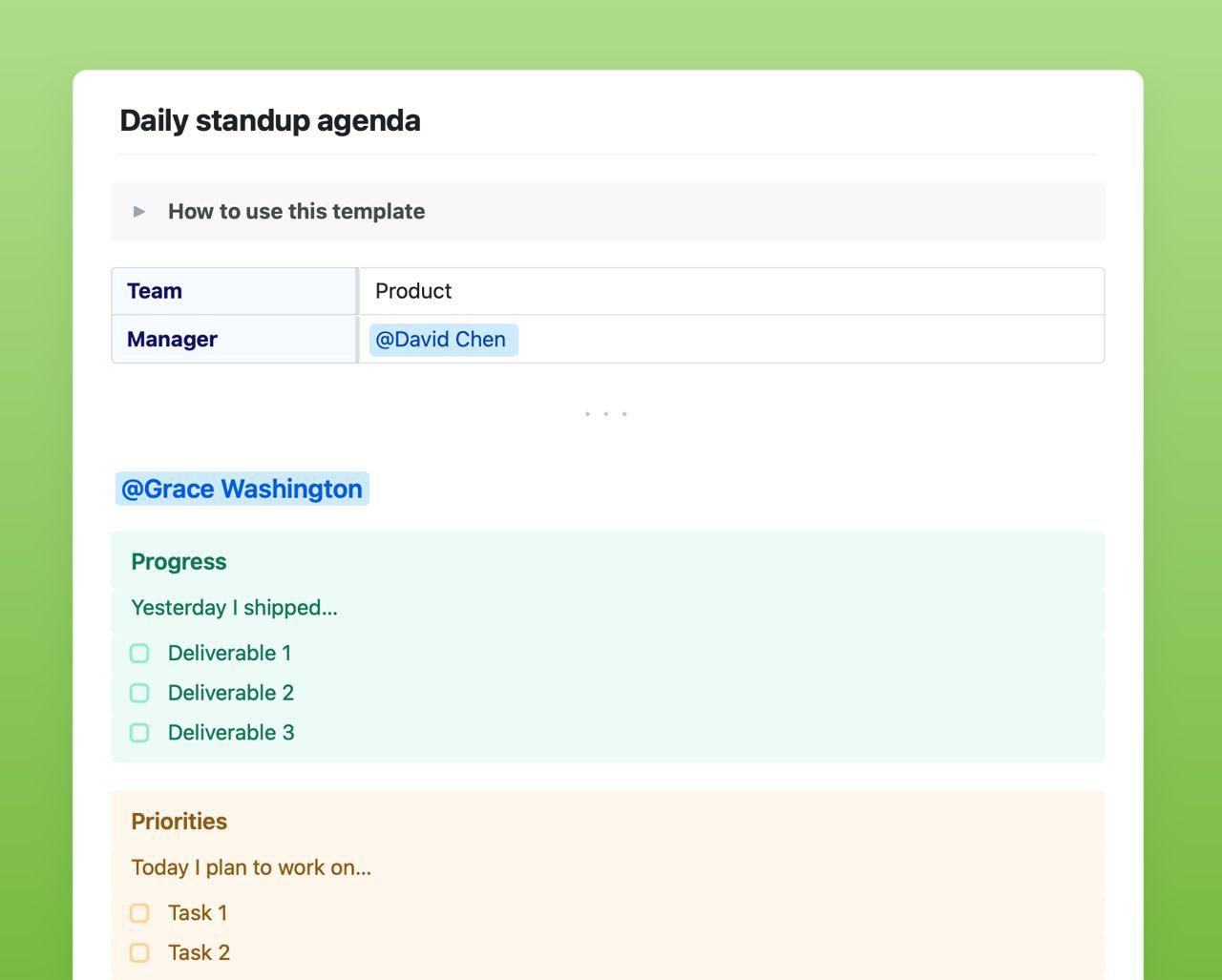
Use a simple set of questions for each team member. Typical questions ask about work done, work planned, and problems faced. This format keeps updates brief and relevant. Everyone knows what to share and when. It reduces off-topic discussions and helps track progress clearly.
Timeboxing Each Update
Set a fixed time limit for each person’s update. Usually, one to two minutes works well. Timeboxing prevents long talks and keeps the meeting short. It also respects everyone’s time and attention span. Use a timer or a tool to track speaking time easily.
Encourage Participation
Make sure all team members have a chance to speak. Ask quiet members directly but gently to share their updates. Use video or chat tools that allow easy interaction. Encourage questions and quick feedback. Active participation helps everyone stay connected and informed.
Schedule Strategically
Promoting engagement in remote standup meetings keeps the team connected and focused. Active participation helps everyone share updates clearly and feel heard. Engaged team members contribute better and stay motivated throughout the project.
Using simple tools and techniques can boost interaction. Small changes can make meetings more lively and productive. Here are two effective ways to promote engagement during remote standups.
Rotate Meeting Facilitators
Changing the meeting leader each day gives everyone a chance to guide the discussion. It encourages responsibility and fresh perspectives. Different facilitators bring new energy and keep the team interested.
Rotation also helps team members improve communication skills. It prevents meetings from becoming routine or boring. This practice makes standups feel more inclusive and dynamic.
Encourage Interactive Discussions
Ask open-ended questions that invite more than yes or no answers. Let team members share challenges and offer solutions. Use chat features or reaction buttons to let quieter members participate easily.
Interactive discussions build trust and make problem-solving faster. Encourage short feedback loops and quick clarifications. This keeps the meeting lively and ensures everyone understands the tasks.
Credit: www.craft.do
Structure The Meeting
Leverage asynchronous updates to improve remote standup meetings. These updates let team members share progress without everyone meeting live. This reduces scheduling conflicts and respects different time zones.
Asynchronous updates keep meetings short and focused. They allow team members to prepare thoughtful reports. This method also helps avoid interruptions and technical issues during live calls.
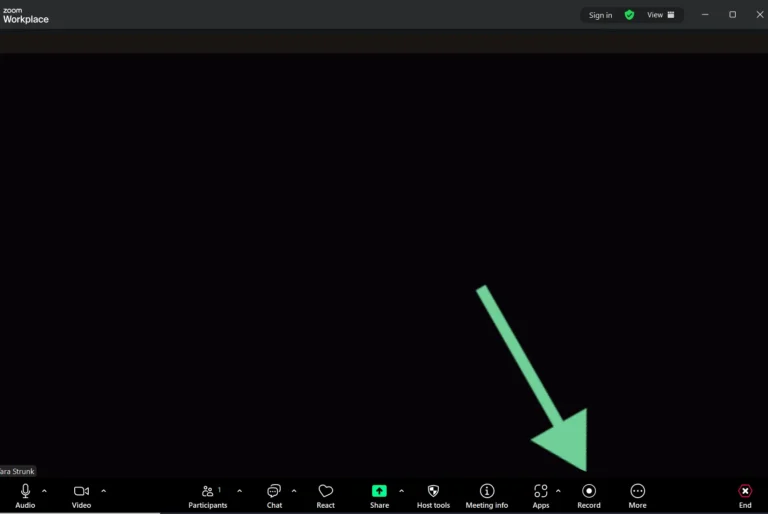
Use Recorded Videos
Recorded videos let team members explain their updates clearly. Videos add a personal touch and improve understanding. Team members can watch updates anytime, at their own pace.
Videos also allow visual cues like tone and expressions. This helps avoid miscommunication. Keep videos short, under two minutes, to hold attention.
Encourage team members to highlight blockers and goals in their videos. Store videos in a shared folder or platform. This keeps all updates organized and easy to find.
Implement Status Boards
Status boards show project progress in one place. They provide a quick overview of tasks and deadlines. Team members update their status regularly on the board.
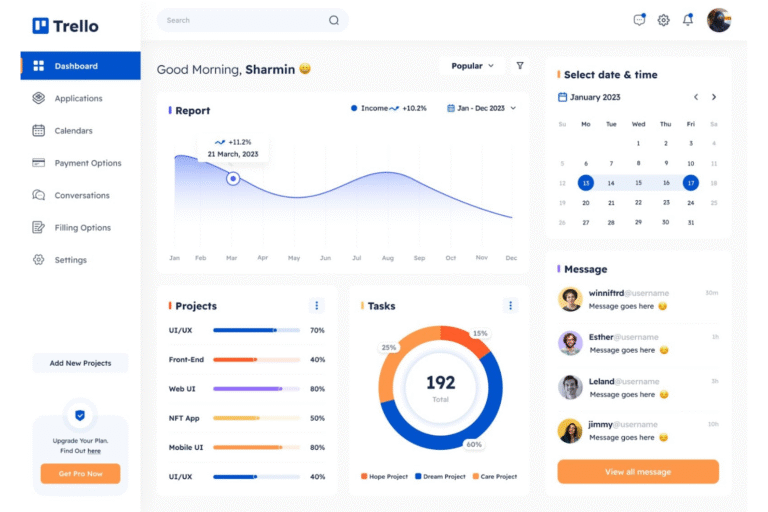
Use simple tools like Trello, Jira, or Microsoft Planner. These tools are user-friendly and widely available. Visual boards help track work without long meetings.
Status boards improve transparency and accountability. Everyone sees what others are doing and what needs attention. This reduces the need for frequent check-ins.
Optimize Audio And Visual Setup
Tracking progress and following up are vital for successful remote standup meetings. These practices ensure accountability and keep the team aligned. They help identify what has been done and what still needs attention. Remote teams rely on clear updates to maintain momentum.
Effective follow-up prevents tasks from falling through the cracks. It also supports quick resolution of issues. Using the right tools to track progress makes this easier. Teams can see updates in real time and plan next steps clearly.
Document Action Items
Always record action items during the standup. This creates a clear list of tasks assigned to each team member. Use shared tools like Google Docs or project management apps for documentation. This way, everyone can access and update the list anytime.
Clear documentation reduces confusion about responsibilities. It also helps track who is working on what. Make sure to write action items in simple, direct language. Include deadlines when possible to keep everyone focused.
Review Blockers Regularly
Check blockers at every meeting to avoid delays. Blockers are any issues stopping progress on tasks. Encourage team members to speak up about their challenges. Use tools like Trello or Jira to list and update blockers.
Regular review helps the team find solutions faster. It also ensures that no problem is ignored for too long. Assign someone to follow up on unresolved blockers between meetings. This keeps the workflow smooth and efficient.

Credit: wellpin.io
Frequently Asked Questions
How Do You Run A Virtual Stand-up Meeting?
Schedule a consistent time and use reliable video conferencing. Keep updates brief and focused on progress, plans, and blockers. Ensure everyone participates and follows a clear agenda. Use collaboration tools for notes and visuals. Account for time zones to include the whole team.
How To Run An Effective Standup Meeting?
Schedule a consistent time and keep meetings under 15 minutes. Use clear questions to guide updates. Ensure active participation from all members. Assign a facilitator to maintain focus. Use reliable video tools for remote teams and address blockers promptly.
How To Run Online Meetings Effectively?
Set a clear agenda and start on time. Use reliable video tools and test tech beforehand. Encourage full participation and mute when not speaking. Keep meetings brief and focused. Minimize distractions and respect different time zones for smooth communication.
What Are The 4 Meetings In Agile?
The four Agile meetings are sprint planning, daily stand-up, sprint review, and sprint retrospective. They ensure collaboration and continuous improvement.
Conclusion
Effective remote standup meetings keep teams connected and focused. Use simple tools to share updates quickly. Keep meetings short to respect everyone’s time. Encourage all members to join and speak up. Set a fixed time that suits all time zones.
Clear goals help the team stay on track. Good audio and video improve communication greatly. Regular standups build trust and boost productivity. Small efforts lead to big improvements in teamwork. Try these tips to make your remote standups work well.

Everett Ashford is a tech reviewer at mytechgrid.com specializing in SSDs, cameras, TVs, earbuds, headphones, and other consumer electronics. He provides honest, data-driven reviews based on hands-on testing and real-world performance analysis. Everett simplifies complex tech details to help readers make smart, confident buying decisions.