You know that keeping important knowledge alive within your distributed team is not just a nice-to-have—it’s essential for success. But how do you make sure valuable insights and skills don’t slip through the cracks when your team is spread across different locations?
The right tools can turn this challenge into a smooth, manageable process. You’ll discover practical, easy-to-use solutions designed to help you capture, share, and retain knowledge no matter where your team works from. Ready to strengthen your team’s memory and boost productivity?
Let’s dive in.
Challenges In Distributed Knowledge Retention
Distributed workplaces face unique challenges in keeping knowledge alive and accessible. Teams often work from different locations, making it harder to share and retain important information. These challenges can slow down progress and reduce efficiency. Understanding these obstacles helps businesses find better ways to manage knowledge across distances.
Communication Barriers
Clear communication is tough without face-to-face interaction. Time zones cause delays in responses. Misunderstandings happen more often in written messages. Non-verbal cues are missing, which reduces clarity. Language differences can also create confusion. These issues disrupt smooth knowledge sharing.
Information Overload
Workers receive too many messages and documents daily. Important details get lost in the flood of information. It becomes hard to find what matters most. Overload leads to stress and decreased focus. Teams may miss key updates or forget critical knowledge. Organizing information effectively is a big challenge.
Cultural Differences
Different cultures have distinct ways of sharing and valuing knowledge. Some prefer direct communication, others indirect. Attitudes towards hierarchy affect how knowledge flows. Varied work ethics and customs may cause friction. These differences can block open knowledge exchange. Respect and understanding are essential to bridge gaps.
Technology Gaps
Not all employees have equal access to tools and software. Older systems may not support smooth collaboration. Some team members struggle with new technologies. Poor internet connections limit real-time sharing. These gaps slow down knowledge transfer. Investing in reliable, user-friendly tools is crucial.
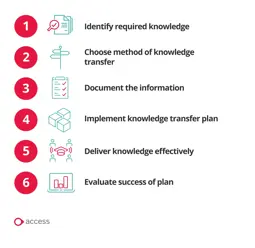
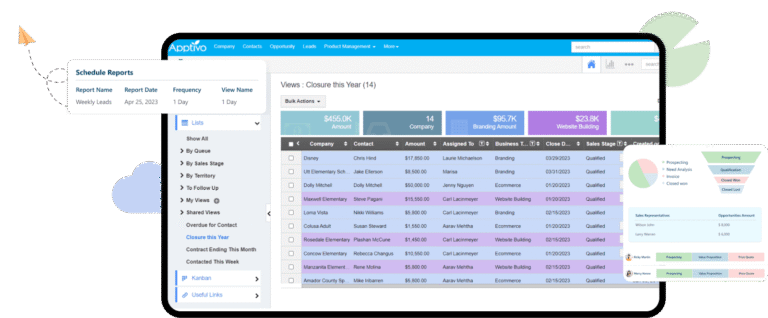
Credit: www.theaccessgroup.com
Key Features Of Retention Tools
Retention tools help keep important knowledge safe and easy to find in distributed workplaces. These tools must have certain features to work well. They store data in one place, allow teamwork, offer quick search options, and protect sensitive information. Understanding these key features helps choose the right tool for your team.
Centralized Knowledge Repositories
Centralized repositories gather all information in one location. This setup makes it simple for employees to access documents, guides, and FAQs. It reduces confusion by avoiding scattered files across different platforms. A single source of truth keeps knowledge consistent and updated for everyone.
Collaboration Capabilities
Collaboration features let team members work together on documents in real time. Tools may include comments, editing rights, and version history. These functions encourage sharing ideas and solving problems faster. Collaboration helps build collective knowledge and keeps everyone involved.
Search And Retrieval Functions
Effective search tools help users find information quickly. Filters, keywords, and tags improve search accuracy. Fast retrieval saves time and boosts productivity. Advanced search options also support complex queries to locate specific data easily.
Security And Access Controls
Security features protect sensitive knowledge from unauthorized access. Access controls allow setting permissions based on roles or teams. Encryption and audit logs add layers of protection. Strong security ensures trust and compliance with data regulations.
Top Knowledge Retention Solutions
Top knowledge retention solutions help teams keep important information safe and easy to find. Distributed workplaces need tools that store, share, and organize knowledge well. These solutions reduce knowledge loss and improve teamwork across locations.
Knowledge Management Systems
Knowledge management systems store company data in one place. They organize documents, FAQs, and best practices clearly. Employees find answers quickly without asking others. These systems track updates to keep information current. They support learning and decision-making for remote teams.
Collaboration Platforms
Collaboration platforms connect team members in real time. They offer chat, video calls, and project boards. Teams share ideas and solve problems fast. These tools keep conversations and files together for easy access. They build a knowledge base from daily interactions.
Learning Management Systems
Learning management systems deliver training online. They provide courses, quizzes, and progress tracking. Employees learn new skills at their own pace. These systems store training materials for future use. They help maintain consistent knowledge across the company.
Document Sharing Tools
Document sharing tools let teams upload and edit files together. They support version control and permissions for security. Employees access documents anytime from any device. These tools reduce email overload and prevent lost files. They create a centralized library for important documents.

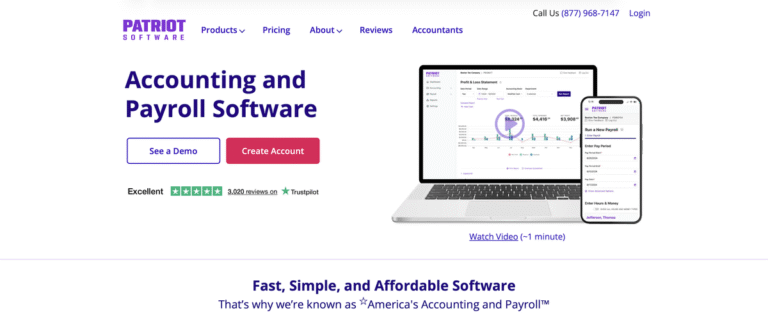
Credit: peoplemanagingpeople.com
Active Learning Techniques For Remote Teams
Active learning techniques boost knowledge retention in remote teams. These methods engage employees directly with the material. Engagement helps information stick longer and improves team performance.
Remote work challenges traditional training methods. Active learning breaks through these barriers by encouraging participation. It also promotes deeper understanding through interaction and practice.
Regular Quizzes And Assessments
Quizzes keep knowledge fresh and test understanding regularly. Short, frequent quizzes help remote workers recall information better. They identify gaps early, allowing timely review and support.
Assessments also motivate employees to stay attentive during training. Digital tools make it easy to create and share quizzes instantly. Results provide valuable feedback to improve learning materials.
Peer Teaching Sessions
Peer teaching fosters collaboration and reinforces learning. Team members explain concepts to each other, deepening their own knowledge. Teaching others reveals gaps and builds confidence.
These sessions encourage communication and build stronger team bonds. They work well in virtual meetings or chat groups. Sharing knowledge among peers spreads expertise across the team.
Interactive Workshops
Workshops engage remote teams in hands-on learning experiences. Activities such as problem-solving and role-playing create active participation. Interaction helps employees apply knowledge in real situations.
Virtual workshops can use breakout rooms and live polls. These features keep sessions dynamic and inclusive. Teams learn better when they practice skills together actively.
Leveraging Memory Aids Digitally
Digital memory aids help employees remember and use information better. These tools support knowledge retention in workplaces spread across different locations. Easy access to memory aids keeps knowledge alive and useful. They improve focus, recall, and learning in daily tasks.
Using Mnemonics And Visualizations
Mnemonics turn complex ideas into simple words or phrases. They make learning new concepts faster and easier. Visualizations like charts and images help the brain store information clearly. These methods create strong mental links to recall information quickly. Using these aids reduces the chance of forgetting key points.
Note-taking Apps And Strategies
Note-taking apps keep important information organized and accessible. They allow quick searching and editing of notes anytime. Strategies like bullet points and highlighting improve note clarity. Good notes serve as a reliable reference for future tasks. This habit saves time and enhances understanding across teams.
Spaced Repetition Tools
Spaced repetition tools help review information at set intervals. This technique moves knowledge from short-term to long-term memory. Regular reviews prevent forgetting and strengthen retention. These tools often use quizzes or flashcards to test recall. They fit well with busy schedules in distributed workplaces.
Creating A Knowledge Sharing Culture
Building a knowledge sharing culture is essential for distributed workplaces. It helps keep important information flowing across teams. This culture supports learning and growth. Teams become more connected, even when working apart.
Creating such a culture needs clear steps. These steps include encouraging improvement, recognizing contributors, and promoting open communication. Each part plays a key role in keeping knowledge alive and useful.
Encouraging Continuous Improvement
Continuous improvement means always finding better ways to work. Teams should share ideas on how to improve processes and tools. This keeps knowledge fresh and relevant. It also motivates team members to contribute regularly. A culture that values improvement grows stronger over time.
Recognizing Knowledge Contributors
Recognizing those who share knowledge is important. It shows that their efforts matter. Rewards and praise encourage more sharing. This helps build trust and respect among team members. Recognition can be simple, like thank-you notes or public shout-outs. It creates a positive cycle of sharing and learning.
Promoting Open Communication
Open communication makes knowledge sharing easier. Team members feel safe to ask questions and share ideas. Tools like chat apps, video calls, and forums support this openness. Clear and honest communication breaks down barriers. It helps avoid misunderstandings and keeps everyone informed. Open dialogue supports a strong knowledge culture.
Best Practices For Tool Implementation
Implementing tools for knowledge retention in distributed workplaces requires careful planning. Proper execution ensures the tools deliver maximum value. Focus on clear steps to help teams adapt smoothly. Prioritize ease of use and alignment with daily workflows. This approach increases adoption and improves knowledge sharing across locations.
Training And Onboarding
Start with simple, clear training sessions for all users. Show how the tools solve real problems they face. Use step-by-step guides and live demos to build confidence. Provide ongoing support to answer questions quickly. Make onboarding part of the regular work routine to avoid overwhelm. Encourage hands-on practice to reinforce learning. This reduces resistance and speeds up mastery of the tools.
Integrating With Existing Systems
Connect new tools with software already in use. Ensure smooth data flow to avoid duplicated effort. Check compatibility before full deployment to prevent disruptions. Use APIs or plugins to link platforms easily. Integration helps teams keep working without changing habits drastically. It also keeps knowledge organized in one place. This saves time and reduces errors across departments.
Monitoring And Feedback
Track how teams use the tools regularly. Use simple metrics like login rates and content updates. Collect feedback through surveys or quick check-ins. Identify any barriers or confusion early on. Adjust training and settings based on real user input. Share success stories to motivate others. Continuous improvement keeps the tools relevant and effective for everyone.
Measuring Knowledge Retention Success
Measuring knowledge retention success is vital for distributed workplaces. It helps understand if employees keep and use what they learn. Clear measurement guides improvements and shows the value of knowledge tools.
Tracking knowledge retention involves multiple methods. Each method offers unique insights. Combined, they provide a full picture of how well knowledge spreads and stays within the team.
Key Performance Indicators
KPIs are measurable values that show how well knowledge is retained. Examples include test scores after training, error rates, and time taken to complete tasks. These numbers help spot areas needing more focus.
Setting clear KPIs makes tracking progress easier. Regular reviews of these indicators keep knowledge retention efforts on track and effective.
Employee Feedback
Asking employees about their understanding is essential. Surveys and interviews reveal how well knowledge is absorbed. Feedback uncovers challenges and suggests improvements.
Encouraging open communication helps managers learn what works best. Employees feel valued when their opinions shape knowledge programs.
Usage Analytics
Usage data shows how employees interact with knowledge tools. Metrics like login frequency, time spent on resources, and content accessed reveal engagement levels. High usage often links to better knowledge retention.
Analyzing this data helps identify popular materials and unused resources. Adjustments can then enhance the overall knowledge system efficiency.
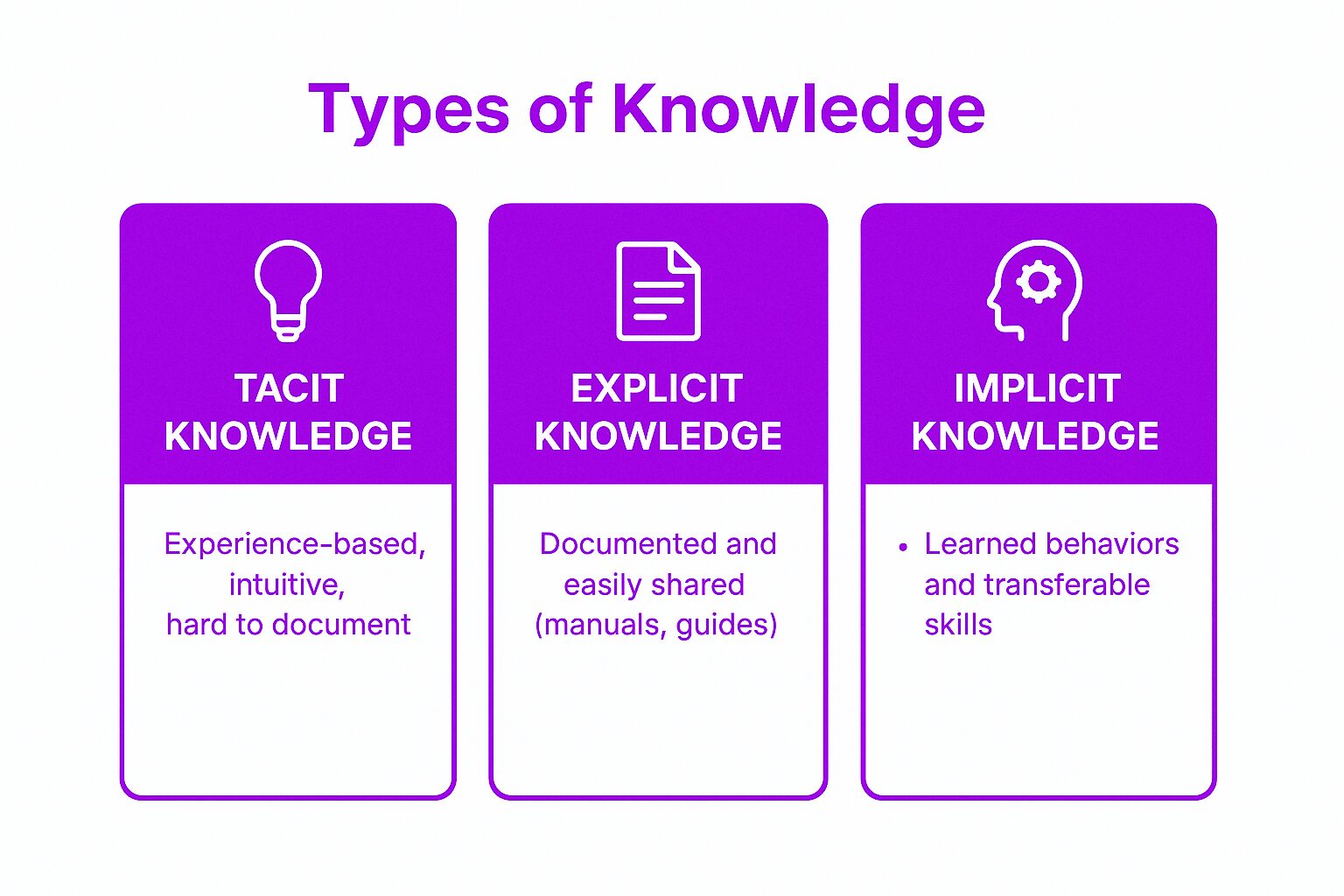
Credit: axerosolutions.com
Frequently Asked Questions
What Is The Best Way To Ensure Retention And Transfer Of Knowledge?
Use active recall and spaced repetition to review material regularly. Teach others and apply knowledge in real-life situations. Create mnemonics and visualize concepts. Take organized notes and connect new information to existing knowledge. Prioritize sleep and maintain a healthy lifestyle for better memory retention.
How To Retain Knowledge In An Organization?
Retain organizational knowledge by fostering continuous learning and open communication. Document processes clearly and use knowledge-sharing tools. Encourage mentoring and regular training sessions. Apply active recall techniques and update knowledge bases often to keep information accessible and relevant.
How To Maximize Knowledge Retention?
Maximize knowledge retention by using active recall and spaced repetition. Teach others and create mnemonics. Review notes regularly and apply learning to real-life situations. Maintain a distraction-free study environment and get enough sleep to support memory consolidation.
What Is The Process Of Attempting To Create, Retain, And Distribute Organizational Knowledge?
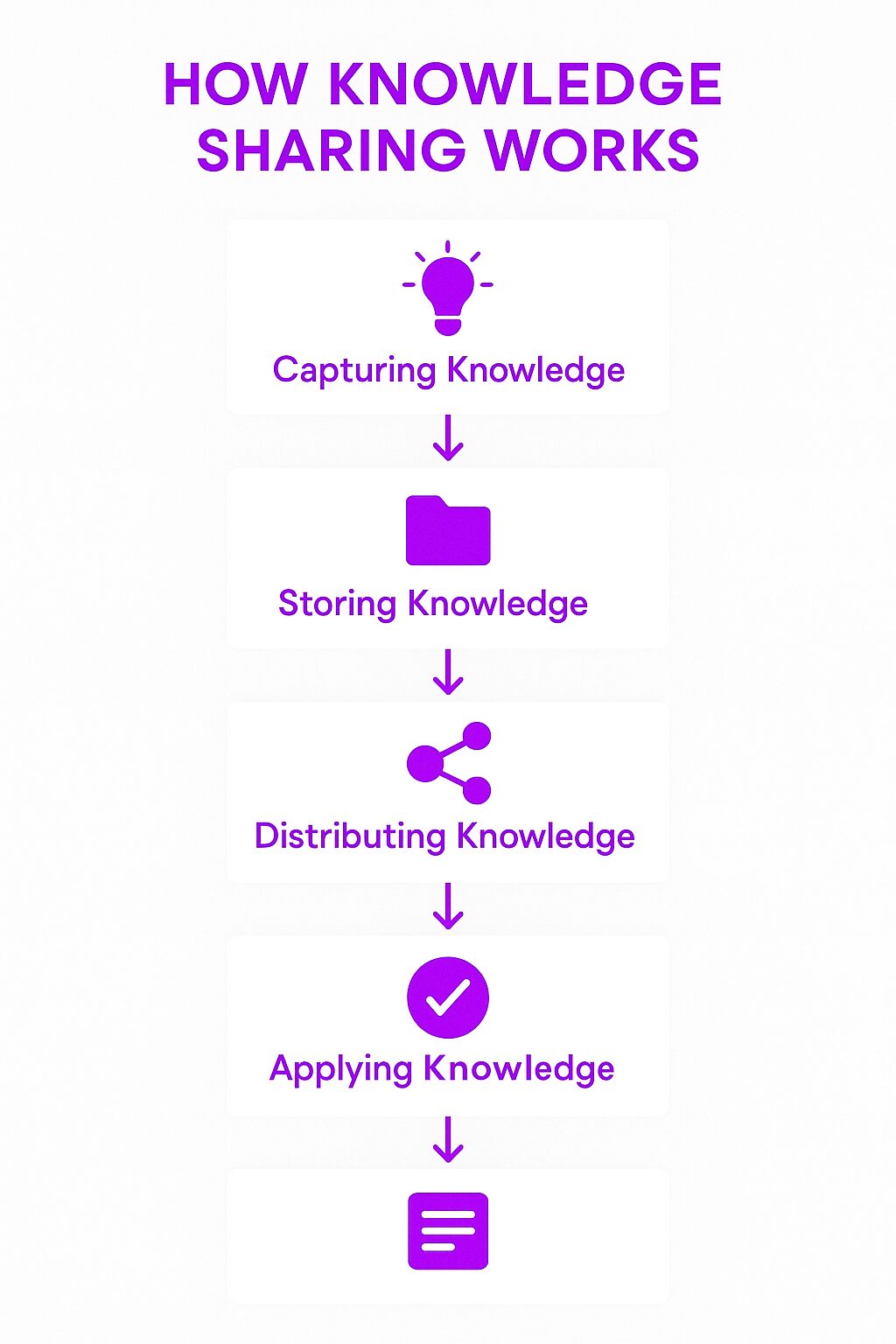
The process of creating, retaining, and distributing organizational knowledge is called knowledge management. It involves capturing insights, storing information, and sharing it across teams. Effective knowledge management improves decision-making, fosters innovation, and preserves critical expertise within the organization.
Conclusion
Effective knowledge retention tools keep teams connected and informed. They help store important information clearly and accessibly. Using these tools regularly supports learning and sharing across locations. This leads to better teamwork and fewer mistakes. Choose tools that fit your team’s needs and habits.
Consistent use ensures valuable knowledge does not get lost. Focus on simple, easy-to-use solutions for best results. Keep knowledge alive and your workplace running smoothly.

Everett Ashford is a tech reviewer at mytechgrid.com specializing in SSDs, cameras, TVs, earbuds, headphones, and other consumer electronics. He provides honest, data-driven reviews based on hands-on testing and real-world performance analysis. Everett simplifies complex tech details to help readers make smart, confident buying decisions.