Starting a new job can feel overwhelming, especially when you’re not physically in the office. You want to understand your role clearly, connect with your team, and feel confident from day one.
That’s where remote training platforms for employee onboarding come in. They make it easier for you and your employer to navigate each step smoothly—from learning company policies to building relationships and gaining the skills you need. If you’ve ever wondered how to turn your onboarding process into a seamless, engaging experience that sets you up for success, keep reading.
This guide will show you how the right remote training tools can transform your first days and help you hit the ground running.
Remote Onboarding Challenges
Remote onboarding offers flexibility but brings unique challenges. New hires face hurdles adapting without face-to-face support. Companies must recognize these challenges to improve their onboarding processes.
Understanding common obstacles helps create better remote training platforms. Addressing communication gaps and emotional impacts is essential. These factors directly influence employee engagement and retention.
Common Obstacles
Technology issues often disrupt training sessions. New hires may lack access to proper devices or software. Time zone differences complicate scheduling live meetings. Limited hands-on guidance reduces learning effectiveness. Tracking progress becomes harder without direct supervision.
Impact On New Hires
Remote onboarding can cause feelings of isolation. New employees might struggle to understand company culture. Unclear role expectations lead to confusion and stress. Lack of immediate feedback lowers confidence. These factors slow down productivity and job satisfaction.
Communication Barriers
Virtual communication lacks body language cues. Misunderstandings arise more easily without tone and context. Delayed responses cause frustration and disrupt workflow. New hires may hesitate to ask questions. Clear, frequent communication is vital to overcome these barriers.
Five Cs Framework
The Five Cs Framework is a powerful guide for remote training platforms. It helps structure employee onboarding with clear focus areas. This framework covers Compliance, Clarification, Culture, Confidence, and Connection. Each “C” targets a key part of the new hire’s journey.
Following this framework ensures new employees feel prepared and supported. It creates a smooth transition into their roles. The Five Cs also encourage strong engagement and long-term success.
Compliance Essentials
Compliance ensures new hires understand company policies and rules. This includes legal standards and necessary paperwork. It also covers access to technology and workspaces. Proper compliance reduces risk and protects the organization.
Role Clarification
Role clarification defines job duties and performance goals clearly. New employees learn how their work fits the company’s mission. Clear expectations help reduce confusion and boost productivity. This step sets a solid foundation for success.
Building Culture
Building culture introduces new hires to company values and history. It shares norms, symbols, and the workplace environment. This fosters belonging and alignment with the team. Culture helps employees feel connected beyond their tasks.
Boosting Confidence
Boosting confidence gives employees the tools to succeed in their jobs. Training focuses on skills and problem-solving abilities. Confidence helps new hires face challenges with ease. It encourages independence and effective contribution.
Fostering Connection
Fostering connection links new hires with mentors and colleagues. It builds relationships within teams and departments. Strong connections create a sense of acceptance and value. This support network improves engagement and retention.
Ongoing Checkback
Ongoing checkback maintains regular communication and feedback. It tracks progress and addresses any concerns quickly. Continuous support helps employees stay motivated and engaged. This step ensures long-term onboarding success.
Key Features Of Remote Training Platforms
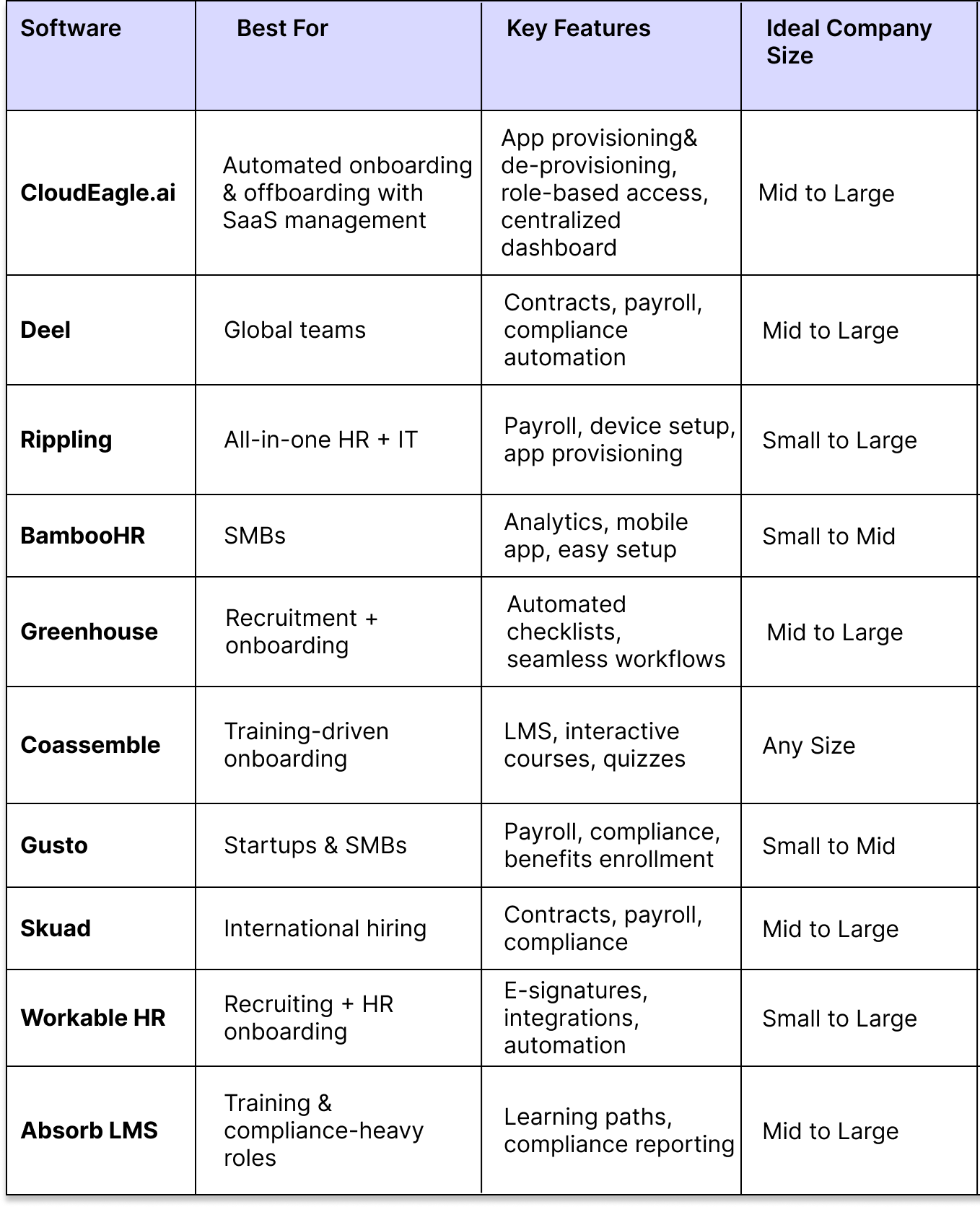
Remote training platforms streamline employee onboarding by offering essential tools. These platforms help deliver training efficiently and engage new hires effectively. Understanding their key features can guide companies in choosing the right solution.
Centralized Content Delivery
All training materials are stored in one place. This makes it easy for new employees to find and access information. It also ensures consistency in what every hire learns. Managers can update content once, and everyone gets the latest version.
Interactive Learning Tools
These tools include quizzes, videos, and simulations. They keep learners active and interested. Interaction helps employees remember information better. It also allows them to practice skills in a safe environment.
Scalability And Flexibility
Platforms can grow with the company’s needs. They support training for a few employees or thousands. Flexible schedules let new hires learn at their own pace. This fits different time zones and work hours.
Progress Tracking And Analytics
Managers see how each employee performs during onboarding. Reports show completed lessons, scores, and time spent. This data helps identify who needs extra support. It also measures the effectiveness of the training program.
Support For Diverse Formats
Training content can include text, audio, and video files. Platforms also support live webinars and downloadable resources. This variety suits different learning styles. It makes onboarding more accessible and engaging for everyone.

Credit: www.cloudeagle.ai
Top Remote Training Tools
Remote training tools simplify employee onboarding. They offer flexible, accessible learning options. Choosing the right platform improves training quality and speed. These tools support diverse content formats and track progress. They help new hires grasp company policies and culture quickly.
Below are some top remote training platforms. Each offers unique features to enhance onboarding.
Talentlms Advantages
TalentLMS provides a user-friendly interface. It supports multimedia content such as videos and quizzes. The platform offers automated notifications and reminders. It integrates well with other software tools. Reporting features help track employee progress. TalentLMS scales easily for companies of all sizes.
Preppio And Waybook
Preppio focuses on simple course creation. It allows easy content updates and customization. Waybook offers strong process documentation tools. It helps teams standardize workflows and training. Both platforms emphasize clear, concise learning materials. They support mobile access for remote employees.
Apty’s Interactive Features
Apty guides employees with real-time, on-screen assistance. It highlights important steps during software use. Interactive walkthroughs reduce errors and improve retention. Apty tracks user engagement and completion rates. It helps new hires learn software faster. The platform supports multiple languages for global teams.
Skyprep Capabilities
SkyPrep delivers comprehensive training management tools. It supports certifications and compliance tracking. The platform allows easy assignment of courses. It provides detailed analytics on learner performance. SkyPrep integrates with popular HR systems. It offers a clean interface suitable for all users.
Measuring Onboarding Success
Measuring onboarding success is vital for remote training platforms. It helps companies understand if new employees settle in well. Tracking progress ensures the onboarding process meets its goals. Clear measurements identify strengths and areas needing improvement. This leads to better employee experiences and higher retention rates.
Hr Metrics To Track Progress
Track time-to-productivity to see how fast new hires perform. Monitor completion rates of onboarding tasks and training modules. Measure retention rates within the first six months. Analyze attendance and participation in virtual onboarding sessions. Use these metrics to spot where employees struggle or excel.
Employee Engagement Indicators
Check how often new hires interact in team chats and meetings. Survey employees on their comfort with tools and processes. Watch for signs of motivation and confidence in tasks. Measure feedback response rates and enthusiasm for learning. High engagement often predicts successful onboarding outcomes.
Feedback Loops And Adjustments
Collect feedback regularly from new employees and managers. Use surveys, interviews, and informal check-ins for insights. Adjust training content based on common challenges and suggestions. Keep communication open to address concerns quickly. Continuous improvement helps create a smoother onboarding journey.
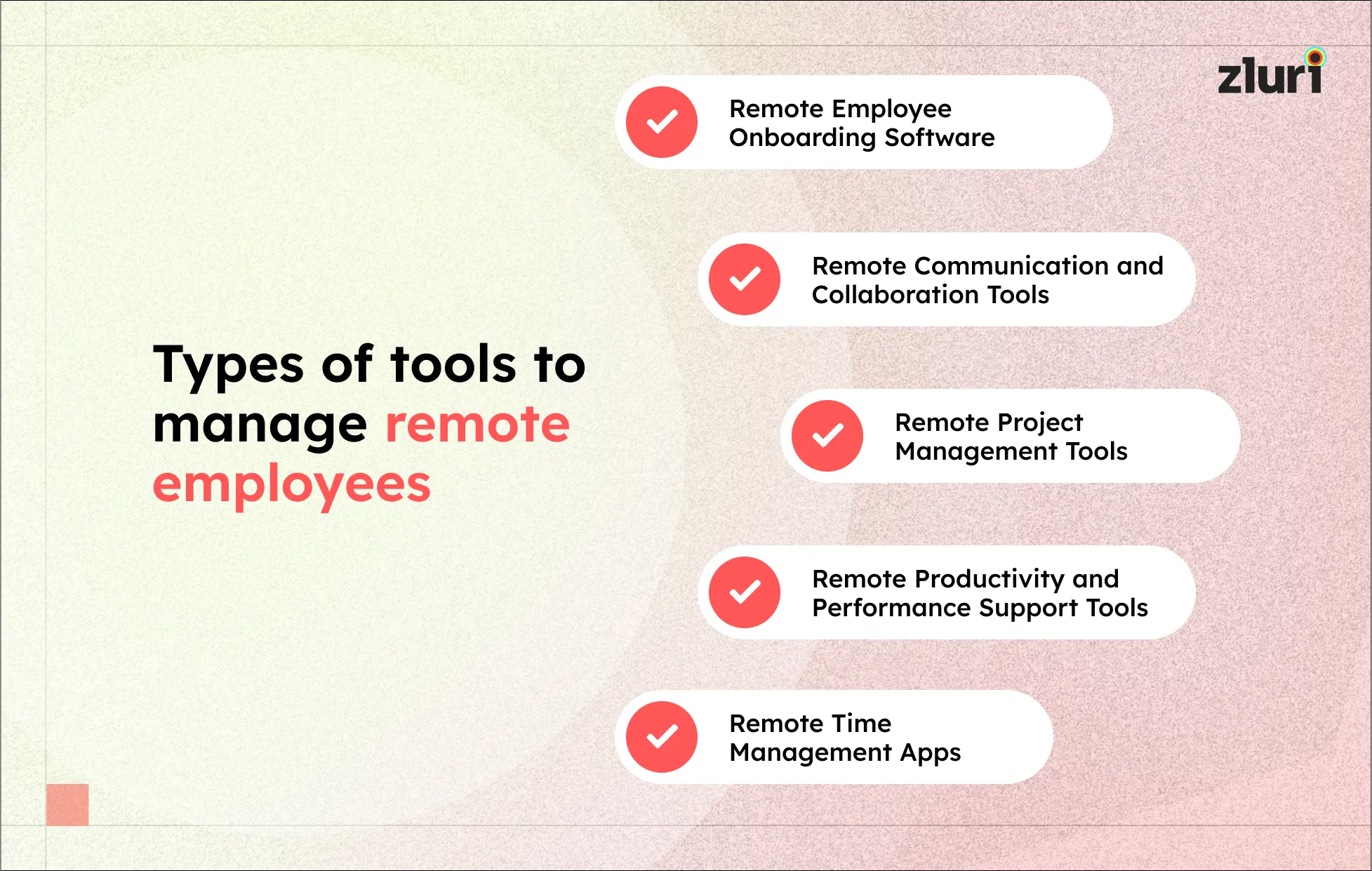
Credit: www.zluri.com
Best Practices For Remote Onboarding
Effective remote onboarding requires careful planning and clear communication. It helps new employees feel welcomed, informed, and ready to contribute. Best practices focus on creating smooth transitions and fostering early connections. This approach builds confidence and promotes long-term engagement.
Effective Pre-boarding Steps
Start onboarding before the first workday. Send welcome emails with necessary documents and schedules. Provide access to training platforms and company tools early. Share clear instructions for technology setup. This reduces first-day stress and sets positive expectations.
Building Team Connections
Encourage introductions between new hires and team members. Schedule virtual meet-and-greets or informal chats. Use collaboration tools to foster communication. Assign mentors or buddies to guide newcomers. These actions create a sense of belonging and trust.
Maintaining Continuous Support
Offer regular check-ins to address questions and concerns. Provide ongoing training and resources. Use feedback surveys to improve the onboarding experience. Keep communication lines open through chat or video calls. Continuous support boosts confidence and helps new hires succeed.
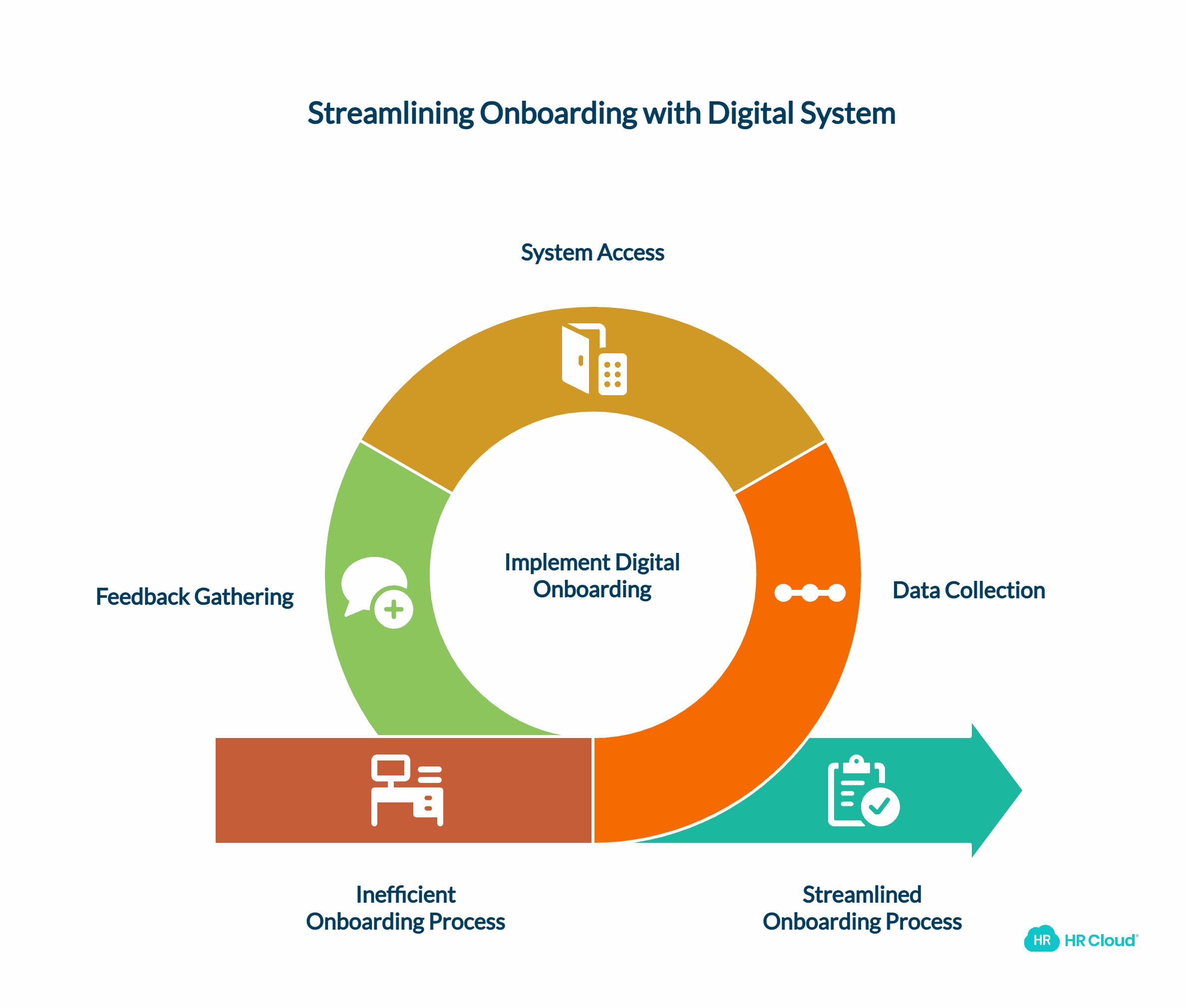
Credit: www.hrcloud.com
Frequently Asked Questions
What Are The 5 C’s Of Onboarding?
The 5 C’s of onboarding are Compliance, Clarification, Culture, Confidence, and Connection. They guide new hires through policies, roles, values, skills, and relationships.
Can Onboarding Be Done Remotely?
Yes, onboarding can be done remotely using digital tools. It ensures new hires understand roles, culture, and build connections effectively.
Which Tool Is The Best For Training Offsite Employees To Use A New Online Program?
TalentLMS is the best tool for training offsite employees on new online programs. It offers interactive, cloud-based features for effective remote learning.
Does Microsoft Have An Onboarding Tool?
Yes, Microsoft offers onboarding tools through Microsoft Viva and Microsoft Teams to streamline employee integration and training.
Conclusion
Remote training platforms simplify employee onboarding from anywhere. They ensure clear communication of roles and company culture. New hires gain confidence by learning at their own pace. Building connections online helps employees feel part of the team. Regular check-ins keep everyone aligned and supported.
Using these tools leads to smoother, faster onboarding. Investing time in remote onboarding pays off with engaged staff. Choose platforms that focus on clarity, culture, and connection. This approach helps new employees succeed and stay motivated.

Everett Ashford is a tech reviewer at mytechgrid.com specializing in SSDs, cameras, TVs, earbuds, headphones, and other consumer electronics. He provides honest, data-driven reviews based on hands-on testing and real-world performance analysis. Everett simplifies complex tech details to help readers make smart, confident buying decisions.