Are you ready to transform your online workshops from dull and disconnected to dynamic and engaging? Whether you’re leading a training session, team meeting, or creative brainstorming, the right tools can make all the difference.
Imagine keeping your attendees active, involved, and excited—right from their own screens. You’ll discover the best tools that help you create interactive, memorable workshops remotely. Get ready to boost participation, spark collaboration, and make your online sessions truly stand out.
Keep reading to find out how you can captivate your audience every time.
Credit: www.mural.co
Essential Virtual Platforms
Choosing the right virtual platforms is key for successful online workshops. The platforms must support clear communication and active participation. They also need to be easy to use for all attendees, regardless of their technical skills.
Essential virtual platforms often include video conferencing and interactive workshop tools. These platforms help create a lively and engaging online environment. They keep participants connected and involved throughout the session.
Video Conferencing Tools
Video conferencing tools are the backbone of remote workshops. They allow real-time audio and video communication. Popular options include Zoom, Microsoft Teams, and Google Meet. These tools offer features like screen sharing, chat, and breakout rooms. Breakout rooms help divide participants into smaller groups for discussion. Video conferencing tools also support recording sessions for later review. Clear video and audio quality are crucial to maintain participant attention.
Interactive Workshop Platforms
Interactive workshop platforms add engagement beyond video calls. Tools like Miro, Mentimeter, and Kahoot let participants collaborate and interact. Miro offers virtual whiteboards for brainstorming and visual collaboration. Mentimeter enables live polls and quizzes to gather instant feedback. Kahoot makes learning fun with game-like quizzes. These platforms encourage active learning and keep energy high. They also allow facilitators to track participation and responses easily.

Credit: www.nngroup.com
Collaborative Whiteboards
Collaborative whiteboards help teams work together during online workshops. They provide a shared space where participants can add ideas, draw, and organize thoughts. These tools make remote sessions more interactive and visually clear. Everyone can contribute in real time, boosting engagement and creativity.
Miro And Mural Features
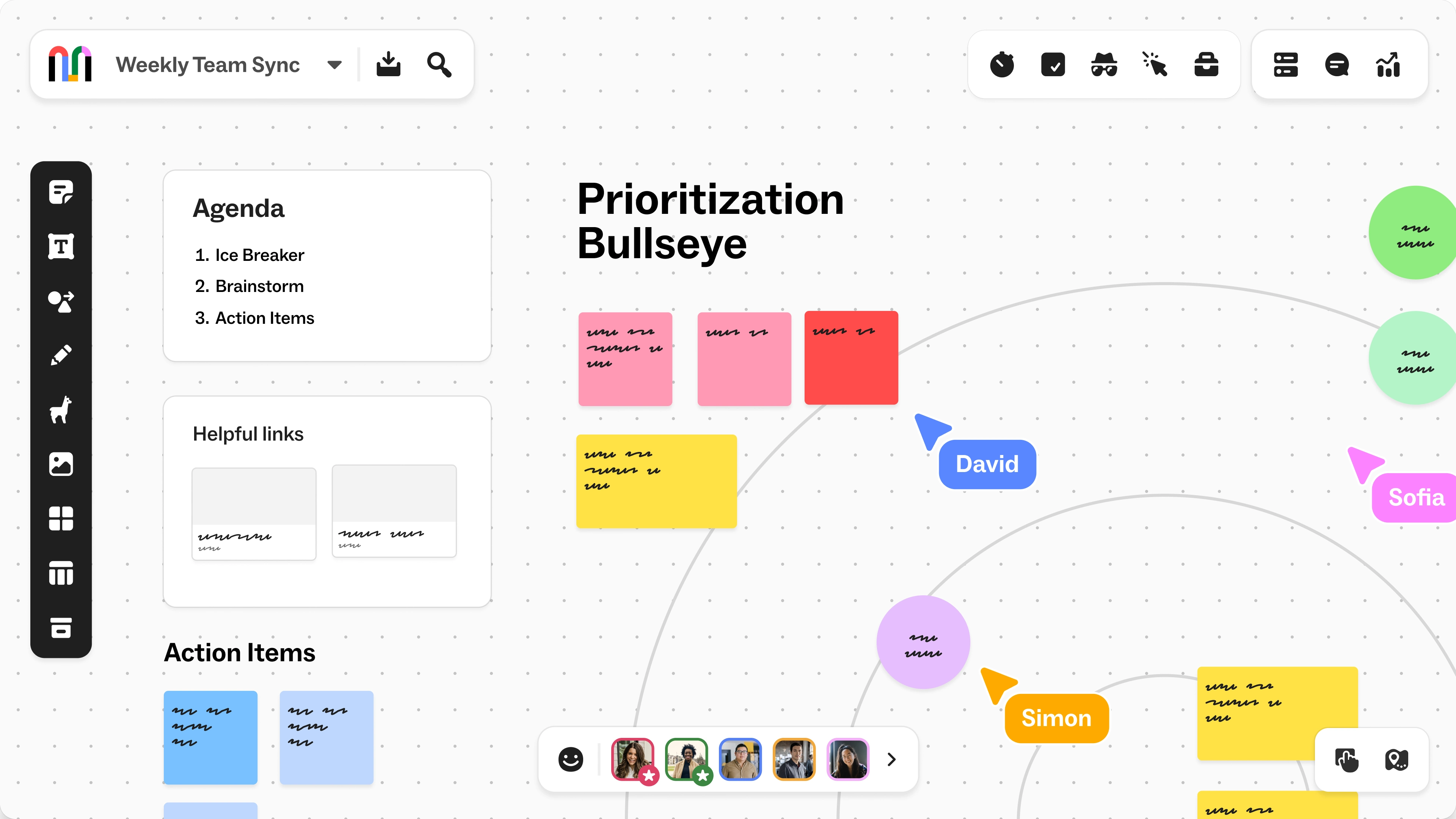
Miro and Mural are popular collaborative whiteboards. Both support real-time editing by multiple users. They offer easy drag-and-drop tools for adding sticky notes, shapes, and drawings. Miro includes video chat and voting features to enhance communication. Mural provides timers and private cursors for focused group work. Each platform supports integration with apps like Slack and Zoom. These features help keep workshops smooth and productive.
Templates And Use Cases
Both Miro and Mural offer many templates. Templates save time and guide workshop flow. Common templates include brainstorming boards, mind maps, and SWOT analysis. Use cases cover team planning, design sprints, and agile retrospectives. Templates help beginners start quickly and keep sessions organized. They also inspire new ways to engage participants and solve problems.
Engagement Tools
Engagement tools make online workshops lively and interactive. They help keep participants focused and involved throughout the session. Using the right tools encourages active learning and creates a sense of community. These tools allow hosts to gather instant feedback and tailor the workshop dynamically.
Engagement tools also support different learning styles. They break the monotony of long presentations by adding fun and interaction. The following sections highlight key tools that boost participation and make workshops more effective.
Live Polls And Quizzes
Live polls and quizzes engage attendees instantly. They give everyone a chance to share opinions or test knowledge. These tools make learning fun and competitive in a healthy way. Poll results can be shown in real-time to spark discussion. Quizzes help reinforce key points and check understanding.
Platforms like Kahoot, Mentimeter, and Slido offer easy setups. They work well on any device, making participation simple. Polls can guide the workshop direction based on participant responses. Quizzes add variety and help break up long sessions.
Anonymous Feedback Options
Anonymous feedback tools encourage honest sharing. Participants feel safe giving opinions without fear of judgment. This honesty helps facilitators improve content and delivery during the workshop. It also uncovers hidden concerns or questions that might not surface otherwise.
Tools like Google Forms, Poll Everywhere, and Typeform support anonymous inputs. They allow quick collection of feedback and questions in real-time. Facilitators can adjust their approach based on this valuable insight. Anonymous feedback makes workshops more inclusive and responsive.
Planning And Facilitation
Effective communication and interaction form the heart of engaging online workshops. They keep participants connected and active throughout the session. Strong communication tools help overcome the distance of remote learning. Interaction techniques boost collaboration and make learning enjoyable.
Chat And Messaging Apps
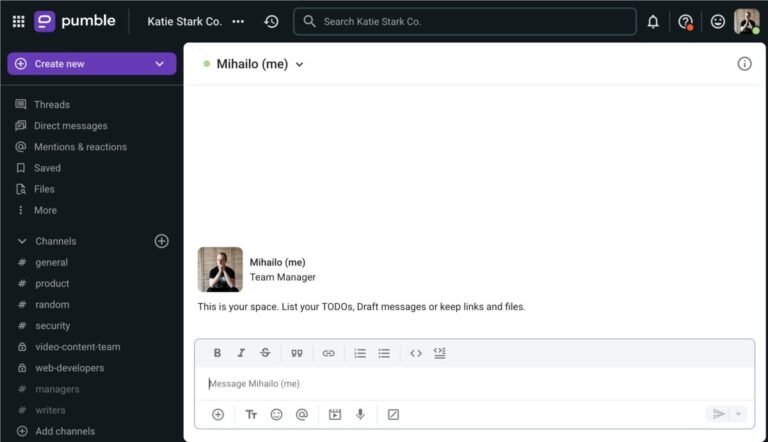
Chat and messaging apps allow instant participant communication. They create a space for questions, feedback, and quick discussions. Popular apps like Slack, Microsoft Teams, and Discord support group chats and private messages. These tools help maintain a steady flow of conversation.
Using chat alongside video keeps the energy up. Participants can share ideas without interrupting the speaker. Chat also enables sharing links, files, and resources instantly. This convenience makes workshops more dynamic and interactive.
Breakout Room Strategies
Breakout rooms divide participants into smaller groups during workshops. This encourages deeper discussion and teamwork. Platforms like Zoom and Microsoft Teams offer easy breakout room features. Facilitators can assign tasks or topics for each group to explore.
Effective breakout sessions increase engagement and participation. Small groups feel safer to share and ask questions. They also promote peer learning and problem-solving. Rotating groups or mixing participants can keep interactions fresh and varied.
Communication And Interaction
Active learning techniques transform online workshops into lively, interactive experiences. These methods engage participants directly, helping them absorb and apply knowledge better. Incorporating active learning breaks the monotony of listening and encourages deeper understanding.
Using active learning tools keeps remote attendees connected and involved. It promotes collaboration and critical thinking, even through a screen. Below are two effective active learning approaches to enhance your online workshops.
Group Discussions And Exercises
Group discussions invite participants to share ideas and ask questions. They foster communication and allow learners to explore different viewpoints. Exercises, such as polls or problem-solving tasks, make sessions hands-on and dynamic.
Breakout rooms in video platforms help create small groups for focused talks. This setup encourages everyone to speak and contribute. Clear instructions and time limits keep discussions on track.
Using digital whiteboards or shared documents lets groups brainstorm and record ideas together. These tools keep the workshop interactive and visually engaging. Group work builds a sense of community among remote learners.
Experiential Learning Activities
Experiential learning means learning by doing. Activities like simulations or role-playing help participants practice real-world skills. These tasks make lessons memorable and meaningful.
Online tools can simulate scenarios or challenges relevant to your topic. Participants actively solve problems rather than passively receive information. This approach improves retention and boosts confidence.
Encourage reflection after activities. Ask learners to share their experiences and insights. Reflection deepens understanding and connects theory with practice. Experiential activities bring energy and focus to virtual workshops.

Credit: coassemble.com
Active Learning Techniques
Multimedia integration plays a key role in making online workshops more engaging. It helps keep participants interested and supports different learning styles. Using various media types makes the content clearer and more memorable. This section explores simple tools that add multimedia elements to your workshops.
Screen Recording And Sharing
Screen recording allows you to capture your computer screen during a demonstration. This tool is useful for showing software use or step-by-step processes. Recordings can be saved and shared with participants to review later. Many free and paid apps offer easy screen recording features. Sharing these videos helps learners revisit important parts at their own pace.
Some tools also allow live screen sharing during workshops. This feature supports real-time interaction and guidance. Participants can ask questions as you walk through the content. Combining recorded and live screen sharing improves understanding and keeps the session dynamic.
Using Videos And Presentations
Videos bring life to your workshop content. You can use short clips to explain concepts or introduce topics. Videos break the monotony of spoken words and add visual interest. Embedding videos in presentations keeps the flow smooth and professional.
Presentations help organize information clearly. Use slides with simple text, images, and charts to support your message. Avoid overcrowding slides to keep focus on key points. Presentation software often includes multimedia options like animations and sound to enhance engagement.
Combining videos with slides offers varied content formats. This blend helps maintain attention and improves knowledge retention. Choose clear and relevant multimedia to support your workshop goals effectively.
Multimedia Integration
Gamification elements boost online workshops by making learning fun and interactive. These elements keep participants focused and involved. They encourage active participation and improve knowledge retention. Incorporating gamification in remote workshops creates a lively and motivating environment.
Friendly Competitions
Friendly competitions spark enthusiasm among participants. They promote teamwork and healthy rivalry. Tools like Kahoot and Quizizz let hosts create quizzes where attendees can compete in real time. Leaderboards show progress, motivating learners to do better. Competitions break the monotony and add excitement to sessions.
Interactive Games
Interactive games help teach concepts through play. Platforms like Miro and Mural offer game templates such as puzzles and matching exercises. These games require collaboration and critical thinking. They make workshops more memorable and enjoyable. Using interactive games helps participants practice skills actively.
Frequently Asked Questions
How To Make An Online Workshop Interactive?
Use live polls, breakout rooms, and Q&A sessions to engage participants actively. Incorporate interactive tools like Miro or Mentimeter. Include group discussions and real-time feedback. Set clear instructions and time limits to maintain focus and participation throughout the workshop.
What Are The 4 C’s Of Facilitation?
The 4 C’s of facilitation are Collect, Choose, Create, and Commit. They guide gathering info, selecting focus, generating ideas, and planning action.
How To Design An Engaging Workshop?
Design engaging workshops by using interactive activities, clear instructions, varied media, group discussions, and timely breaks. Incorporate icebreakers, movement, and friendly competitions to maintain energy. Use tools like virtual whiteboards and live polls to boost participation. Plan for questions and ensure a balanced pace throughout.
How To Make An Online Session Interactive?
Use interactive tools like polls, quizzes, and breakout rooms to boost participation. Include clear instructions and time limits. Encourage group discussions, activities, and Q&A sessions to keep attendees engaged and focused throughout the online session.
Conclusion
Choosing the right tools makes online workshops more interactive and fun. Use simple platforms that everyone can access easily. Encourage questions and group activities to keep energy high. Plan your sessions with breaks and clear instructions. Remember, good tools help people connect and learn better.
Keep exploring to find what fits your style best. Engaging workshops lead to better results and happier participants.

Everett Ashford is a tech reviewer at mytechgrid.com specializing in SSDs, cameras, TVs, earbuds, headphones, and other consumer electronics. He provides honest, data-driven reviews based on hands-on testing and real-world performance analysis. Everett simplifies complex tech details to help readers make smart, confident buying decisions.