Managing a nonprofit remotely can feel overwhelming. You need to keep track of donors, volunteers, events, and communications—all without the usual face-to-face interactions.
That’s where a cloud CRM comes in. It’s more than just an address book; it’s your central hub for organizing relationships, streamlining operations, and boosting fundraising success. Imagine having all your important data at your fingertips, accessible anytime and anywhere, helping you make smarter decisions and build stronger connections.
Ready to see how cloud CRM can transform your remote nonprofit management? Let’s dive in and explore practical steps to get you started.
Benefits Of Cloud Crm
Cloud CRM offers many advantages for nonprofits managing remote teams. It keeps data organized and accessible from anywhere. This flexibility supports teamwork and smooth operations. Nonprofits can improve engagement and fundraising by using cloud CRM effectively. Let’s explore key benefits that help remote nonprofit management thrive.
Centralized Contact Management
Cloud CRM stores all contact details in one place. Donors, volunteers, and partners information is easy to find. This reduces errors and duplication. Everyone on the team accesses up-to-date data quickly. Centralized contact management saves time and improves coordination.
Tracking Donor And Volunteer Engagement
Cloud CRM tracks every interaction with supporters. It records donations, event attendance, and volunteer hours. This helps understand who is most active and involved. Nonprofits can recognize loyal supporters and encourage more participation. Tracking engagement strengthens relationships and support.
Personalized Communication
Nonprofits can send messages tailored to each supporter’s interests. Cloud CRM allows segmentation based on giving history or involvement. Personalized emails and updates feel more meaningful. This increases response rates and builds trust. Clear, relevant communication keeps supporters connected.
Fundraising Optimization
Cloud CRM analyzes past campaigns and donor trends. Nonprofits learn which strategies work best for fundraising. They can focus on high-impact activities and improve results. Fundraising efforts become more efficient and effective. This maximizes the resources nonprofits have.
Automation And Workflow Streamlining
Routine tasks like sending receipts or scheduling follow-ups can be automated. Cloud CRM reduces manual work and errors. Teams save time and focus on mission-critical activities. Automated workflows improve productivity and consistency. This keeps operations running smoothly.
Data Analytics And Reporting
Cloud CRM provides detailed reports on fundraising and engagement. Nonprofits can measure progress toward goals. Data insights help make informed decisions quickly. Reporting supports transparency and accountability. Clear analytics guide future strategies for better impact.
Key Features For Nonprofits
Nonprofits need tools that simplify remote management and improve team collaboration. Cloud CRM systems offer key features designed to meet nonprofit demands. These features help organize data, track activities, and communicate effectively with supporters.
Using the right CRM features can enhance donor and volunteer relationships. It also helps manage fundraising, events, and reporting, all from one platform. Here are the essential features nonprofits should look for in a cloud CRM.
Donor And Volunteer Database
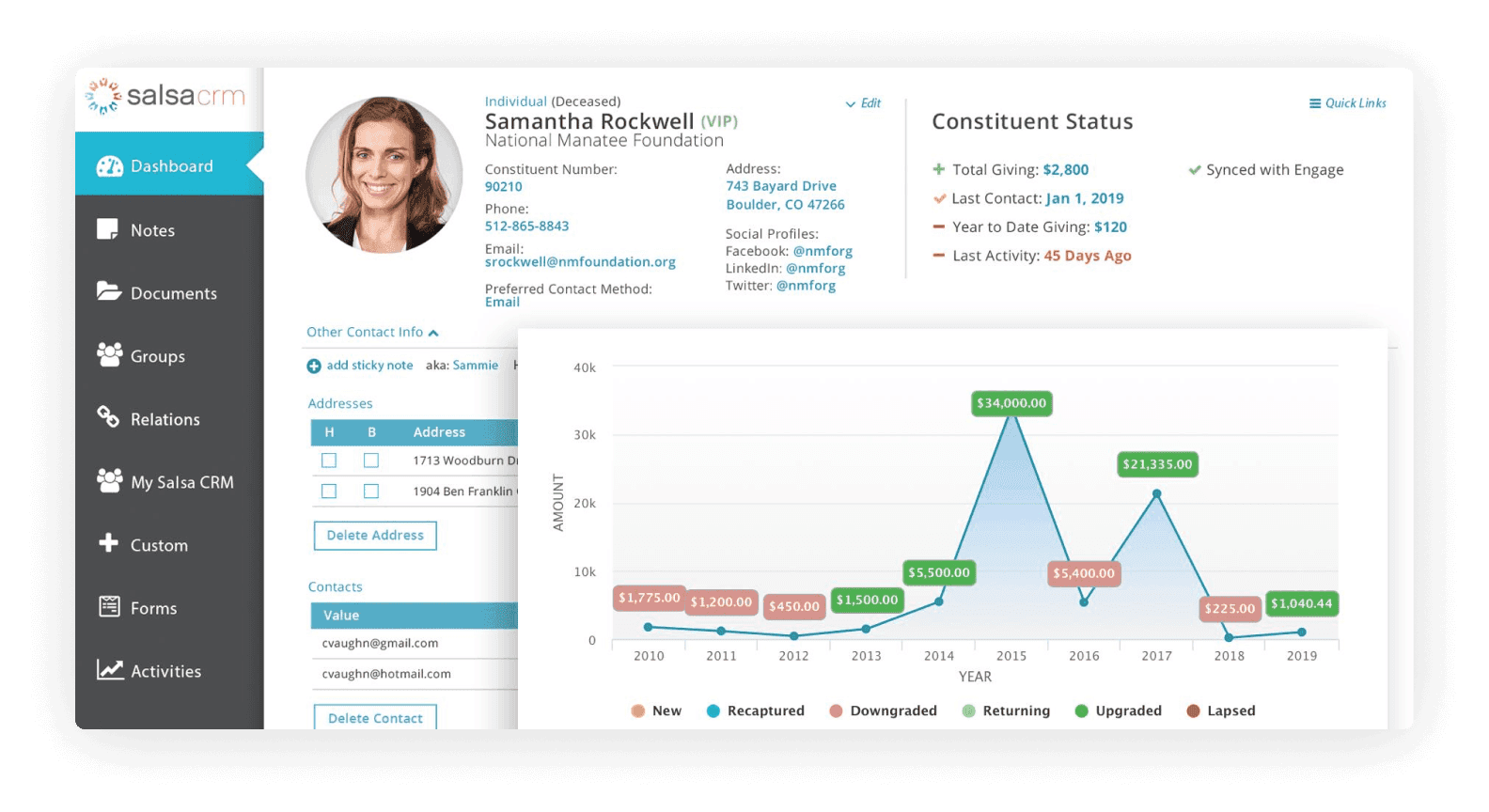
A centralized database stores all donor and volunteer information securely. It allows easy access to contact details, preferences, and engagement history. This helps nonprofits keep supporter records organized and up to date.
Interaction History And Notes
Tracking every interaction creates a clear picture of supporter engagement. Notes about calls, meetings, or emails keep the team informed. This feature ensures continuity and personalized communication with each supporter.
Email Campaign Integration
Built-in email tools allow nonprofits to send targeted campaigns directly from the CRM. Segmenting supporters by interest or giving history improves response rates. Automation saves time and helps deliver timely messages.
Donation Tracking And Management
Recording donations and payment details simplifies financial tracking. This feature helps monitor fundraising progress and donor giving patterns. It supports transparent reporting and better stewardship of funds.
Event Management Tools
Managing events becomes easier with tools for registration, reminders, and attendance tracking. These features help coordinate online and in-person events smoothly. They also enhance engagement and volunteer coordination.
Customizable Reports
Generating tailored reports provides insights into fundraising, volunteer activity, and outreach efforts. Custom reports help nonprofits measure success and identify improvement areas. Data-driven decisions become possible with clear, visual information.
Popular Cloud Crm Platforms
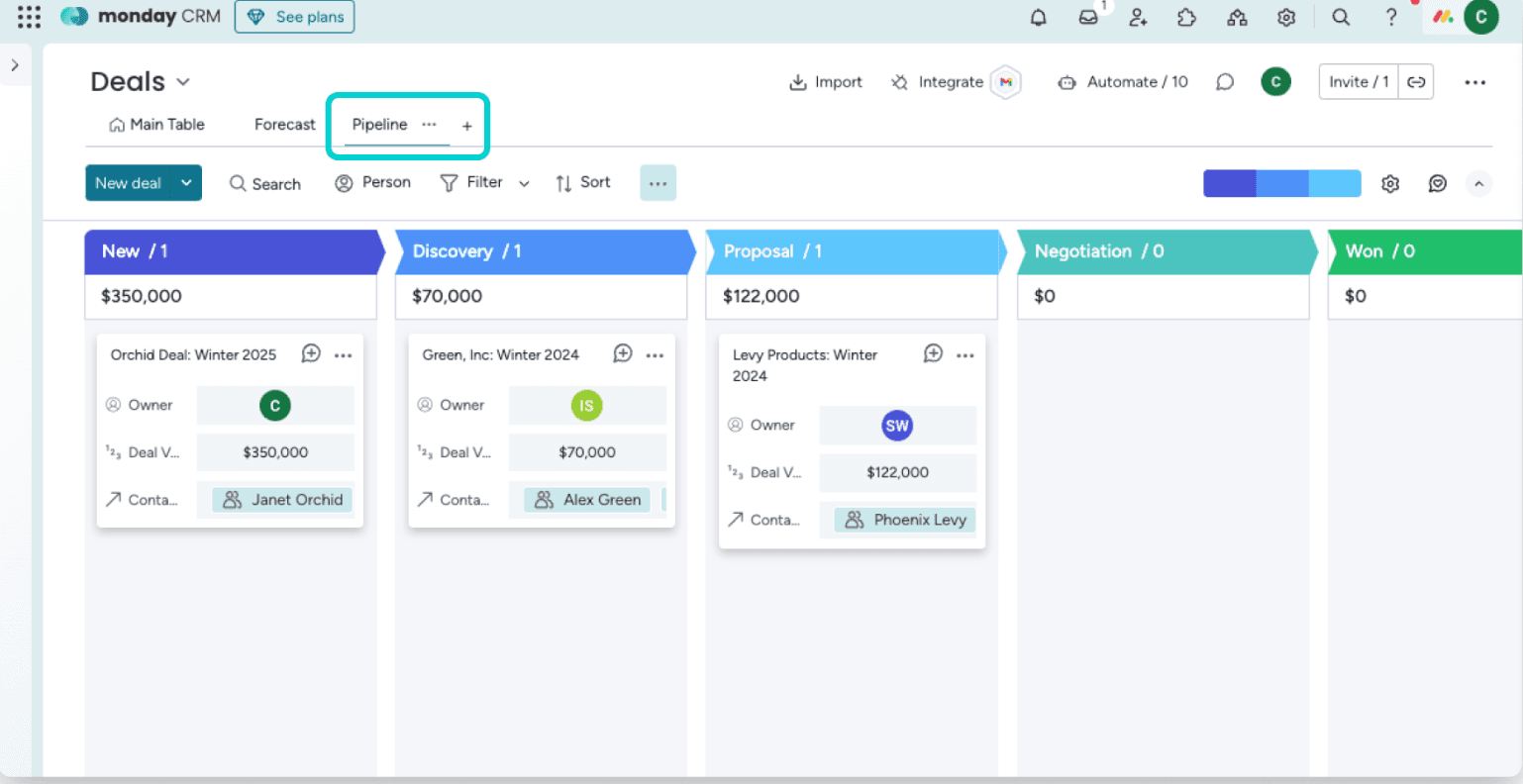
Choosing the right cloud CRM platform is key for managing a nonprofit remotely. Popular platforms offer tools that help organize contacts, track donations, and communicate efficiently. Each platform has unique features that fit different nonprofit needs and sizes. Understanding these options helps nonprofits select the best tool to improve donor relations and streamline tasks.
Salesforce Nonprofit Cloud
Salesforce Nonprofit Cloud is a widely used CRM designed for charities. It centralizes donor data and tracks all interactions. The platform supports fundraising campaigns and volunteer management. Its automation features reduce manual work. Customizable dashboards offer clear insights into nonprofit activities.
Bloomerang
Bloomerang focuses on donor retention and engagement. It offers easy-to-use tools for tracking giving history. The platform provides email marketing and social media integration. Nonprofits can measure supporter engagement with built-in analytics. Bloomerang helps build stronger relationships over time.
Donorperfect
DonorPerfect helps manage donations and fundraising events smoothly. It stores detailed donor profiles and gift histories. The platform automates thank-you messages and reminders. It includes tools for managing volunteers and memberships. DonorPerfect simplifies daily nonprofit operations.
Neon Crm
Neon CRM is built for growing nonprofits with complex needs. It offers fundraising, event, and volunteer management in one place. The platform supports online donations and membership tracking. Neon CRM includes powerful reporting features. It helps nonprofits increase efficiency and impact.
Givebutter
Givebutter is a flexible, easy-to-use platform for fundraising and donor engagement. It supports peer-to-peer campaigns and event ticketing. The platform integrates payment processing and email outreach. Givebutter works well for small to mid-sized nonprofits. It encourages active community participation.
Credit: www.larksuite.com
Setting Up Cloud Crm Remotely
Setting up a cloud CRM for remote nonprofit management requires careful planning and clear steps. The right setup ensures smooth operations and effective team collaboration. It also helps maintain data security and easy access for all users.
Remote setup means managing everything online, without physical meetings. This can save time and reduce costs. But it also needs good tools and clear instructions to keep everyone on the same page.
Choosing The Right Platform
Pick a cloud CRM that fits your nonprofit’s size and needs. Look for features like donor tracking, volunteer management, and fundraising tools. The platform should be easy to use and work well on different devices. Check if it offers good customer support and training resources.
Data Migration Best Practices
Plan your data transfer carefully to avoid loss or errors. Clean your existing data before moving it to the new system. Use CSV files for easy import. Test the import process with small data sets first. Keep backups of all data before starting migration.
User Access And Permissions
Set up user roles based on team responsibilities. Limit access to sensitive information to protect privacy. Use password policies and two-factor authentication for added security. Review and update permissions regularly as team roles change.
Training Remote Teams
Provide clear training materials and videos for all users. Schedule live online sessions for questions and demonstrations. Encourage team members to practice using the CRM daily. Create a support channel for ongoing help and feedback.
Security And Privacy Considerations
Choose a CRM with strong encryption and regular security updates. Follow data protection laws relevant to your nonprofit’s location. Monitor access logs for unusual activity. Educate your team about phishing and safe data handling practices.
Maximizing Remote Team Collaboration
Maximizing collaboration among remote nonprofit teams is essential for success. Cloud CRM tools offer features that enhance teamwork and keep everyone aligned. These features help teams share information, communicate effectively, and manage tasks smoothly. Using these tools can improve productivity and create a more connected work environment.
Shared Dashboards And Reports
Shared dashboards provide a clear view of key data for all team members. Everyone can see the latest fundraising progress, volunteer activities, and event details. This transparency helps teams stay informed and make better decisions. Custom reports can highlight important trends and outcomes. Sharing these reports keeps all members updated on the nonprofit’s performance.
Real-time Updates And Notifications
Real-time updates ensure teams receive important information instantly. Notifications alert members about new donations, upcoming events, or task changes. This immediacy reduces delays and confusion. Team members can respond quickly to urgent needs or changes. Staying informed helps remote teams work efficiently and stay connected.
Integrations With Communication Tools
Cloud CRM integrates with popular communication platforms like email, chat, and video calls. This connection allows seamless conversations within the CRM environment. Teams can discuss donor strategies or volunteer assignments without switching apps. Integration saves time and keeps communication organized. It supports smooth collaboration across different locations.
Task Management And Assignments
Task management features help assign and track responsibilities clearly. Team members see their duties and deadlines in one place. Managers can monitor progress and adjust workloads easily. This clarity prevents tasks from being overlooked or duplicated. Assignments keep everyone accountable and focused on shared goals.
Credit: www.larksuite.com
Fundraising Strategies Using Cloud Crm
Fundraising is vital for nonprofit success. Cloud CRM tools help organize and improve fundraising efforts. These tools store donor data and track interactions. They also enable personalized communication and automate key tasks. Using Cloud CRM, nonprofits can reach more supporters efficiently and increase donations. Here are some practical fundraising strategies using Cloud CRM.
Segmenting Donor Lists
Segmenting donor lists means dividing supporters into smaller groups. Groups can be based on donation size, frequency, or interests. This helps send targeted messages that feel personal. Cloud CRM makes it easy to create and update these segments. By focusing on specific groups, nonprofits can improve engagement and boost donations.
Automated Thank You Messages
Sending thank you messages quickly shows donors their support matters. Cloud CRM can automate these messages after each donation. Automation saves time and ensures no donor is missed. Personalized thank you notes build trust and encourage repeat giving. This simple step helps maintain strong relationships with donors.
Tracking Campaign Performance
Tracking campaign results helps nonprofits see what works best. Cloud CRM provides tools to measure donations, response rates, and supporter actions. Real-time data lets teams adjust strategies during campaigns. Knowing which efforts succeed helps focus resources on the most effective methods. This leads to better fundraising results over time.
Engaging Volunteers Virtually
Volunteers are key to nonprofit work. Cloud CRM helps manage and communicate with volunteers online. It tracks volunteer hours, skills, and availability. Virtual engagement tools allow remote training and event coordination. Keeping volunteers informed and connected boosts their motivation and involvement. This strengthens the nonprofit’s overall support network.
Overcoming Remote Management Challenges
Managing a nonprofit remotely can bring many challenges. Cloud CRM tools help solve these problems by keeping everything organized and accessible. These systems support teams to work smoothly, even from different locations. Understanding how to overcome remote management challenges is key to nonprofit success.
Maintaining Data Accuracy
Accurate data is vital for nonprofits. Cloud CRM allows real-time updates that keep information current. Team members enter data directly, reducing errors from double handling. Regular checks and validations help maintain clean and reliable data. This ensures decisions are based on the best information available.
Ensuring Consistent Communication
Clear communication is hard in remote teams. Cloud CRM provides tools for messaging and updates within one platform. Everyone stays informed about tasks, events, and donor activities. Scheduled reminders and automated emails keep supporters engaged on time. This consistency builds trust and strengthens relationships.
Monitoring Team Productivity
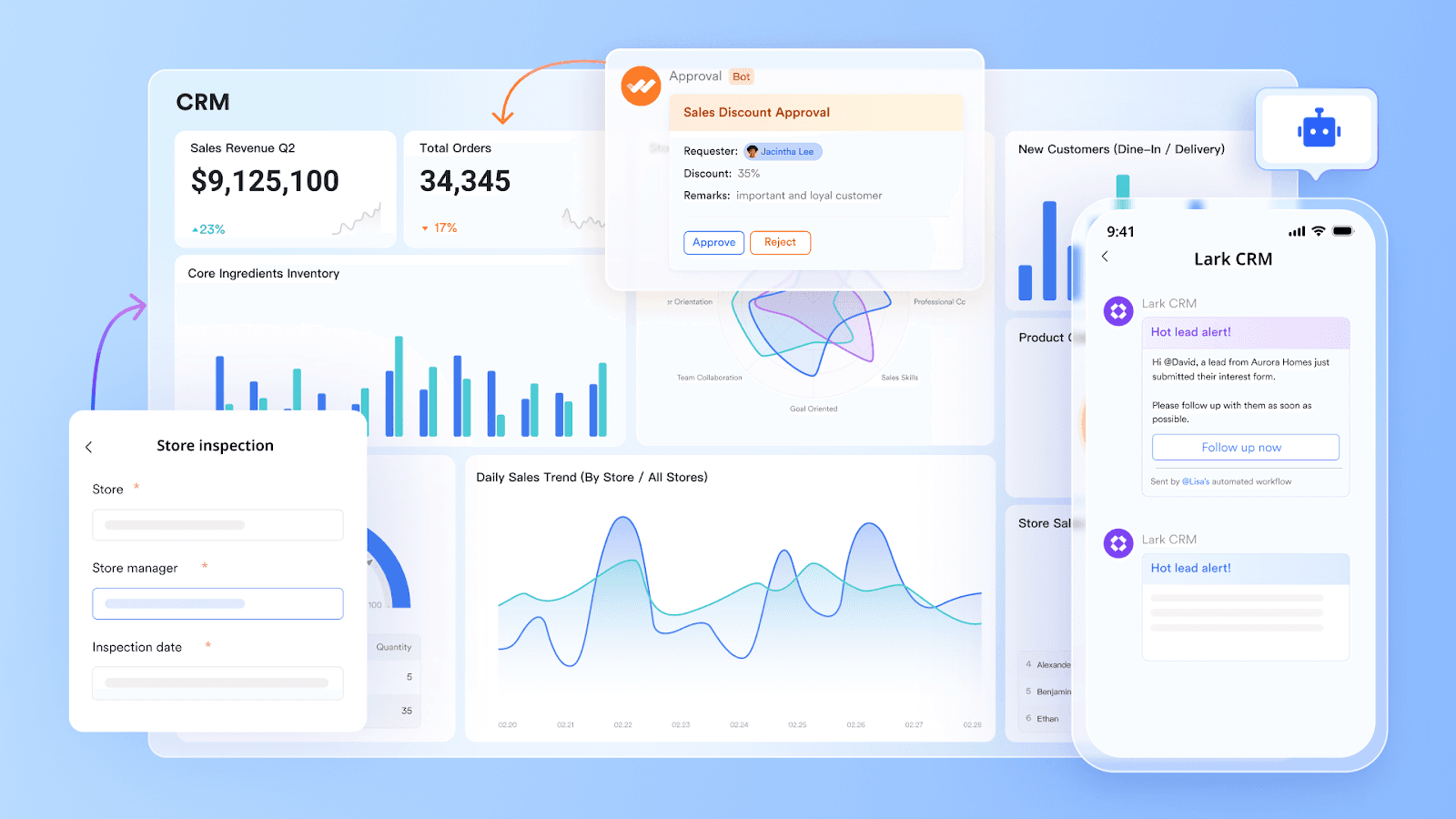
Tracking progress is easier with cloud CRM dashboards. Managers see task completion and team activity in real-time. This visibility helps identify bottlenecks and support needs quickly. Reports highlight achievements and areas for improvement. Teams stay motivated by seeing their impact clearly.
Adapting To Technology Changes
Technology evolves fast and nonprofits must keep up. Cloud CRM platforms update automatically with new features and security. Training resources and support help teams learn changes smoothly. Flexibility in the system allows nonprofits to adjust workflows as needed. Staying current improves efficiency and protects data.
Credit: www.larksuite.com
Frequently Asked Questions
What Crm Do Nonprofits Use?
Nonprofits use CRMs like Salesforce Nonprofit Cloud, Bloomerang, DonorPerfect, Neon CRM, and Givebutter. These tools manage donors, track interactions, automate communication, and boost fundraising efficiently.
Is Google Cloud Free For Nonprofits?
Google Cloud offers free credits and discounted services to eligible nonprofits through its Google for Nonprofits program. This helps nonprofits access cloud resources at reduced or no cost.
Is There A Free Crm For Nonprofits?
Yes, several free CRMs serve nonprofits, including HubSpot CRM, Bitrix24, and Zoho CRM. These tools help manage donors, volunteers, and communications efficiently.
Is Salesforce A Good Crm For Nonprofits?
Salesforce is a top CRM for nonprofits, offering customizable tools, AI insights, and efficient donor management. It boosts fundraising and streamlines operations effectively.
Conclusion
Using cloud CRM helps remote nonprofits stay organized and connected easily. It keeps all donor and volunteer information in one place. Teams can track interactions and communicate better with supporters. Automating tasks saves time and reduces errors. Analyzing data helps improve fundraising efforts and plan future campaigns.
Cloud CRM tools support stronger relationships and mission success. Choose the right platform that fits your nonprofit’s needs. Simple, smart technology makes managing remote work smoother and more effective.

Everett Ashford is a tech reviewer at mytechgrid.com specializing in SSDs, cameras, TVs, earbuds, headphones, and other consumer electronics. He provides honest, data-driven reviews based on hands-on testing and real-world performance analysis. Everett simplifies complex tech details to help readers make smart, confident buying decisions.