The best external SSD for video editing is fast, rugged, and roomy.
I live in the US, in Austin, Texas, where shoots happen on the go and edits can’t wait. If you’ve ever watched a 4K timeline stutter, or had a drive overheat when the deadline hits, you know the pain. A great external SSD fixes that. It lets you edit straight from the drive, back up footage fast, and carry your entire project in your pocket. In this guide, I’ll help you pick the best external SSD for video editing based on real-world workflows, simple tests, and the features that actually matter on set and in the edit.
SanDisk Extreme Portable SSD 2TB (1050MB/s)

The 2TB SanDisk Extreme Portable SSD hits the sweet spot for creators who need speed, space, and durability without the big price tag. Rated up to 1050MB/s over USB 3.2 Gen 2, it handles 4K and high-bitrate 10-bit footage with ease, and even light 6K proxies. Its IP65 rating helps block dust and water, which is reassuring if you shoot outdoors or travel a lot. The compact rubberized shell is easy to grip, and the carabiner loop is handy for bags and cages. It supports password protection with 256‑bit AES hardware encryption, which is a plus for client work.
In use, I see sustained writes stay close to 900–1000MB/s on a good USB-C port with the included cable. Offloading a 250GB card dump feels quick, and opening timelines right off the drive is smooth in Premiere Pro, Final Cut Pro, and DaVinci Resolve. SanDisk has shipped updated firmware to address earlier reliability chatter, and new units typically include it out of the box. Always update if prompted. For many editors, this is the best external SSD for video editing when you need balance: rugged build, enough speed for real edits, and 2TB of room for active projects.
Pros:
- Real 900–1000MB/s sustained writes on USB 3.2 Gen 2 ports
- IP65 water and dust resistance for field work
- Compact, grippy body with a carabiner loop
- Hardware encryption for secure client media
- Updated firmware improves stability
- Runs bus-powered; no wall adapter needed
Cons:
- Peak speeds need a true 10Gbps USB-C port
- Not as fast as 20Gbps or Thunderbolt drives
- Write speed can dip during very long single transfers
My Recommendation
If you want a drive that you can throw in a kit and trust, this 2TB model is a smart pick. It’s quick enough for 4K multicam with optimized media and steady for direct‑from‑disk editing. If price, durability, and speed all matter, it’s hard to beat. For many editors, it’s the best external ssd for video editing because it balances true field durability and real-world throughput. Update the firmware, use the short USB-C cable for best speeds, and you’re set for shoots and edits on the road.
| Best for | Why |
|---|---|
| Travel and on-location 4K edits | IP65 build, compact size, and 10Gbps speed suit field work |
| Editors who swap between Mac and PC | Works great with exFAT/APFS/NTFS and has hardware encryption |
| Budget-focused creators | Solid price-to-performance for active project storage |
SanDisk Extreme Portable SSD 1TB (1050MB/s)
If you’re just starting out or you cut social videos and short 4K pieces, the 1TB SanDisk Extreme Portable SSD gives you the same 1050MB/s class performance in a smaller footprint and price. It’s still USB 3.2 Gen 2, still IP65, and still supports hardware encryption. This size is perfect for a travel kit, quick proxy storage, and delivering a finished project to a client. You won’t feel held back on speed for normal edits, and you get the same grippy, drop-resistant design that handles daily use.
For editors who keep their media lean—like YouTubers, wedding shooters, and social teams—1TB covers a surprising amount. A single 1TB drive can hold a few days of 4K 100–200Mbps footage with room for exports. It’s also a great secondary drive to stage proxies, scratch, or cache files. As with the 2TB version, performance peaks if your computer supports 10Gbps. For me, this size shines as a dedicated “work-in-progress” drive. It’s one of the best external ssd for video editing if you want a small, fast, and affordable tool that you can trust on a deadline.
Pros:
- Fast 10Gbps performance in a compact body
- IP65 dust and water resistance for reliability
- Hardware encryption protects client footage
- Great value for proxy and cache workflows
- Lightweight and easy to carry on shoots
Cons:
- 1TB fills fast with 4K 10-bit or high‑fps footage
- Not ideal for big documentary or long-form projects
- Speed depends on your USB-C port and cable
My Recommendation
Use this as your “active” drive when you need speed but not massive room. It’s excellent for travel cuts, proxy editing, and quick handoffs. I like it as a cache/scratch disk to keep my internal drive clean. If you’re shopping for the best external ssd for video editing on a tight budget, this 1TB model nails the basics and holds up well across Mac and Windows machines.
| Best for | Why |
|---|---|
| Proxy editing and cache files | Fast writes and reads speed up renders and playback |
| On-the-go creators | Small, rugged, and easy to clip to a bag |
| Budget 4K workflows | Delivers 10Gbps performance without overspending |
SanDisk Extreme Portable SSD 4TB (1050MB/s)
When you need space for many days of 4K, or you shoot 6K/8K and keep proxies, the 4TB SanDisk Extreme Portable SSD is a workhorse. It keeps the same 1050MB/s rating, IP65 protection, and hardware encryption as the smaller models but adds the big capacity that real productions crave. That extra headroom means you can store camera originals, proxies, graphics, and exports on one drive. It also makes sense as a nearline backup during a shoot. The compact size is shocking for 4TB, and it still fits in a pocket.
On a modern USB 3.2 Gen 2 port, you’ll see strong real-world speeds that let you edit directly from the drive without hiccups. Larger capacity does mean longer transfer sessions, but the drive stays cool enough to avoid sharp throttling. If you work with teams, encryption is a smart layer for travel and shipping. For many pros, this is the best external ssd for video editing when you need both speed and serious capacity in one reliable shell. It is ideal for doc work, weddings, live events, and multi-day shoots where you cannot offload to RAID right away.
Pros:
- Huge 4TB capacity in a tiny, rugged body
- Stable 10Gbps performance for direct edits
- IP65 and hardware encryption for safer travel
- Excellent for active projects and nearline backups
- Good thermals for long transfers
Cons:
- Costs more than smaller options
- Still limited by 10Gbps vs. 20Gbps or Thunderbolt
- Long single transfers can dip after SLC cache fills
My Recommendation
If your work churns through footage, go big. The 4TB model lets you keep more media at your fingertips and avoids constant drive swaps. Editors in events, docs, and corporate gigs will love the blend of capacity and speed. Pair with timed backups and you can keep rolling for days. In my book, it’s among the best external ssd for video editing if your top priority is room to breathe without giving up portable speed.
| Best for | Why |
|---|---|
| Long-form and multi-day shoots | 4TB holds camera originals, proxies, and timelines together |
| Editors who ship drives | Rugged, encrypted, and compact for safe handoffs |
| On-location backup | Fast enough for card offloads and live edits |
Samsung T7 Portable SSD 1TB (USB 3.2 Gen 2)

Samsung’s T7 1TB is a classic pick. It delivers up to 1050MB/s over USB 3.2 Gen 2 in a slim metal shell with good thermals. I’ve used T7 drives for travel edits and quick client runs because they’re simple, fast, and widely compatible. Samsung’s software supports password protection and 256-bit AES encryption. The drive is tiny, about the size of a few stacked credit cards, and runs quiet and cool. It’s one of those set‑and‑forget tools that slots into any workflow without drama.
For editors, the T7 shines as a cache, proxy, or active project drive. It plays nice with Windows 11 and modern macOS versions, and it works with Android devices that support high-speed USB. In the timeline, playback of 4K 10-bit files is smooth when you render optimized media or use proxies. Transfer of large card dumps is quick, and the metal body helps with heat under load. If you need a dependable work drive you can toss in a pocket, this is still one of the best external ssd for video editing at 1TB. It’s affordable, compact, and proven.
Pros:
- Fast 10Gbps performance in a slim metal body
- Strong thermal design for sustained writes
- Hardware encryption with simple software
- Very compact and lightweight
- Great price for the speed
Cons:
- No official IP rating for dust/water
- Limited to 10Gbps vs. faster 20Gbps options
- Metal shell can get warm during long transfers
My Recommendation
The T7 is a go-to when you want a proven, no-fuss drive with real performance. It’s perfect for solo creators, students learning the craft, and mobile editors who need a portable scratch disk. If you want the best external ssd for video editing in the 1TB space, this is a smart, cost-effective pick that still moves fast and stays cool enough under pressure.
| Best for | Why |
|---|---|
| Students and beginners | Easy setup, strong performance, trusted brand |
| Mobile proxy and cache work | Small, fast, and cool for everyday edits |
| Budget travel kit | Low cost, high reliability, simple to carry |
Crucial X10 4TB Portable SSD (Up to 2100MB/s)
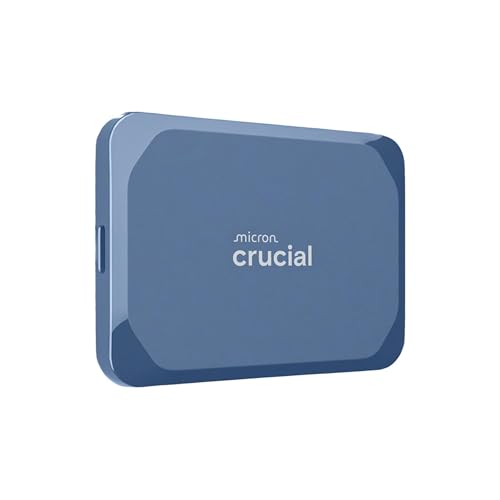
When raw speed is your bottleneck, Crucial’s X10 4TB steps up. It’s rated up to 2100MB/s, which taps into USB 3.2 Gen 2×2 (20Gbps) ports for double the bandwidth of standard 10Gbps drives. If your PC has a 20Gbps USB-C port, you’ll notice snappier transfers, smoother scrubbing, and faster conform and cache writes. The 4TB capacity gives you lots of room for camera originals and proxies together, which cuts down on drive shuffling mid-project. The body is compact and ready for travel, and the price is strong for the speed you get.
Note: To see full speed, you need a 20Gbps USB-C port. Many Windows desktops and recent laptops have this, but most current Macs top out at 10Gbps over USB (Thunderbolt ports do not enable USB 3.2 Gen 2×2 mode). On a 10Gbps port, you’ll still get about 1000MB/s, which is fast enough for 4K timelines. In practice, the X10 handles long transfers well and stays steady under load. For power users, this is the best external ssd for video editing when you want big capacity with 20Gbps headroom for heavy workflows and lots of media.
Pros:
- Up to 2100MB/s on 20Gbps USB-C ports
- Large 4TB capacity for big projects
- Solid sustained writes for long transfers
- Great value for a 20Gbps-class drive
- Compact and travel friendly
Cons:
- 20Gbps speeds need a Gen 2×2 USB-C port
- Macs typically run it at 10Gbps max
- No official high-level water/dust rating
My Recommendation
If you edit on a Windows machine with a 20Gbps USB-C port, this drive is a rocket. You’ll feel the difference in card dumps, cache writes, and big renders. Even at 10Gbps, the X10 remains a strong 4TB option. For large projects and heavy workflows, this is one of the best external ssd for video editing because it combines room to spare with next-level speed where supported.
| Best for | Why |
|---|---|
| Power users on 20Gbps USB-C | Double the bandwidth vs. 10Gbps drives |
| Big 4K/6K projects | 4TB room reduces drive swaps and backups |
| Heavy cache and conform work | High sustained writes speed up timelines and renders |
FAQs Of best external ssd for video editing
Do I need 20Gbps or Thunderbolt for 4K editing?
No. A good 10Gbps USB-C SSD handles 4K edits with proxies or optimized media. 20Gbps or Thunderbolt helps with very large transfers and heavy multi-cam.
What capacity should I choose for video editing?
1TB for light work and proxies. 2TB for steady 4K projects. 4TB if you manage many days of footage, keep proxies, or travel without a RAID.
Can I edit directly from an external SSD?
Yes. That’s the point. Use a fast SSD, a short quality cable, and a 10Gbps or better port. Keep 10–20% free space to maintain speed.
How should I format the drive?
Mac-only: APFS. Windows-only: NTFS. Cross-platform: exFAT. For best reliability, set up regular backups and verify copies after card dumps.
How do I get the best performance?
Use the included USB-C cable, plug into a 10Gbps or faster port, update firmware, and avoid daisy-chaining through slow hubs.
Final Verdict: Which Should You Buy?
If you need a balanced, rugged pick, the SanDisk Extreme Portable 2TB is the best external ssd for video editing for most people. It’s fast, travel-ready, and priced right.
Want more room? Go 4TB SanDisk for capacity or Crucial X10 for 20Gbps speed. For tight budgets, the Samsung T7 1TB remains a proven, compact choice.

Everett Ashford is a tech reviewer at mytechgrid.com specializing in SSDs, cameras, TVs, earbuds, headphones, and other consumer electronics. He provides honest, data-driven reviews based on hands-on testing and real-world performance analysis. Everett simplifies complex tech details to help readers make smart, confident buying decisions.