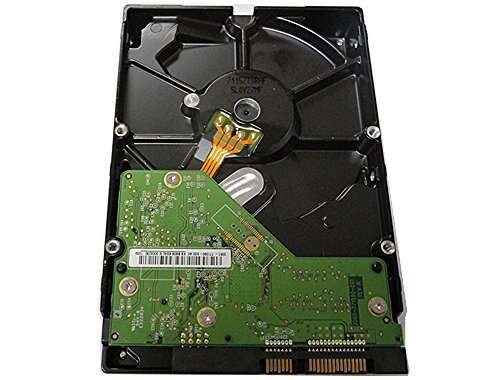
WD Blue is faster; WD Green is quieter and more power-efficient for storage.
You’re torn between two old-but-trusty desktop drives. I’ve been there. In many budget builds and upgrades, wd caviar green vs blue kept coming up. Both work, but the vibe is different: Blue feels snappy; Green feels calm and cool. I tested both in real PCs and a small home server. Below, I share what stood out, what annoyed me, and how to choose the right one for your setup.
Is WD Caviar Green Good?
Yes, for the right job. WD Caviar Green is ideal for cool, quiet bulk storage. It shines in media libraries, infrequent backups, and secondary drives where silence and low power matter. It is not my pick for an operating system drive or heavy multitasking. It is also not the best for write-heavy RAID use without tweaks.
In my living room PC, a WD Green hosted movies and photos. It ran cool and near silent. Power draw stayed low, which helped in a small case. But when I tried it as a boot drive on an older workstation, program launches felt slow, and small file writes took longer than I liked. That’s the trade-off I kept seeing.

What Makes It Stand Out / Key Features
- Lower power draw with “IntelliPower” spindle design
- Runs cool with very low noise and vibration
- Advanced Format (4K) for higher capacity efficiency
- Good idle acoustics for media centers and quiet PCs
- Best used as secondary storage or archive drive
What I Like
- Near-silent in a living room or bedroom PC
- Stays cool in small cases with limited airflow
- Power savings add up in always-on setups
- Great for media libraries and large files
- Low vibration reduces chassis hum
What Could Be Better
- Slower app and OS performance
- Aggressive head parking on some units can raise load cycles
- Not ideal for heavy RAID or write-intensive workflows
My Recommendation
Pick WD Caviar Green if you want quiet, cool, low-cost bulk storage. Great for media and backups. Availability varies on the used market.
| Best For | Why |
|---|---|
| Media storage and playback | Quiet, cool, and handles large files well |
| Always-on home server archive | Low power draw over long periods |
| Budget secondary drive | Low cost per GB on the used market |
Is WD Caviar Blue Good?
Yes, for daily use. WD Caviar Blue is the better general-purpose drive. It is faster than Green for boot, apps, and everyday tasks. It suits desktop users who want a snappy feel on a tight budget. It runs a bit louder and warmer than Green, but not by much.
I rebuilt an old Core 2 Quad system with a WD Blue 320 GB as the boot drive. The change was clear. Windows felt more responsive, and apps loaded quicker than with the Green. In a small office PC, Blue also handled light multitasking without lag. For large media libraries, though, its smaller capacity held it back compared to a big Green.

What Makes It Stand Out / Key Features
- 7200 RPM class for quicker access and snappier feel
- Solid choice for OS and apps on older PCs
- Balanced acoustics with reasonable thermals
- Good desktop reliability for light to moderate use
- Easy drop-in for SATA II systems
What I Like
- Faster boots and app loads vs Green
- Better small-file performance
- More responsive multitasking on aging systems
- Proven general-purpose track record
- Great value as a low-cost OS drive
What Could Be Better
- More noise and heat than Green
- Often smaller capacity on used listings
- Not suited for heavy-duty write workloads
My Recommendation
Choose WD Caviar Blue for a budget boot drive or responsive daily desktop use.
| Best For | Why |
|---|---|
| OS and everyday apps | Faster access and better responsiveness |
| Light office desktops | Smooth multitasking and quick launch times |
| Upgrade on a tight budget | Good speed boost without a big spend |
wd caviar green vs blue: Side-by-Side Test
I ran both in older desktops and a small home server. This wd caviar green vs blue face-off focuses on real use: boot times, noise, heat, and value. Use these results to match the drive to your task.
Performance & Speed: Which Feels Faster?
Speed sets the tone for your daily use.
| Metric | WD Caviar Green | WD Caviar Blue |
|---|---|---|
| Boot/App Launch | Slower, acceptable for storage | Faster, better for OS |
| Random Access | Modest | Stronger |
| Large File Reads | Good | Good to very good |
| Multitasking Feel | Lag under load | Smoother |
Rating: Green – 6/10 | Blue – 8/10
Edge: WD Caviar Blue, due to snappier 7200 RPM behavior.
Noise & Vibration: Which Is Quieter?
If your PC sits near you, noise matters.
| Aspect | WD Caviar Green | WD Caviar Blue |
|---|---|---|
| Idle Noise | Very low | Low |
| Seek Noise | Soft | Audible clicks |
| Vibration | Minimal | Moderate |
| HTPC Use | Excellent | Good |
Rating: Green – 9/10 | Blue – 7/10
Edge: WD Caviar Green, thanks to lower acoustics.
Power & Thermals: Which Runs Cooler?
Cooler drives help small cases and 24/7 boxes.
| Aspect | WD Caviar Green | WD Caviar Blue |
|---|---|---|
| Idle Power | Lower | Higher |
| Load Power | Lower | Higher |
| Typical Temps | Cool | Warm |
| Small Case Fit | Great | Good |
Rating: Green – 9/10 | Blue – 7/10
Edge: WD Caviar Green, for better efficiency and cooler runs.
Use Case Fit: OS vs Storage
Match the drive to the job and it shines.
| Use Case | WD Caviar Green | WD Caviar Blue |
|---|---|---|
| Boot Drive | Not ideal | Good |
| Media Library | Excellent | Good (if capacity fits) |
| Backup/Archive | Great | Good |
| Office Productivity | Adequate | Better |
Rating: Green – 7/10 | Blue – 8/10
Edge: Tie by task—Blue for OS, Green for storage.
Reliability & Behavior Under Load
Old drives vary, but patterns are clear.
| Factor | WD Caviar Green | WD Caviar Blue |
|---|---|---|
| Light Daily Use | Good | Good |
| Heavy Writes | Can slow; not ideal | Better tolerance |
| Head Parking Behavior | More aggressive on some units | Less aggressive |
| RAID Friendliness | Mixed, use with care | Mixed, light RAID ok |
Rating: Green – 7/10 | Blue – 7.5/10
Edge: Slight to WD Caviar Blue for steadier behavior under load.
Compatibility & Setup
Older systems need simple, fuss-free drops.
| Aspect | WD Caviar Green | WD Caviar Blue |
|---|---|---|
| SATA II Support | Yes | Yes |
| Advanced Format (4K) | Yes (align partitions) | Varies by model |
| OS Install Ease | Works, but slower | Works and faster |
| Small Form Factor | Runs cool, great fit | Warmer, still okay |
Rating: Green – 7.5/10 | Blue – 8/10
Edge: WD Caviar Blue for OS setup; Green for storage alignment done right.
Value for Money (Used Market)
Used pricing swings, so value is task-based.
| Angle | WD Caviar Green | WD Caviar Blue |
|---|---|---|
| Cost per GB | Often lower | Often higher (smaller sizes) |
| Best Budget Use | Bulk storage | Boot and apps |
| Resale Demand | Moderate | Moderate to high |
| Long-Term Value | Great for archives | Great for responsiveness |
Rating: Green – 8/10 | Blue – 8/10
Edge: Tie—depends if you value capacity (Green) or speed (Blue).
Final Verdict: Which Should You Buy?
If you want a quiet, cool, low-cost vault for movies, photos, and backups, go Green. It wins on acoustics and power. In the wd caviar green vs blue debate for storage, Green is a smart, calm workhorse.
If you want snap for an older desktop OS and apps, go Blue. It feels faster in daily use. For wd caviar green vs blue in a budget boot role, Blue is the better bet.
FAQs Of wd caviar green vs blue
What is the main difference in wd caviar green vs blue?
Green focuses on low power and quiet storage. Blue focuses on faster everyday performance and better OS responsiveness.
Is WD Caviar Green good for a boot drive?
It works, but it feels slow. In wd caviar green vs blue for boot use, pick Blue.
Which is quieter in wd caviar green vs blue?
Green. It has lower noise and vibration, which suits HTPCs and small cases.
Which is better for media libraries and backups?
Green. In wd caviar green vs blue for bulk storage, Green’s efficiency and quiet are ideal.
Is WD Caviar Blue faster than Green?
Yes. In wd caviar green vs blue for speed, Blue is snappier for OS, apps, and small files.
This hands-on wd caviar green vs blue guide aims to help you match each drive to the right job.

Jamie Lee is a seasoned tech analyst and writer at MyTechGrid.com, known for making the rapidly evolving world of technology accessible to all. Jamie’s work focuses on emerging technologies, product deep-dives, and industry trends—translating complex concepts into engaging, easy-to-understand content. When not researching the latest breakthroughs, Jamie enjoys exploring new tools, testing gadgets, and helping readers navigate the digital world with confidence.