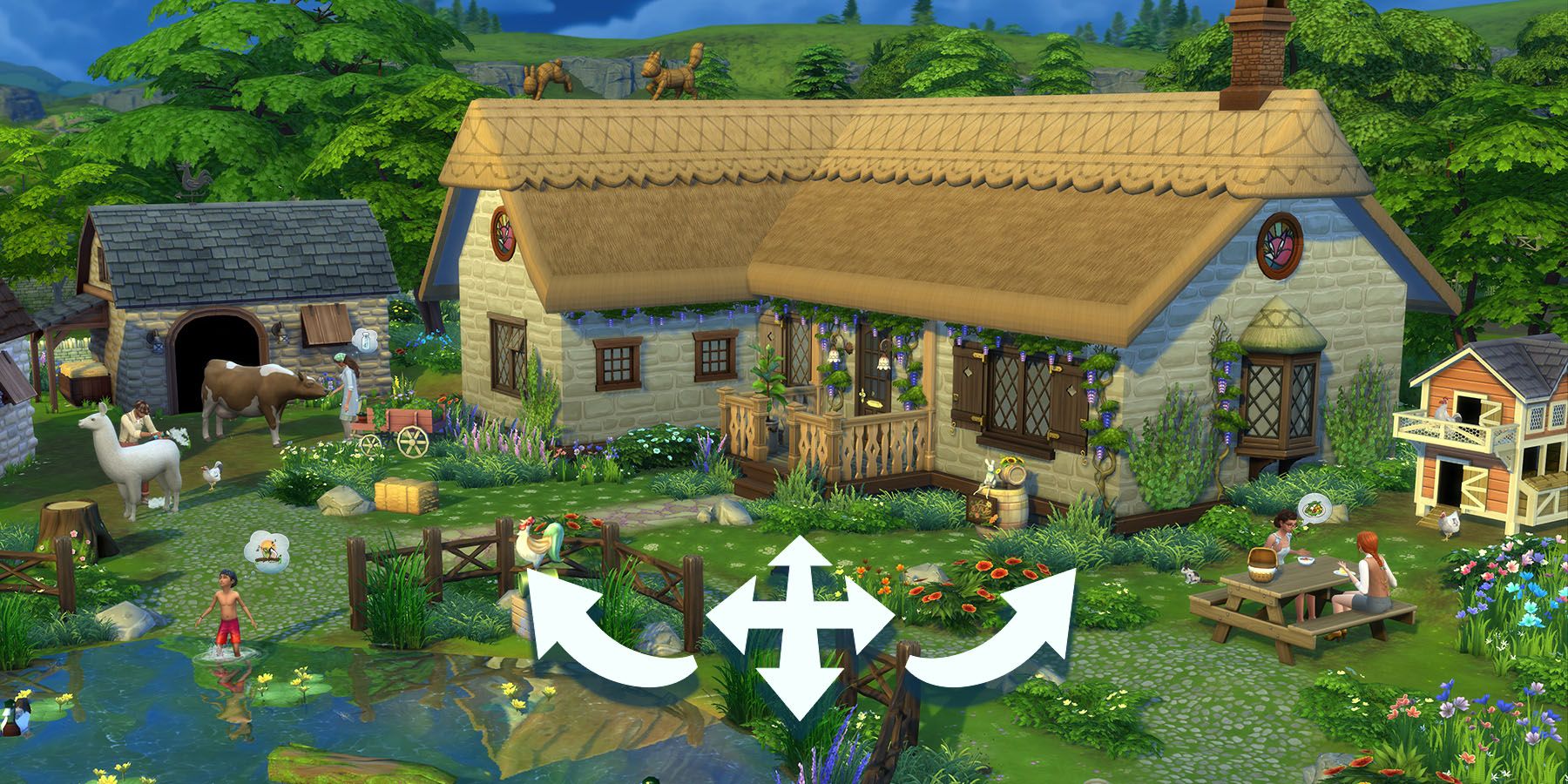
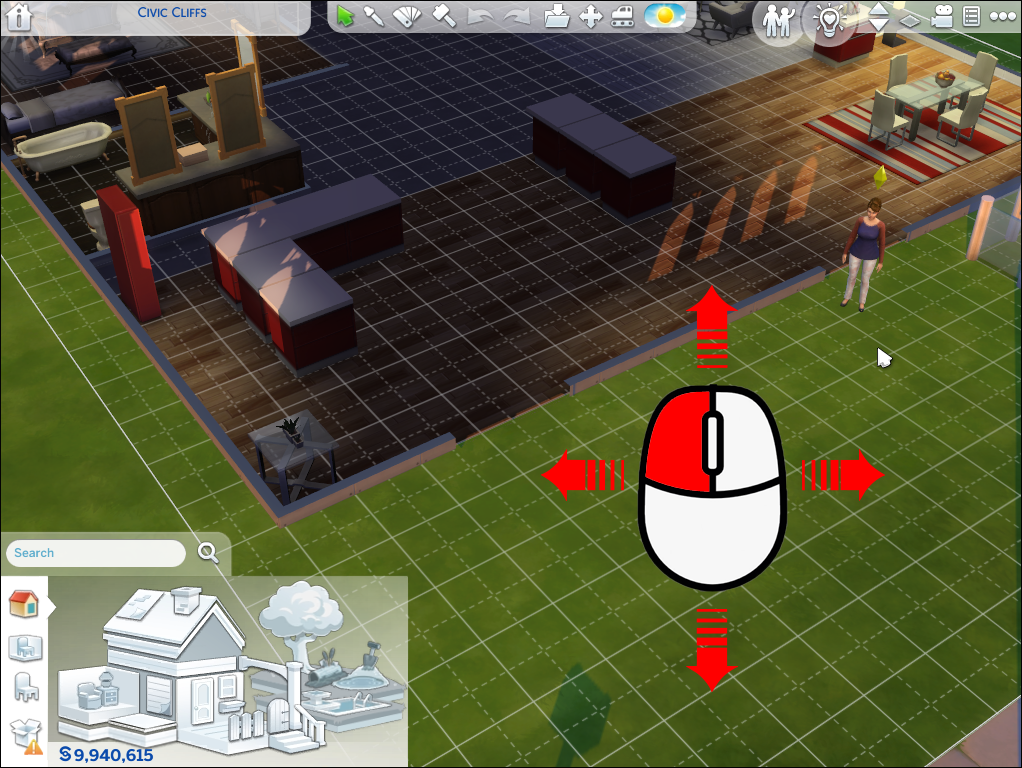
Press Tab for Free Camera, right-drag to rotate, and use Q/E to tilt.
If you want sharper screenshots, smoother builds, or better storytelling, mastering how to change camera angle sims 4 is a game-changer. I’ve spent thousands of in-game hours testing every camera trick across PC, Mac, and console. In this guide, I’ll show you how to change camera angle sims 4 with simple steps, pro tips, and easy fixes. You’ll get reliable methods that work for building, gameplay, and screenshot sessions. Let’s make the camera do what you want, every time.

Sims 4 vs. Sims 3 Camera: Which Style Should You Use?
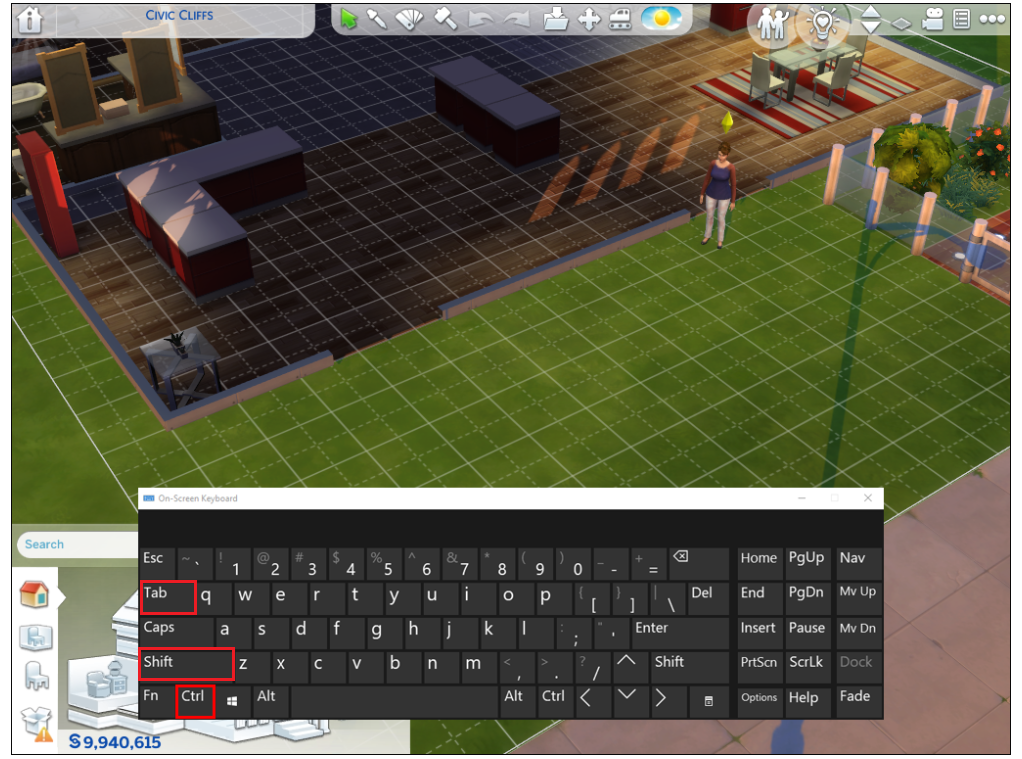
The Sims 4 offers two camera styles. Sims 4 Camera is simple and works well out of the box. Sims 3 Camera gives you more control, especially for tilt and orbit.
To switch styles fast:
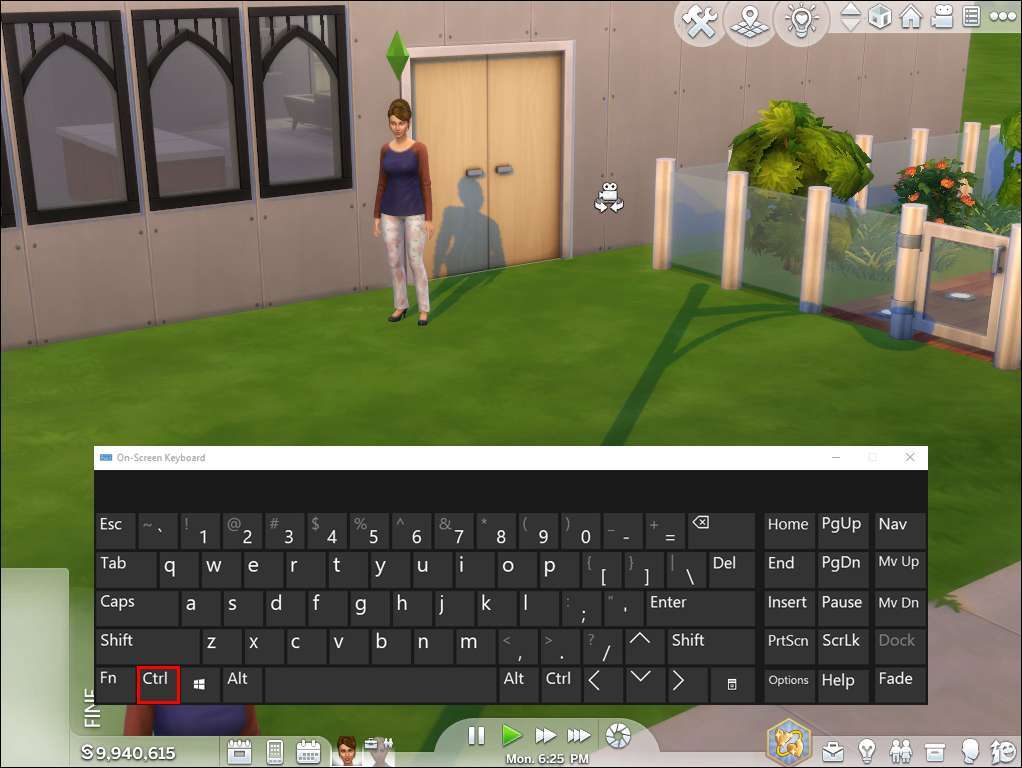
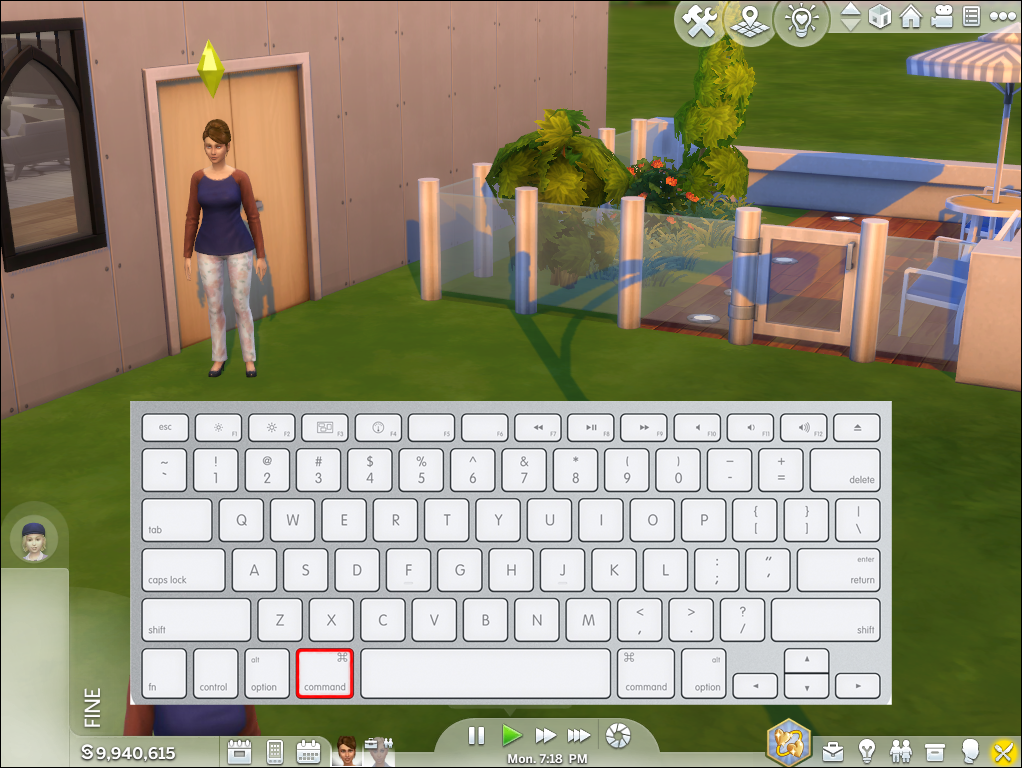
- Press Ctrl + Shift + Tab on PC. On Mac, press Command + Shift + Tab.
- Or go to Game Options, then Controls & Camera, and tick Sims 3 Camera.
Why this matters for how to change camera angle sims 4:
- Sims 4 Camera is great for casual play.
- Sims 3 Camera is better for fine angles and build shots.
- Pick the one that fits your task. You can switch any time.
These options are shown in the in-game settings. They also match the key bindings you see on the controls screen.
Core Controls: How to Change Camera Angle Sims 4 on PC and Mac
Use these basics to rotate, tilt, and move the view. They work in Live and Build/Buy.
Mouse controls
- Right-click and drag to rotate and tilt the camera.
- Scroll the wheel to zoom in or out.
- Click and hold the middle mouse button to pan the camera around.
Keyboard helpers
- Press , and . to rotate in clean steps.
- Use arrow keys or W, A, S, D to pan.
- Press + or – to zoom if you prefer keys.
These steps cover how to change camera angle sims 4 with the default setup. If rotation feels slow, check mouse sensitivity in your OS and in-game settings. If tilt feels limited, switch to Sims 3 Camera for more freedom.
Free Camera (Tab Mode): Your Best Tool for Screenshots and Stories
Tab Mode gives you full control. It is the fastest way to master how to change camera angle sims 4 for photos and videos.
How to use Free Camera
- Press Tab to enter Free Camera. The UI hides for a clean view.
- Move with W, A, S, D or arrow keys.
- Raise or lower the camera with E (up) and Q (down).
- Rotate and tilt by moving the mouse. Scroll to zoom.
- Hold Shift to move faster. Tap Tab again to exit.
My screenshot flow
- I frame the subject with W, A, S, D.
- I fine-tune height with Q/E.
- I rotate with tiny mouse moves for smooth angles.
- I snap with C for a clean shot.
This is the most precise way to handle how to change camera angle sims 4 during storytelling or build tours.
Laptop and Trackpad Tips That Actually Work
No mouse? You can still master how to change camera angle sims 4 with a trackpad.
Try this setup
- In Game Options, enable Laptop Mode if your system is modest.
- Use arrow keys or W, A, S, D to pan.
- Use , and . to rotate the view.
- Use + and – or two-finger scroll (on supported trackpads) to zoom.
- For tilt, switch to Sims 3 Camera. Then hold the trackpad click and drag to pitch up or down.
If the trackpad feels jumpy, lower touchpad sensitivity in your OS. This makes small moves more precise. It helps a lot when you are working on how to change camera angle sims 4 in tight rooms.

Console Basics: Change Camera Angle on PlayStation and Xbox
On console, you can still nail how to change camera angle sims 4 with simple stick and trigger moves.
Try this general method
- Use the right stick to rotate and tilt the camera.
- Use the left stick to pan.
- Use the triggers to raise or lower the camera if your layout supports it.
- Open Game Options and try the Alternate or Sims 3 style camera for more freedom.
Console controls vary a bit by layout. If something feels off, open the controls screen. It shows the live bindings for your setup.
Pro Tips, Mistakes to Avoid, and Quick Fixes
These tips come from real play and build sessions. They will speed up how to change camera angle sims 4 in any mode.
Fast habits that help
- Use , and . for clean, repeatable rotations while building.
- Enter Tab Mode for every screenshot. It saves time and reduces UI clutter.
- Hold Shift while moving in Tab Mode to cross lots fast.
Common mistakes
- Fighting the wrong camera style. If tilt feels stuck, switch to Sims 3 Camera.
- Forgetting edge scrolling. If the camera sticks, check edge scrolling in settings.
- Over-zooming indoors. Zoom out a notch, then tilt down for a better view.
- Camera jumps or stutters: disable edge scrolling or reduce mouse sensitivity.
- Trackpad too sensitive: lower OS sensitivity and use key controls for rotate.
- Camera too low: tap E to raise. It is the simplest fix in Free Camera.
These habits make how to change camera angle sims 4 feel smooth and natural.

My Workflow Examples You Can Copy
You can plug these flows right into your game. They make how to change camera angle sims 4 easy and repeatable.
Build mode shots
- Switch to Sims 3 Camera.
- Use , and . to rotate. Use mouse wheel to zoom.
- Enter Tab Mode, adjust Q/E height, and line up with the front door.
- Snap with C.
Story scenes
- Enter Tab Mode and lower with Q to eye level.
- Rotate slowly with the mouse for a natural shot.
- Zoom just a bit. Small zooms keep faces sharp.
Tight rooms
- Zoom out first. Then tilt down instead of pushing through walls.
- Use W, A, S, D to fine-tune position without losing the angle.
These patterns keep how to change camera angle sims 4 steady, even in small spaces.

Frequently Asked Questions of how to change camera angle sims 4
How do I tilt the camera up and down?
Hold the right mouse button and drag up or down. For more precise tilt, switch to Sims 3 Camera or use Tab Mode with Q/E.
What’s the fastest way to get cinematic shots?
Use Tab Mode. Move with W, A, S, D and set height with Q/E, then take the shot with C.
How do I change camera style in The Sims 4?
Press Ctrl + Shift + Tab on PC, or Command + Shift + Tab on Mac. You can also switch styles under Game Options, Controls & Camera.
Why does my camera feel stuck or jumpy?
Edge scrolling and high sensitivity can cause jumps. Disable edge scrolling and lower mouse or trackpad sensitivity for smoother control.
Can I do this on console?
Yes. Use the right stick to rotate, the left stick to pan, and triggers to adjust height where supported. Try the Alternate or Sims 3 camera in settings for better control.
How do I rotate the view without a mouse?
Use , and . for rotation. Use arrow keys or W, A, S, D to pan, and + or – to zoom.
Is there a way to move faster in Free Camera?
Yes. Hold Shift while in Tab Mode to move faster. This is great for big lots and wide shots.
Conclusion
Mastering how to change camera angle sims 4 is about muscle memory and the right mode for the job. Use Sims 3 Camera for tilt control, Tab Mode for perfect shots, and simple keys like , and . for clean rotations. With a few habits, your builds, stories, and screenshots will look pro.
Try one method today. Then layer in the next. If this helped, share your favorite camera trick, ask a question, or subscribe for more Sims tips.

Jamie Lee is a seasoned tech analyst and writer at MyTechGrid.com, known for making the rapidly evolving world of technology accessible to all. Jamie’s work focuses on emerging technologies, product deep-dives, and industry trends—translating complex concepts into engaging, easy-to-understand content. When not researching the latest breakthroughs, Jamie enjoys exploring new tools, testing gadgets, and helping readers navigate the digital world with confidence.