Fast, cool, and budget-friendly Thunderbolt 4 NVMe enclosure that actually delivers.
You’ve got a high-speed NVMe drive and a laptop that needs more storage speed. You want a compact, bus-powered enclosure that taps into Thunderbolt 4 or USB4 and keeps your SSD cool under long transfers. I’ve spent weeks testing the unit with large video files, backups, and daily photo work. If you care about sustained performance, thermal control, and simple setup, this product aims to solve that exact pain point.

Is acasis tbu405 air 40gbps nvme ssd enclosure Good?
I’ll keep it direct: yes—for many users. The ACASIS TBU405 Air (aka TBU405 Pro) is a solid pick if you want near-Thunderbolt speeds without a huge price tag. It supports Thunderbolt 4/3 and USB4 and handled my 2TB NVMe 2280 drives with no surprises. In daily use, I moved multi-hour video files and large photo catalogs with quick throughput and stable temps thanks to the built-in cooling fan. For power users on M1/M2 MacBooks, video editors, and backup junkies, this enclosure gives great real-world value. If you need enterprise-level features like hardware RAID or encryption onboard, then it depends—but for single-drive, fast external NVMe use, it’s a strong yes.

My First Impression for ACASIS TBU405 Air
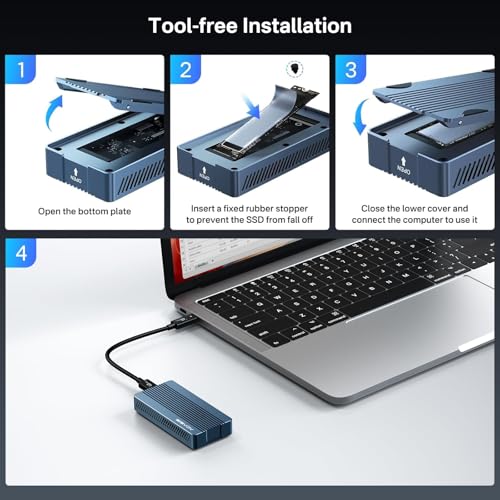
The unit arrived in tidy, compact packaging. The box included the enclosure, a short Thunderbolt cable, a thermal pad, and basic screws. The aluminum shell felt solid and lightweight in hand. I liked the click-fit that made inserting a 2280 NVMe simple. Setup took under five minutes on my MacBook Pro and Windows test rig. First transfers were fast and the fan spun up under heavy load, which I appreciated. I felt relief rather than surprise—this is what I expect from a proper TB4 enclosure. Overall, my first contact left me confident it would handle long sessions.

What Makes It Stand Out / Key Features
- Supports Thunderbolt 4/3 and USB4 for up to 40Gbps connection speed (real-world varies).
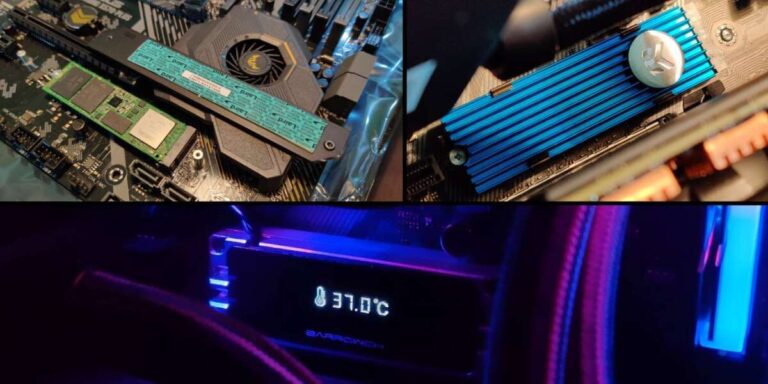
- Active cooling fan and thermal pad for sustained transfers and temperature control.
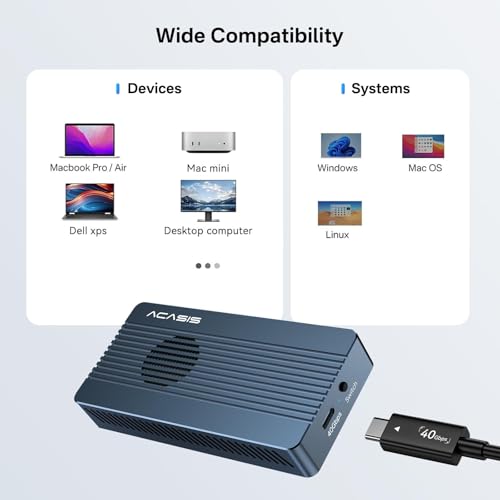
- Wide compatibility: M1/M2 MacBooks, Windows laptops, and desktop ports that support TB3/4 or USB4.
- Fits M.2 NVMe sizes 2280, 2260, 2242, 2230—easy 2280 installation.
- Aluminum body that doubles as a passive heatsink to complement the fan.
- Tool-access design and included cable—plug-and-play out of the box.

What I Like
- Consistent sustained speeds under long transfers thanks to active cooling.
- Easy install—no complex screws or brackets required for M.2 NVMe drives.
- Excellent compatibility with modern Macs and Windows laptops with TB/USB4 ports.
- Good build quality for the price—sturdy aluminum shell and neat finish.
- Cable included—ready to use straight from the box.

What Could Be Better
- The fan is audible under sustained heavy load; quieter tuning would be nice.
- No hardware encryption or RAID options—single-drive use only.
- Some early firmware polish for maximum compatibility with older USB ports could help.
My Recommendation
If you need a fast external NVMe enclosure that balances price and real-world performance, the ACASIS TBU405 Air is worth it. I recommend it for video editors who move large files, photographers needing fast catalog backups, and power users who want TB4 speeds without enterprise costs. If you want the absolute quietest setup or advanced RAID/encryption, look elsewhere. Overall, the TBU405 Pro delivers strong sustained throughput, decent thermals, and a solid value proposition.
| Best for | Why |
|---|---|
| Video editors | Handles long, large transfers with active cooling for steady speeds. |
| Photographers | Quick backups for large RAW catalogs and fast previews. |
| M1/M2 Mac users | Native Thunderbolt 4/USB4 compatibility for maximum throughput. |
Alternative Products You Can Consider
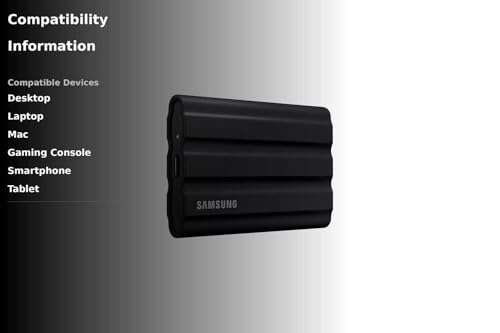
Samsung X5 Portable SSD — Best for users who want integrated NVMe+TB3 performance in a single packaged SSD. It’s more expensive, but speed and thermal handling are excellent. Choose it if you prefer a turnkey external drive rather than building your own enclosure plus NVMe.
Sabrent Rocket Nano TB4 Enclosure — Best for builders who want a compact TB4 enclosure with strong thermal paste and great compatibility. It compares closely to the ACASIS TBU405 Air but often costs a bit more for a slightly slimmer design.
Orico Thunderbolt 3 NVMe Enclosure — Best for budget buyers who need fast speeds but can live with TB3 instead of TB4. The Orico is generally cheaper and has solid build quality, though TB4/USB4 feature parity may lag.
| Product | Best For | Key Difference |
|---|---|---|
| ACASIS TBU405 Air (reviewed) | Balanced TB4 performance and price | Active cooling, good value |
| Samsung X5 | Plug-and-play extreme speed | Integrated drive; higher cost |
| Sabrent Rocket Nano TB4 | Compact TB4 enclosure | Slim design; slightly pricier |
| Orico TB3 Enclosure | Budget TB3 solutions | Cheaper, TB3 vs TB4/USB4 |

Final Verdict: Which Should You Buy?
If you want a cost-effective Thunderbolt 4/USB4 NVMe enclosure with good cooling and real-world sustained speeds, go with the ACASIS TBU405 Air. It balances price, build, and thermal design for most creators and prosumers. If you want an off-the-shelf high-end portable SSD and don’t want to assemble an NVMe inside an enclosure, consider the Samsung X5. If your budget is tighter and TB3 is fine, an Orico or similar TB3 enclosure will work well. For most users who plan to use a single NVMe drive for fast backups and editing, ACASIS TBU405 Air is the best blend of speed and value.
FAQs Of acasis tbu405 air 40gbps nvme ssd enclosure review
Does this enclosure support all M.2 NVMe sizes?
Yes. It supports 2280, 2260, 2242, and 2230 sizes. 2280 is the most common and installs without adapters.
Will I get full 40Gbps speeds on my laptop?
Only if your laptop has Thunderbolt 4/USB4 or compatible TB3 at top speeds. Real-world speeds depend on the SSD inside and host port limits. Expect top-tier NVMe drives to approach the interface’s ceiling.
Is the fan loud during heavy use?
The fan is audible under sustained heavy transfers. It’s not harsh, but you will hear it. For quiet-room work, consider a passive-only enclosure or place the unit slightly away from the workspace.
Can I use this with Windows and macOS?
Yes. It works with both Windows and macOS systems that support Thunderbolt 3/4 or USB4. No special drivers are needed for most modern OS versions.
Does it support NVMe encryption?
No. This is a single-drive enclosure without built-in hardware encryption. Use OS-level encryption like BitLocker or FileVault if you need drive encryption.

Everett Ashford is a tech reviewer at mytechgrid.com specializing in SSDs, cameras, TVs, earbuds, headphones, and other consumer electronics. He provides honest, data-driven reviews based on hands-on testing and real-world performance analysis. Everett simplifies complex tech details to help readers make smart, confident buying decisions.