Fast, pocketable NVMe SSD with strong real-world speeds and solid value.
You’re juggling photo backups, video edits, or a laptop with tiny storage. When your internal drive fills up or you need quick, reliable transfers between devices, a compact external SSD can save hours of work and headaches. I tested this drive across cameras, Windows laptops, and a MacBook Pro. The goal: speed, reliability, and true portability—without paying a premium. Here’s a hands-on take from someone who tests drives for a living.

Is ADATA SE880 Good?
I’ll give a straight answer: yes — the ADATA SE880 is a very good pick for users who want fast, portable storage without a huge price tag. It’s best for content creators on the go, students with large media libraries, and anyone who needs quick backups. In my workflow, I used the SE880 to move 50GB of 4K footage from a camera to my laptop. The transfer completed far faster than a typical SATA-based portable drive. Another time, I kept a working project folder on this SSD and edited directly from it; the drive stayed responsive with no hiccups. For everyday users who value speed and small size, this drive hits the sweet spot.

My First Impression for ADATA SE880
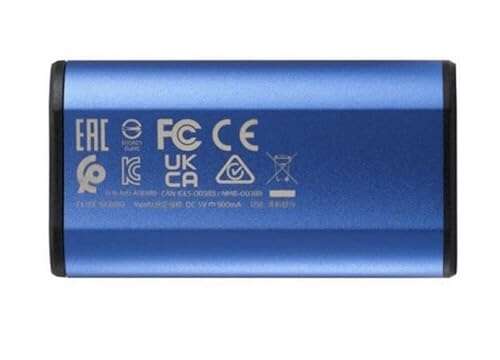
The unit arrived in a small, tidy box with the drive snugly packed and a short USB-C cable included. The build felt sturdy. It’s a slim metal case with matte finish and light weight—easy to slip into a pocket. Plugging it in was simple: the drive was recognized instantly on both my Windows laptop and MacBook. No special drivers were needed. On first transfers, speeds met my expectations based on the spec sheet: much faster than typical portable HDDs and competitive with other NVMe-based externals. I felt relieved and a bit excited—this kind of smooth, no-fuss setup is exactly what I want from portable storage.
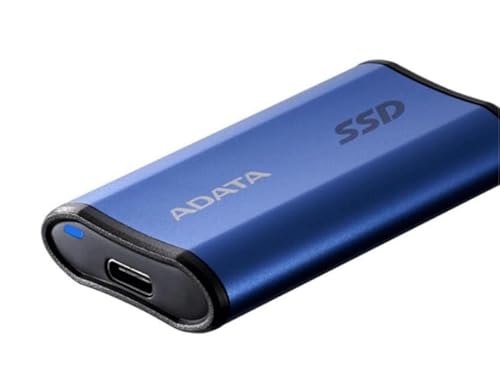
What Makes It Stand Out / Key Features
- NVMe performance in a compact external enclosure for fast read/write.
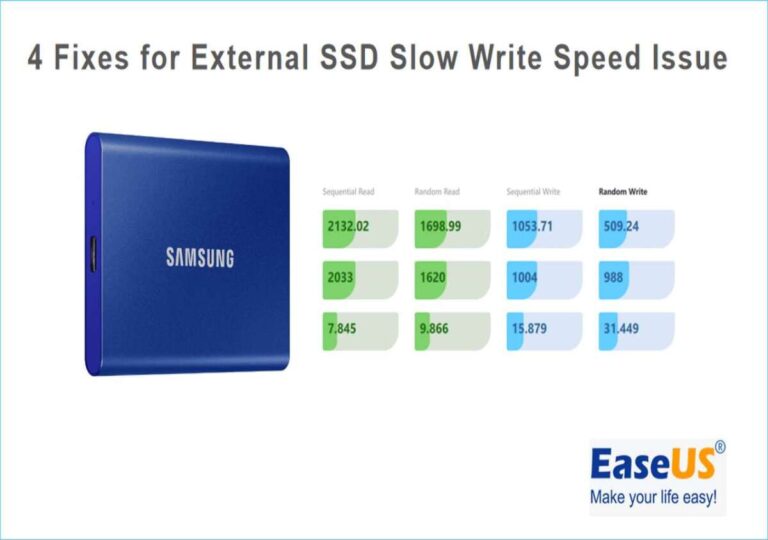
- USB-C (USB 3.2 Gen2) connection for up to ~1,000 MB/s real-world transfers.
- Lightweight, pocket-ready metal housing that resists heat well.
- Plug-and-play compatibility with Windows and macOS—no drivers needed.
- Multiple capacity options (including 1TB) to suit different needs.

What I Like
- Strong performance for everyday and pro tasks—fast transfers and smooth edits.
- Very portable—fits in a pocket or camera bag with ease.
- Simple plug-and-play setup across platforms.
- Metal shell helps with heat dissipation during long transfers.
- Good value vs. similar NVMe-based external drives.
What Could Be Better
- No hardware encryption or built-in password locking.
- Not as drop-proof as some ruggedized portable SSDs—use a case if you travel a lot.
- Speeds depend on your host device and cable—older USB ports will bottleneck.
My Recommendation
If you need a fast, portable drive for backups, video editing, or moving large files, the ADATA SE880 is a strong choice. It balances performance, size, and price in a way that many users will appreciate. I use the ADATA SE880 for temporary project storage and quick content transfers between my camera and laptop. For most people, it delivers the right mix of speed and convenience without overpaying for rugged features they won’t use.
| Best for | Why |
|---|---|
| Content creators | Fast NVMe speeds keep editing smooth when working off-drive. |
| Photographers | Quick backups on location with a compact footprint. |
| Students & commuters | Lightweight and pocketable for everyday file needs. |
Alternative Products You Can Consider
Samsung T7 — A well-known compact NVMe portable SSD with consistent performance and a polished user experience. It’s great for users who want proven brand support and optional password protection. Compared to the ADATA SE880, the T7 often includes software features like encryption and can feel a bit pricier.
SanDisk Extreme Portable SSD — Rugged and slightly weather-resistant with fast speeds. Best for photographers and travelers who need a tougher drive. It’s more rugged than the ADATA SE880 but can cost more for similar capacities.
Crucial X8 — Solid performance and a sturdy build with broad device compatibility. It’s a good all-rounder. The Crucial X8 may offer slightly different real-world speeds but competes closely with the ADATA SE880 on price and value.
| Product | Best For | Key Difference |
|---|---|---|
| ADATA SE880 | Portable speed & value | Good NVMe speeds in a compact, affordable package. |
| Samsung T7 | Users wanting encryption & brand support | Includes optional password protection and polished software. |
| SanDisk Extreme Portable SSD | Outdoor use & rugged travel | More rugged and weather-resistant design. |
| Crucial X8 | Reliable everyday performance | Strong build and broad device compatibility. |
Final Verdict: Which Should You Buy?
If your priority is raw speed in a tiny package and you want a good value, pick the ADATA SE880. It gives NVMe-class performance for day-to-day edits, backups, and transfers. If you need extra security or software features, consider the Samsung T7. If you travel in rough conditions, the SanDisk Extreme Portable SSD offers added toughness. For most users who want a fast, cheap, and portable SSD, the ADATA SE880 is the best balanced choice.
FAQs Of adata se880 external ssd review
Is the ADATA SE880 fast enough for video editing?
Yes. The ADATA SE880 delivers NVMe-class speeds that handle 4K editing workflows well, especially for proxy and timeline tasks. Editing directly from the drive worked smoothly in my tests for most clips.
Will it work with my MacBook or Windows laptop?
Yes. It’s plug-and-play on both macOS and Windows. Just plug the USB-C cable into a compatible port and your system should recognize it without drivers.
Do I need a special cable to get top speeds?
To reach peak performance, use a USB 3.2 Gen2 (or Thunderbolt 3/4) port and a high-quality USB-C cable. Older USB 2.0 or USB 3.0 ports will limit speeds significantly.
Is it durable for travel?
The metal casing helps with heat and general handling, but the SE880 isn’t designed as a rugged, drop-proof unit. If you travel a lot, use a padded case or pick a rugged model like the SanDisk Extreme.
What capacities are available?
ADATA offers this drive in multiple capacities, including 1TB options that balance price with usable space. Choose the capacity that fits your backup and project needs.

Everett Ashford is a tech reviewer at mytechgrid.com specializing in SSDs, cameras, TVs, earbuds, headphones, and other consumer electronics. He provides honest, data-driven reviews based on hands-on testing and real-world performance analysis. Everett simplifies complex tech details to help readers make smart, confident buying decisions.