If you run a remote company, you know how tricky it can be to keep everyone on the same page. You need a simple, reliable way to store and share important information without breaking the bank.
That’s where affordable knowledge base tools come in. These tools help you organize your team’s knowledge, answer questions quickly, and boost productivity—no matter where your team members are. You’ll discover some of the best budget-friendly options designed specifically for remote companies like yours.
Keep reading to find the perfect tool that fits your needs and helps your team work smarter, not harder.

Credit: www.nextiva.com
Top Affordable Tools
Remote companies need reliable and affordable knowledge base tools. These tools help teams share information and work smoothly. Choosing the right tool can save time and money. Here are some top affordable options that fit different needs and budgets.
Confluence
Confluence offers a simple way to create and organize content. Teams can collaborate on documents in real time. It integrates well with other popular tools. Confluence has a free plan for small teams and affordable pricing for larger groups.
Notion
Notion combines notes, tasks, and databases in one place. It is very flexible for different workflows. Remote teams use Notion to build knowledge bases and project plans. The pricing is budget-friendly, with a free version for individuals.
Bookstack
BookStack is an open-source platform for documentation. It allows easy creation of books, chapters, and pages. Teams can self-host it for full control and low costs. BookStack is simple to use and customize for any remote company.
Obsidian
Obsidian stores notes locally with strong linking features. It helps build a connected knowledge base. Remote workers like Obsidian for personal and team use. The core app is free, and paid add-ons are optional.
Wiki.js
Wiki.js is a modern, open-source wiki software. It supports Markdown editing and multiple languages. Teams can host it on their servers to reduce costs. Wiki.js is powerful yet easy to manage for remote teams.
Nuclino
Nuclino offers a clean interface for team collaboration. It organizes knowledge through linked documents and boards. The tool suits small to medium remote companies. Nuclino has a free plan and affordable paid options.
Open-source Options
Open-source knowledge base tools offer remote companies a cost-effective way to manage information. These tools provide the freedom to customize and adapt software to fit specific needs. Many open-source options have strong community support and frequent updates. They allow full control over data, which is important for privacy and security in remote work setups.
Benefits Of Open-source
Open-source tools are free to use, lowering costs for remote teams. They offer flexibility to modify features or add new ones. The community of users shares improvements and fixes bugs quickly. Companies avoid vendor lock-in and can switch tools easily. Transparency in code helps build trust and security. Open-source software can integrate well with other systems.
Popular Open-source Tools
Many open-source knowledge base tools suit remote companies. BookStackis simple and user-friendly for creating documentation. Documizecombines wiki and document management in one platform. MediaWiki, the engine behind Wikipedia, is powerful for large knowledge bases. DokuWikiis lightweight and easy to install without a database. Wiki.jsoffers a modern interface and Markdown support. Each tool fits different team sizes and technical skills.
Self-hosting Considerations
Self-hosting open-source tools means running the software on your own server. This setup gives full control over your data and environment. It requires some technical knowledge to install and maintain. Security updates must be applied regularly to protect information. Backup plans are necessary to avoid data loss. Self-hosting can increase costs for server space and maintenance. Remote teams benefit from reliable internet and good server uptime.
Features To Look For
Choosing the right knowledge base tool is key for remote companies. The right features help teams work well together and find information fast. It is important to focus on tools that support team collaboration, easy search, strong security, and flexible settings. These features make knowledge bases more useful and easier to manage.
Collaboration Capabilities
Teams need to work together smoothly in a knowledge base. Look for tools that allow multiple users to edit and update content at the same time. Features like comments, notifications, and version history help track changes. Collaboration features keep everyone on the same page and improve communication.
Search And Navigation
A good knowledge base has a powerful search engine. It should find information quickly using keywords or phrases. Clear menus and categories help users browse easily. Fast search and simple navigation save time and reduce frustration for remote teams.
Security And Access Control
Protecting company information is vital. Choose tools with strong security measures like data encryption and secure logins. Access control lets admins set who can view or edit content. This keeps sensitive data safe and limits access to the right team members.
Customization And Integration
Customizing the knowledge base keeps it aligned with your brand. Look for options to change colors, logos, and layout. Integration with other tools like chat, project management, or CRM software boosts productivity. Flexible tools fit well into existing workflows.
Pricing Models
Choosing the right pricing model is key for remote companies adopting knowledge base tools. Pricing impacts budgets and tool accessibility. Understanding different pricing structures helps companies find affordable options that fit their needs and team size.
Free Plans And Trials
Many knowledge base tools offer free plans or trials. These allow teams to test features without spending money. Free plans usually include basic functions and limited storage. Trials often provide full access for a short time. This helps remote teams evaluate usability and compatibility before buying.
Subscription Tiers
Subscription tiers provide different service levels at set monthly or yearly costs. Each tier adds more features or users. This model suits growing remote teams. Companies can start with a lower tier and upgrade as needed. Clear pricing tiers make budgeting easier and avoid surprise fees.
Pay-as-you-go Options
Pay-as-you-go pricing charges based on actual usage. Costs depend on data stored or number of users. This flexible model helps small teams control expenses. It prevents paying for unused features or seats. Pay-as-you-go suits companies with fluctuating needs and seasonal workloads.
Suitability For Remote Teams
Remote teams need knowledge base tools that fit their unique work style. These tools must support collaboration across different locations. They should help teams share information quickly and clearly. Affordable options that work well for remote teams can boost productivity. They make it simple to store and access knowledge anytime.
Ease Of Use
Knowledge base tools for remote teams must be easy to use. Team members often have different tech skills. Simple interfaces help everyone contribute and find information fast. Clear navigation saves time and reduces frustration. Easy setup means teams start using the tool quickly. This keeps the workflow smooth and efficient.
Real-time Updates
Remote teams rely on up-to-date information. Knowledge base tools with real-time updates keep content fresh. Changes made by one member appear instantly for others. This helps avoid confusion and errors. Teams stay aligned even when working across time zones. Fast updates support quick decision-making and problem solving.
Mobile Accessibility
Remote work often happens on the go. Mobile accessibility is key for knowledge base tools. Team members can read or add information from smartphones or tablets. This flexibility improves response times and teamwork. Mobile-friendly tools let workers stay connected anywhere. They support remote teams in all environments and situations.
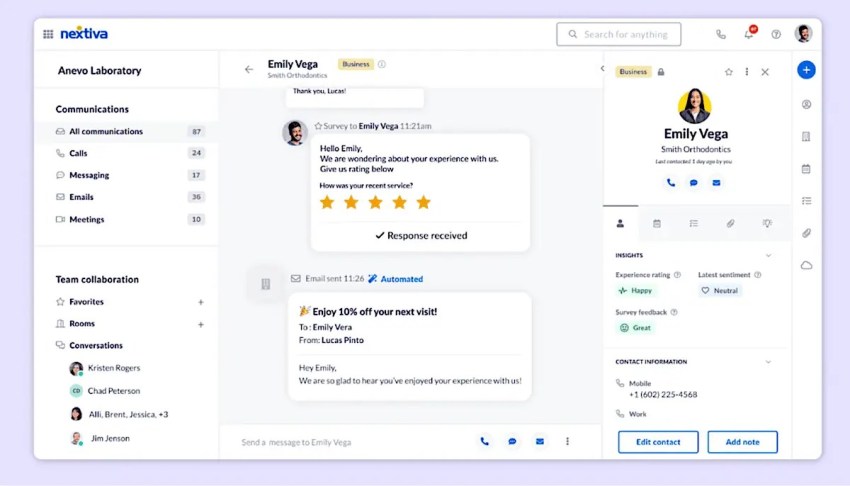
Credit: www.nextiva.com
Implementation Tips
Implementing an affordable knowledge base tool in a remote company requires careful planning. A smooth setup helps your team use the tool effectively. Focus on clear steps to onboard, maintain quality, and encourage use. These tips support a strong knowledge base that benefits everyone.
Onboarding Remote Employees
Start with simple training sessions. Show new employees how to access and use the knowledge base. Provide easy guides and videos for quick learning. Assign a mentor to answer questions during the first weeks. This support builds confidence and speeds up adoption.
Maintaining Knowledge Quality
Set clear rules for adding and updating content. Encourage team members to check facts before posting. Schedule regular reviews to remove outdated information. Use templates to keep articles consistent and easy to read. Good quality keeps the knowledge base useful and trusted.
Encouraging Team Adoption
Make the knowledge base part of daily work routines. Reward employees who contribute useful content. Share success stories that show the tool’s benefits. Keep the interface simple to reduce learning time. Regular reminders help keep the knowledge base active and growing.
Future Trends
The future of affordable knowledge base tools for remote companies is bright and full of innovation. These tools will become smarter, easier to use, and more adaptable. Remote teams will benefit from faster access to information and smoother teamwork. Staying updated with these trends helps companies save time and improve productivity.
Ai Integration
Artificial intelligence will play a bigger role in knowledge base tools. AI can help organize content automatically and suggest relevant articles. It will improve search functions, making it easier to find answers quickly. AI-powered chatbots may assist users in real time. This reduces the workload on support teams and speeds up problem-solving.
Enhanced Collaboration Tools
Collaboration features will continue to improve in knowledge base software. Teams will edit and update documents together without confusion. Real-time commenting and notifications will keep everyone informed. Integration with video calls and messaging apps will make discussions smoother. These tools will help remote teams work as if they were in the same office.
Scalability For Growing Teams
Affordable knowledge base tools will better support expanding teams. They will handle more users and larger amounts of data easily. Companies can add new features or storage as needed. Flexible plans will suit startups and bigger businesses alike. This scalability ensures the tools grow with the company’s needs without extra costs.

Credit: helpjuice.com
Frequently Asked Questions
What Are Affordable Knowledge Base Tools For Remote Teams?
Affordable knowledge base tools help remote teams organize and share information efficiently. Options like Slite, BoldDesk, and Featurebase offer cost-effective features tailored for remote collaboration and documentation management.
How Do Knowledge Base Tools Improve Remote Company Productivity?
They centralize information, reduce repetitive queries, and streamline communication. This saves time, ensures consistency, and empowers remote employees with quick access to essential resources.
Can Knowledge Base Tools Support Both Internal And External Users?
Yes, many affordable tools allow secure access for internal teams and external customers. This dual functionality improves customer support and internal knowledge sharing simultaneously.
What Features Should Remote Companies Look For In Knowledge Base Software?
Look for ease of use, collaboration tools, search functionality, and customization options. Integration with other apps and secure access controls are also vital for remote teams.
Conclusion
Choosing the right knowledge base tool helps remote teams work better. Affordable options offer easy setup and clear information sharing. These tools save time and reduce confusion across the company. Good knowledge bases keep everyone connected, no matter where they work.
Start with a simple tool and grow as your needs change. This approach supports smooth communication and strong teamwork in remote settings.