The best SSD for editing video mixes speed, endurance, and capacity.
I live in the US, in Austin, Texas, and I edit on tight deadlines. When I scrub through 4K timelines with nested effects, I feel every bottleneck. Most editors do. Long exports hurt. Choppy previews waste time. A smart SSD upgrade fixes that pain fast. The best SSD for editing video helps your NLE load media at once, hold steady writes, and stay cool under stress. In this guide, I break down top picks I trust, what they do well, and who should buy each one. I keep it simple, clear, and focused on real gains for real projects.
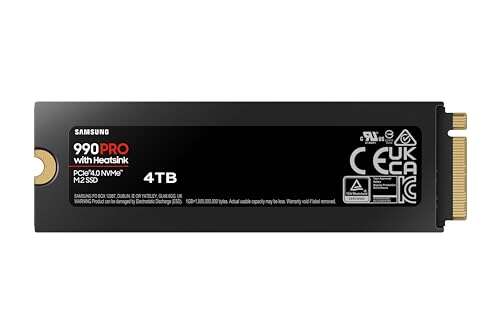
The Samsung 990 PRO Heatsink 4TB is a workhorse for creators who need space and speed in one drive. It posts up to 7,450 MB/s reads on PCIe 4.0, which is plenty for 4K, 6K, and even light 8K workflows. The integrated heatsink is a nice touch. It helps you avoid thermal slowdowns during long renders. I like it as a project drive or a fast scratch disk. It also fits the PS5 spec if you game on the side, but it shines in a PC or laptop built for video.
What makes it strong for editors is more than peak speed. It is the steady performance during big copy jobs and long timelines. Samsung’s firmware is mature. The cache behavior is predictable. That helps when you push lots of large camera files. The 4TB capacity means less juggling of assets, proxies, and cache. If you want the best SSD for editing video that can live inside your main rig and stay cool, this is a safe, pro-grade bet. It is fast, quiet, and easy to set up.
Pros:
Fast PCIe 4.0 reads up to 7,450 MB/s for smooth timeline scrubs
Large 4TB capacity reduces drive swapping and file juggling
Strong firmware and stable performance under heavy loads
Good choice as OS, project, or scratch drive
PS5 compatible for mixed work and play
Cons:
Costs more than many 2TB or 1TB options
PCIe 4.0 speeds are now mid-tier vs Gen5, though still fast
Heatsink size may limit fit in some ultra-compact builds
My Recommendation
If you want a large, fast internal SSD that just works, pick this one. It is ideal for editors who use heavy media like ProRes, DNxHR, BRAW, or H.265 in 4K and 6K. It is also great if you need a quiet drive that will not throttle during long renders. For many, this is the best SSD for editing video due to its blend of space, speed, and cooling. I would drop it into a PCIe 4.0 desktop and enjoy a big upgrade in preview speed and export times.
The Crucial T700 2TB is a PCIe 5.0 beast. With reads up to 12,400 MB/s, it is one of the fastest consumer SSDs you can buy right now. It ships with a robust heatsink that keeps speeds stable under long, heavy writes. If you do a lot of 8K or work with RAW footage, you will feel the jump from PCIe 4.0. The T700 is a strong pick for a system that has a PCIe 5.0 slot, like many top 2024–2025 motherboards.
In real work, speed is more than a number. Gen5 bandwidth helps when you copy large project folders, create proxies, or conform for final delivery. The drive also handles random reads very well, which improves load times and project open speed. For me, this is the best SSD for editing video if you want next-gen speed now and have the platform for it. It is built for high-end rigs, and it pays off when your timelines are big and your deadlines are short.
Pros:
Extreme PCIe 5.0 speed up to 12,400 MB/s
Heatsink reduces throttling during long writes
Great for 8K, RAW, and heavy multicam edits
Fast random performance helps project load and cache access
DirectStorage support is a bonus for game devs and testers
Trusted brand with strong component quality
Cons:
Needs a PCIe 5.0 M.2 slot to reach full speed
Heatsink is big; not ideal for tight laptops
Price premium over PCIe 4.0 drives
My Recommendation
Choose this if you have a Gen5 motherboard and want the fastest internal drive. It is perfect for editors who work with 8K RAW, VFX, or big cache files in After Effects or Fusion. It is also great if you capture high bitrate formats and need to move files fast. If you asked me for the best SSD for editing video and you already run a PCIe 5.0 build, this is at the top of my list for raw speed and stability.
This is a full editing workstation, not just an SSD. It packs a 24‑core CPU that boosts up to 5.7 GHz, 128GB RAM, a Quadro RTX 4000 Ada GPU, and a fast 2TB NVMe SSD. If you need a turn‑key setup for 4K and 8K editing, this is a strong option. The included NVMe SSD gives you fast project access and quick cache writes. For many editors, time is money. Buying a prebuilt, tuned PC can be a smart move when you want speed today and less guesswork.
You can grow into this system too. Add more NVMe drives for footage and cache. Keep the 2TB as a boot or scratch drive, or shift roles as your projects change. The GPU helps with accelerated effects and exports. The high RAM ceiling helps with large timelines, Fusion comps, and heavy media. If you want the best SSD for editing video inside a proven workstation, this package gives you the drive plus the platform around it. It is a one‑box jump in total speed.
Pros:
Turn‑key pro workstation with 2TB NVMe SSD included
24‑core CPU and pro GPU for fast renders and effects
128GB RAM supports big projects and multicam timelines
Room to add more NVMe and SATA storage
Windows 11 Pro with drivers and updates ready
Great choice if you want a fast setup without building
Cons:
Higher upfront cost than a single SSD upgrade
Less flexible than hand‑picking each part
Large chassis may not fit small desks
My Recommendation
Pick this if you want an all‑in‑one upgrade that includes a fast NVMe SSD and the power to back it up. It is ideal for editors who want a stable, pro‑ready system right now. If you are not into part selection or build tuning, this saves a lot of time. For someone asking for the best SSD for editing video in a done‑for‑you machine, this is a strong path. You can add a Gen5 drive later if the board supports it and scale as needs grow.
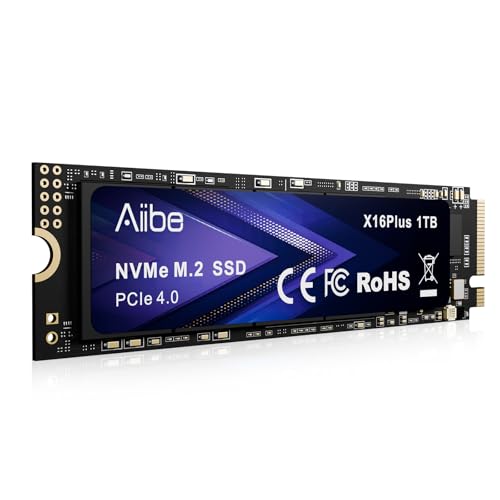
The Aiibe X16Plus 1TB aims for strong value. It claims reads up to 7,450 MB/s over PCIe 4.0, which is near the top for this class. For budget‑minded editors who want a fast scratch or project drive, it can make a nice upgrade. You get quick imports, snappy preview loads, and faster exports than a SATA SSD. It can also boost older systems that support NVMe but do not have Gen5 slots.
With 1TB, plan your storage layout. Use it for your current project and cache, and keep other media on a larger archive drive. This keeps your workflow smooth and your main drive free. It helps to avoid thermal throttling by adding a basic heatsink or using the board’s M.2 shield. If you want the best SSD for editing video at a lower cost, this is a practical pick. It gives you fast speed for core tasks without the premium price tag.
Pros:
Strong PCIe 4.0 read speed for fast edits
Good value for budget builds
Simple upgrade for older PCIe 4.0 motherboards
Ideal as a scratch or current project drive
Shorter timeline loads and faster exports than SATA
Cons:
1TB can feel small for large 4K/6K projects
Thermal control may need a heatsink for long writes
Not as fast or durable as top‑tier Gen5 drives
My Recommendation
This is a smart pick if you want a big jump in speed over SATA without paying for Gen5. Use it as a scratch drive for your active edit and cache files. Move finished projects to a larger HDD or NAS. If someone asks me for the best SSD for editing video on a budget, I point to drives like this. It helps timelines run smooth and gets you closer to pro‑grade speed at a low cost.
The Crucial T700 1TB gives you Gen5 speed in a smaller capacity, with reads up to 11,700 MB/s. It comes with a heatsink, which is important for the higher heat of PCIe 5.0 drives. If you want the best SSD for editing video in a quick scratch role, this makes a lot of sense. It speeds up cache, proxies, and heavy project files. It also helps cut time on big import and export operations.
One thing to plan for is capacity. With 1TB, I suggest using this as a scratch or current project drive, paired with a larger NVMe or SATA SSD for footage. You get the best of both worlds. Blazing speed for active work, and more space for your library. On a PCIe 5.0 system, the T700 is a great way to tap into next‑gen speeds. It feels snappy across DaVinci Resolve, Premiere Pro, and After Effects. It is a sharp tool for everyday edit work.
Pros:
Very fast Gen5 reads up to 11,700 MB/s
Heatsink included to maintain performance
Great scratch disk for cache and proxies
Lower price than larger Gen5 capacities
Strong brand reputation and firmware support
Cons:
1TB fills fast with big 4K/8K projects
Requires a PCIe 5.0 slot for full speed
Heatsink size may block adjacent M.2 slots in tight boards
My Recommendation
Use this as a blazing fast scratch drive on a Gen5 platform. Pair it with a larger 4TB or 8TB storage volume for your footage and assets. If you want the best SSD for editing video and need pure speed for cache and live edits, this hits the mark. It makes your NLE feel more responsive and trims time off renders and conforms. Keep your active project here, then move finished work to your archive.
Best for
Why
Gen5 scratch disk
Top speed for cache, proxies, and previews
Mixed storage setups
Fast active drive plus larger archive volumes
High‑end desktops
Built to shine on PCIe 5.0 boards
FAQs Of best ssd for editing video
How much SSD space do I need for video editing?
For 4K work, 2TB is a good start. For 6K or 8K, 4TB or more is smart. Use a fast scratch drive and a larger archive drive.
Is Gen5 much faster than Gen4 for real editing?
Yes, for heavy work. Gen5 boosts big file copies, cache, and conform times. Gen4 is still great for most 4K timelines.
Do I need a heatsink on my SSD?
For long writes, yes. Heatsinks help avoid throttling. Gen5 drives almost always need one. Gen4 benefits too.
What is the best layout for drives in an edit rig?
Use one fast SSD for OS and apps, one fast SSD for scratch and current projects, and a large SSD or HDD/NAS for archives.
Is the best ssd for editing video different for laptops?
Yes. Check thermals and thickness limits. Use single‑sided drives with low‑profile heatsinks for tight laptop bays.
Final Verdict: Which Should You Buy?
For raw speed, the Crucial T700 Gen5 models are hard to beat. For space and steady power, the Samsung 990 PRO 4TB is a top daily driver and the best SSD for editing video for many editors.
On a budget, the Aiibe X16Plus 1TB makes a fine scratch drive. Need a full setup? The CPU Solutions workstation gives you a fast NVMe and a ready‑to‑work rig.
Everett Ashford is a tech reviewer at mytechgrid.com specializing in SSDs, cameras, TVs, earbuds, headphones, and other consumer electronics. He provides honest, data-driven reviews based on hands-on testing and real-world performance analysis. Everett simplifies complex tech details to help readers make smart, confident buying decisions.
Head-to-head review of crucial t700 vs samsung 990 pro—benchmarks, thermals, and value to help you pick the fastest NVMe for gaming or creative workloads.
Hands-on Seagate Game Drive M.2 SSD for PS5 review: real-world speed, installation tips, and whether it’s worth the price — read our verdict and benchmarks.