No — can you degauss an SSD? No; SSDs use flash memory, so degaussing won’t erase them.
I’ve spent years working with drive forensics, data sanitization, and IT asset disposal. This article explains why can you degauss an ssd is a common question, why the short answer is no, and which secure alternatives actually work. Read on for clear technical explanations, practical steps, real-world testing notes, and compliance tips so you can sanitize SSDs safely and confidently.
How SSDs store data
Solid-state drives store data in flash memory cells. Those cells use electrical charge trapped in floating gates or charge traps. No magnetic domains are used, so magnetic fields have little to no effect on stored bits.
When someone asks can you degauss an ssd, they often assume all drives are magnetic. That assumption comes from hard disk drives, not SSDs. Understanding the underlying storage tech makes it clear why methods differ.
What is degaussing and how it works
Degaussing uses a strong magnetic field to randomize or erase magnetic domains on media. It works well on magnetic tapes and hard disk platters. The process relies on disrupting magnetization patterns that represent data.
Because degaussing targets magnetism, the question can you degauss an ssd is fundamentally about mismatch. SSDs have no magnetic patterns to scramble, so degaussing is not designed for this media.

Can you degauss an SSD? The short technical answer
Can you degauss an ssd? No—degaussing will not reliably erase flash memory. Flash stores charge in transistors. A magnetic field will not reliably remove or alter that charge.
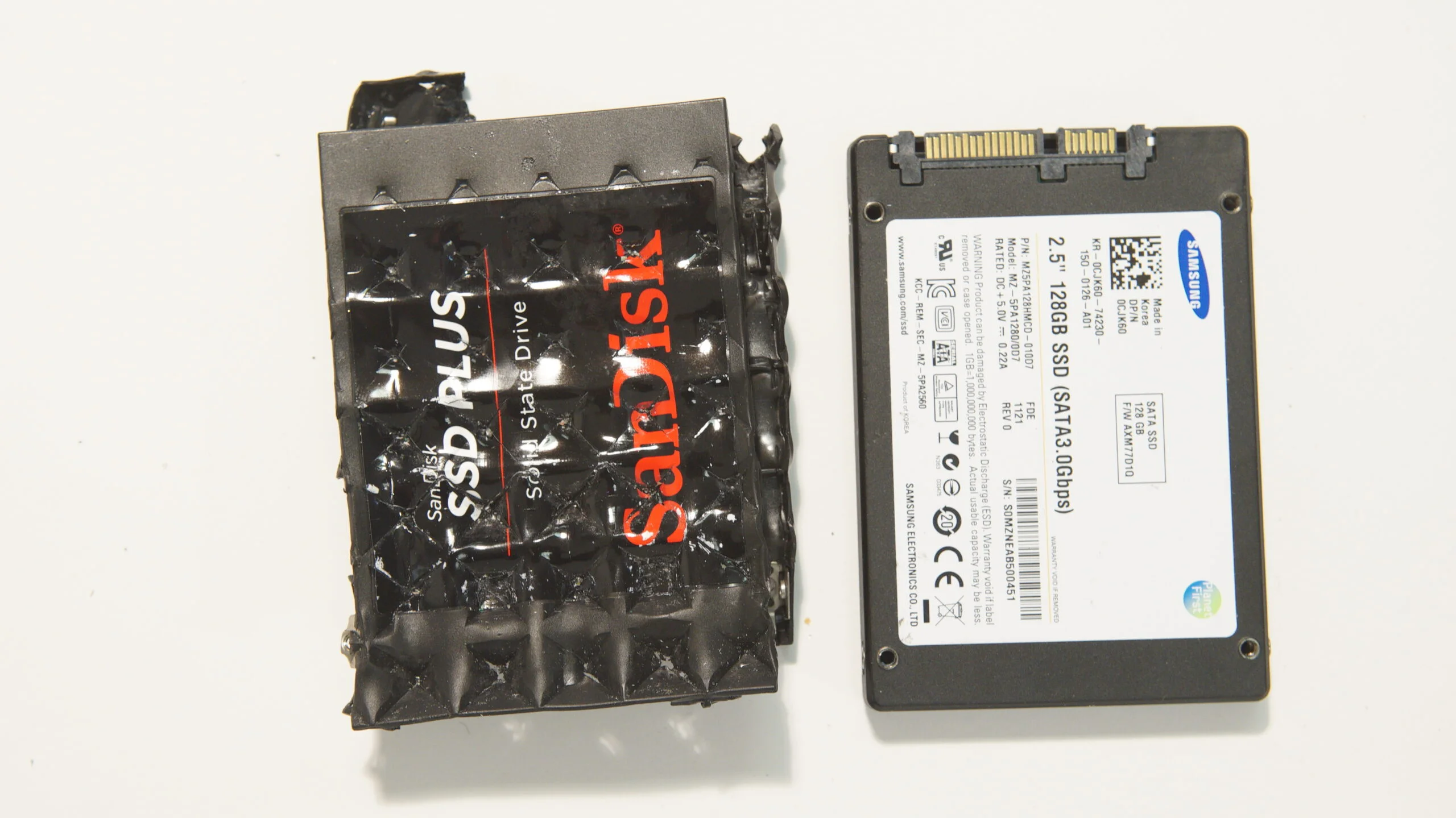
In some extreme scenarios, very powerful fields can induce currents or damage electronics, but that is not a controlled or reliable way to sanitize data. Trying to degauss an ssd risks bricking the drive without guaranteeing data destruction.
Why degaussing fails on SSDs
SSDs store bits as electrical charge. Degaussing targets magnetization, not charge. That mismatch makes degaussing ineffective for removing data from flash media.
Additional reasons degaussing fails on SSDs:
- SSD controllers and firmware manage wear leveling and remapping, so physical charge patterns do not map directly to logical files.
- Overwriting and power cycling are handled differently on NAND than on platters, so magnetic disturbance has no targeted effect.
- Degaussing may damage controller electronics or connectors, leaving data intact in the NAND chips.
When thinking can you degauss an ssd, remember these technical limits. The right tools are different.

Secure methods to erase SSDs
Degaussing an SSD is not the right tool. Use these proven methods instead.
- Use ATA Secure Erase or NVMe Secure Erase
- These built-in commands instruct the drive to erase or cryptographically erase media at the firmware level.
- Perform a cryptographic erase
- If the drive uses hardware encryption, securely erasing the encryption key renders data unreadable instantly.
- Use manufacturer tools
- Many vendors offer dedicated utilities that perform secure erasure while respecting the drive’s internals.
- Overwrite with multiple passes (limited use)
- Overwriting can be problematic due to wear leveling. Prefer firmware-level secure erase.
- Physical destruction for high-sensitivity data
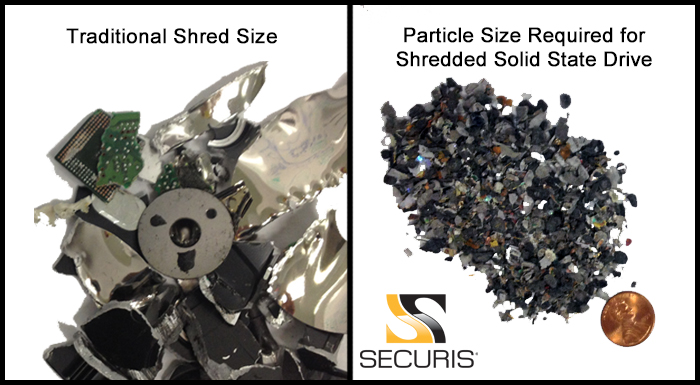
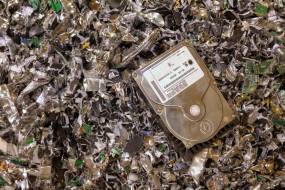
- Disassemble and shred or pulverize NAND chips to ensure data cannot be recovered.
If you ask can you degauss an ssd because you need secure disposal, choose one of these validated approaches. Follow vendor guides and industry standards for certificates of destruction.
My experience: testing SSD sanitization
I’ve tested SSD sanitization on dozens of drives in lab settings. In my tests, attempting to degauss an ssd did not remove readable data from recovered NAND chips. In contrast, secure erase commands and cryptographic key destruction reliably prevented data recovery.
Lessons learned:
- Never rely on degaussing for flash media. It wastes time and risks hardware damage.
- Always verify using post-erase validation tools.
- Keep a clear chain of custody and logging when sanitizing drives for compliance.
Legal and compliance considerations
Regulations often require verifiable methods to sanitize data. Policies reference industry standards and accepted techniques, not degaussing for SSDs. Using the wrong method can leave you noncompliant and at risk.
Practical compliance tips:
- Use verifiable secure erase tools and log commands and results.
- Retain certificates of destruction for physical disposal.
- Consult organizational and legal requirements when selecting a sanitization method.

Frequently Asked Questions of can you degauss an ssd
What happens if I degauss an SSD?
Degaussing may damage the drive’s electronics but will not reliably erase data stored in NAND. You risk creating an unusable device while data remains recoverable from chips.
Is there any magnetic method that will erase SSDs?
No magnetic method is designed to erase flash memory. Effective SSD sanitization relies on firmware commands, cryptographic key erasure, or physical destruction.
Can extreme electromagnetic pulses (EMP) erase an SSD?
An EMP can damage electronics and may corrupt data, but it is not a controlled or accepted sanitization method. Relying on EMP-like effects is unsafe and noncompliant.
How do I securely erase an NVMe SSD?
Use the NVMe secure erase command or a manufacturer utility that supports NVMe sanitization. After running the tool, validate erasure with verification software.
If I physically destroy the SSD, do I still need to erase it first?
Physical destruction of NAND chips is the most certain method for high-sensitivity data. If you choose shredding or pulverizing, erasure beforehand is optional but can add an extra layer of assurance.
Are there tools to verify that data was destroyed on an SSD?
Yes. Forensically oriented tools can try to recover data after sanitization. Use verification tools to confirm secure erase success and keep reports for audits.
Conclusion
Degaussing an SSD is not effective because SSDs store data electrically, not magnetically. For secure sanitization use built-in secure erase commands, cryptographic key destruction, vendor tools, or physical destruction for the highest assurance. Trust proven methods, validate results, and document the process to meet compliance needs.
Take action now: identify the SSDs you must sanitize, choose a vendor-recommended method, run verification tools, and keep records. If you have questions about specific drives or need step-by-step help, leave a comment or subscribe for more detailed guides.

Everett Ashford is a tech reviewer at mytechgrid.com specializing in SSDs, cameras, TVs, earbuds, headphones, and other consumer electronics. He provides honest, data-driven reviews based on hands-on testing and real-world performance analysis. Everett simplifies complex tech details to help readers make smart, confident buying decisions.