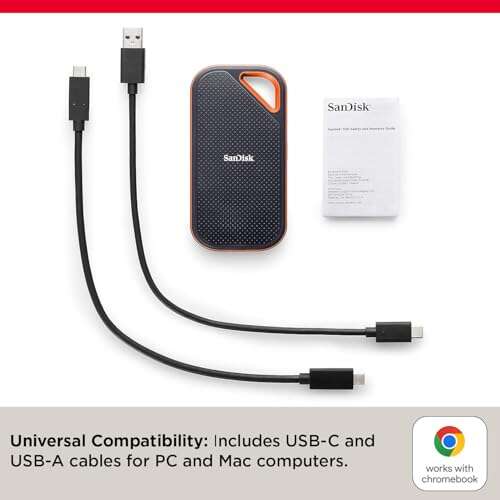
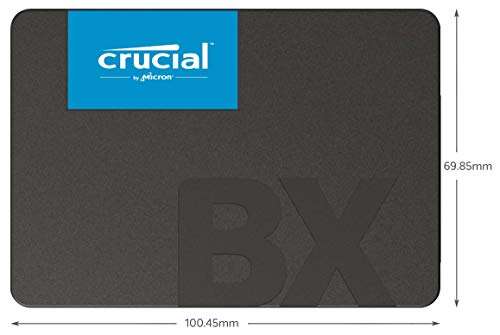
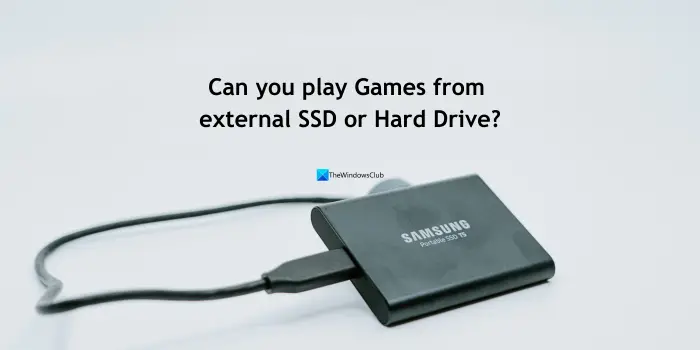
Yes, you can run games off an external SSD, if the port and drive are fast.
If you have ever asked can you run games off an external SSD, the short answer is yes. I’ve tested this for years across laptops, desktops, and consoles. When you use the right SSD and cable, the experience is smooth and quick. Stick with me, and I’ll show you how to get near-internal performance, avoid slowdowns, and set it up right the first time.
How External SSDs Perform For Gaming
The big win is speed. A good external SSD wipes out the long loading screens you get with hard drives. Most modern drives hit 500 to 2,000 MB/s, which is plenty for fast game loads.
Frame rates depend on your CPU and GPU, not the drive. Storage impacts load times, texture streaming, and fast travel. Benchmarks show external NVMe over USB 3.2 Gen 2 can load big games within seconds of internal NVMe.
Ports matter. USB 3.2 Gen 1 (5 Gbps) tops out near 400–500 MB/s. USB 3.2 Gen 2 (10 Gbps) lands around 800–1,050 MB/s. USB 3.2 Gen 2×2 (20 Gbps) can hit about 1,600–2,000 MB/s. Thunderbolt 3/4 can reach 2,800–3,100 MB/s with a fast NVMe. So, can you run games off an external SSD? Yes, and with the right port, it feels fast.
DirectStorage and similar tech can help open-world streaming and asset loads. External NVMe on Thunderbolt or fast USB keeps up well. If you still wonder can you run games off an external ssd for heavy titles, you can, if your link and SSD are quality.
Pros And Cons Of Running Games From An External SSD
There are clear trade-offs. Let’s keep it real and simple.
Pros:
- Faster loads than any hard drive.
- Easy plug-and-play on laptops and desktops.
- Move a huge library between devices.
- Less heat inside a cramped laptop.
Cons:
- You need the right port and cable for best speed.
- Bad cables cause drops or stutters.
- Some anti-cheat or launchers can be picky with removable drives.
- You must avoid unplugging during play.
- SATA-based externals are slower than NVMe.
If you ask can you run games off an external ssd and get near-internal speed, the answer is yes. Just pick the right combo and follow best practices.

What You Need For Best Results
Your setup decides your speed. Here is what to check.
Ports and cables:
- USB 3.2 Gen 2 or better is ideal.
- Use a certified 10 Gbps or 20 Gbps USB-C cable.
- For Thunderbolt 3/4, use the short, rated cable that came with it.
Drive types:
- NVMe SSDs in a USB 10/20 Gbps or Thunderbolt enclosure are the fastest.
- SATA-based externals are fine for most games and budgets.
- Look for UASP support and TRIM pass-through in the enclosure.
Formats and settings:
- On Windows, use NTFS for large games and best stability.
- For cross-platform use, exFAT works, but it lacks permissions.
- Turn off USB selective suspend if you get random disconnects.
- Keep firmware and drivers current.
With this kit, can you run games off an external ssd without stutter? Yes, and it will feel simple and solid.

Setup Guides: Windows, macOS, And Consoles
Windows PC:
- Plug in the SSD and open Disk Management.
- Initialize the drive (GPT), create a simple volume, and format NTFS.
- In Steam, add a new library folder on the external SSD. Then install games there.
- Epic, Battle.net, EA, and Xbox app also support install to external drives.
macOS:
- Use APFS or exFAT to format the drive in Disk Utility.
- Most native Mac games run fine from an external SSD.
- Windows games via emulation or virtualization vary by title and tool.
Consoles:
- PS5: Run PS4 games from an external SSD. Store PS5 games on it, but run them from internal or an approved NVMe.
- PS4: Run games from an external SSD with USB 3. Many users see big loading gains.
- Xbox Series X|S: Run Xbox One and 360 games from USB SSDs. Series X|S optimized games need the internal SSD or the official expansion card.
- Xbox One: USB 3 external SSDs work well for faster loads.
So, can you run games off an external ssd on every platform? You can, with console rules in mind.
Real-World Expectations And Benchmarks
Here is what you can expect in plain terms.
Loading times:
- Versus a hard drive, an external SSD is often 3–6 times faster.
- Versus an internal NVMe, a good USB 10 Gbps NVMe is often within a few seconds on large loads.
- Thunderbolt NVMe is even closer to an internal Gen 3 NVMe.
Frame rates:
- FPS does not improve with faster storage. It depends on CPU and GPU.
- You may see less hitching in open worlds with a fast external SSD.
Large games:
- 100 GB titles run fine over USB 10 Gbps or Thunderbolt.
- Shader compilation stutter is a CPU and API issue. Storage is not the fix.
If you think can you run games off an external ssd and keep loads snappy, the data says yes. In many cases, you will not feel a big difference from an internal drive.
Troubleshooting And Best Practices
Most issues come from cables, ports, or power settings. Here is how to keep it smooth.
Prevent stutters:
- Use the fastest port on your machine.
- Replace flimsy or long cables with rated ones.
- Disable USB selective suspend and any aggressive sleep settings.
Avoid disconnects:
- Do not move the drive during play.
- Use a short cable with a snug fit.
- Update the SSD firmware and enclosure firmware.
Stay healthy and safe:
- Keep 10–20% free space to avoid slowdowns.
- Enable TRIM and leave the drive plugged into the same port.
- Eject safely before unplugging.
With these habits, can you run games off an external ssd every day without drama? Yes, and it will stay that way.

Recommended External SSD Options And Setups
You have two paths: a ready-made external SSD or a DIY enclosure with your own NVMe.
Ready-made SSDs:
- Budget SATA models are fine for most games.
- Midrange USB 3.2 Gen 2 NVMe drives feel very quick.
- Rugged models add better thermals and drop resistance.
DIY NVMe + enclosure:
- Pick a PCIe 3.0 or 4.0 NVMe with good sustained reads.
- Use a USB 10/20 Gbps or Thunderbolt enclosure with UASP and TRIM.
- Add a thermal pad or small heatsink to limit throttling.
Console notes:
- PS5: External SSD runs PS4 games. PS5 titles must run from the internal or a certified internal NVMe.
- Xbox Series X|S: The official expansion card is best for Series games. USB SSDs are fine for Xbox One and older titles.
If you are still asking can you run games off an external ssd and get a great experience, these setups will get you there.
Frequently Asked Questions Of Can You Run Games Off An External SSD
Is it safe to unplug the drive while a game is running?
No. Do not unplug during play or installs. Always close your games and eject the drive first.
Will an external SSD improve FPS?
No. FPS is mostly CPU and GPU bound. The SSD helps loading, streaming, and fast travel.
Do I need USB 3.2 Gen 2 or Thunderbolt?
You do not need them, but they help. Faster links mean faster loads and fewer streaming hiccups.
Can you run games off an external SSD on a laptop?
Yes, it works great. Make sure you use a fast port and a quality cable.
Can you run games off an external SSD on PS5 or Xbox?
Yes, with rules. PS4 and older Xbox titles run from USB SSDs. PS5 and Series X|S optimized games must run from the internal drive or approved expansion.
Do anti-cheat systems block external drives?
Most work fine. A few titles may require the default Windows Apps location, but this is rare today.
How big should my external SSD be for gaming?
1 TB is a sweet spot for modern libraries. If you install many AAA games, 2 TB gives more headroom.
Conclusion
Running games from an external SSD is a smart, simple upgrade. You get fast loads, easy library moves, and a cleaner laptop or desktop. With the right port, cable, and drive, it feels close to internal storage.
If you came here asking can you run games off an external ssd, you now know the answer is yes, and you know how to do it right. Pick a good NVMe or SATA SSD, set it up with care, and enjoy smoother play today. Want more deep dives and step-by-step guides? Subscribe, share this with a friend, or drop your questions in the comments.

Jamie Lee is a seasoned tech analyst and writer at MyTechGrid.com, known for making the rapidly evolving world of technology accessible to all. Jamie’s work focuses on emerging technologies, product deep-dives, and industry trends—translating complex concepts into engaging, easy-to-understand content. When not researching the latest breakthroughs, Jamie enjoys exploring new tools, testing gadgets, and helping readers navigate the digital world with confidence.