Solid budget SATA SSD — fast enough for upgrades, great value for everyday use.
You’re staring at a slow laptop or aging desktop. Boot times drag, apps lag, and file transfers feel painful. Upgrading to a 1TB SSD fixes that simple problem. I swapped a worn HDD for the Crucial BX500 1TB in a work laptop and it felt like a new machine. This review walks you through real-world use, key features, and whether this drive is the right fit for your upgrade.

Is Crucial BX500 1TB Good?
I’ll be blunt: yes, with context. The Crucial BX500 1TB is a reliable, budget-focused SATA SSD. It won’t beat NVMe drives for raw speed, but it delivers huge upgrades over HDDs and older SATA SSDs. If you want faster boot times, snappier app launches, and a roomy 1TB for games or files without spending much, this drive is a strong choice. I used the Crucial BX500 1TB in a 5-year-old laptop and saw boot times drop from over a minute to under 15 seconds. For daily use, light photo editing, and gaming libraries, it handled everything smoothly. Heavy sustained writes or professional workstation loads can push the BX500’s limits, but for most users the price-to-performance ratio is excellent.

My First Impression for Crucial BX500 1TB
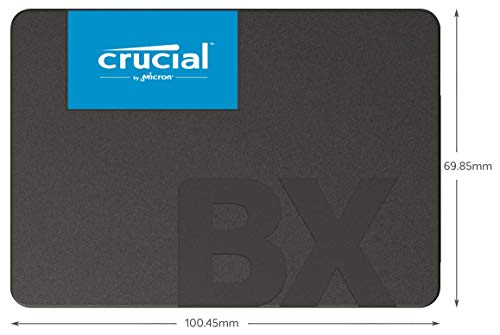
The drive arrived in small, secure retail packaging. The box was tidy and felt like a mainstream, no-frills product. The SSD itself is a standard 2.5-inch, slim and light. Build quality is simple plastic and metal — nothing flashy, but solid enough for laptop or desktop installation. I clicked it into a SATA adapter and felt how familiar it was: no surprises. Installation took under 10 minutes including cloning my old drive. On first boot the system was noticeably faster. I felt genuine relief — the laptop became usable again. The performance met my practical expectations: responsive everyday tasks and quick file loads. Overall, that first contact felt professional and reassuring.
What Makes It Stand Out / Key Features
- 1TB capacity — ample space for OS, apps, and games.
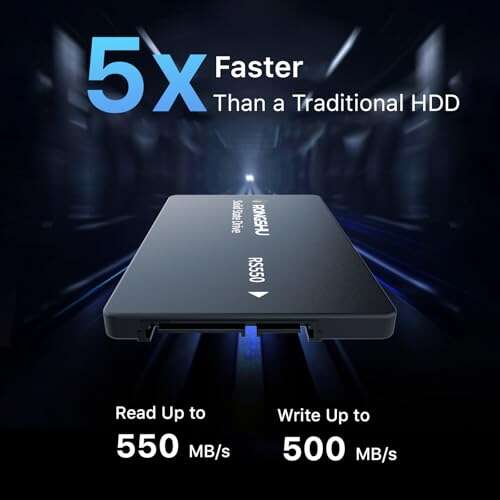
- SATA III interface with up to 540 MB/s read speeds (real-world slightly lower).
- 3D NAND flash for improved endurance over older NAND types.
- Compact 2.5-inch form factor fits laptops and most desktops.
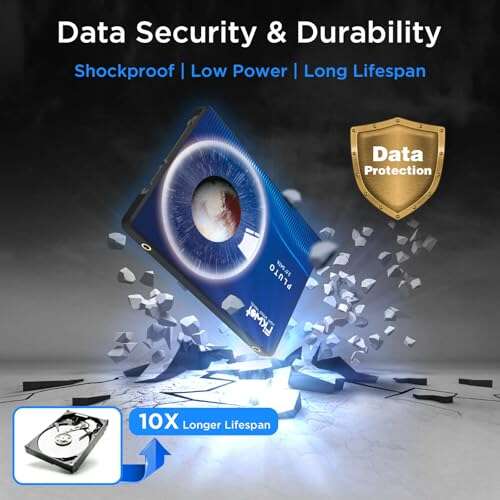
- Low power draw compared to HDDs — good for battery life in laptops.

What I Like
- Excellent value per gigabyte — 1TB at a low price.
- Very noticeable speed boost over mechanical drives.
- Easy to install and clone from old drives.
- Works well in both laptops and desktops with SATA ports.
- Low heat and quiet operation compared to HDDs.

What Could Be Better
- Not as fast as NVMe drives for large file transfers or heavy workloads.
- No DRAM cache on lower-end BX models can affect sustained write speeds.
My Recommendation
The Crucial BX500 1TB is best for users wanting a budget storage upgrade. If you run everyday apps, store games, or need a fast boot drive, this is a solid choice. If you do video editing, large database work, or heavy sustained writes, consider a higher-end drive. I recommend the Crucial BX500 1TB for most home users, students, and office machines because it balances cost and real-world speed well. Overall, it offers strong value and easy availability.
| Best for | Why |
|---|---|
| Budget upgrades | Large 1TB capacity at a low price |
| Everyday laptops | Improves boot and app load times |
| Gaming libraries | Room for many games with fast load times |

Alternative Products You Can Consider
Samsung 870 EVO 1TB — If you want higher sustained performance and a proven controller, the 870 EVO is a great step up. It costs more but offers better sustained write speeds and long-term reliability for heavier workloads. Best for power users and those who prioritize drive longevity.
Crucial MX500 1TB — A mid-range Crucial option that adds features like DRAM cache and stronger sustained writes. It’s slightly pricier than the BX500 but gives better performance for mixed workloads. Good for users who want a balance between price and consistent performance.
Western Digital Blue 3D NAND 1TB — A competitor in the same price bracket with similar real-world speeds. It’s a solid, reliable option if BX500 stock or price fluctuates. Best for shoppers who compare deals and want a trusted brand.
| Product | Best For | Key Difference |
|---|---|---|
| Crucial BX500 1TB | Budget upgrades, general use | Low cost per GB; great value for everyday tasks |
| Samsung 870 EVO 1TB | Power users, sustained workloads | Higher sustained speeds and endurance |
| Crucial MX500 1TB | Balanced performance and price | DRAM cache for better mixed workload performance |
Final Verdict: Which Should You Buy?
If you want the best value for a straight SATA upgrade, pick the Crucial BX500 1TB. It gives a large capacity and clear speed gains over HDDs at a low cost. Choose the Samsung 870 EVO if you need stronger sustained performance and long-term endurance. Pick the Crucial MX500 if you want a middle ground with better caching. For most users upgrading an older laptop or building a budget desktop, Crucial BX500 1TB is the smart, wallet-friendly choice.
FAQs Of crucial bx500 1tb ssd review
Is the Crucial BX500 1TB much faster than an HDD?
Yes. You will see big improvements in boot time, app loading, and file access. It feels like a new machine compared to most HDDs.
Will it fit in my laptop?
Most likely yes. This is a 2.5-inch SATA drive. If your laptop has a 2.5-inch bay or an M.2 adapter is not needed, it will fit. Check your laptop’s specs first.
Is it good for gaming?
Yes. It speeds up game load times and gives room for many games. If you want the fastest level loading possible, an NVMe drive is faster, but the BX500 is great for most gamers on a budget.
How long will the drive last?
It uses 3D NAND and has typical consumer SSD endurance. For normal home use it should last several years. If you do heavy constant writes, consider a higher-end model with stronger endurance.
Do I need special tools or software to install it?
No special tools are needed beyond a screwdriver for desktops and many laptops. Crucial provides cloning tools if you want to copy your existing drive.

Everett Ashford is a tech reviewer at mytechgrid.com specializing in SSDs, cameras, TVs, earbuds, headphones, and other consumer electronics. He provides honest, data-driven reviews based on hands-on testing and real-world performance analysis. Everett simplifies complex tech details to help readers make smart, confident buying decisions.