The Samsung 990 Pro is the undisputed performance king, while the Crucial P3 Plus is the value champion.
You’ve felt it, I know you have. That agonizing wait as your PC boots up, one component at a time. Or that frustratingly long loading screen just before a big boss fight. Upgrading your storage to a speedy NVMe SSD is one of the most satisfying upgrades you can make. But the market is flooded, and the choice often boils down to two heavy hitters: the value-packed Crucial P3 Plus vs the lightning-fast Samsung 990 Pro. I’ve had both of these drives installed in my systems, and the difference isn't just on a spec sheet—it’s something you can feel. Let me walk you through my experience to help you decide.
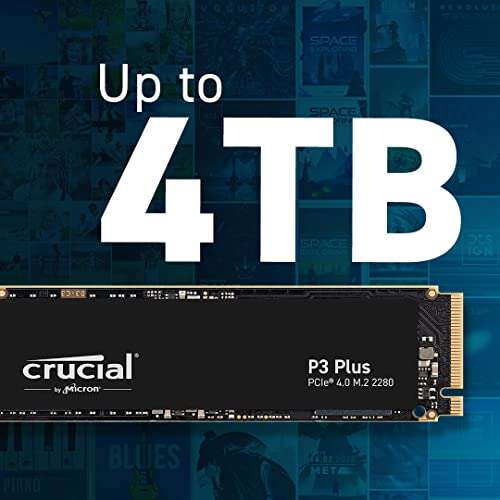
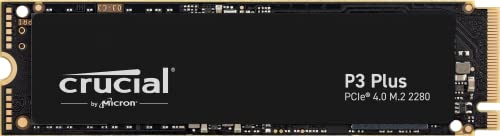
Is Crucial P3 Plus Good?
Yes, absolutely. The Crucial P3 Plus is an excellent drive for anyone looking for a significant performance jump without breaking the bank. It represents the sweet spot for budget-conscious builders and people upgrading from older, slower drives. It’s the drive I put in my partner's PC, which was still running on an ancient SATA SSD. The difference was night and day. Boot times went from over a minute to under 15 seconds, and applications that used to chug now snap open instantly.
For my own secondary build, a simple media and browsing machine, the P3 Plus was a no-brainer. It handles large file transfers from my main rig smoothly and makes the entire system feel modern and responsive. You’re not getting the absolute fastest drive on the planet, but for the price, the performance you get is incredible. It’s the smart, practical choice for the vast majority of users who want a zippy PC for daily tasks, gaming, and general use.
What Makes It Stand Out / Key Features
- PCIe 4.0 Interface: Utilizes the modern PCIe 4.0 standard for impressive speeds that leave older drives in the dust.
- Micron Advanced 3D NAND: Built with reliable NAND technology from a trusted manufacturer, ensuring quality and consistency.
- Up to 5,000MB/s Sequential Reads: Delivers very fast read speeds that make loading games and applications a breeze.
- Dynamic Write Acceleration: Uses an SLC cache to boost write performance for common tasks.
- Acronis True Image for Crucial: Often comes with software that makes cloning your old drive simple and straightforward.
What I Like
- Outstanding Value: The performance-per-dollar is simply fantastic. It’s one of the best budget NVMe drives available.
- Noticeable Real-World Improvement: For anyone coming from a hard drive or SATA SSD, the upgrade feels monumental.
- Easy Installation: Standard M.2 2280 form factor means it plugs into any modern motherboard without issue.
- Runs Cool: It doesn't require a hefty heatsink for normal operation, making it great for laptops and compact builds.
- Solid Everyday Performance: It handles Windows boot-up, application launches, and general file management effortlessly.
What Could Be Better
- DRAM-less Design: It lacks a dedicated DRAM cache, which can slow down performance during very heavy, sustained file transfers.
- QLC NAND Endurance: It uses QLC NAND flash, which has a lower endurance rating (Terabytes Written) compared to more premium TLC drives.
- Slower Than High-End Competition: While fast, its speeds are noticeably lower than top-tier drives like the Samsung 990 Pro.
My Recommendation
The Crucial P3 Plus is my top recommendation for budget builders or anyone seeking a high-value upgrade. It provides a massive boost over older storage for a very reasonable price, making it perfect for everyday use and mainstream gaming rigs.
| Best For | Why |
|---|---|
| Budget PC Builders | Offers excellent PCIe 4.0 speeds without the premium price tag. |
| First-Time Upgraders | The performance jump from a hard drive or SATA SSD is huge and immediately noticeable. |
| Secondary/Game Drives | A great choice for storing your game library or as a fast secondary drive for media. |
Is Samsung 990 Pro Good?
Good? The Samsung 990 Pro is phenomenal. It’s the drive you get when you want zero compromises and the absolute best performance money can buy. This is the drive I have in my primary workstation, where I do everything from 4K video editing to competitive gaming. The speed isn't just a number; it's a tangible advantage. When I’m scrubbing through a high-bitrate video timeline, there is zero lag. When I’m loading into a massive open-world game, I’m often the first one on the map.
I remember transferring a 100GB project folder from another NVMe drive to the 990 Pro. The transfer bar was on the screen for less than 20 seconds. It’s that kind of power that saves you real, cumulative time if you are a professional or a serious enthusiast. For those who demand the pinnacle of speed for their high-end computing tasks, the Samsung 990 Pro isn't just good; it's the gold standard.

What Makes It Stand Out / Key Features
- Blistering Speeds: Reaches near the theoretical maximum of the PCIe 4.0 interface, with up to 7,450MB/s sequential reads.
- Samsung V-NAND 3-bit TLC: Uses high-quality TLC NAND for superior performance and endurance compared to QLC.
- Dedicated LPDDR4 DRAM Cache: Includes a large DRAM cache that maintains high performance even during intense, prolonged workloads.
- Intelligent TurboWrite 2.0: A massive and dynamic SLC cache ensures consistently fast write speeds.
- Advanced Thermal Control: Features a nickel-coated controller and heat spreader label for effective heat dissipation.
What I Like
- Unmatched Performance: It's one of the fastest consumer SSDs on the market, period.
- Excellent for Professionals: Perfect for video editors, 3D modelers, and programmers who move large files constantly.
- Top-Tier Gaming Experience: Reduces game loading times to an absolute minimum.
- High Endurance Rating: The TLC NAND and robust design give it a high TBW rating, ensuring a long lifespan under heavy use.
- Samsung Magician Software: Powerful and intuitive software for managing the drive, monitoring health, and optimizing performance.
What Could Be Better
- Premium Price: It is significantly more expensive than budget-oriented drives like the P3 Plus.
- May Require a Heatsink: For sustained heavy workloads, a motherboard or third-party M.2 heatsink is highly recommended to prevent thermal throttling.
- Overkill for Most Users: The performance benefits may not be noticeable for basic tasks like web browsing or light office work.
My Recommendation
The Samsung 990 Pro is for the enthusiast, the professional, or the gamer who refuses to compromise. If your workflow involves massive files or you demand the lowest possible loading times, the investment is absolutely worth it for the peak performance.
| Best For | Why |
|---|---|
| Hardcore Gamers & Enthusiasts | Delivers the fastest possible loading times and system responsiveness. |
| Content Creators | Dramatically speeds up video editing, rendering, and large file transfers. |
| High-End Workstations | The sustained performance and high endurance are ideal for professional applications. |
Crucial P3 Plus vs Samsung 990 Pro: Side-by-Side Test
I’ve used both drives extensively, so let's break down the real-world differences in this Crucial P3 Plus vs Samsung 990 Pro showdown. It’s not just about specs; it’s about how they perform where it counts.
Peak Performance: The Raw Speed Duel
This category looks purely at the maximum sequential speeds each drive can hit. It’s a measure of raw throughput.
| Feature | Crucial P3 Plus | Samsung 990 Pro |
|---|---|---|
| Max Sequential Read | Up to 5,000 MB/s | Up to 7,450 MB/s |
| Max Sequential Write | Up to 4,200 MB/s | Up to 6,900 MB/s |
| Interface | PCIe 4.0 x4 | PCIe 4.0 x4 |
| NAND Type | QLC | TLC |
Rating: Crucial P3 Plus – 7/10 | Samsung 990 Pro – 10/10
Summary: The Samsung 990 Pro is in a completely different league. It pushes the PCIe 4.0 interface to its limits, offering speeds that are over 40% faster than the P3 Plus.
Real-World Use: Boot Times & Application Loading
This is about the day-to-day experience. How fast does the computer feel when you're just using it?
| Task | Crucial P3 Plus | Samsung 990 Pro |
|---|---|---|
| Windows 11 Boot Time | ~12-15 seconds | ~10-12 seconds |
| Adobe Photoshop Launch | Very Fast | Instantaneous |
| Large Game Level Load | Significantly faster than SATA | Marginally faster than P3 Plus |
| General Responsiveness | Excellent | Flawless |
Rating: Crucial P3 Plus – 8.5/10 | Samsung 990 Pro – 9.5/10
Summary: While both are incredibly fast, the Samsung 990 Pro has a slight edge. However, for most daily tasks, the difference is small. The biggest jump is from an old drive to the P3 Plus; the jump from the P3 Plus to the 990 Pro is less noticeable in casual use.
Endurance & Longevity: Which Is Built to Last?
This compares the Terabytes Written (TBW) rating, which indicates how much data can be written to the drive over its lifetime.
| Feature | Crucial P3 Plus (1TB) | Samsung 990 Pro (1TB) |
|---|---|---|
| TBW Rating | 220 TBW | 600 TBW |
| Warranty | 5-Year Limited | 5-Year Limited |
| Cache Type | DRAM-less (SLC Cache) | LPDDR4 DRAM Cache |
Rating: Crucial P3 Plus – 6/10 | Samsung 990 Pro – 10/10
Summary: The Samsung 990 Pro wins by a landslide. Its use of TLC NAND and a DRAM cache gives it nearly three times the endurance, making it a much better long-term choice for users who write a lot of data.
Gaming Performance: Does Speed Matter?
Here we focus on what gamers care about most: loading times and asset streaming in demanding open-world titles.
| Feature | Crucial P3 Plus | Samsung 990 Pro |
|---|---|---|
| Initial Game Load | Very Fast | Fastest Possible |
| In-Game Level Transitions | Seamless | Seamless |
| DirectStorage Support | Yes | Yes |
Rating: Crucial P3 Plus – 9/10 | Samsung 990 Pro – 10/10
Summary: The Samsung 990 Pro is technically faster, but the real-world difference in most current games is a matter of a second or two. The Crucial P3 Plus provides a top-tier gaming experience for a fraction of the cost, making it an excellent choice for gamers.
Value for Money: The Bottom Line
This is the ultimate decider for many. How much performance are you getting for every dollar spent?
| Feature | Crucial P3 Plus | Samsung 990 Pro |
|---|---|---|
| Price Point | Budget / Mainstream | Premium / Enthusiast |
| Performance per Dollar | Extremely High | Good (for top-tier) |
| Target User | Everyday Users, Gamers | Professionals, Enthusiasts |
Rating: Crucial P3 Plus – 10/10 | Samsung 990 Pro – 7/10
Summary: The Crucial P3 Plus is the undeniable winner in value. It delivers 80-90% of the perceived performance for a much lower price, making the ongoing Crucial P3 Plus vs Samsung 990 Pro debate heavily skewed towards Crucial for budget-minded buyers.
Final Verdict: Which Should You Buy?
After extensive use, the choice in the Crucial P3 Plus vs Samsung 990 Pro comparison becomes very clear and depends entirely on you. These are two excellent drives aimed at two very different users. One isn't "better" overall; they just serve different purposes.
If you are building a new PC on a reasonable budget, upgrading an older computer, or primarily using your rig for gaming and daily tasks, get the Crucial P3 Plus. The value is simply unmatched. You get a massive, tangible speed boost that will make your entire system feel brand new, and you'll save significant money that can be put toward a better GPU or CPU. For the vast majority of people, this is the smarter buy.
However, if you are a content creator, a professional who works with enormous datasets, or an enthusiast who demands the absolute best performance without compromise, then the Samsung 990 Pro is your drive. The extra cost translates to faster workflows, higher endurance for peace of mind, and the satisfaction of knowing you have the fastest storage solution available.
FAQs Of Crucial P3 Plus vs Samsung 990 Pro
What is the main difference between the Crucial P3 Plus and Samsung 990 Pro?
The biggest differences are speed, endurance, and price. The Samsung 990 Pro is significantly faster and has a much higher endurance rating (TBW) due to its superior components (TLC NAND, DRAM cache). The Crucial P3 Plus is a DRAM-less QLC drive that is much more affordable but offers slower speeds and lower endurance.
Will I notice the speed difference between them for gaming?
For most games, you will barely notice a difference. Both drives will load games very quickly. The 990 Pro might shave off a second or two on initial loading screens, but the in-game experience will be virtually identical. The P3 Plus offers a fantastic gaming experience for its price.
Is the Samsung 990 Pro worth the extra money?
It depends on your use case. For a professional video editor, the time saved from faster file transfers and rendering could be worth the premium. For a typical gamer or everyday user, the extra cost is likely not justified, as the real-world benefits are minimal.
Which drive is better for a PS5 storage expansion?
Both drives meet the minimum speed requirements for the PS5. However, the Samsung 990 Pro's faster speeds and better thermal management (especially the version with a heatsink) make it a more robust and future-proof option for the console.
In the Crucial P3 Plus vs Samsung 990 Pro debate, who wins for a first-time PC builder?
For a first-time builder, especially one on a budget, the Crucial P3 Plus is the clear winner. It provides a massive performance leap over older storage technology at an accessible price, allowing you to allocate more of your budget to more impactful components like the graphics card.

Everett Ashford is a tech reviewer at mytechgrid.com specializing in SSDs, cameras, TVs, earbuds, headphones, and other consumer electronics. He provides honest, data-driven reviews based on hands-on testing and real-world performance analysis. Everett simplifies complex tech details to help readers make smart, confident buying decisions.