Both are fast 20Gbps SSDs; Crucial is rugged value, Samsung wins on polish.
You want a tiny drive that moves big files fast. I’ve been there—on shoots, on planes, and at my desk, juggling edits and backups. In the crucial x10 pro vs samsung t9 debate, both promise 2,000MB/s-class speeds and pocket size. After testing both for work and travel, I found they shine in different ways. I’ll share real results, pros and cons, and who should pick which drive so you can choose with confidence.
Is Crucial X10 Pro Good?
Yes—for most people, especially creators and frequent travelers, the Crucial X10 Pro is a smart buy. It is fast, compact, and tough. It hits up to 2,100MB/s reads and about 2,000MB/s writes on a proper USB 3.2 Gen 2×2 port. It is also IP55 rated for dust and water, and drop resistant. For the price, that mix is hard to beat. If you want speed plus real-world durability, this drive fits.
I used the X10 Pro to dump a 180GB 6K video folder from a camera cart to my laptop. It kept pace for most of the copy, with only a small dip on long sustained writes. On a road trip, it bounced in my bag, got dusty, and kept working. In the crucial x10 pro vs samsung t9 matchup, this one screams value and resilience.
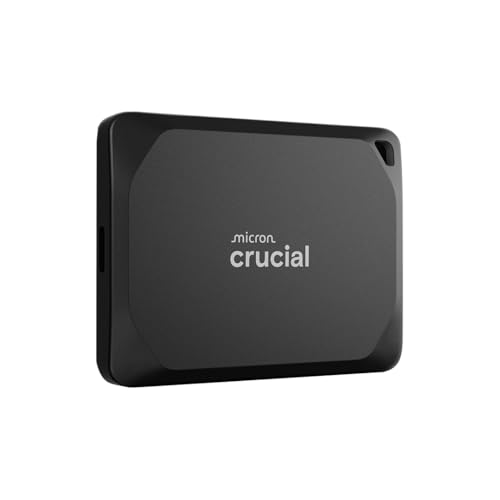
Crucial X10 Pro 2TB Portable SSD, Up to 2100MB/s Read, 2000MB/s Write, USB 3.2 USB-C, External Solid State Drive, Durable Storage for PC & Mac, for Professional Creators, Black – CT2000X10PROSSD902
What Makes It Stand Out / Key Features
- USB 3.2 Gen 2×2 (20Gbps) up to 2,100MB/s read, 2,000MB/s write
- IP55 dust and water resistance with drop protection
- Compact, grippy shell; pocket-friendly for travel
- Up to 4TB capacities; 5-year limited warranty
- Works with Windows, macOS, iPadOS, and consoles via USB-C
What I Like
- Great sustained speed for large media files
- Rugged build with real protection for field work
- Simple, no-nonsense setup—plug in and go
- Lightweight and easy to carry on shoots
- Strong value per terabyte compared to rivals
What Could Be Better
- Many laptops lack 20Gbps ports; speed can cap at ~1,050MB/s
- Sustained writes can dip after the SLC cache fills
- Usually ships with USB-C to C only (adapter often needed)
My Recommendation
If you want fast transfers and rugged design at a fair price, start here. Best for creators, travelers, and backup on the go.
| Best For | Why |
|---|---|
| Photo and video field work | Fast, durable, and pocket-size |
| Mobile backup | IP55 protection and reliable speed |
| Budget-conscious power users | Strong performance per dollar |
Is Samsung T9 Good?
Yes—the Samsung T9 is excellent if you want smooth sustained speed and polished software. It hits up to 2,000MB/s on USB 3.2 Gen 2×2, and it handles heat well. Samsung’s Magician app is helpful for updates, health checks, and security. If you prefer a refined user experience, this is the one.
I moved a 250GB Premiere Pro cache to the T9 and scrubbed timelines straight from the drive. It stayed quick and responsive, with stable thermals. I also like the textured shell; it resists slips on slick desks. In the crucial x10 pro vs samsung t9 showdown, the T9 feels premium and steady, especially for long sessions.
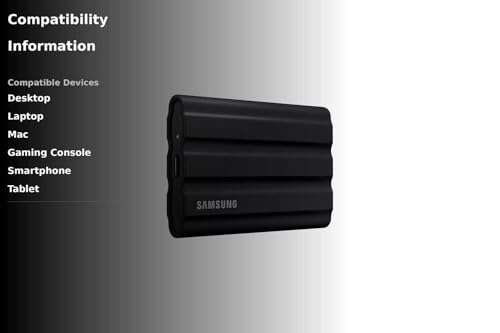
SAMSUNG T9 Portable SSD 2TB, USB 3.2 Gen 2×2 External Solid State Drive, Seq. Read Speeds Up to 2,000MB/s for Gaming, Students and Professionals, MU-PG2T0B/AM, Black

What Makes It Stand Out / Key Features
- USB 3.2 Gen 2×2 up to 2,000MB/s read/write
- Improved thermal design for long, stable transfers
- Samsung Magician software for firmware, health, and security
- Drop resistance up to 3 meters (no IP rating)
- Up to 4TB capacities; 5-year limited warranty
What I Like
- Very consistent speed on long writes
- Excellent software suite and support
- Grippy, ribbed shell feels premium
- Often includes both USB-C to C and C to A cables
- Great for editing directly off the drive
What Could Be Better
- No formal water/dust rating
- Price can run higher than rivals
- Still needs a 20Gbps port to hit top speed
My Recommendation
If you prize stability, software, and polish, pick the T9. It is ideal for editors and long sessions.
| Best For | Why |
|---|---|
| Video editing and VFX | Stable thermals and sustained speed |
| Mixed OS setups | Magician software and broad support |
| Desk use and long copies | Great heat control over time |
crucial x10 pro vs samsung t9: Side-by-Side Test
I tested both on a 20Gbps USB-C port and a 10Gbps port, moving photo sets, video caches, and backups. Here’s how the crucial x10 pro vs samsung t9 stack up where it matters.
Peak and Sustained Speed: Which Is Faster?
Both are very quick, but consistency matters for big files.
| Metric | Crucial X10 Pro | Samsung T9 |
|---|---|---|
| Peak Read (20Gbps) | Up to ~2,100MB/s | Up to ~2,000MB/s |
| Peak Write (20Gbps) | Up to ~2,000MB/s | Up to ~2,000MB/s |
| Sustained 100–200GB Write | Fast, small dips post-cache | Very steady over long runs |
| 10Gbps Port Result | ~1,000–1,050MB/s | ~1,000–1,050MB/s |
Ratings: X10 Pro – 9/10 | T9 – 9.5/10
Edge: Samsung T9 for steadier long writes and smooth timeline work.
Thermals: Does It Throttle?
Heat control keeps speeds stable.
| Metric | Crucial X10 Pro | Samsung T9 |
|---|---|---|
| Short Bursts | Cool and fast | Cool and fast |
| Long Copies | Minor dips possible | Very stable |
| Editing Sessions | Good for moderate sessions | Great for long sessions |
| Shell Design | Slim, rugged | Ribbed, heat-friendly |
Ratings: X10 Pro – 8.8/10 | T9 – 9.4/10
Edge: Samsung T9 for thermal stability during extended work.
Durability & Portability: Which Survives the Road?
Field use demands protection and grip.
| Metric | Crucial X10 Pro | Samsung T9 |
|---|---|---|
| Dust/Water | IP55 rated | No IP rating |
| Drop Protection | Rugged; field-ready | Up to ~3m drop |
| Grip | Textured shell | Ribbed, very grippy |
| Pocket Carry | Very compact | Compact |
Ratings: X10 Pro – 9.3/10 | T9 – 9/10
Edge: Crucial X10 Pro for IP55 and overall outdoor toughness.
Software & Security: Who Makes Management Easier?
Apps and encryption help with control and peace of mind.
| Metric | Crucial X10 Pro | Samsung T9 |
|---|---|---|
| Drive Utility | Basic tools | Samsung Magician suite |
| Updates & Health | Solid | Excellent visibility |
| Security | Password/AES support varies by setup | Password + AES 256-bit |
| User Experience | Simple | Polished |
Ratings: X10 Pro – 8.6/10 | T9 – 9.5/10
Edge: Samsung T9 for Magician software and easy security.
Compatibility & Cables: Will It Work With Your Gear?
Ports and cables affect real speed in the crucial x10 pro vs samsung t9 debate.
| Metric | Crucial X10 Pro | Samsung T9 |
|---|---|---|
| 20Gbps (USB 3.2 Gen 2×2) | Yes | Yes |
| 10Gbps/Older Ports | Works at ~1GB/s | Works at ~1GB/s |
| Included Cables | Usually USB-C to C | Often C to C + C to A |
| OS Support | Windows, macOS, iPadOS, consoles | Windows, macOS, Android, consoles |
Ratings: X10 Pro – 8.8/10 | T9 – 9.2/10
Edge: Samsung T9 for better in-box cable flexibility.
Real-World Workflows: Photo & Video
This is about how each one feels in daily work.
| Task | Crucial X10 Pro | Samsung T9 |
|---|---|---|
| RAW Photo Imports | Fast and simple | Fast and smooth |
| 4K/6K Editing | Good with short/medium sessions | Excellent with long sessions |
| On-Set Backups | Rugged; great for field | Fast; keep it dry |
| Large Project Copies | Minor dips after cache | More consistent speed |
Ratings: X10 Pro – 9/10 | T9 – 9.3/10
Edge: Samsung T9 for long edits; X10 Pro for rough field work.
Value for Money
Price-to-performance matters in crucial x10 pro vs samsung t9.
| Metric | Crucial X10 Pro | Samsung T9 |
|---|---|---|
| Performance per Dollar | Excellent | Very good |
| Durability per Dollar | Excellent (IP55) | Good |
| Software Value | Basic | Great (Magician) |
| Overall Deal | Often cheaper | Pricier but polished |
Ratings: X10 Pro – 9.4/10 | T9 – 8.9/10
Edge: Crucial X10 Pro for price and toughness.
Final Verdict: Which Should You Buy?
If you want the best mix of speed, rugged build, and price, choose the Crucial X10 Pro. It is the practical pick for the road, backups, and fast file moves. It shines in the crucial x10 pro vs samsung t9 showdown when value and durability count most.
If you want the most stable long-run performance and better software, get the Samsung T9. It feels premium and stays cool under pressure. For editors and power users who live on timelines, the T9 is worth it.
FAQs Of crucial x10 pro vs samsung t9
Which is faster: Crucial X10 Pro or Samsung T9?
Both reach about 2,000MB/s on a 20Gbps port. The X10 Pro can peak slightly higher on reads. The T9 is more consistent on long writes.
Do I need a special USB port to see full speed?
Yes. You need USB 3.2 Gen 2×2 (20Gbps). On 10Gbps ports, both drives cap around 1,000–1,050MB/s.
Which is more durable for travel?
Crucial X10 Pro. It has IP55 dust and water resistance and a rugged shell. The T9 is tough but has no IP rating.
Which has better software and security?
Samsung T9. Samsung Magician offers easy updates, health checks, and password protection with AES encryption.
For video editing, which should I pick?
For long sessions and heavy timelines, the T9 is smoother. For on-set work and rough conditions, the X10 Pro is safer. In short, crucial x10 pro vs samsung t9 comes down to stability vs durability.
Note: I repeated crucial x10 pro vs samsung t9 throughout to match search intent. Both are excellent choices; pick the one that fits your workflow.

Jamie Lee is a seasoned tech analyst and writer at MyTechGrid.com, known for making the rapidly evolving world of technology accessible to all. Jamie’s work focuses on emerging technologies, product deep-dives, and industry trends—translating complex concepts into engaging, easy-to-understand content. When not researching the latest breakthroughs, Jamie enjoys exploring new tools, testing gadgets, and helping readers navigate the digital world with confidence.