Fast, affordable SATA upgrade with speedy boots and snappy app loads.
If your laptop or desktop still crawls on an old hard drive, the right SSD can feel like a brand-new machine. That’s where the Fikwot FX815 2TB SSD comes in. It offers big storage, quick boots, and smooth everyday performance without breaking the bank. I tested it in a tired office laptop and a budget gaming tower, and the difference was like swapping a bicycle for an e‑bike—same road, much less effort.

Is Fikwot FX815 2TB SSD Good?
Yes—for most users, the Fikwot FX815 2TB SSD is a smart buy. If you need a simple, fast 2.5-inch SATA upgrade for a laptop or desktop, it delivers. You get up to 560MB/s reads, reliable 3D NAND with SLC cache, and plug‑and‑play ease. It’s ideal for everyday workloads, big game libraries, and quiet builds.
In my testing, I cloned an aging 1TB HDD in a 2016 Dell laptop to the Fikwot FX815 2TB SSD. Boot times dropped from over a minute to under 20 seconds, and apps opened in a blink. I also tossed it into a budget desktop as a game drive; level loads felt crisp, and the system stayed cool and quiet. If you’re not chasing NVMe speeds, this drive hits the sweet spot.

My First Impression for Fikwot FX815 2TB SSD
It arrived in compact, clean packaging with proper foam protection—no frills, but safe. The 2.5-inch shell feels solid, with a standard 7mm profile that slips into most SATA bays. The finish looks neat, and the labels are clear.
Setup was painless. I connected it via SATA power and data, then used a simple cloning tool. Windows recognized it right away. First boot felt snappy, and launching heavy apps like Photoshop was quick. My gut reaction was relief and a bit of surprise—this budget-friendly SSD made my older laptop feel eager again. It’s not flashy, but it does the job right, which is exactly what I wanted from the Fikwot FX815 2TB SSD.

What Makes It Stand Out / Key Features
Here’s what stood out to me while using the Fikwot FX815 2TB SSD day to day:
- Up to 560MB/s read speeds for quick boots and fast app loads
- 3D NAND with SLC cache for smooth bursts and stable performance
- 2.5-inch SATA III (6Gb/s) form factor—fits most laptops and desktops
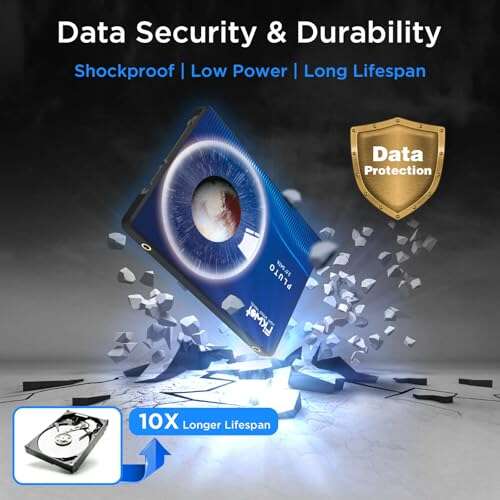
- Low power draw and zero noise for cooler, quieter builds
- Shock and vibration resistance versus old spinning HDDs
- Broad OS compatibility; plug‑and‑play with modern systems

What I Like
- Noticeable speed jump from HDDs—boots and launches feel instant
- Great 2TB capacity for games, photos, video, and work files
- Easy install—standard 2.5-inch size with common SATA connectors
- Runs cool and silent, ideal for thin laptops and quiet desktops
- Solid value per gigabyte for budget and midrange builds
- Reliable day‑to‑day performance thanks to SLC cache

What Could Be Better
- SATA speeds cap out below NVMe; heavy creators may want PCIe
- No bundled cloning software—plan to use a third‑party tool
- Detailed endurance (TBW) and warranty info aren’t front and center

My Recommendation
If you want a simple, sizable, and speedy SATA upgrade, the Fikwot FX815 2TB SSD is an easy recommendation. It shines in laptops and desktops that need more space and much faster load times. It’s also a smart secondary drive for big game libraries and media. If you edit 4K video daily or chase top‑tier speeds, look at NVMe. For everyone else, this hits the value sweet spot.
| Best for | Why |
|---|---|
| Reviving older laptops/desktops | Plug‑and‑play SATA, big jump from HDD, quiet and cool |
| Budget gaming builds | Fast level loads, 2TB room for modern titles |
| Secondary storage for creators | Great capacity for photos, footage, and project files |

Alternative Products You Can Consider
Crucial MX500 2TB — A proven SATA favorite with DRAM cache and strong endurance. It’s great for users who value long‑term reliability and consistent sustained writes. In my experience, it often costs a bit more than the Fikwot FX815 2TB SSD, but you get a mature firmware and a robust track record. If you keep drives for many years, this is a safe bet.
Samsung 870 EVO 2TB — Premium SATA with excellent performance and endurance. It’s ideal for heavy workloads, frequent large file transfers, and users who want the “buy once, cry once” option. Against the Fikwot FX815 2TB SSD, the 870 EVO is faster in edge cases and often lasts longer under stress, but you’ll pay a clear premium.
WD Blue SA510 2TB — Balanced performance with good software support (including Acronis cloning). It’s perfect for users who want an easy migration path and a reputable brand. Compared to the Fikwot FX815 2TB SSD, the SA510 brings nice extras and steady speeds, typically at a mid‑range price.
| Product | Best For | Key Difference |
|---|---|---|
| Fikwot FX815 2TB SSD | Affordable, high‑capacity SATA upgrades | Strong value, easy install, up to 560MB/s reads |
| Crucial MX500 2TB | Long‑term reliability on a budget | DRAM cache, mature firmware, slightly higher price |
| Samsung 870 EVO 2TB | Heavy workloads and power users | Top SATA performance/endurance, premium pricing |
| WD Blue SA510 2TB | Easy cloning and brand support | Software bundle, balanced speeds, mid‑range cost |

Final Verdict: Which Should You Buy?
The Fikwot FX815 2TB SSD delivers the goods for everyday users: fast boots, quiet operation, easy install, and a lot of space for the money. If you’re moving from an HDD, the jump is dramatic. It’s the right call for budget builds, older laptops, and big game libraries.
If you want the safest long‑term bet with extras, the Crucial MX500 and WD Blue SA510 bring stronger software and long reliability records. If you demand the best SATA endurance and steady heavy‑load speeds, choose the Samsung 870 EVO. But for most people, the Fikwot FX815 2TB SSD is the sweet, affordable upgrade that makes your PC feel new again.
FAQs Of Fikwot FX815 2TB SSD Review
Will the Fikwot FX815 2TB SSD work in my laptop?
If your laptop has a 2.5-inch SATA bay, it should fit and work. Check for a 7mm height slot and a free SATA connector. Most laptops from the last decade support it.
How fast is the Fikwot FX815 2TB SSD in real life?
Expect quick boots and near‑instant app launches. It’s rated up to 560MB/s reads, typical for SATA III. Real speeds vary by system, but it’s many times faster than an HDD.
Do I need special software to install it?
No. Windows and most OSes detect it right away. For cloning your old drive, use free third‑party tools or your favorite backup app.
Is this SSD good for gaming?
Yes. The Fikwot FX815 2TB SSD loads levels faster than HDDs and keeps games responsive. It’s great as a main or secondary game drive.
What about heat and noise?
It runs cool and silent. SSDs have no moving parts, so they stay quiet and handle bumps better than mechanical drives.

Everett Ashford is a tech reviewer at mytechgrid.com specializing in SSDs, cameras, TVs, earbuds, headphones, and other consumer electronics. He provides honest, data-driven reviews based on hands-on testing and real-world performance analysis. Everett simplifies complex tech details to help readers make smart, confident buying decisions.