Are you tired of spending hours on repetitive tasks that eat into your productivity? Imagine if those routine actions could handle themselves, freeing you up to focus on what truly matters.
Automating your remote workflows isn’t just a tech buzzword—it’s a game-changer that can transform your workday. You’ll discover simple, effective ways to automate daily tasks, reduce errors, and reclaim your time. Ready to make your remote work smoother and smarter?
Let’s dive into how you can start automating right now.
Credit: blog.hubspot.com
Benefits Of Automating Remote Tasks
Automating routine tasks in remote work brings many benefits. It helps teams work smarter, not harder. Automation cuts down on time spent on repetitive jobs. This allows workers to focus on more important tasks. The result is a smoother workflow and better team results.
Saving Time And Reducing Errors
Automation saves time by handling simple tasks quickly. It can run processes without breaks or delays. This reduces the chances of human mistakes. Fewer errors mean less time fixing problems later. Teams can trust that tasks are done right every time.
Enhancing Productivity And Focus
Automating routine jobs frees up mental space. Workers can focus on creative and critical work. This leads to higher productivity and better outcomes. Automation also reduces stress by lowering workload. Teams become more motivated and engaged in their work.
Improving Consistency Across Teams
Automation creates a standard way to complete tasks. This ensures everyone follows the same steps. Consistent work improves quality and reliability. Teams can collaborate better with clear, repeatable processes. It also helps new members learn tasks faster.
Identifying Tasks To Automate
Identifying the right tasks to automate is key to improving remote workflows. Automation saves time and reduces errors. It helps teams focus on important work. The first step is to find tasks that repeat often or take too much time. Then, prioritize which ones give the most benefit when automated. Lastly, check if the task is simple enough for automation tools. This approach makes automation effective and manageable.
Spotting Repetitive And Manual Tasks
Look for tasks done the same way every day or week. These tasks often involve copying data, sending emails, or updating spreadsheets. Manual tasks take effort but add little value. Automation works best here. Examples include scheduling meetings, filing reports, or sending reminders. Spotting these tasks is the first step to saving time.
Prioritizing High-impact Automations
Not all tasks are worth automating. Focus on tasks that save the most time or reduce errors. For example, automating invoice processing can free hours each week. Prioritize tasks that block other work or cause delays. Choose automations that improve team productivity or client satisfaction. This focus maximizes the benefits of automation.
Evaluating Task Complexity
Check how complex a task is before automating. Simple, rule-based tasks are easier to automate. Complex tasks needing judgment or creativity are harder. Some tools handle basic decisions but struggle with complex ones. Start with easy tasks and gradually move to harder ones. This approach avoids frustration and ensures success.
Popular Automation Tools
Automation tools simplify remote workflows by reducing repetitive tasks. These tools improve efficiency and save time for remote workers. They handle routine jobs like data entry, scheduling, and communication. Choosing the right tools helps create smooth, automated processes.
Workflow Automation Platforms
Workflow automation platforms connect different apps and services to automate tasks. Popular platforms include Zapier, Integromat, and Microsoft Power Automate. They let you create custom workflows without coding. For example, you can automatically save email attachments to cloud storage or send notifications when a form is submitted. These platforms support many apps, making them versatile for remote teams.
Ai-powered Assistants
AI-powered assistants use artificial intelligence to handle tasks like email sorting and reminders. Tools such as Google Assistant, Cortana, and AI chatbots can manage simple tasks. They understand natural language and respond to commands. These assistants help reduce manual work and keep you organized. They are especially useful for managing emails and scheduling.
Scheduling And Communication Tools
Scheduling and communication tools automate meeting setups and team interactions. Calendly and Doodle simplify booking meetings by showing available times. Slack and Microsoft Teams automate messages and alerts for team updates. These tools help maintain smooth communication without constant manual input. They keep remote teams connected and reduce scheduling conflicts.
Credit: www.bairesdev.com
Creating Automation Workflows
Creating automation workflows is key to simplifying remote work. It helps reduce repetitive tasks and saves time. Automation workflows link events with actions to keep work moving smoothly.
Building these workflows starts with clear steps. Each step triggers the next action automatically. This flow improves efficiency and reduces errors in daily tasks.
Setting Triggers And Actions
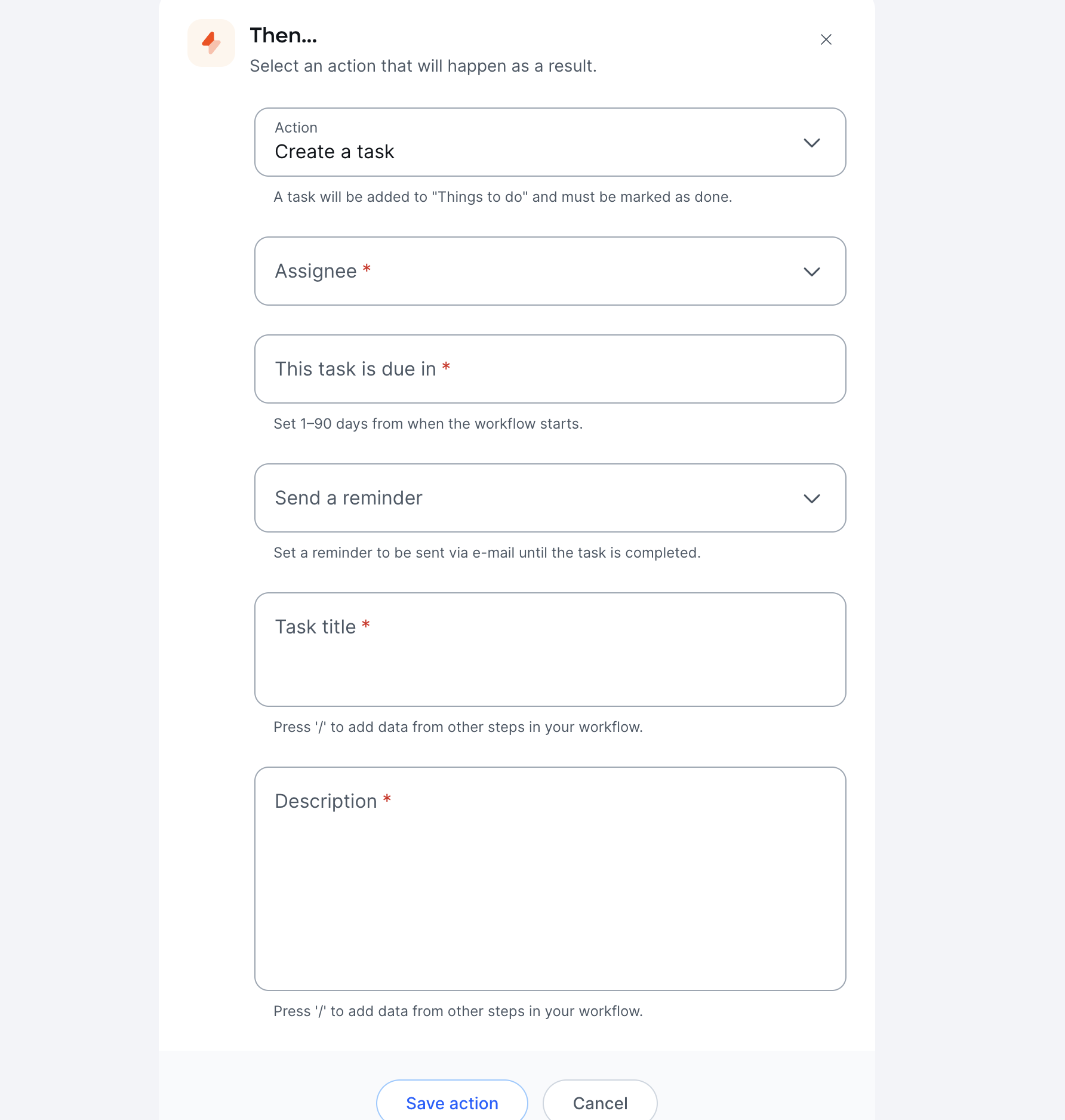
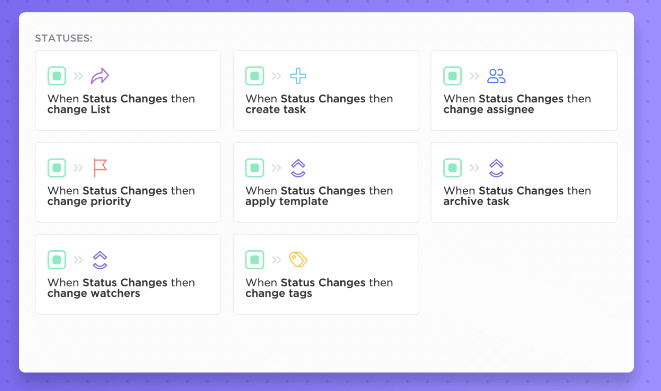
Triggers start the automation process. A trigger can be an email received, a form submitted, or a deadline approaching. Actions follow the trigger and carry out tasks like sending notifications, updating files, or creating tasks.
Choose triggers that fit your routine tasks well. Match them with actions that complete the task automatically. This pairing is the foundation of any automation workflow.
Designing Seamless Task Flows
Design the task flow to be simple and logical. Each step should lead naturally to the next. Avoid complex loops or unnecessary steps that slow down the process.
Use clear labels for each step. This helps in understanding and managing the workflow later. Keep the flow focused on completing the task efficiently.
Testing And Refining Automation
Test your workflow before full use. Run the automation with sample data to check for errors. Look for missed triggers or wrong actions that may cause issues.
Refine the workflow based on test results. Fix problems and improve steps for smoother operation. Regular updates keep the automation effective as tasks change.
Examples Of Automated Workflows
Automated workflows save time by handling repetitive tasks in remote work setups. These workflows use triggers to start actions automatically, reducing manual work. They help teams stay organized and efficient. Here are some common examples of automated workflows that improve productivity in remote environments.
Customer Onboarding Processes
When a new client signs up, automation can send welcome emails instantly. It can assign tasks to team members for follow-up calls or training sessions. Automated reminders ensure no step in onboarding is missed. This process speeds up client integration and improves satisfaction.
Invoice Management And Payment Reminders
Automation can generate invoices as soon as a sale is complete. It sends payment reminders to clients before due dates. If payments are late, automated alerts notify both clients and finance teams. This workflow reduces errors and speeds up cash flow.
It Service Request Handling
When employees submit IT requests, automation routes tickets to the correct team. It can trigger automatic responses with troubleshooting steps. For common issues, it may resolve problems without human help. This saves time and keeps remote teams connected and supported.

Credit: blog.box.com
Using Ai To Enhance Automation
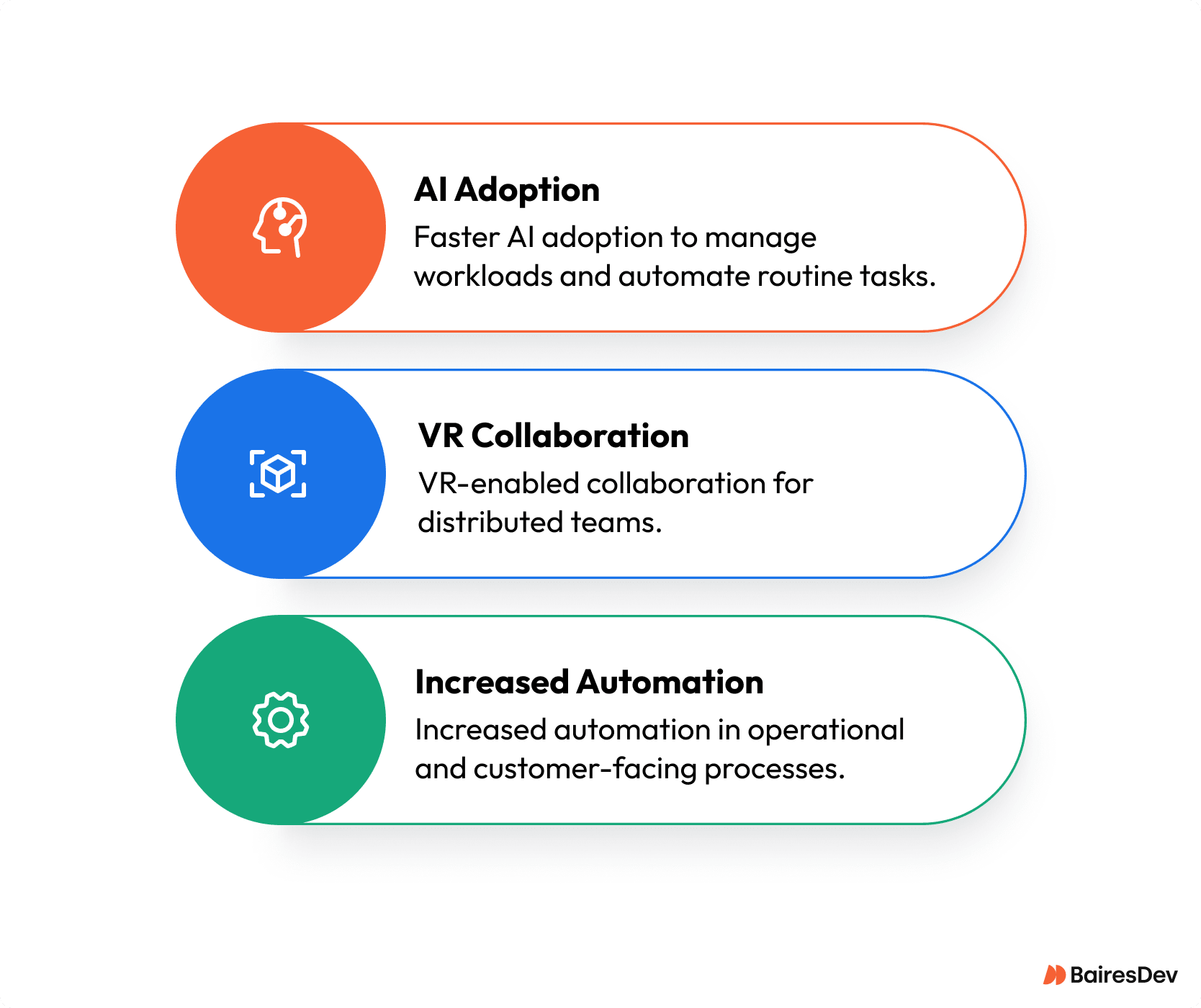
Artificial intelligence (AI) improves automation in remote workflows. It handles repetitive tasks faster and with fewer errors. AI tools can learn from data and adapt to new situations. This makes routine work easier and saves time.
Using AI lets remote teams focus on more important tasks. It reduces the burden of manual work. AI also helps maintain consistent quality in daily operations. Let’s explore practical ways AI enhances automation.
Integrating Chatgpt For Task Automation
ChatGPT can manage simple tasks like scheduling and reminders. It understands natural language and responds instantly. You can set ChatGPT to answer common questions automatically. This reduces your workload and speeds up communication.
ChatGPT can also create summaries and draft messages. It works well with other apps through APIs. This allows you to build custom automation flows easily. Remote teams benefit by saving time on routine conversations.
Automating Email And Communication
AI tools sort incoming emails and prioritize them. They can send quick replies to common requests. This keeps inboxes organized and reduces delays. Automated email responses keep clients informed without manual effort.
AI chatbots handle customer questions 24/7. This improves response time and satisfaction. You can set rules for escalating complex issues to humans. Automation in communication keeps workflows smooth and timely.
Generating Reports Automatically
AI analyzes data and creates reports without manual input. It gathers information from various sources quickly. This helps teams track progress and identify problems early. Automated reports save hours of work each week.
Reports can be scheduled to run and send automatically. This ensures everyone gets updates on time. AI also customizes reports to show relevant insights. Teams make better decisions with accurate, timely data.
Best Practices For Remote Automation
Best practices for remote automation help teams work smarter and safer. Automation must fit the team’s needs and protect data. It should also support clear communication and teamwork.
Regular checks keep workflows effective and up to date. Following these practices improves productivity and reduces errors in remote work.
Maintaining Security And Privacy
Protect sensitive data by using strong passwords and encryption. Limit access to automated tools based on roles. Regularly update software to fix security issues. Avoid sharing login details to keep accounts safe. Use trusted platforms that comply with data laws.
Ensuring Team Collaboration
Choose automation tools that allow easy sharing and feedback. Keep communication open about changes in workflows. Train team members on how to use new tools. Encourage questions and help to solve problems quickly. Use shared dashboards to track task progress together.
Monitoring And Updating Workflows
Check automated tasks regularly for errors and delays. Gather feedback from the team on workflow performance. Adjust workflows to meet new goals or challenges. Remove outdated steps to keep processes lean. Use analytics to find areas for improvement.
Frequently Asked Questions
How Can I Automate My Daily Tasks?
Automate daily tasks by using tools like AI, workflow software, or apps to schedule, manage emails, and generate reports. Identify repetitive tasks, create automation flows, and test them to boost efficiency and save time.
What Is Automation Of Routine Tasks?
Automation of routine tasks uses software to perform repetitive activities automatically. It saves time, reduces errors, and boosts productivity.
How To Use Chatgpt To Automate Tasks?
Identify repetitive tasks to automate. Integrate ChatGPT with automation tools. Design and build workflows. Test and optimize for efficiency. Use ChatGPT to handle data entry, emails, scheduling, and report generation seamlessly.
What Are The Three Automated Workflows?
The three automated workflows are customer onboarding, invoice processing with payment reminders, and IT service request handling. Each uses triggers to automate tasks, improving efficiency and reducing manual work.
Conclusion
Automating routine tasks in remote workflows saves time and reduces errors. It helps teams stay organized and focused on important work. Simple tools can handle scheduling, emails, and data entry automatically. Testing and adjusting your automation keeps it effective and smooth.
Start small, then expand automation step by step for best results. Embracing automation makes remote work easier and more productive every day.