Open the back cover, swap in two new AA 1.5V lithium batteries, and re-seat the camera.
If you want a quick, safe, and lasting fix, you are in the right place. I have installed and serviced many Blink systems, and I’ll walk you through how to change battery in a Blink camera with clear steps, model notes, and pro tips that prevent common mistakes. By the end, you will know the correct batteries to use, the right way to open each model, and how to keep your camera running strong for months.

What You Need Before You Start
You only need a few items to change the batteries. Get these set first, so the swap is fast and clean.
- Two AA 1.5V lithium non-rechargeable batteries for most Blink cameras.
- A small coin or flat tool if your model needs it.
- The Blink app on your phone to test video and signal.
- A dry towel to grip the back cover if it is tight.
Use lithium, not alkaline. Lithium lasts longer and handles heat and cold better. The maker also recommends them. Alkaline cells drop voltage fast. That can cause low-battery alerts and short run time. If you like rechargeables, know they often sit at 1.2V. Some may work, but life can be short and results may vary.
If you came here to learn how to change battery in a Blink camera in the fastest way, keep your new cells close and the app open. This will cut downtime and help you test right away.

Model Notes: What Opens How, And Which Batteries Fit
Different Blink models open in different ways. The battery type is almost always the same, but the cover latch can change.
- Blink Outdoor (4, 3) and Indoor (2): Use two AA 1.5V lithium batteries. The back cover twists or pops off. Look for the notch near the bottom.
- Blink XT and XT2: Use two AA 1.5V lithium batteries. The black rubber seal can make the cover snug. Work around the edge with a small tool if needed.
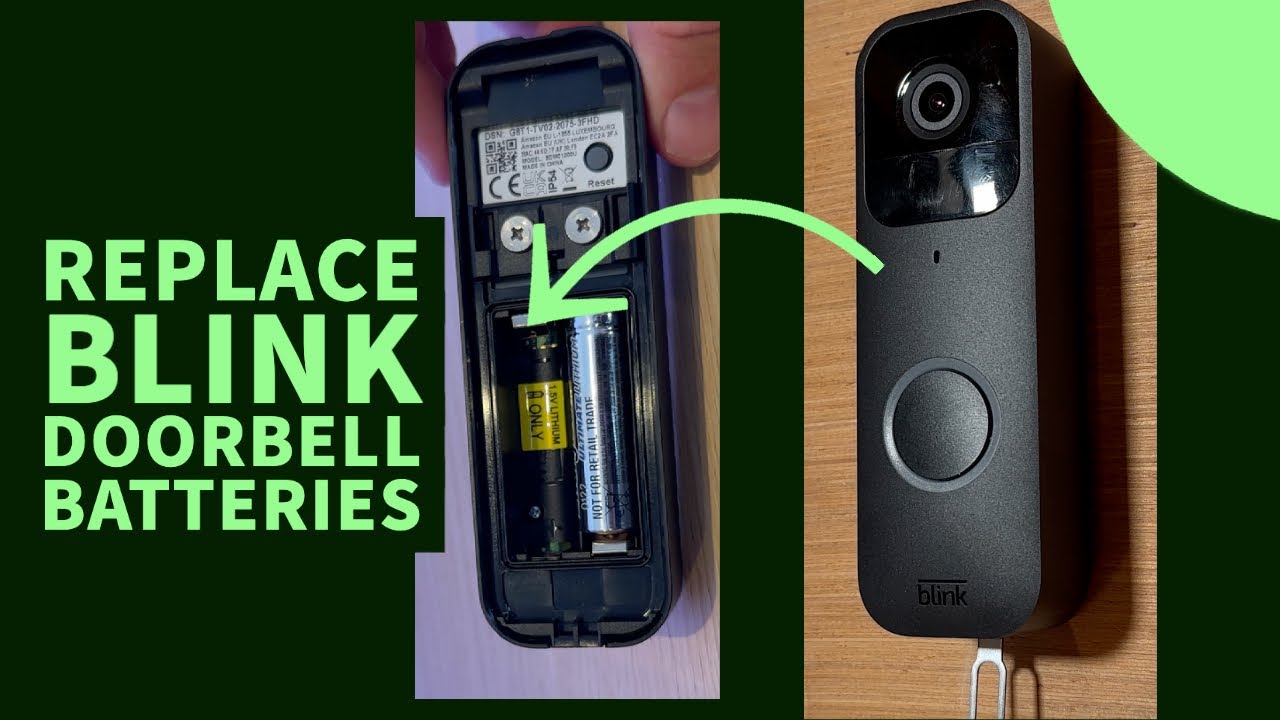
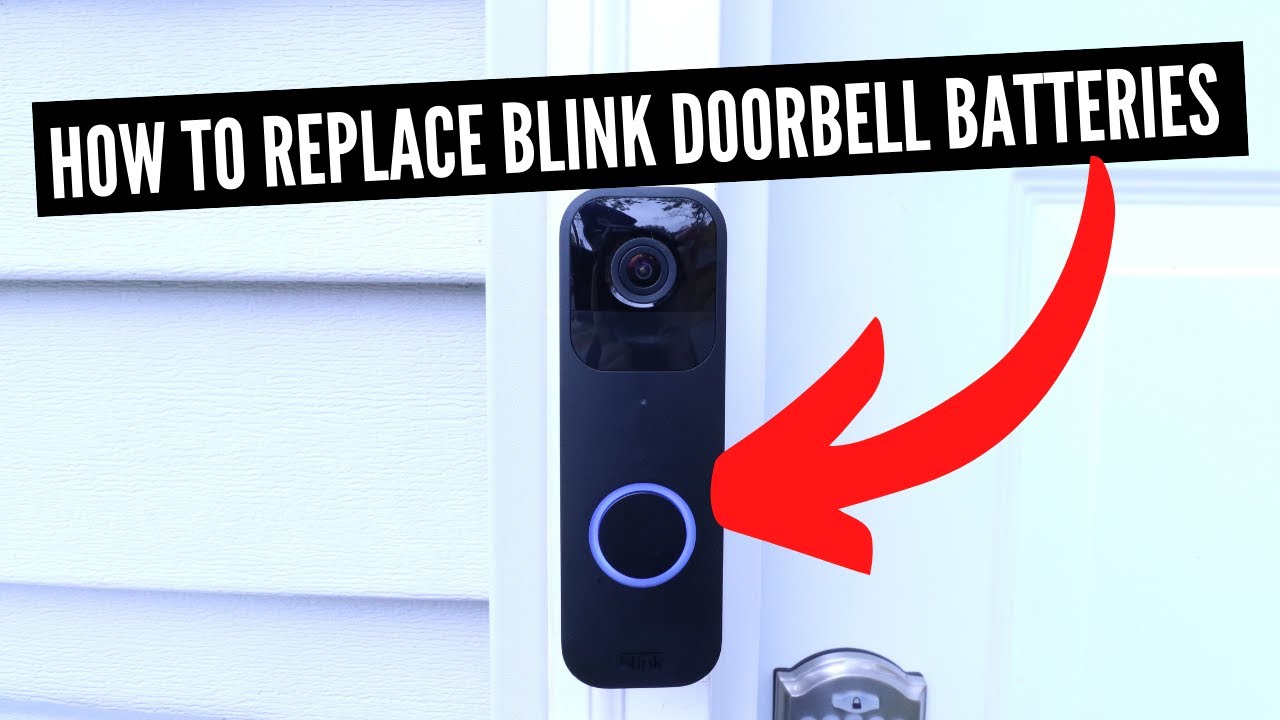
- Blink Video Doorbell: Uses two AA 1.5V lithium batteries. The cover slides up after you press the latch at the bottom. If wired, the batteries still help with features and backup.
- Blink Mini and Pan-Tilt with Mini: These are wired. No battery swap needed.
- Blink Floodlight: The camera uses two AA 1.5V lithium batteries. The light mount may use D cells or wired power, based on the model. Change the camera batteries as normal.
I learned this the hard way on a cold day call. The XT2 cover would not budge. I warmed the camera inside for five minutes, then it popped open with a light twist. If you want to get good at how to change battery in a Blink camera, respect the seals and do not force the latch. A gentle approach beats prying.
Step-by-Step: How To Change Battery In A Blink Camera
Follow these steps for a smooth swap. This method works for most battery Blink cameras.
-
Confirm the model in the Blink app
Open the device settings. Look at the model name. This helps match the cover style and battery plan. -
Disarm the system and remove the camera
Open the app and disarm if needed. Lift the camera off its mount or stand. Keep a hand under it so it does not drop. -
Open the back cover
Find the notch or latch at the bottom. Press and slide, or twist per the model. If it is tight, grip with a towel. Do not use sharp tools. Do not crack the seal. -
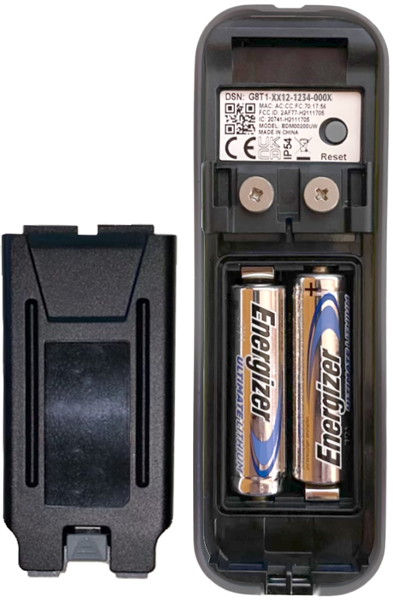
Remove old batteries
Note the battery orientation. Take them out and set them aside for recycling. Never toss lithium cells in the trash. -
Insert new AA 1.5V lithium batteries
Match the plus and minus marks. Seat the cells fully. Loose seating can cause random reboots. -
Re-seat the cover
Align the tabs. Press down and slide or twist shut until it clicks. Check for gaps around the seal. -
Re-mount and test in the app
Arm the system or trigger Live View. Watch for a clear picture and a steady Wi-Fi signal. Check the Battery status in the device settings.
This simple flow is the core of how to change battery in a Blink camera. I time this at under two minutes for Outdoor 4 once you get the hang of the latch.
After The Swap: Test, Update, And Optimize Battery Life
Great, you replaced the batteries. Now make sure your setup is stable and tuned for long life.
- Check firmware in the app. If an update shows, let it finish while on fresh batteries.
- Run a Live View test. Confirm video loads fast and stays smooth.
- Place the camera back on its mount. Keep the lens clear of leaves, glass glare, or moving flags that can cause false motion events.
- Tweak motion settings. Lower sensitivity, tighten activity zones, or set a longer re-trigger time to save power.
- Reduce clip length if you get many alerts. Shorter clips mean less drain.
- Keep Wi-Fi strong. A weak signal makes the radio work harder and cuts battery life.
When people ask me how to change battery in a Blink camera for the best results, I say this: great placement and smart settings matter as much as fresh cells. A small tweak can add months.
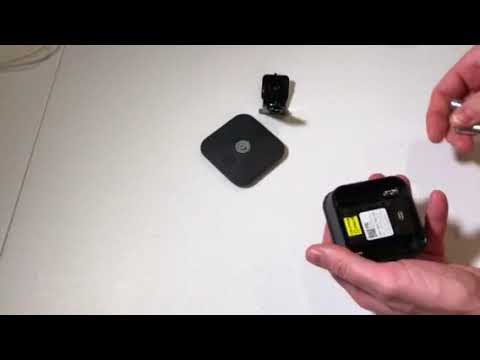
Troubleshooting: If It Does Not Power On Or Shows Low Battery
If the camera does not wake up, try these quick checks.
- Confirm the batteries are 1.5V lithium and seated tight.
- Make sure the cover is fully closed. Some models will not power on if the latch is not locked.
- Reboot the Sync Module by unplugging it for 10 seconds. Then plug back in.
- Move the camera closer to Wi-Fi and try Live View.
- If low-battery warnings show with new cells, replace with a known good brand of lithium. Check for corrosion on the contacts.
If you still struggle with how to change battery in a Blink camera without errors, remove the device from the app and add it again. This refresh helps in rare cases after a deep battery drain.

Maintenance, Safety, And Battery Disposal
Treat your Blink like any other smart device. Small habits help a lot.
- Do not mix old and new batteries. Replace both at the same time.
- Do not mix brands. Cells with different chemistry can drain unevenly.
- Store spare lithium AA batteries in a cool, dry place.
- In winter, avoid opening the case outdoors. Cold seals get stiff. Open indoors when you can.
- Recycle old lithium batteries at a proper drop-off. Many stores accept them.
If you need long life, look into the battery expansion pack for some models. It adds runtime with more AA cells. That said, good Wi-Fi and dialed-in motion settings often beat hardware add-ons. It is the most overlooked tip I give when people ask how to change battery in a Blink camera for maximum life.
Frequently Asked Questions Of How To Change Battery In A Blink Camera
How often should I replace Blink batteries?
Most homes see 6 to 12 months with lithium AA batteries. Heavy motion, long clips, and weak Wi-Fi can cut that time.
Can I use alkaline or rechargeable batteries?
The maker recommends AA 1.5V lithium non-rechargeable. Alkaline and many rechargeables drain faster and can cause warnings.
Why does my camera still show low battery after a swap?
Check the battery seating and the cover latch. Try a top-tier lithium brand and clean the contacts if you see corrosion.
Do I need to re-sync the camera after changing batteries?
Usually no. The camera should come back on its own. If not, power-cycle the Sync Module and try again.
What if my Blink doorbell is wired?
You can still use batteries for backup. The steps for how to change battery in a Blink camera doorbell are the same.
Will Live View drain my battery faster?
Yes. Live View uses the radio and sensor longer. Use it when needed and keep sessions short.
Can extreme cold or heat affect battery life?
Yes. Lithium handles extremes better than alkaline, but very cold or hot days will still reduce runtime.
Conclusion
Now you know how to change battery in a Blink camera the right way, from picking the correct AA lithium cells to closing the case so it seals and powers on fast. Keep your settings tight, your Wi-Fi strong, and your batteries fresh, and your camera will stay online when it matters most. Put these steps to work today, share this guide with a friend, and subscribe for more simple smart home fixes.

Jamie Lee is a seasoned tech analyst and writer at MyTechGrid.com, known for making the rapidly evolving world of technology accessible to all. Jamie’s work focuses on emerging technologies, product deep-dives, and industry trends—translating complex concepts into engaging, easy-to-understand content. When not researching the latest breakthroughs, Jamie enjoys exploring new tools, testing gadgets, and helping readers navigate the digital world with confidence.