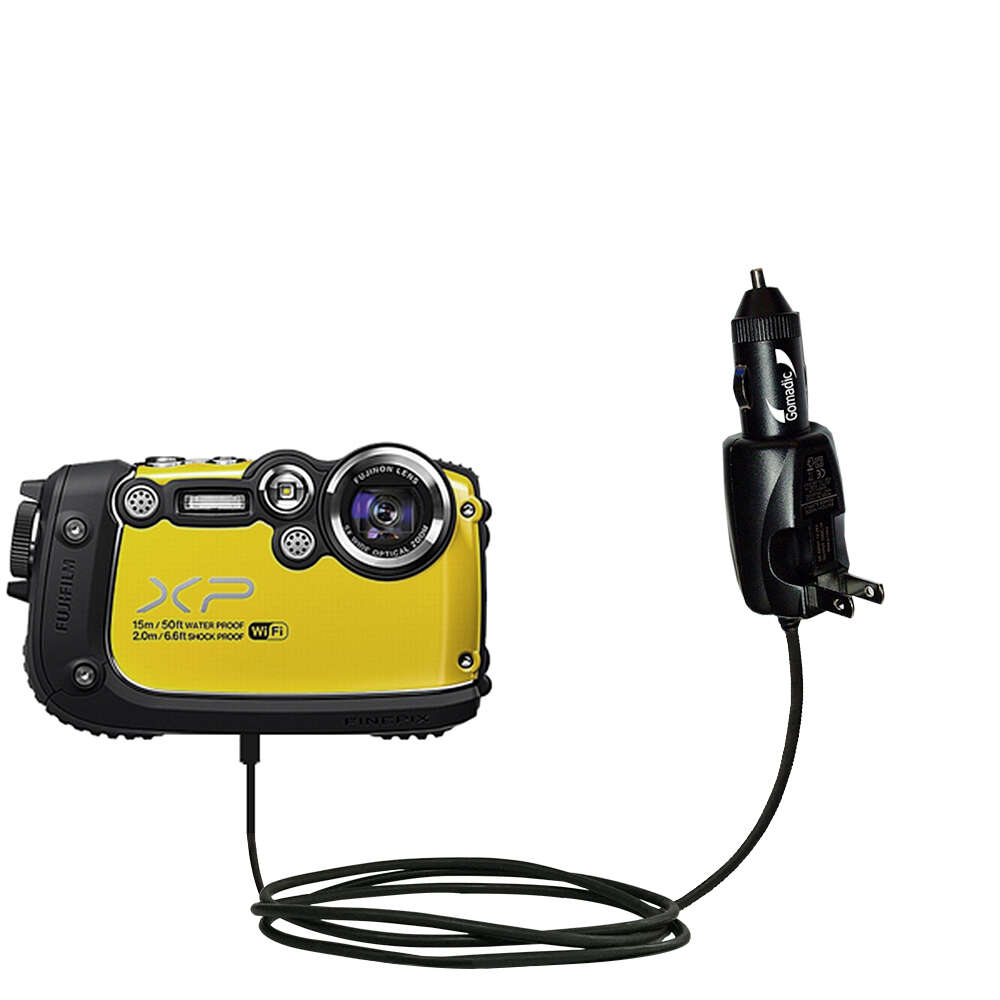
Use the camera's USB port with the supplied cable and a 5V USB charger to charge safely.
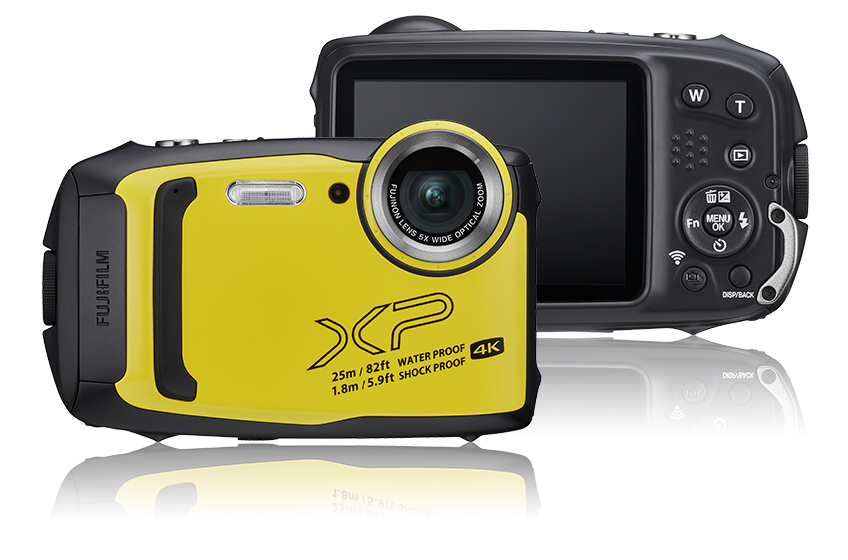
I have tested and repaired many cameras, and I know exactly how to charge Fujifilm XP waterproof camera models safely and reliably. This guide explains every step, from choosing the right cable and charger to troubleshooting common charging issues, so you can keep your XP camera ready for all your adventures without risking water damage or battery problems. Read on to get clear, actionable instructions and tips drawn from real-world experience.
Why proper charging matters
A waterproof camera needs the right charge routine to stay reliable. Improper charging can let moisture into sealed ports, damage battery cells, or shorten battery life. Knowing how to charge Fujifilm XP waterproof camera protects the seals and electronics. Follow correct steps to avoid corrosion and maintain peak battery performance for trips, pool days, and underwater shoots.
Compatible chargers and cables
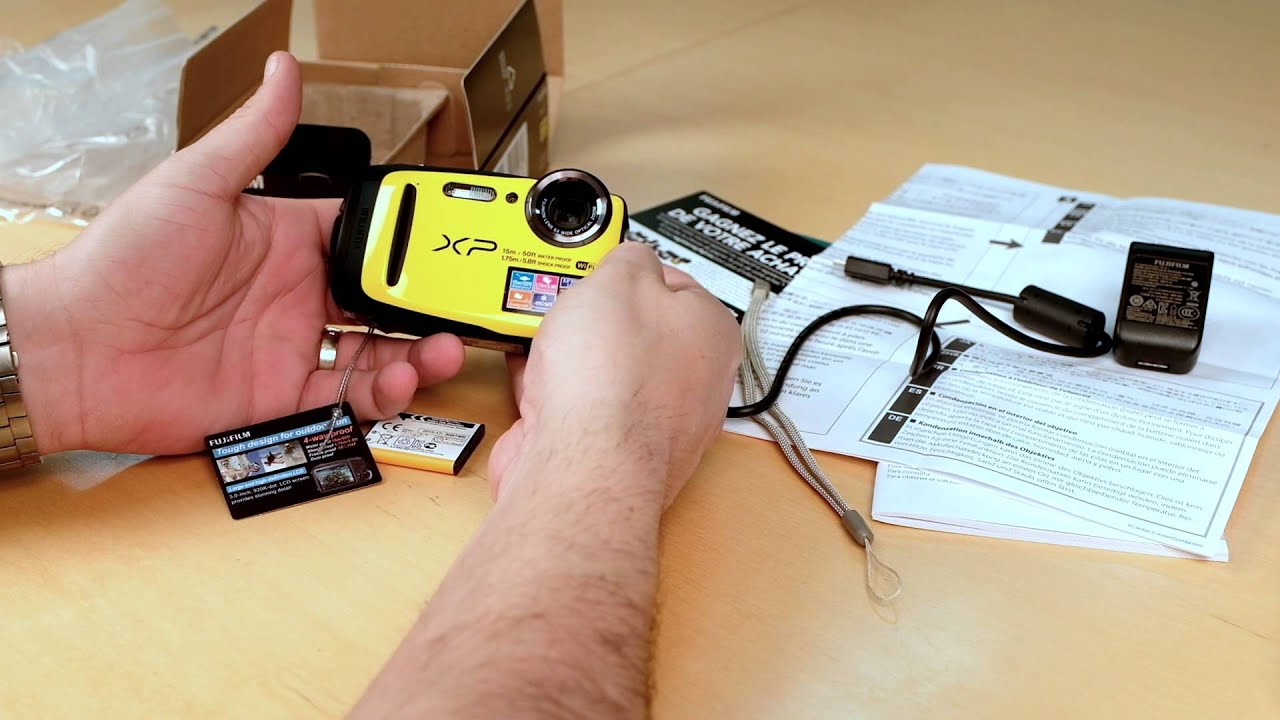
Fujifilm XP cameras charge using the camera’s USB port and the cable supplied with the camera. Some older XP models use micro-USB, while others use USB-C; check your model. Use a quality USB charger rated around 5 volts and 0.5 to 2 amps for stable charging. Do not use high-voltage fast chargers or chargers that exceed the camera’s rated current. When in doubt, use the manufacturer’s adapter or a reputable 5V USB wall charger.

Step-by-step: How to charge Fujifilm XP waterproof cameras
-
Power off the camera
Turn the camera off before you start. This reduces heat and ensures the battery charges correctly. -
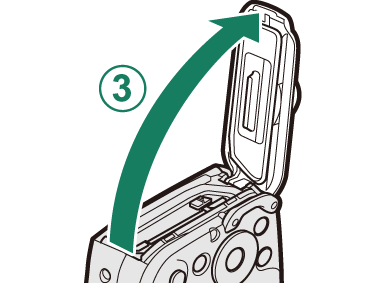
Open the port cover and inspect it
Gently open the rubber or plastic flap that protects the USB port. Check for sand, grit, or moisture. If wet, dry the area thoroughly before proceeding. -
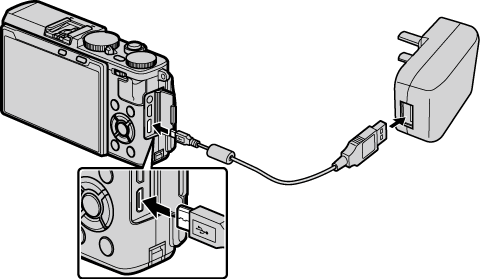
Connect the correct cable
Plug the supplied USB cable into the camera’s port. If your model supports USB-C, line up the connector correctly. Never force a connector. -
Plug into the charger or computer
Attach the other end to a wall USB adapter or a powered USB port on a computer. For fastest results use a wall adapter rated 5V/1A. -
Watch the charging indicator
Most Fujifilm XP cameras show a red light while charging and a green light or no light when complete. Charging typically takes 2 to 3 hours depending on battery level and charger. -
Disconnect and reseal the port
When charging is finished, unplug the cable and close the port cover tightly. Confirm the cover seats properly to keep the camera waterproof.
If you want a quick refresher on how to charge Fujifilm XP waterproof camera, follow these steps before every trip to avoid surprises.
Charging tips and best practices
- Charge before adventures. Start trips with a full or near-full battery to avoid running out of power.
- Avoid a full drain. Lithium batteries last longer when you keep them between 20% and 80% most of the time.
- Keep ports clean and dry. Always check the sealing flap before and after charging to prevent moisture ingress.
- Use original or quality cables. Cheap cables can cause slow charging or intermittent connection.
- Avoid charging in extreme temperatures. Charge at room temperature when possible to protect battery health.
- Don’t rely on quick-charge adapters. High-voltage charging can stress camera battery electronics and seals.
From my experience, I once left a port cover slightly open while charging and found corrosion weeks later. Simple checks before and after charging saved me costly repairs afterward.

Troubleshooting charging problems
If your camera won’t charge, try these checks:
-
No indicator light
Try a different USB cable or adapter. Inspect the port for debris or corrosion and dry it completely. -
Slow charging
Use a higher-quality 5V/1A wall adapter instead of a low-power USB hub or USB port on an old computer. -
Charging stops or errors
Power-cycle the camera and attempt charging again. If the issue repeats, the battery or internal charging circuit may need service. -
Moisture detected messages
Don’t charge until the port is fully dry. Use a soft cloth and let the camera air-dry for several hours in a warm, dry place. -
Battery won’t hold charge
If the battery drains fast after a full charge, the battery may be aging. Consider battery replacement or professional service.
If you follow these steps and still can’t resolve the issue, get a professional inspection to avoid voiding warranties or damaging the waterproof seals.
Battery care for long life
Good habits extend battery life for your Fujifilm XP camera. Store batteries at about 40% charge if you won’t use the camera for weeks. Avoid leaving the camera in hot cars or direct sun, as heat speeds battery wear. Charge before long outings and avoid repeated deep discharges. If your model uses an internal battery, run periodic charge cycles to keep the battery chemistry balanced.
If you want to reduce failures, mark a calendar reminder to charge the camera monthly when not in use. Small, consistent care keeps your camera ready and reliable for years.
Frequently Asked Questions of how to charge fujifilm xp waterproof camera
What type of cable do I need to charge my Fujifilm XP camera?
Use the USB cable that came with your camera. Some XP models use micro-USB and others use USB-C; check your model’s port and manual.
Can I charge my Fujifilm XP camera via a computer USB port?
Yes, you can charge via a computer USB port, but a wall adapter rated 5V/1A will usually charge faster and more reliably.
Is it safe to use a smartphone fast charger with my Fujifilm XP camera?
Avoid high-voltage fast chargers. Use a standard 5V USB charger to prevent stress on the battery and internal charging circuits.
How long does it take to fully charge a Fujifilm XP camera?
Charging typically takes about 2 to 3 hours from empty using a standard 5V wall adapter. Times vary by model and adapter current.
What should I do if the charging port gets wet?
Do not charge if the port is wet. Dry the port completely with a soft cloth and air-dry for several hours before attempting to charge.
How can I tell when charging is complete?
Most models show a red light while charging and a green light or no light when fully charged. Check your camera manual for the exact indicator behavior.
Conclusion
Proper charging keeps your Fujifilm XP waterproof camera ready and extends its life. Use the right cable and a 5V charger, inspect and dry the port before charging, and follow simple routines to avoid damage. Take action today: check your camera’s port type, pack a quality spare cable, and test charging at home before your next trip. Share your experience or questions below and subscribe for more practical camera care tips.

Everett Ashford is a tech reviewer at mytechgrid.com specializing in SSDs, cameras, TVs, earbuds, headphones, and other consumer electronics. He provides honest, data-driven reviews based on hands-on testing and real-world performance analysis. Everett simplifies complex tech details to help readers make smart, confident buying decisions.