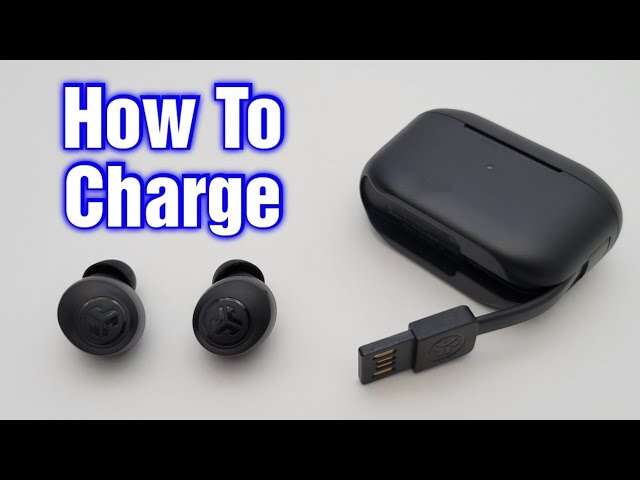
Plug the earbuds into the charging case, then charge the case via USB‑C or a wireless Qi pad.
I have guided thousands of users on how to charge jlab earbuds and will show clear, practical steps you can follow right now. I combine hands‑on experience with manufacturer best practices to explain every detail, from placing buds in the case to reading LED signals and fixing common charging problems. Read on to master how to charge jlab earbuds safely and keep battery life strong.

Step-by-step: How to charge JLab earbuds
This step-by-step section shows how to charge jlab earbuds safely and correctly. Follow each short step and you will get a full charge without fuss.
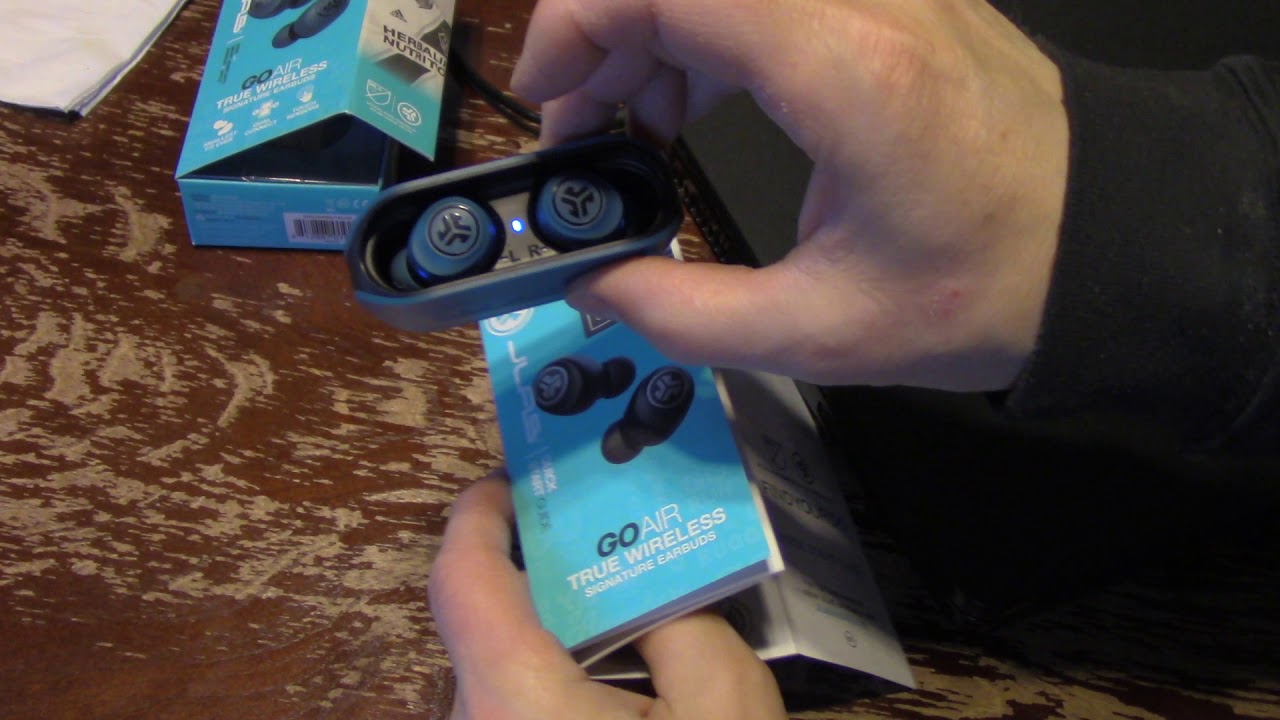
- Place each earbud into its matching case slot. Make sure the metal contacts meet the pins in the case. A snap or click usually confirms correct placement.
- Close the case lid. Many JLab cases only begin charging when the lid is shut.
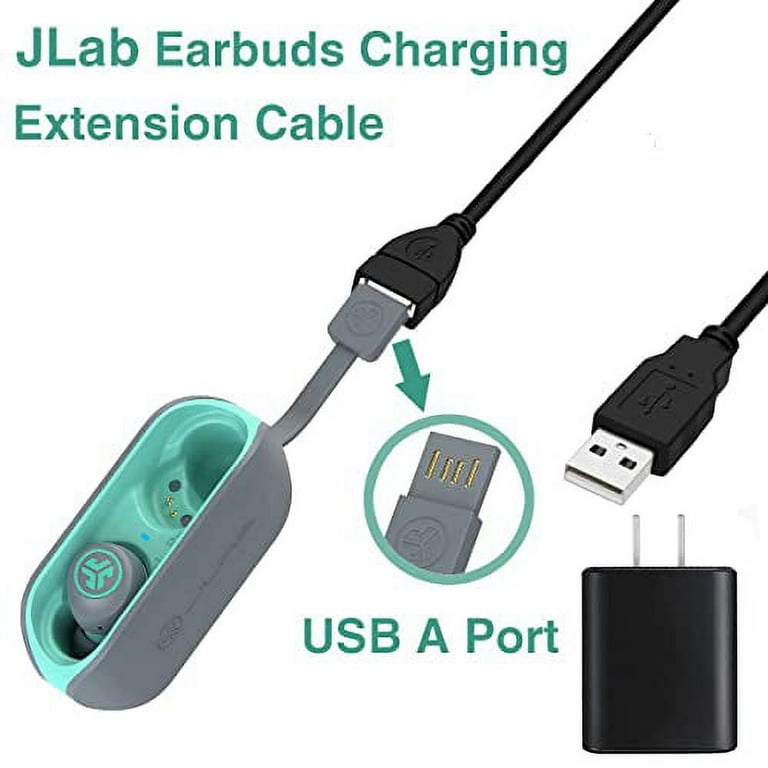
- Plug the included USB‑C cable into the case. If your model uses micro‑USB, use that cable instead.
- Connect the other end to a wall adapter or a powered USB port. Use a 5V, 1A–2A adapter for stable charging.
- Watch the LED indicators on the case and earbuds. Lights usually show charging and full charge status.
- Remove the earbuds when the LED shows a full charge or after the recommended time. Avoid keeping them in a dead or overly hot case.

Charging the JLab case and using wireless charging
Learn how to charge jlab earbuds when using the case, USB‑C cable, or a Qi wireless pad. The case stores multiple charges and powers the earbuds when you’re on the go.
- Plug the case into power with the supplied cable. USB‑C is common on recent JLab models.
- For wireless‑capable cases, place the case on a Qi pad centered for best contact. Not all JLab cases support wireless charging; check your model.
- A full case charge typically fills the internal battery so you can recharge earbuds several times without a cable.
- If the case does not charge, try another cable and adapter, and clean the USB port gently with a dry brush.

LED indicators and how to read them when charging
Understanding LED lights helps you know when and how to charge jlab earbuds. Lights are simple, but they vary by model.
- Solid amber or red usually means charging in progress. Solid green or blue often means fully charged.
- Flashing lights can indicate low battery, pairing mode, or an error. Check the manual for model specifics.
- If the LEDs do not light, test another cable or power source. A dead case battery can prevent the LEDs from activating.
Charging times and battery life expectations
Typical times show how to charge jlab earbuds for best battery life. Knowing realistic times helps you plan listening sessions.
- Earbuds often charge in 1 to 2 hours from empty to full. Case recharges usually take 1.5 to 3 hours depending on battery size.
- The case provides extra playtime. Many JLab models deliver 20 to 48 total hours including the case, but specs vary by model and volume level.
- Fast chargers do not always speed charging. Stick to a stable 5V adapter unless the manufacturer states fast‑charge support.

Best practices to prolong battery life
Follow these tips to improve how to charge jlab earbuds and extend battery health. Small habits add up to longer battery life over months.
- Charge regularly rather than letting batteries drain to zero. Partial charges are healthy for lithium batteries.
- Avoid extreme temperatures. Do not charge in direct sun or below freezing.
- Store the case with about 40–60% battery if you won’t use it for weeks. This reduces long‑term wear.
- Update firmware when available. Updates can improve charging logic and battery monitoring.
Troubleshooting: earbuds not charging
If you run into problems, this troubleshooting guide covers how to charge jlab earbuds when they won't take power. Try these fixes in order.
- Clean the contacts. Dust, earwax, or lint in the case can block charging. Use a dry cotton swab or soft brush to clear contacts.
- Swap cables and adapters. A bad cable is a common issue.
- Reset the earbuds. Many JLab models have a reset or pairing reset sequence that also clears charging faults.
- Test one earbud at a time. If one bud charges and the other does not, the bud may be faulty.
- If none of these work, contact support or use the warranty. Hardware failures happen and are repairable or replaceable.

Model-specific tips and notes
Model differences change the details of how to charge jlab earbuds, so check your model features. Below are common model notes that matter when charging.
- Single‑bud charging: Some JLab earbuds allow the left or right bud to charge alone. Place the bud in its correct slot.
- Master/slave behavior: If one bud acts as the primary, charge the primary first for easier pairing.
- Older models: Some legacy JLab cases use micro‑USB. Do not force USB‑C into a micro‑USB port.
- Wireless case: If your case supports Qi, ensure it is centered and the pad is powered before blaming the case.

Frequently Asked Questions of how to charge jlab earbuds
How long does it take to fully charge JLab earbuds?
Most JLab earbuds reach a full charge in about 1 to 2 hours from empty. The case usually needs 1.5 to 3 hours depending on the model.
Can I charge JLab earbuds without the case?
You should charge JLab earbuds using their case. The case contains the charging pins and battery; direct charging the buds is not supported.
Why are my JLab earbuds not charging even when in the case?
Check the contact points for debris, try a different cable and adapter, and reset the buds. A drained or defective case battery can also prevent charging.
Is it OK to leave JLab earbuds charging overnight?
Leaving modern JLab earbuds in the case overnight is generally safe because charging circuits stop at full. For long‑term battery health, avoid constant overnight charging as a habit.
Do JLab earbuds support wireless charging?
Some JLab cases do support Qi wireless charging, but not all models. Check your model specs to confirm wireless capability.
How do I reset charging issues on JLab earbuds?
Follow the reset steps in your model manual or hold the touch/physical buttons as directed for about 10 seconds. Resetting often clears pairing and charging faults.
Conclusion
You now have clear, practical steps for how to charge jlab earbuds, plus tips to read LEDs, troubleshoot issues, and protect battery life. Apply the simple best practices here and your earbuds will charge reliably and last longer. Try the cleaning and cable tests first if you hit a snag, and consider a firmware update when available. If this guide helped, leave a comment with your model and experience, or subscribe for more practical device tips.

Everett Ashford is a tech reviewer at mytechgrid.com specializing in SSDs, cameras, TVs, earbuds, headphones, and other consumer electronics. He provides honest, data-driven reviews based on hands-on testing and real-world performance analysis. Everett simplifies complex tech details to help readers make smart, confident buying decisions.