Charge your Ring camera battery by removing it or plugging in the supplied USB cable until the indicator shows fully charged.
I have worked hands-on with many Ring devices and batteries. This guide explains exactly how to charge Ring camera battery safely, quickly, and so it lasts longer. Read on for step-by-step methods, troubleshooting, real-world tips, and clear advice from direct experience.
Why charging your Ring camera battery matters
Keeping a charged battery ensures your Ring camera records events, sends alerts, and protects your home. A low battery can mean missed motion events and delayed push notifications. Knowing how to charge Ring camera battery correctly saves time and avoids damage to the pack or camera. Good charging habits also extend battery life and reduce replacement costs.

Types of Ring cameras and their batteries
Ring makes several battery-powered units. The common types include doorbell batteries, removable battery packs, and non-removable internal batteries in certain models. Each type has a slightly different charging process, so identify your model before you start. Refer to your device label or the Ring app for battery status and model specifics.

Step-by-step: How to charge Ring camera battery
Follow these simple steps for most Ring devices. If your model has a removable battery pack, this is the typical way to charge it.
- Check battery level in the Ring app
- Open the Ring app and view device battery percentage. This tells you if charging is needed and helps track charge time.
- Power down or put the camera in setup mode if required
- Some models recommend removing the battery while powered off. Follow on-screen prompts in the app.
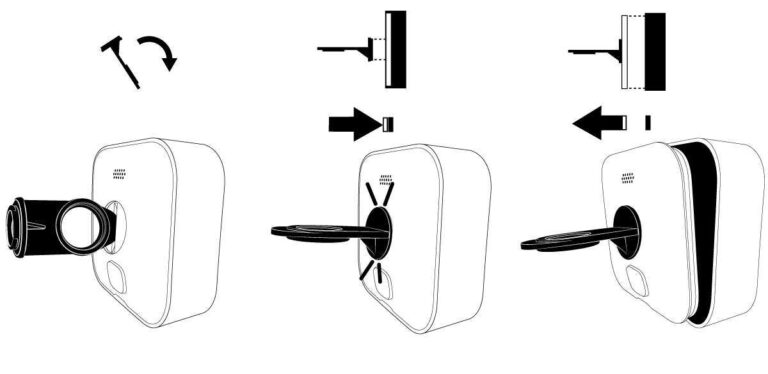
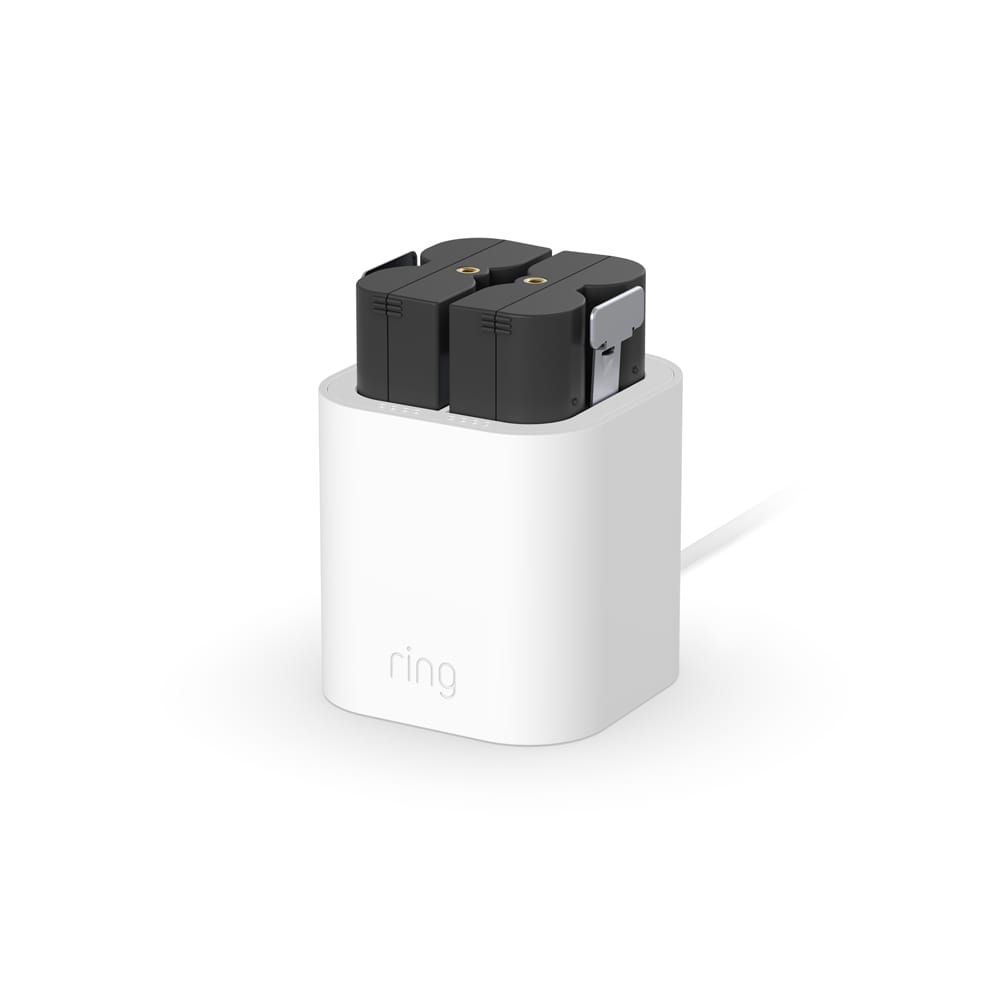
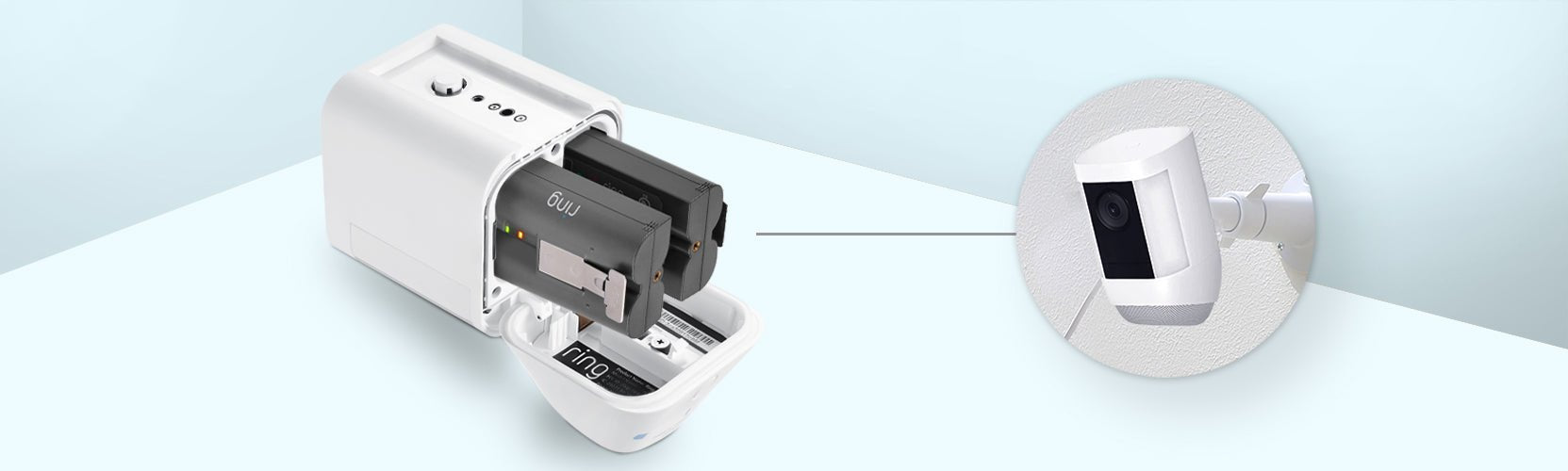
- Remove the battery (if removable)
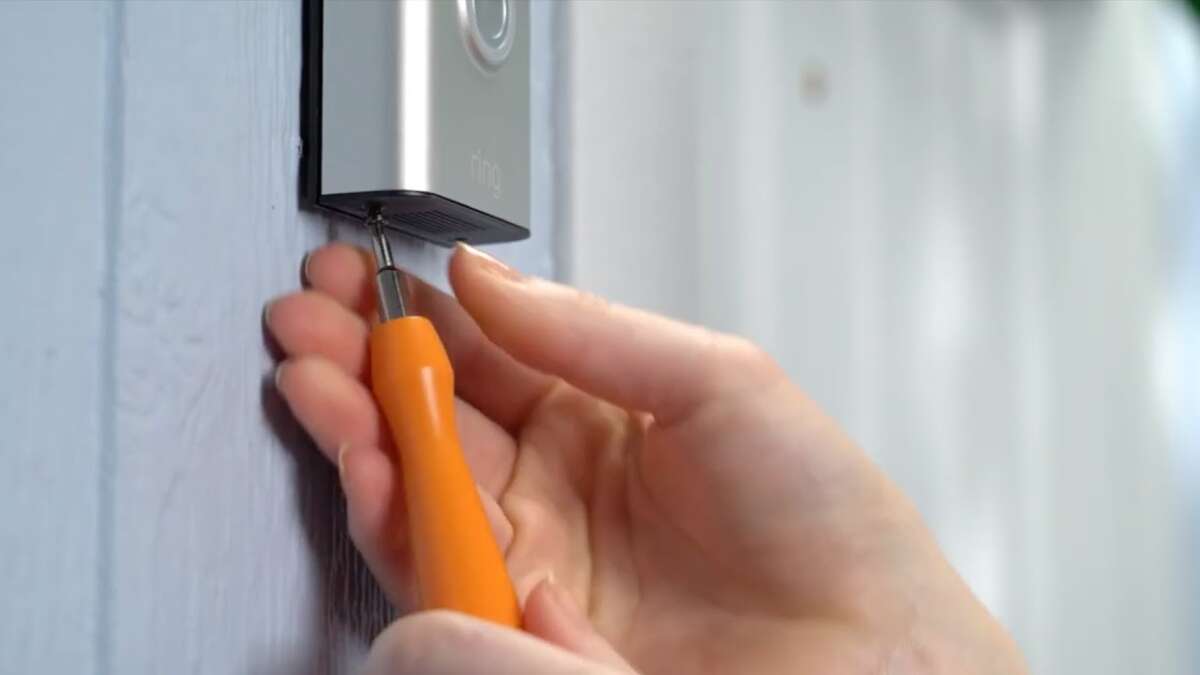
- Press the release tab or screw out the mounting screw, then slide out the battery pack carefully.
- Use the correct charger and cable
- Use the original Ring-supplied USB cable or a certified equivalent. New Ring products often use USB-C, while older models may use micro-USB.
- Connect and watch the LED indicator
- Plug the cable into the battery pack or camera. A solid or blinking LED usually means charging. Expect several hours for a full charge.
- Reinstall battery and verify in the app
- When charged, reinsert the battery securely. Check device status in the Ring app and confirm live view works.
How long to charge: Charging time varies. Small doorbell batteries often take 3–6 hours. Larger packs can take 6–12 hours. The Ring app and LED status are your best guides on when to stop charging.
How to charge Ring camera battery in place: Some Ring cameras allow charging without removal. If your model supports in-place charging, plug the cable directly into the camera port and follow the same LED and app checks. This saves time when the camera is hard to reach.

Charging tips and best practices
Use these tips to keep your battery healthy and to know how to charge Ring camera battery the smart way.
- Charge slowly when possible
- Low-current chargers are gentler on batteries and reduce heat. Avoid very high-watt fast chargers unless rated safe.
- Keep contacts clean and dry
- Dirt or moisture on battery contacts can block charging. Wipe contacts with a dry cloth before connecting.
- Charge in moderate temperatures
- Avoid charging below 32°F (0°C) or above 104°F (40°C). Extreme heat or cold reduces capacity and life.
- Use quality cables and adapters
- Cheap cords can fail or damage ports. Choose certified USB cables and reliable power adapters.
- Keep spare batteries charged
- Rotate a spare pack to minimize downtime. This is useful for busy periods like holidays.
From my experience, keeping a spare battery on a small charging routine prevented missed alerts during a week of storms. Learning to check the app and LED together saved time diagnosing issues.
Troubleshooting common charging issues
If charging fails or is slow, try these fixes to get back on track.
- Check the cable and adapter
- Swap cables and adapters to rule out a broken cord. A working cable is the most common fix.
- Inspect the battery contacts
- Remove debris or corrosion with a dry cloth. Bent or damaged contacts may need replacement.
- Restart the device and app
- A quick power cycle can refresh status reporting. Close and reopen the Ring app to refresh battery readout.
- Update firmware
- Some charging or reporting quirks resolve after a device update. Check for firmware updates in the Ring app.
- Test with a second battery
- If you have another pack, try charging it to see if the original battery is failing.
If none of these steps help, contact Ring support. Be ready to provide model details and screenshots of the app battery status. Transparency helps support diagnose hardware versus software issues.

Maintenance and battery longevity
Good care extends your battery’s life and reduces replacements. Here’s how to make the most of your investment.
- Establish a charging routine
- Charge before long trips or seasonal events. Don’t let the battery stay at very low levels for weeks.
- Store spare batteries at partial charge
- For long-term storage, keep batteries around 40–60 percent charge in a cool, dry place.
- Avoid deep discharges
- Recharging when the app shows 20–30 percent preserves capacity over time.
- Monitor battery health in the app
- Battery performance trends appear in the Ring app. Replace packs that show rapid decline.
- Replace with original or certified packs
- Choose manufacturer-recommended replacements to ensure fit, function, and safety.
I once kept a Ring battery at near-zero for months and lost about 20 percent capacity. After switching to a regular charge routine I regained predictable runtime and fewer replacement purchases.
Frequently Asked Questions of how to charge ring camera battery
How long does it take to charge a Ring camera battery fully?
Most Ring batteries take 3–12 hours to fully charge depending on size and charger output. Check the LED indicator and Ring app for a full-charge signal.
Can I charge my Ring battery while it is still mounted?
Some models support in-place charging while mounted. If yours supports it, plug into the camera port and monitor the LED and app status.
What charger should I use to charge my Ring camera battery?
Use the Ring-supplied cable or a certified USB cable and a reliable adapter rated for your device. Avoid cheap adapters that may overheat or underdeliver power.
Why does my Ring battery show charging but not increase percentage?
This can happen due to app refresh lag or calibration issues. Try restarting the Ring app, removing and reinserting the battery, or charging fully then checking again.
How often should I charge my Ring camera battery to keep it healthy?
Charge when the app shows about 20–30 percent to avoid deep discharges. For best life, maintain a regular charging schedule and keep a spare charged battery.
Conclusion
Regular, correct charging keeps your Ring camera ready and reliable. Learn how to charge Ring camera battery by checking the app, using the right cable, watching LED indicators, and following safe charging habits. Start a simple routine today: check battery level weekly, keep a spare charged, and maintain clean contacts. If this guide helped, leave a comment or subscribe for more hands-on home security tips.

Everett Ashford is a tech reviewer at mytechgrid.com specializing in SSDs, cameras, TVs, earbuds, headphones, and other consumer electronics. He provides honest, data-driven reviews based on hands-on testing and real-world performance analysis. Everett simplifies complex tech details to help readers make smart, confident buying decisions.