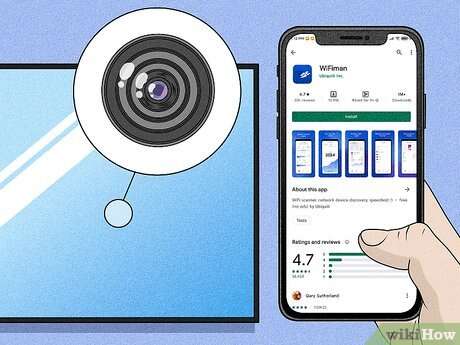
Check mirrors for cameras using reflection tests, flashlight scans, and lens-detection tools quickly.
I have spent years advising clients on room security and privacy. This guide explains clearly how to check mirrors for cameras, with proven steps, tools, and real-world tips you can use today. Read on to learn reliable methods, avoid common mistakes, and protect your privacy.

Why check mirrors for cameras
Mirrors can hide tiny cameras behind two-way glass or inside frames. Knowing how to check mirrors for cameras shields your privacy and helps you act quickly if a device is present. This section explains the risks and why routine checks matter.
Common types of cameras hidden in mirrors
Understanding camera types helps you spot them faster. Here are the most common ones found behind or near mirrors:
- Pin-hole cameras
Small, often concealed behind a small opening or under a reflective surface. - Two-way mirror cameras
Built into one-way glass with a camera behind the reflective surface. - Lens-in-frame cameras
Placed inside mirror frames or decorative elements to hide the lens. - Wireless micro-cameras
Tiny units that transmit video using Wi-Fi or RF signals. - Camera modules in smart mirrors
Integrated into smart devices that include cameras for apps or features.
Knowing these types helps when you learn how to check mirrors for cameras and what clues to look for.

Tools you need to check mirrors for cameras
You can do a basic check with just a phone and a flashlight. These tools make checks more precise and faster.
- Smartphone camera
Use the front and rear cameras to catch reflections or IR light. - Flashlight or phone flashlight
Shining a light can reveal lens glints or dark spots behind glass. - Laser pointer (low power)
A tiny dot can show lens curvature or reflections in a hidden lens. - IR filter or night-vision app
Useful to detect infrared LEDs that some cameras use. - RF detector
Scans for wireless camera transmissions on common bands. - Inspection mirror or endoscope camera
Helps see behind frames or inside gaps. - Magnifying glass
Helps inspect suspicious holes or seams closely.
These tools cover the basics and give you options for deeper checks when learning how to check mirrors for cameras.

Step-by-step method to check mirrors for cameras
Follow these clear steps. Keep sentences short. Work methodically.
-
Visual scan
- Stand close to the mirror. Look for small holes, unusual seams, or dark spots in the glass or frame.
- Check mounting hardware and any gaps. Cameras often sit in hidden gaps.
-
The fingertip test
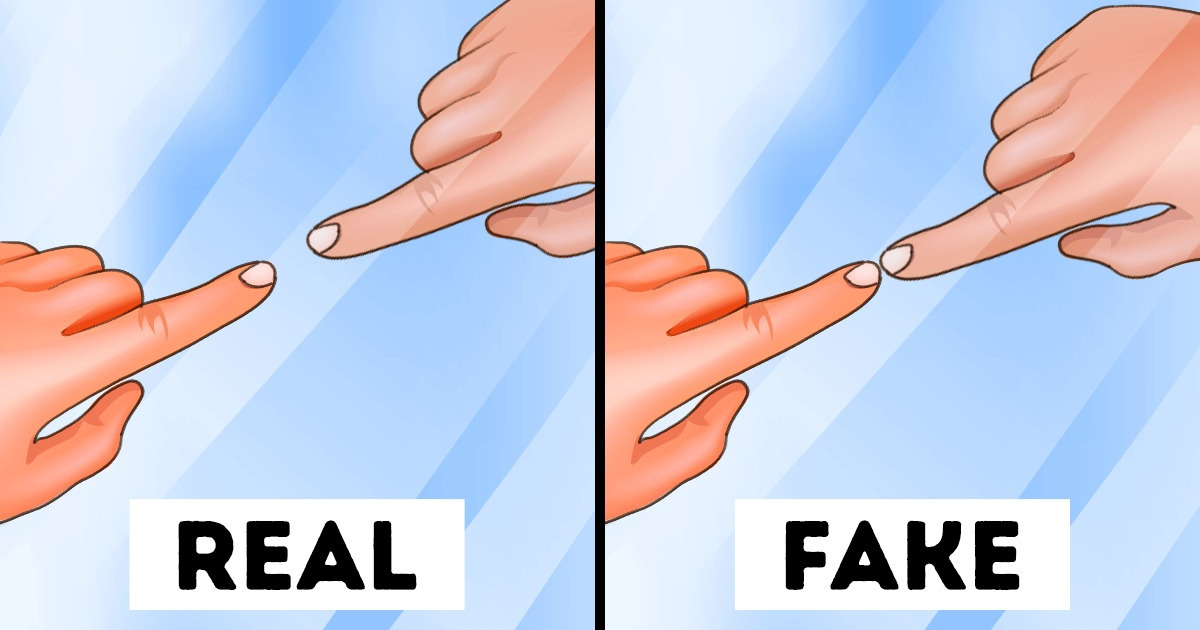
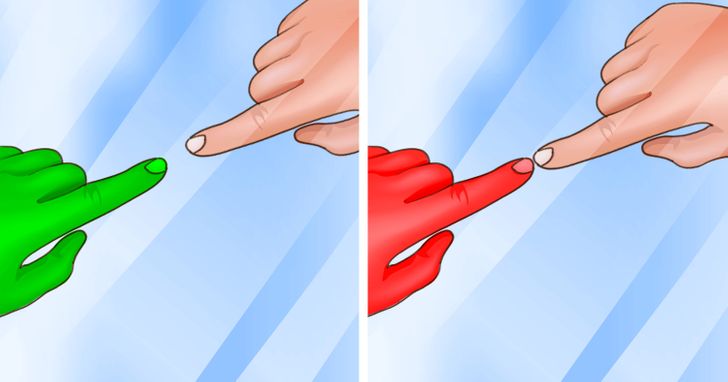
- Place your finger on the glass. If there is a gap between your fingertip reflection and your real finger, the glass may be single pane. If there is no gap, it might be two-way glass.
- This quick test helps determine mirror depth and possible one-way glass.
-
Flashlight reflection
- Turn off room lights and shine a flashlight at the mirror from several angles.
- Watch for tiny bright pinpoints or a lens reflection. Lenses will reflect a small, round glint.
-
Camera-only test with your phone
- Use your phone’s front camera and look directly at the mirror. Move around slowly.
- Many hidden cameras have IR LEDs. The phone camera may reveal faint white or purple dots that the eye misses.
-
Close inspection with tools
- Use a magnifier or endoscope to inspect holes, seams, and fixture cavities.
- Check behind frames and trim where cameras might be taped or glued.
-
RF and network scan
- Use an RF detector to scan for active transmitters near the mirror.
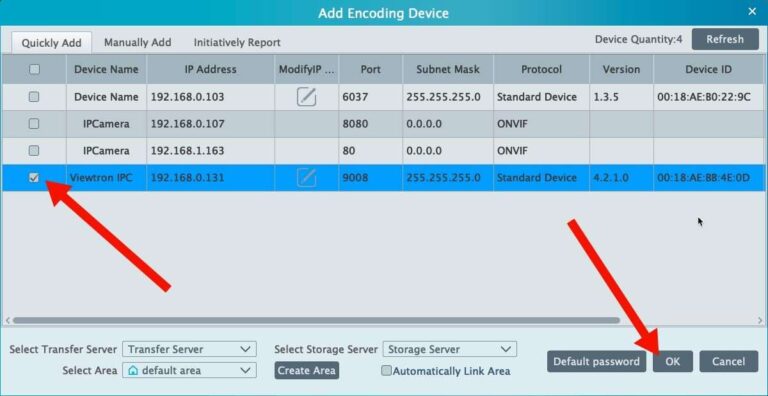
- Check your phone’s Wi-Fi list for unknown devices or camera-like hostnames.
-
Confirm and document
- If you find a suspicious object, photograph it and avoid touching the device if you may need evidence.
- Report to the relevant authority or property owner and follow local legal guidance.
These steps show how to check mirrors for cameras in a thorough and methodical way.

Advanced detection techniques
When basic checks are inconclusive, use advanced options. These are useful for high-risk settings.
- Infrared camera scan
Use a camera sensitive to IR to spot LEDs or heat signatures behind the glass. - Thermal imaging
A thermal camera can show heat from an active device behind a mirror. - Network monitoring tools
Scan the local network for unknown cameras or streaming devices using simple network apps. - Professional RF sweep
A trained technician can perform a full RF sweep for covert transmitters. - Physical inspection by a pro
If privacy risk is high, hire a licensed security or forensic team to remove and test the mirror.
These advanced methods improve accuracy when you need to step beyond how to check mirrors for cameras with DIY tools.

Legal and privacy considerations when you find a camera
Know the rules before you act. Laws vary, and safe handling matters.
- Preserve evidence
Photograph and avoid moving devices if you may need to show proof. - Understand local laws
Recording laws differ by location; illegal surveillance may be a criminal matter. - Notify authorities or management
Contact building management, security, or the police if you suspect criminal surveillance. - Protect your privacy now
Leave the area, secure your data, and warn others if you find a camera in a shared space.
If you learn how to check mirrors for cameras and discover one, following legal steps protects you and makes any case stronger.
Personal experience and lessons learned
I worked with several clients who suspected hidden cameras in rental units. A simple flashlight test found a pinhole lens behind a bathroom mirror. In another case, a smartphone camera revealed IR dots that the naked eye missed. These experiences taught me key lessons:
- Always document what you find with photos and notes.
- Start with cheap, fast tests before buying costly gear.
- Don’t touch devices that could be evidence.
- Trust your instincts. If something feels off, act.
My practical tests show that learning how to check mirrors for cameras can be quick and effective when you follow a clear routine.

Frequently Asked Questions of how to check mirrors for cameras
How quickly can I check mirrors for cameras when I enter a room?
You can perform a basic check in 2 to 5 minutes using a visual scan, fingertip test, and flashlight check. For higher assurance, add a phone camera scan and RF check, which may take another 5 to 10 minutes.
Can my phone camera detect hidden cameras behind mirrors?
Yes. Phone cameras often detect infrared LEDs and lens glints that the eye misses. Use the front and rear cameras in a dark room to increase the chance of spotting hidden lenses.
Is the fingertip test reliable for finding one-way mirrors?
The fingertip test is a quick indicator but not foolproof. It helps you spot likely two-way glass, but follow up with light tests and close inspection to be sure.
Do all hidden cameras broadcast Wi-Fi or RF signals?
Not all do. Some cameras record to internal storage and do not transmit. An RF detector helps find broadcasting devices, but a visual and physical inspection is still essential.
What should I do if I find a camera in a private space?
Document the device with photos and leave the area if you feel unsafe. Report the finding to property management or law enforcement and avoid tampering with the device to preserve evidence.
Are professional sweeps necessary for everyday checks?
For most people, basic checks are sufficient. Professional sweeps are recommended for high-risk situations or when strong suspicion exists about covert surveillance.
Conclusion
Checking mirrors for cameras is a practical skill that protects privacy and peace of mind. Use simple tests first—visual scans, fingertip checks, flashlight reflections, and phone camera scans—then apply tools like RF detectors or thermal cameras as needed. Learn the signs, document what you find, and follow legal steps if you discover a device. Take action today: try a quick mirror check in your living space and subscribe or comment to share your experiences or questions.

Everett Ashford is a tech reviewer at mytechgrid.com specializing in SSDs, cameras, TVs, earbuds, headphones, and other consumer electronics. He provides honest, data-driven reviews based on hands-on testing and real-world performance analysis. Everett simplifies complex tech details to help readers make smart, confident buying decisions.