Choose the A7S III for run-and-gun low light; pick the FX3 for a cinema-style, rig-ready build.
I’ve shot weddings, short films, music videos, and corporate work with both bodies. I know the gear, the workflow, and the trade-offs. This guide on How to choose A7S III or FX3 for professional video breaks down specs, ergonomics, audio, codecs, and practical workflow tips. Read on to make an informed choice fast.
Quick side-by-side: Which camera fits your job
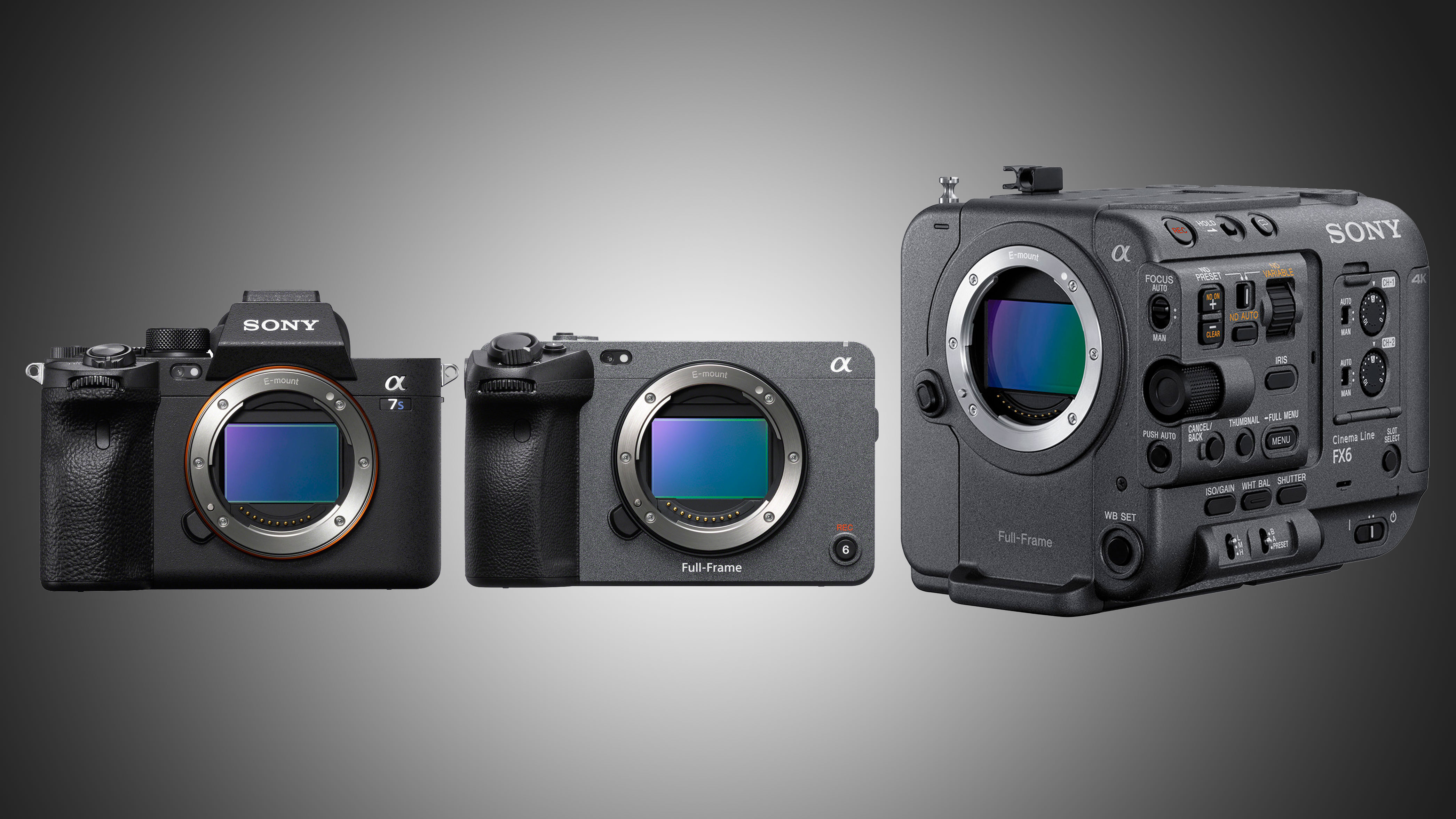
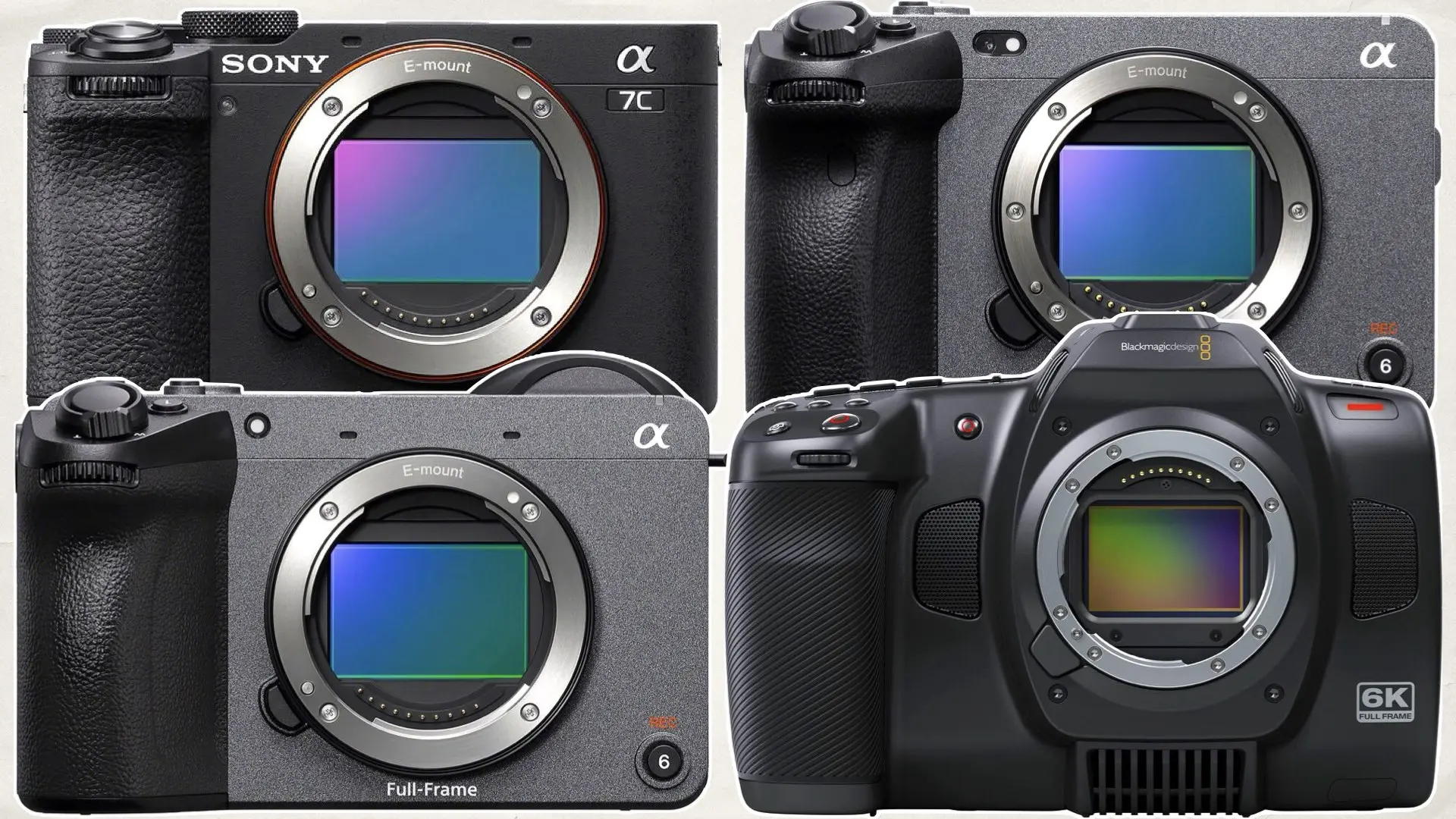
Both cameras share the same 12MP sensor and image pipeline. They differ mainly in body design, control layout, and accessory fit. If you need handheld comfort and a viewfinder, A7S III shines. If you build a camera into cages, gimbals, or rigs, FX3 is tuned for that life.
Key differences at a glance:
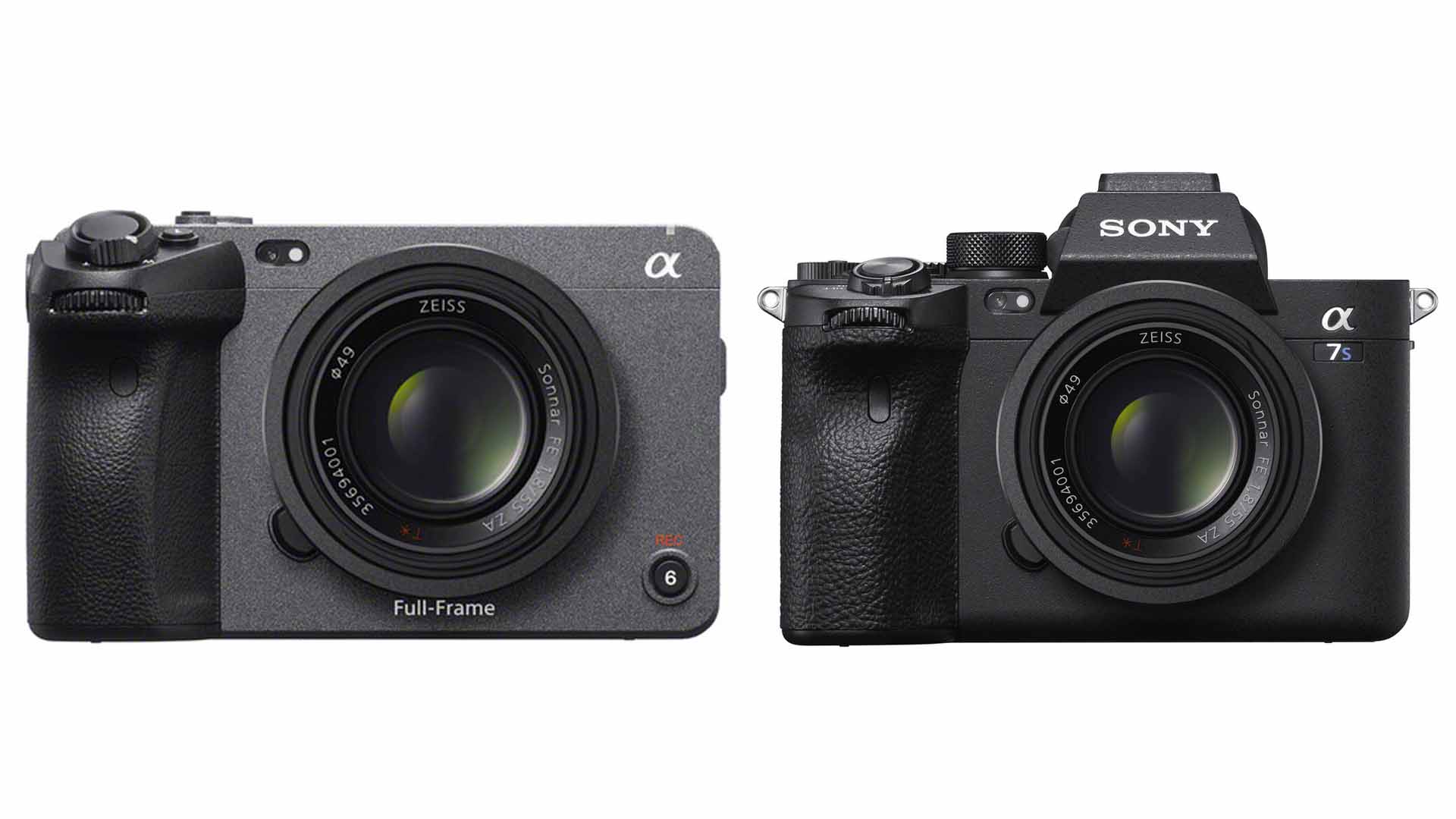
- Body style: A7S III is mirrorless hybrid. FX3 is cinema-style.
- Controls: A7S III has a larger EVF and more traditional dials. FX3 favors top and side controls for rigs.
- Cooling and mounting: FX3 has top handle mount points and active cooling for long takes.
- Price and kit: FX3 often sold as a cinema kit; A7S III is aimed at hybrid shooters.
How to choose A7S III or FX3 for professional video depends on how you work: do you value viewfinder-based framing and stills, or a form factor ready for a cage and long rolling? Use that as the main filter.
Sensor, image quality, and low-light performance
Both cameras use the same 12.1MP full-frame sensor and deliver nearly identical image quality. You get clean shadows, excellent dynamic range, and stellar 4K up to 120p.
Points to remember:
- Low light: Both excel in low light thanks to large pixels and strong noise control. ISO performance is virtually the same.
- Color and grading: Same color science base. You’ll get consistent skin tones and wide grading latitude.
- Resolution vs. workflow: 12MP means less crop when shooting high-res stills, but video is the focus. Both handle 10-bit 4:2:2 internally.
From my shoots, low-light weddings and run-and-gun gigs showed no practical image gap between the two. So, how to choose A7S III or FX3 for professional video often comes down to ergonomics more than sensor.

Build, ergonomics, and usability
Ergonomics change how fast and well you shoot. A7S III feels like a classic mirrorless. FX3 feels like a mini cinema camera.
What this means in practice:
- A7S III
- Comfortable handgrip and deep EVF for handheld and hybrid work.
- Traditional dials ease exposure adjustments on the fly.
- Ideal if you shoot both stills and video.
- FX3
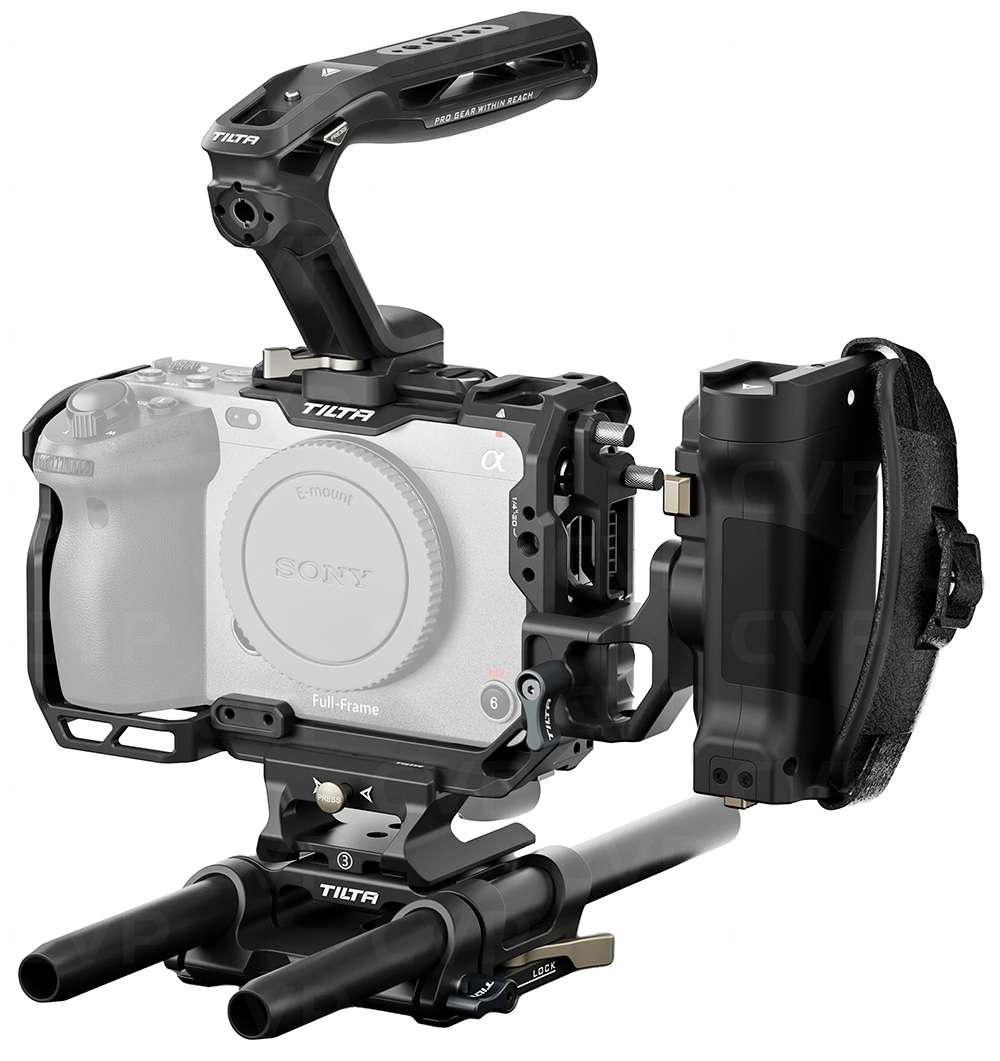
- Flip-out top handle options and easy cage mounting points.
- Body has tally lights and dedicated record buttons for teams.
- Better when you run a camera on gimbals or in multicamera setups.
If you often handhold with a lens and need the EVF, choose the A7S III. If you mostly mount the camera and add accessories, FX3 simplifies life. This is a core part of how to choose A7S III or FX3 for professional video.
Audio, monitoring, and connectivity
Sound matters as much as image. The FX3 is built for fast access to pro audio. A7S III is capable but favors traditional setups.
Audio and port highlights:
- A7S III
- Built-in mic, hot shoe, and mic jack. XLR needs an adapter or XLR-K3M handle.
- EVF helps when tracking and monitoring audio visually.
- FX3
- Optional handle with built-in XLR inputs.
- Side tally lights and better button placement for camera assistants.
- Designed for fast, on-set audio workflows.
When audio is critical and you want fewer external boxes, the FX3 often wins. This practical difference often decides how to choose A7S III or FX3 for professional video on set.

Video specs, codecs, and internal recording
Both cameras support high-bitrate codecs suitable for professional work. Expect 4K up to 120p internally in 10-bit 4:2:2.
Core specs to note:
- Internal recording: 10-bit 4:2:2 up to 4K 120p on both bodies.
- External recording: Both support RAW output over HDMI to external recorders.
- Slow motion and frame rates: Smooth 120p in 4K for creative slow motion.
For most pro workflows, both cameras cover codec needs. Your choice won’t limit quality. Think workflow and storage budgets when deciding how to choose A7S III or FX3 for professional video.

Stabilization and motion work
In-body stabilization helps shooters get tighter handshakes and better gimbal results.
What to expect:
- IBIS performance is solid on both models for handheld shots.
- FX3’s body design integrates with gimbals and has mounting points for accessories.
- For heavy stabilization needs, either works well, but FX3 is more rig-friendly.
If you frequently use gimbals or cages, the FX3’s form fits better. If you handhold and want viewfinder feedback, A7S III may feel more natural. This weighs into how to choose A7S III or FX3 for professional video.
Battery life, heat management, and long takes
Long shoots expose small weaknesses. Thermals and batteries matter.
Practical notes:
- Both use the same NP-FZ100 battery system. Battery life is similar.
- FX3 includes active cooling which helps during long, high-bit-rate recording sessions.
- A7S III manages heat well, but FX3’s cooling and body design favor long continuous shots.
If you record long interviews, events, or live shows, FX3 reduces interruptions. That factor often tips the scale when deciding how to choose A7S III or FX3 for professional video.

Workflow, accessories, and lens ecosystem
Think beyond the body. Lenses, gimbals, cages, and monitors shape daily workflows.
Checklist for practical workflow:
- Lenses: Both use E-mount lenses. Same ecosystem.
- Cages and handles: FX3 needs less cage work. A7S III fits traditional cages and grips.
- Monitors and recorders: Both pair well with external monitors and recorders.
- Media: Use CFexpress Type A or fast SD cards for high-bitrate recording.
Your existing lens collection and accessory preferences often decide how to choose A7S III or FX3 for professional video.
Price, value, and resale
Budget matters. Both bodies have similar price tiers but different kit options.
Consider:
- Body-only cost is close for both models.
- FX3 sometimes bundled with cinema accessories.
- Resale value remains strong for both, but hybrid shooters may prefer A7S III for versatility.
Balance immediate needs and total cost of ownership when you weigh how to choose A7S III or FX3 for professional video.
Which should you buy? Use-case recommendations
Match the camera to your common jobs.
Recommendations:
- Wedding and run-and-gun videographers: A7S III for EVF, comfortable grip, and hybrid needs.
- Indie filmmakers and solo cinematographers: FX3 for rig readiness, cooling, and pro audio.
- Corporate or multicamera shoots: FX3 for team-friendly features.
- Hybrid shooters who shoot stills regularly: A7S III for better stills ergonomics.
Think of this as workflow-first decision-making. How to choose A7S III or FX3 for professional video should align with your most frequent jobs.
Decision checklist: Final steps before buying
Follow a simple checklist to finalize your choice.
Step-by-step:
- List the top three shoot types you do.
- Decide if you need an EVF for framing or a rig for mounts.
- Check if pro audio XLR inputs matter without adapters.
- Consider long continuous takes and cooling needs.
- Factor in budget for lenses, gimbals, and monitors.
Answer these and you’ll quickly see how to choose A7S III or FX3 for professional video.
Personal tips from my shoots
I’ve used both cameras on real jobs. Here are quick, honest notes.
Real-world lessons:
- On a night wedding, the A7S III made fast work of tight reception lighting.
- For a short film with long takes, FX3’s cooling and XLR handle saved time and gear.
- I once tried to skip a cage with the A7S III and regretted it for a gimbal-heavy shoot.
- I prefer the A7S III when I need to switch between photos and video fast.
These small experiences highlight how to choose A7S III or FX3 for professional video based on real needs.
Frequently Asked Questions of How to choose A7S III or FX3 for professional video
Which camera is better for low-light video?
Both perform roughly the same in low light due to the same sensor and processing. Choose based on ergonomics rather than sensitivity.
Is the FX3 better for long recording sessions?
Yes. FX3’s cooling and cinema-focused layout make it better for long continuous recording and professional setups.
Can I use the same lenses on both cameras?
Yes. Both are E-mount and share the same lens ecosystem and compatibility.
Which camera is better for hybrid shooters who also take photos?
A7S III is better for hybrid shooters because it has a larger EVF and more traditional stills controls.
Do both cameras support RAW output to external recorders?
Yes. Both support RAW output over HDMI to external recorders for higher-end workflows.
Will FX3 work without a cage on a gimbal?
Yes, but many users prefer adding a small cage for extra mounting points and safety on a gimbal.
Is there a big difference in image quality between the two?
No. Image quality is virtually identical since they share sensor and image processing.
Which camera holds value better for resale?
Both retain strong resale value; choose the one that matches your work to avoid quick flips or regrets.
Do both models have in-body stabilization?
Yes. Both cameras include IBIS for smoother handheld footage and easier gimbal tuning.
Which model is more beginner-friendly?
A7S III may feel more familiar to beginners due to its traditional layout and EVF for composing shots.
Conclusion
Choosing between these two comes down to how you work, not image quality. If you shoot handheld, hybrid jobs, or stills, A7S III likely fits best. If you build cinema rigs, value long takes, and want plug-and-play audio, FX3 is the smarter pick. Use the checklist above to match features to your workflow. Pick the camera that makes your day easier and your edits faster. Try one in your hand, test with your lenses, and decide by workflow. Share your choice or ask questions below — I’ll help you fine-tune the fit.

Jamie Lee is a seasoned tech analyst and writer at MyTechGrid.com, known for making the rapidly evolving world of technology accessible to all. Jamie’s work focuses on emerging technologies, product deep-dives, and industry trends—translating complex concepts into engaging, easy-to-understand content. When not researching the latest breakthroughs, Jamie enjoys exploring new tools, testing gadgets, and helping readers navigate the digital world with confidence.