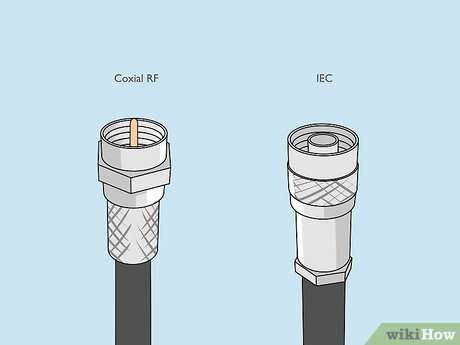
Connect the antenna coax to the TV’s antenna input, tighten the connector, then run a channel scan.
I’ve installed and tested antennas for years, and I’ll walk you through every step of how to connect a antenna to a tv with clear, practical advice. This guide covers antenna types, required tools, step-by-step setup, placement tips, amplifiers, and troubleshooting so you get the best free broadcast channels quickly and reliably. Read on to save time, avoid mistakes, and enjoy crisp over-the-air TV signals.
Why use an antenna for TV reception?
An antenna gives you free access to local broadcast channels in high definition. Many networks still broadcast major local news, sports, and prime-time shows over-the-air. Using an antenna is often cheaper than streaming or cable, and it can deliver very stable picture quality when properly set up. Learning how to connect a antenna to a tv is the first step to cutting costs and improving signal reliability.
Types of antennas and which to choose
Indoor antennas are small and easy to place. They work best near windows or in urban areas with strong signals.
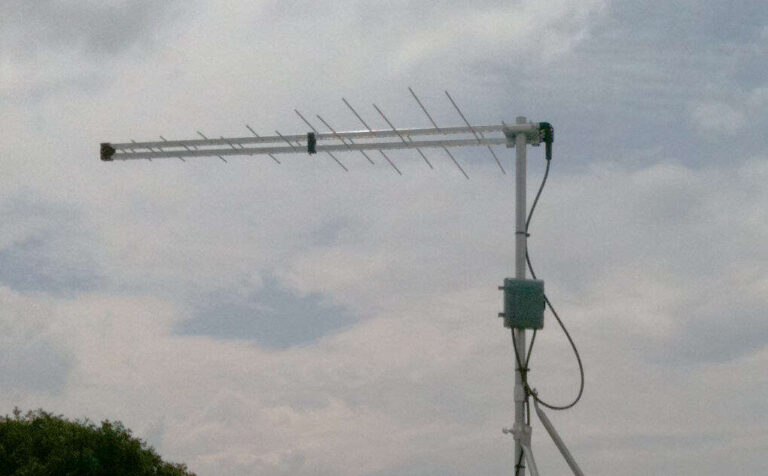
Outdoor antennas perform better at longer ranges. They capture both UHF and VHF and are ideal when you have multiple miles to the broadcast towers.
Amplified antennas include a built-in amplifier to boost weak signals before they reach your TV. They help when line-of-sight is limited but can worsen reception if signals are already strong.
Directional antennas focus on signals from one direction. Omnidirectional antennas pick up from many directions. Choose based on tower layout. Knowing how to connect a antenna to a tv is easier when you match antenna type to your needs.
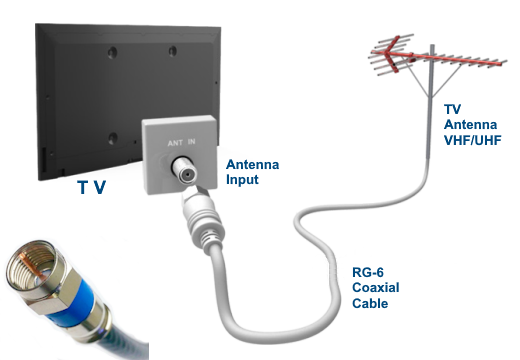
Tools and materials you’ll need
- Coaxial cable (RG6 preferred) with F-type connectors for best signal.
- Antenna (indoor or outdoor) selected for your area and channels.
- Coax wrench or pliers with padding to tighten connectors gently.
- Optional: signal amplifier, splitter, grounding rod, and mast if mounting outside.
- TV with a built-in digital tuner or a digital converter box for older sets.
- Ladder, drill, and mounting brackets for outdoor installations.
Preparing these items before you start makes how to connect a antenna to a tv fast and straightforward.
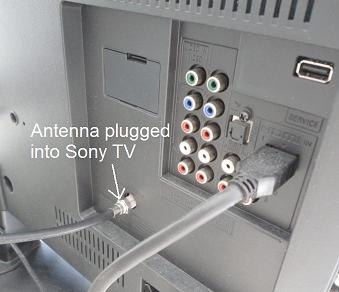
Step-by-step: how to connect a antenna to a tv
Follow these steps for a clean, stable antenna setup. Each step is short and practical.
Before you start
Check that your TV has an antenna input labeled ANT, ANT IN, or RF. If not, you will need a digital converter box. Also, locate the broadcast towers for your area using an online antenna locator to pick the best antenna direction.
Step 1 — Assemble the antenna
Attach any included parts per the instructions. If the antenna has an adjustable director, point it roughly toward the broadcast towers.
Step 2 — Run coax to the TV
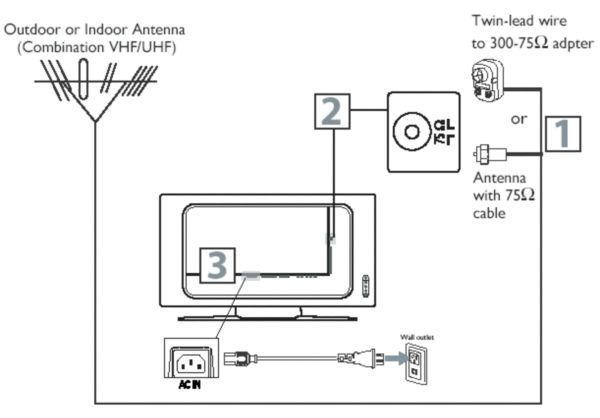
Connect one end of the RG6 coax to the antenna’s output. Run the cable to your TV location, keeping it away from power lines and large metal objects.
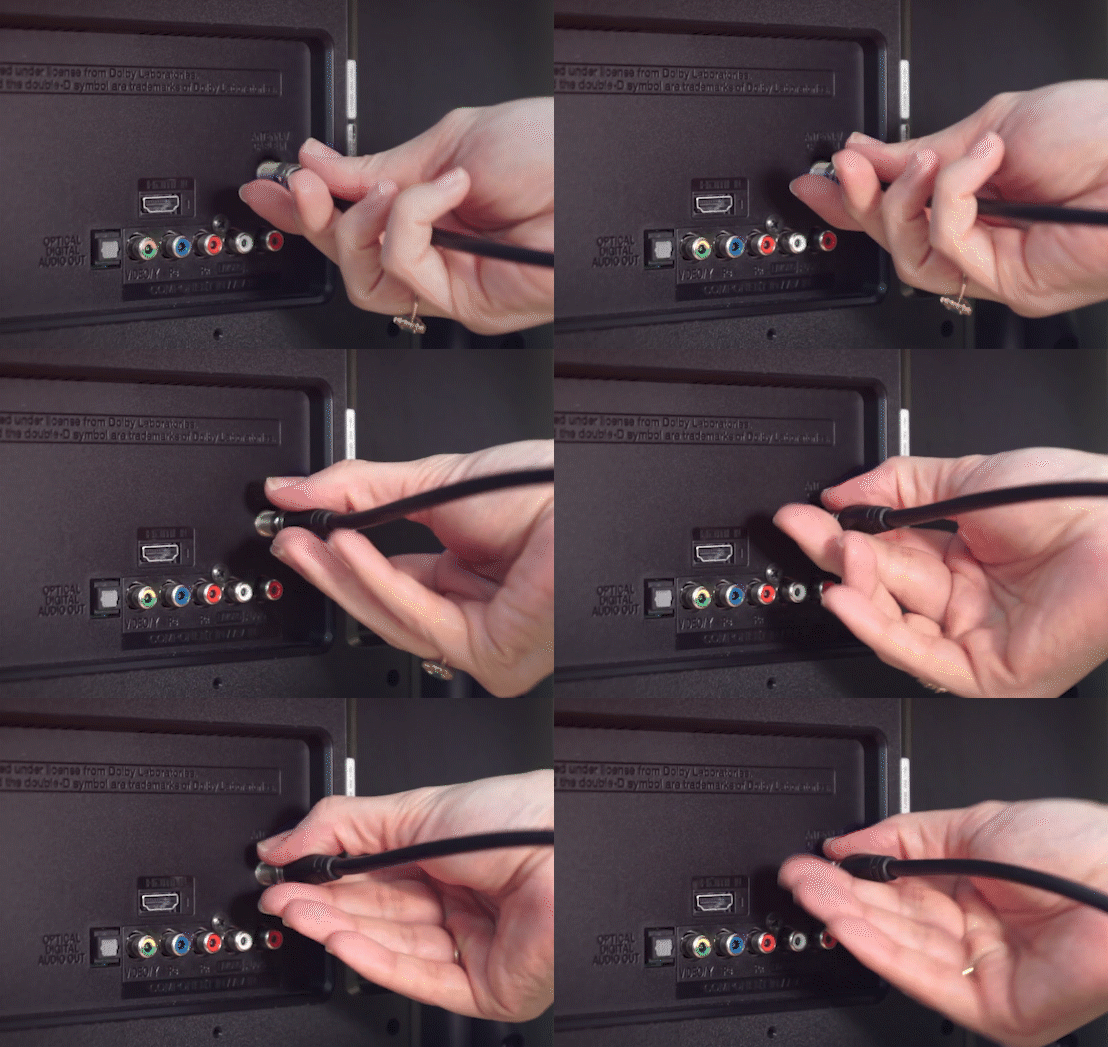
Step 3 — Attach the coax to the TV
Screw the coax F-connector firmly onto the TV’s ANT IN. Tighten by hand, then give a quarter-turn with a pad-protected wrench. This step of how to connect a antenna to a tv prevents loose connections and noise.
Step 4 — Power and amplifier (if used)
If your antenna uses an inline amplifier, power it according to the manufacturer’s instructions. Plug any power inserter into the coax as directed.
Step 5 — Scan for channels
Turn on your TV. Open the menu, find “Channel” or “Tuning,” and start an “Auto Scan” or “Auto Program.” The TV will find available over-the-air channels.
Step 6 — Fine-tune placement
If channels are missing or pixelate, move the antenna, rescan, and test again. Small adjustments often improve reception a lot.
Practicing this process a couple of times helped me quickly learn small tricks. Knowing how to connect a antenna to a tv becomes second nature after one well-planned install.
Antenna placement and mounting tips
Placement often matters more than antenna price. Try a window first. Windows usually give a clearer path to towers.
Higher is usually better for outdoor mounts. Aim for the roof or an attic mount if allowed. Use a rotator if you need to aim at different towers.
Avoid placing the antenna near large metal objects, HVAC units, or thick walls. Use short, quality coax runs; long or cheap cables can degrade signal. These placement choices affect how to connect a antenna to a tv and the final signal quality.
Using amplifiers, splitters, and multiple TVs
Amplifiers boost signals going into the TV, useful when you have weak reception or long cable runs. Do not use an amplifier if you already receive strong signals; it can cause overload and worse reception.
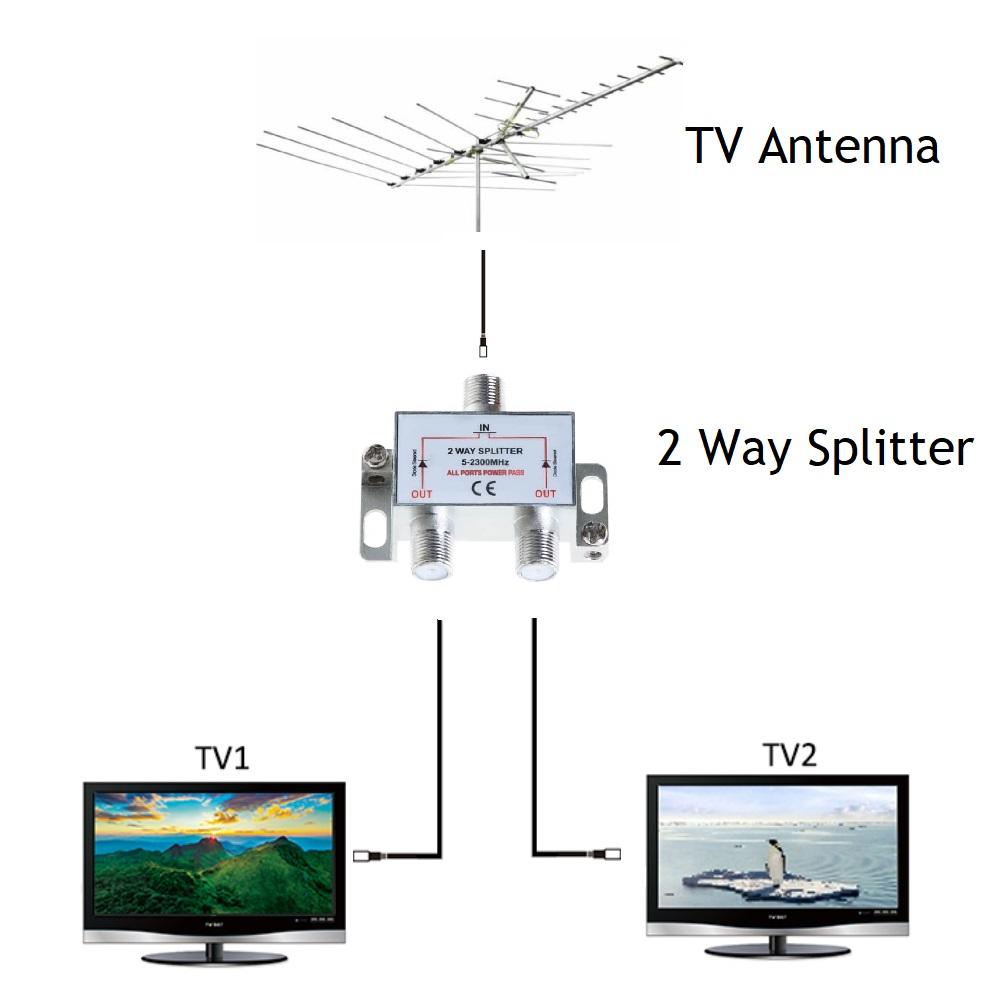
Splitters let you feed multiple TVs. Use a high-quality splitter rated for HDTV. Amplifiers can be placed before a splitter to feed several TVs, but each split cuts signal strength, so plan accordingly.
If you are connecting more than one TV, measure signal to each set and, if needed, use a distribution amplifier. These decisions affect how to connect a antenna to a tv system for multiple rooms.

Troubleshooting common problems
If channels are missing, try a fresh channel scan. Many factors change over time; rescanning can restore lost channels.
Pixelation or intermittent drops often mean weak signal or interference. Move the antenna, try another window, or test different cable runs.
No signal could mean a bad cable or connector. Check all connections and swap cables if possible. Ground outdoor setups to reduce lightning risk. These steps will solve most issues when you learn how to connect a antenna to a tv.
:max_bytes(150000):strip_icc()/4-dacd8a9e266248feb405ae9070714406.jpg)
Frequently Asked Questions of how to connect a antenna to a tv
How do I know if my TV has a built-in tuner?
Most TVs made after 2007 include a digital ATSC tuner. Check the user manual or menu for “Antenna,” “Tuner,” or “Auto Scan.” If your TV lacks a tuner, you’ll need a digital converter box.
Can I use any coax cable to connect the antenna?
Use RG6 coax for the best results; it minimizes signal loss over distance. Older RG59 works over short runs but is not ideal for long cable lengths.
Do I need an amplifier to get channels?
Only use an amplifier if signals are weak or split among multiple TVs. Amplifiers can harm reception if the signal is already strong.
Will walls block my indoor antenna?
Yes, thick walls, metal studs, and appliances can reduce signals significantly. Try placing the antenna near a window facing the broadcast towers for better reception.
How often should I rescan for channels?
Rescan after moving your antenna, changing equipment, or when broadcasters add channels. Rescanning every few months helps catch new or moved channels.
Conclusion
You now have a clear, practical plan for how to connect a antenna to a tv. Gather the right tools, pick the proper antenna, attach coax properly, and run a channel scan. Small placement tweaks and the right accessories can make a big difference. Try the steps today, test a few placements, and leave a comment about your setup or questions — I’ll help troubleshoot.

Everett Ashford is a tech reviewer at mytechgrid.com specializing in SSDs, cameras, TVs, earbuds, headphones, and other consumer electronics. He provides honest, data-driven reviews based on hands-on testing and real-world performance analysis. Everett simplifies complex tech details to help readers make smart, confident buying decisions.