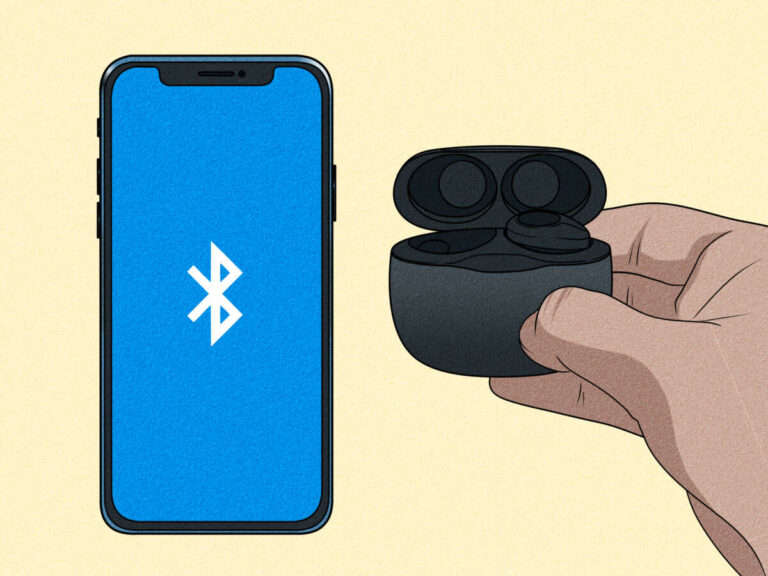
Turn on earbuds, enable Bluetooth on your device, then select the Heyday name to pair.
I’ve paired dozens of true wireless earbuds and tested many Target Heyday models. This guide shows clear, step-by-step instructions on how to connect Heyday earbuds, solve common problems, and get the best sound and battery life. Read on to pair fast and avoid the usual hiccups.

What you need before pairing
Make sure your Heyday earbuds and your phone or tablet are ready. Charge both earbuds and the case to at least 30 percent. Turn on Bluetooth on your device and close other nearby Bluetooth connections. Having the manual or a quick look at the LED cues on the case helps you match lights to modes when you learn how to connect Heyday earbuds.
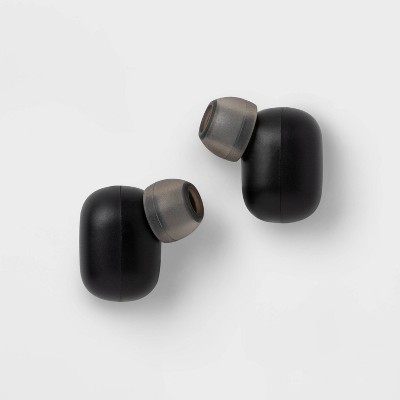
Step-by-step: how to connect heyday earbuds
Follow these simple steps to pair most Heyday true wireless models. Steps are short and practical so you can pair quickly.
- Charge the case and earbuds for at least 30 minutes if they are new.
- Remove both earbuds from the case. Many Heyday earbuds auto-power on and enter pairing mode when out of the case. If they do not, press and hold the touch area or physical button on each earbud for 3–5 seconds to enter pairing mode.
- Watch the LED. A flashing white, blue, or alternating light usually means pairing mode is active. This is the key clue when learning how to connect Heyday earbuds.
- Open Bluetooth settings on your phone or tablet. On iPhone go to Settings > Bluetooth. On Android go to Settings > Connections or Bluetooth.
- Look for the device name that says Heyday, Heyday Buds, or the specific model number. Tap to connect. You may see “Pair” or a confirmation popup; tap to accept.
- Wait a few seconds. You should hear a pairing tone or see a steady LED that indicates success. Test audio by playing a short clip.
- If you want to use a single earbud, place the other bud back in the case. The active bud should connect automatically, depending on the model. If it does not, take the single bud out and follow the same pairing steps.
I once tried to pair a fresh set and it failed. A quick charge and holding both buds in the case reset them and they paired immediately. That taught me to always top charge before first pairing.

Troubleshooting common pairing issues
If pairing fails, try these clear fixes. Each step is quick and has worked for me with Heyday and similar earbuds.
- Forget and re-pair: In your device’s Bluetooth menu, tap the Heyday device and choose Forget or Unpair, then repeat the pairing steps. This clears old link info and often fixes conflicts.
- Toggle Bluetooth and restart your phone: Turn Bluetooth off and on again, or reboot the device. A fresh Bluetooth session helps many pairing problems.
- Reset the earbuds: Put both earbuds in the case. Hold the case button or press and hold the earbud touch areas for 8–12 seconds until LEDs flash red/white or blink differently. Then repeat how to connect Heyday earbuds from step one.
- Charge fully: Low battery can stop pairing. If the case or earbuds are near empty, charge them for 20–30 minutes and try again.
- Move away from interference: Get away from Wi‑Fi routers, laptops, and other Bluetooth devices. Interference can prevent discovery or stable pairing.
- Test with another device: Try pairing to a different phone or tablet to isolate whether the earbuds or your original device has the issue.
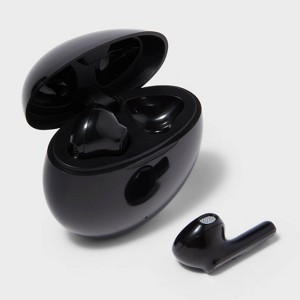
Tips for best performance and battery care
Small habits extend battery life and keep Bluetooth stable. Use these tips after you learn how to connect Heyday earbuds.
- Keep firmware updated: If Heyday offers firmware updates, install them. Updates fix bugs and improve Bluetooth stability.
- Clean contacts: Wipe the charging contacts on buds and case with a dry cloth. Dirty contacts cause poor charging and random disconnects.
- Store in the case: When not in use, keep earbuds in the case. This prevents battery drain and keeps them paired.
- Avoid extreme temperatures: Heat and cold reduce battery health. Keep the case in a normal indoor temperature range.
- Use mono mode for calls: If battery is low, use one earbud for calls to extend use time. Many Heyday models support single-ear use.
- Turn off auto-connect if needed: If your phone keeps reconnecting incorrectly, disable auto-connect in Bluetooth settings and connect manually.

Advanced features and settings
Once you know how to connect Heyday earbuds, explore these advanced options to get more from them.
- Touch controls: Learn single-tap, double-tap, and long-press gestures. These control play, pause, skip, and voice assistant on many Heyday buds.
- Voice assistant launch: Most models let you hold a bud to trigger Siri or Google Assistant. Check your phone settings to allow access.
- EQ and sound settings: Use your phone’s built-in EQ or a music app to tune bass or treble. Some earbuds work with third-party equalizer apps for extra control.
- Pairing with multiple devices: Many Heyday earbuds remember more than one device. To switch devices, disconnect on the first device and select the earbuds on the second device’s Bluetooth list.
- Factory reset: If all else fails, use the factory reset routine in the manual. This erases custom pairings and returns the buds to default settings. After reset, follow how to connect Heyday earbuds from the start.
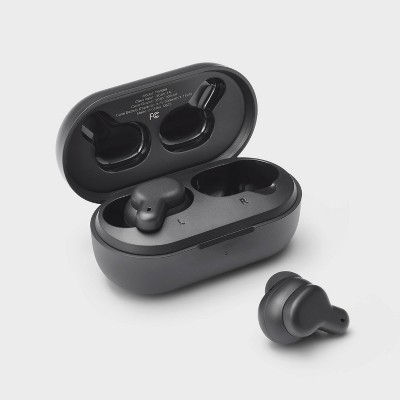
Frequently Asked Questions of how to connect heyday earbuds
How long do I need to hold the earbuds to enter pairing mode?
Press and hold the touch area or button for about 3–5 seconds. The LED will flash when the earbuds are in pairing mode.
My device can’t find the Heyday earbuds. What should I do?
Turn Bluetooth off and on, forget old pairings, and move closer to the earbuds. Try charging the case and repeating the pairing steps.
Can I use one Heyday earbud at a time?
Yes. Place one bud back in the case and use the remaining bud. Some models pair the single bud automatically; others may need a quick re-pair.
How do I reset my Heyday earbuds?
Place both earbuds in the case, then press and hold the case button or the buds’ touch areas for about 8–12 seconds until LEDs flash differently. Then re-pair to your device.
Why does audio cut out occasionally after pairing?
Audio drops often come from interference, low battery, or distance from the device. Move closer, charge the earbuds, and remove nearby devices that may cause Bluetooth conflict.
Conclusion
You now have a clear, step-by-step plan for how to connect Heyday earbuds, plus practical fixes and tips to keep them working well. Start with a full charge, follow the pairing steps, and use the reset and troubleshooting tips if something goes wrong. Try one tip from this guide today and leave a note about your experience or questions below to help others pair faster.

Everett Ashford is a tech reviewer at mytechgrid.com specializing in SSDs, cameras, TVs, earbuds, headphones, and other consumer electronics. He provides honest, data-driven reviews based on hands-on testing and real-world performance analysis. Everett simplifies complex tech details to help readers make smart, confident buying decisions.