Put earbuds in pairing mode, enable Bluetooth, and select JLab from your device list.
I’ve spent years testing earbuds and teaching others to pair gear. This guide explains exactly how to connect jlab earbuds, step by step, with clear tips and fixes I use in real life. Read on to master pairing, solve common problems, and get the best sound and battery life from your JLab earbuds.

Quick overview: what you need to know before pairing
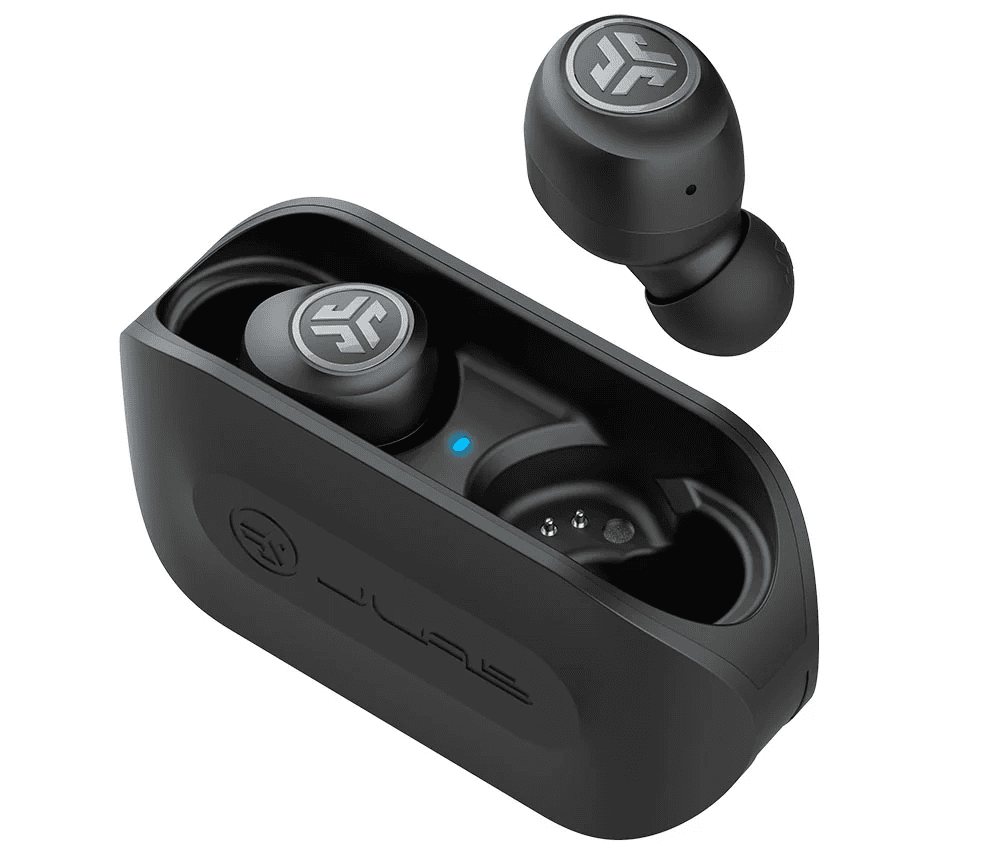
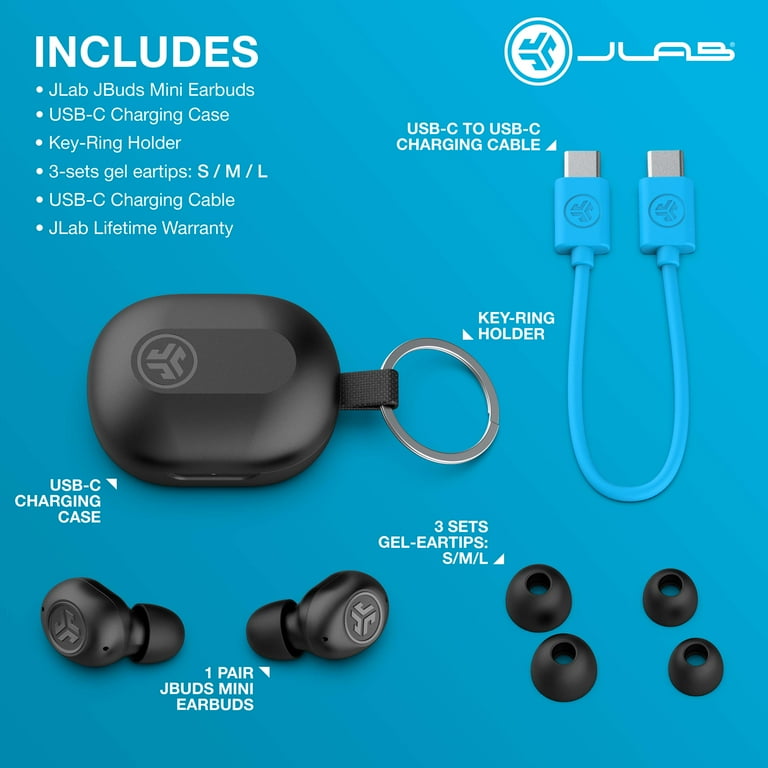
Before you learn how to connect jlab earbuds, check these basics. Make sure your earbuds are charged. Have the device you want to pair nearby and Bluetooth turned on. Different JLab models (Go Air, JBuds, Epic Air) use similar pairing steps, but a few details can change. Knowing the model helps when troubleshooting.
How to connect jlab earbuds — step-by-step guide
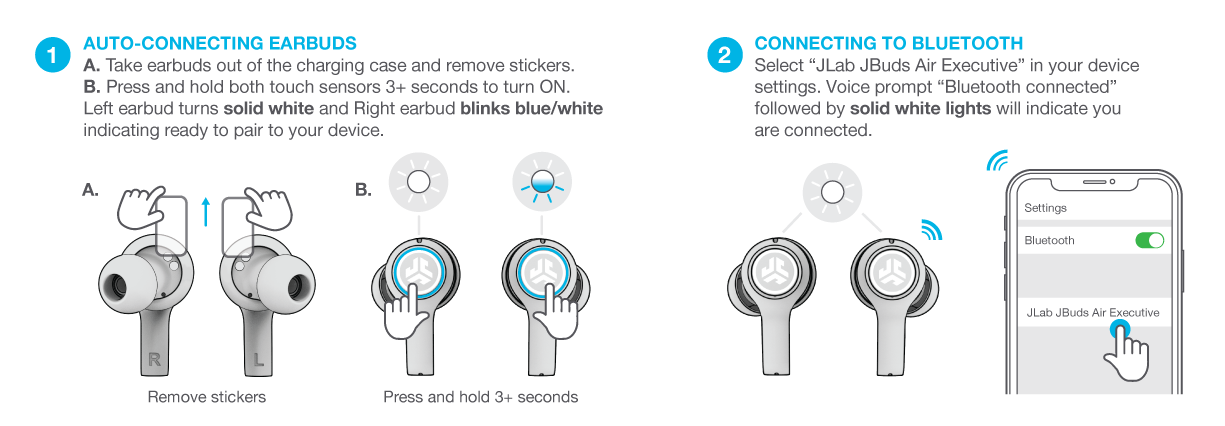
Follow these precise steps to pair most JLab earbuds. If you have a case, charge it and open the lid. For true wireless models, start with both buds in the case.
- Turn on Bluetooth on your phone, tablet, or computer.
- Remove the earbuds from the case or hold the power button to turn them on.
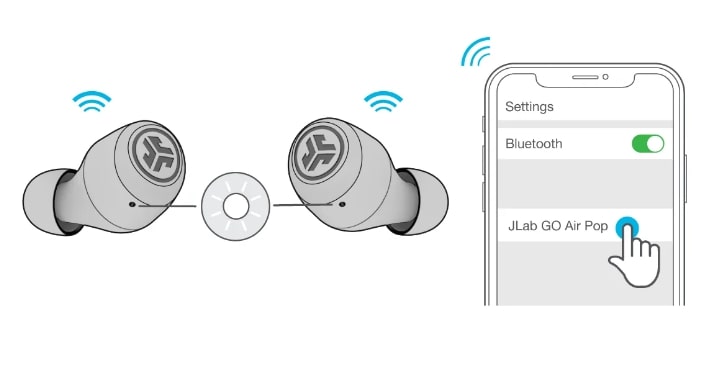
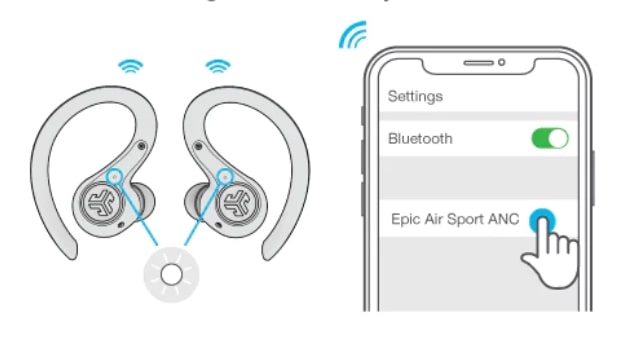
- Put the earbuds in pairing mode. For many JLab earbuds, hold the touch area or button for 3–5 seconds until the LED flashes red/white or red/blue.
- On your device, open Bluetooth settings and scan for new devices.
- Select the device name that starts with “JLab” or the model name.
- If asked for a PIN, enter 0000 or 1234; most JLab earbuds do not require a PIN.
- Wait for the confirmation tone or message. Your earbuds are connected.
If you need to know how to connect jlab earbuds to multiple devices, start pairing with device one first, then use the JLab app or the earbud controls to enable multi-point (if supported).

Pairing a single earbud (mono mode) and re-pairing tips
Sometimes you want to use only one earbud. Here’s how to connect jlab earbuds in mono mode.
- Remove only the bud you want to use from the case.
- If it doesn’t enter pairing automatically, hold the button for 3–5 seconds.
- Connect from your device’s Bluetooth menu like normal.
To re-pair a bud that was previously connected, turn Bluetooth off and on, or forget the device in Bluetooth settings and repeat the pairing steps. If both earbuds won’t pair to each other, reset them using the model-specific reset method (usually holding the button for 10–15 seconds).
Troubleshooting common connection problems
If you struggle to connect, these fixes solve most issues I see.
-
No device name appears
- Move closer to the earbuds. Restart Bluetooth on your phone. Fully charge the earbuds and the case.
-
One earbud connects but the other stays silent
- Place both earbuds in the case and close the lid for 10 seconds. Take them out and try pairing again. Use the reset method for your model.
-
Earbuds show as connected but no sound
- Check the device’s audio output selection. On computers, select JLab as the audio device. Restart the app or media player.
-
Frequent dropouts
- Ensure no other Bluetooth devices are actively streaming nearby. Update firmware and keep the paired device within 30 feet without walls or interference.
-
Pairing repeatedly fails
- Forget the JLab device in Bluetooth settings and reset the earbuds. Try pairing with another phone to isolate whether the issue is the earbud or the source device.
Firmware, apps, and extra features
Some JLab models support firmware updates or an app for EQ and controls. Use the official app when available to get the latest fixes and features.
- Check the JLab app for firmware updates.
- Use the app to change touch controls or sound presets.
- Firmware updates can improve how to connect jlab earbuds and fix stability issues.
If your model lacks an app, follow manual reset and pairing steps. I once fixed repeated dropouts simply by updating firmware that improved Bluetooth stability.

Best practices for battery life and sound quality
Small habits extend battery life and keep a steady connection.
- Charge earbuds before long sessions.
- Close the case when not in use to keep them powered down.
- Keep firmware updated for better battery and Bluetooth management.
- Use the app’s EQ presets for balanced sound and reduced distortion at high volumes.
- Avoid exposing earbuds to extreme heat or cold to protect the battery.
When I travel, I always fully charge my JLab earbuds and pack the case in a pocket away from my phone to avoid accidental power use.

How to connect jlab earbuds to specific devices
Here are quick notes for popular platforms when you want to connect jlab earbuds.
-
Smartphones (iPhone/Android)
- Open Settings > Bluetooth. Tap the JLab device name when it appears. For iPhones, confirm pairing pop-ups if shown.
-
Windows PC
- Open Settings > Devices > Bluetooth & other devices. Click Add Bluetooth and choose the JLab device. Select it as the audio output in Sound settings.
-
Mac
- Open System Preferences > Bluetooth. Click Connect next to your JLab earbuds. Then select them under Sound output.
-
TV or game console
- Many TVs need a Bluetooth adapter for earbuds. Follow the adapter pairing steps and then connect JLab earbuds to that adapter.
Doing this often, I find phones pair fastest. Computers sometimes need you to select the JLab output manually after pairing.
Practical tips I learned from experience
These small tips can save time and frustration when you learn how to connect jlab earbuds.
- Keep the case clean and contacts free of debris to ensure charging works.
- If pairing fails, try another device to test the earbuds. This helps pinpoint whether the issue is the earbuds or the source device.
- Label your Bluetooth devices on your phone if you test multiple headphones often. That cuts confusion.
- Keep one earbud in the case when you want to reset the master-slave connection between buds.
When I first started testing earbuds, I lost an hour trying to pair because the case contact had lint. A quick clean fixed everything.
Frequently Asked Questions of how to connect jlab earbuds
How do I put JLab earbuds in pairing mode?
Press and hold the touch control or power button for about 3–5 seconds until the LED flashes and you hear a voice prompt or tone. Then open Bluetooth on your device and select the JLab name.
My JLab earbuds won’t appear on Bluetooth. What do I do?
Charge the earbuds and case, power cycle both the earbuds and your device, and then try again. If that fails, forget the device in Bluetooth settings and perform a reset on the earbuds.
Can I connect JLab earbuds to two devices at once?
Some JLab models support multi-point pairing. Check your model specifications or the JLab app, and follow the manufacturer steps to enable multi-device connections.
Why does one earbud play while the other is silent?
This often means the earbuds lost sync. Place both in the case, close it for 10 seconds, then remove and re-pair. If it keeps happening, reset the earbuds.
Do JLab earbuds require a PIN to pair?
Most JLab earbuds do not need a PIN. If prompted, common defaults are 0000 or 1234. Check your manual if a different code is required.
Conclusion
You now have a clear, practical plan for how to connect jlab earbuds. Start with charged earbuds, use pairing mode, and select the JLab device in Bluetooth settings. Use the troubleshooting steps here when things go wrong, and update firmware when possible to improve stability. Try these steps today to get fast, reliable connections and better sound.
Take action: pair your earbuds now, test them with a call and music, and leave a comment about your model and results.

Everett Ashford is a tech reviewer at mytechgrid.com specializing in SSDs, cameras, TVs, earbuds, headphones, and other consumer electronics. He provides honest, data-driven reviews based on hands-on testing and real-world performance analysis. Everett simplifies complex tech details to help readers make smart, confident buying decisions.