Look carefully: scan rooms, inspect objects, use apps or RF detectors to find hidden cameras.
I have spent years helping people secure hotels, rentals, and offices. This guide shows clear, tested steps on how to detect hidden camera threats. You will learn simple checks, tech tools, and what to do if you find a device. Read on to protect your privacy with practical tips you can use today.
Why detecting hidden cameras matters
Hidden cameras invade privacy. They can record you without consent. Finding them early stops harm and collects proof. Knowing how to detect hidden camera keeps you and your family safe.
:max_bytes(150000):strip_icc()/how-to-detect-a-hidden-camera-on-android-devices-4590372-1-ecd3b840161b492dade7d8408300fdbe.jpg)
Common hiding places to check first
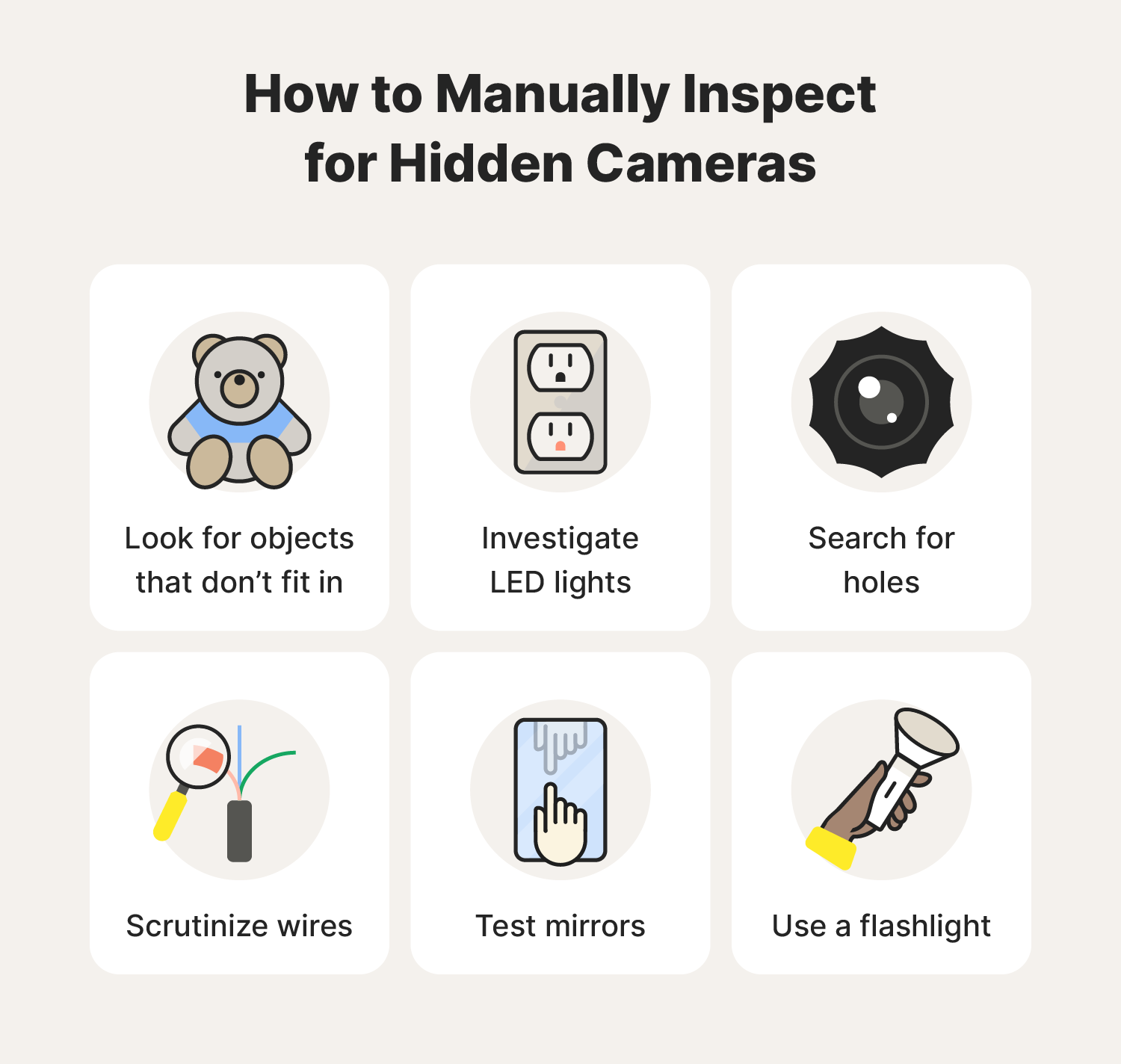
Small electronics and odd items often hide lenses. Check places that face living or sleeping areas. Look at:
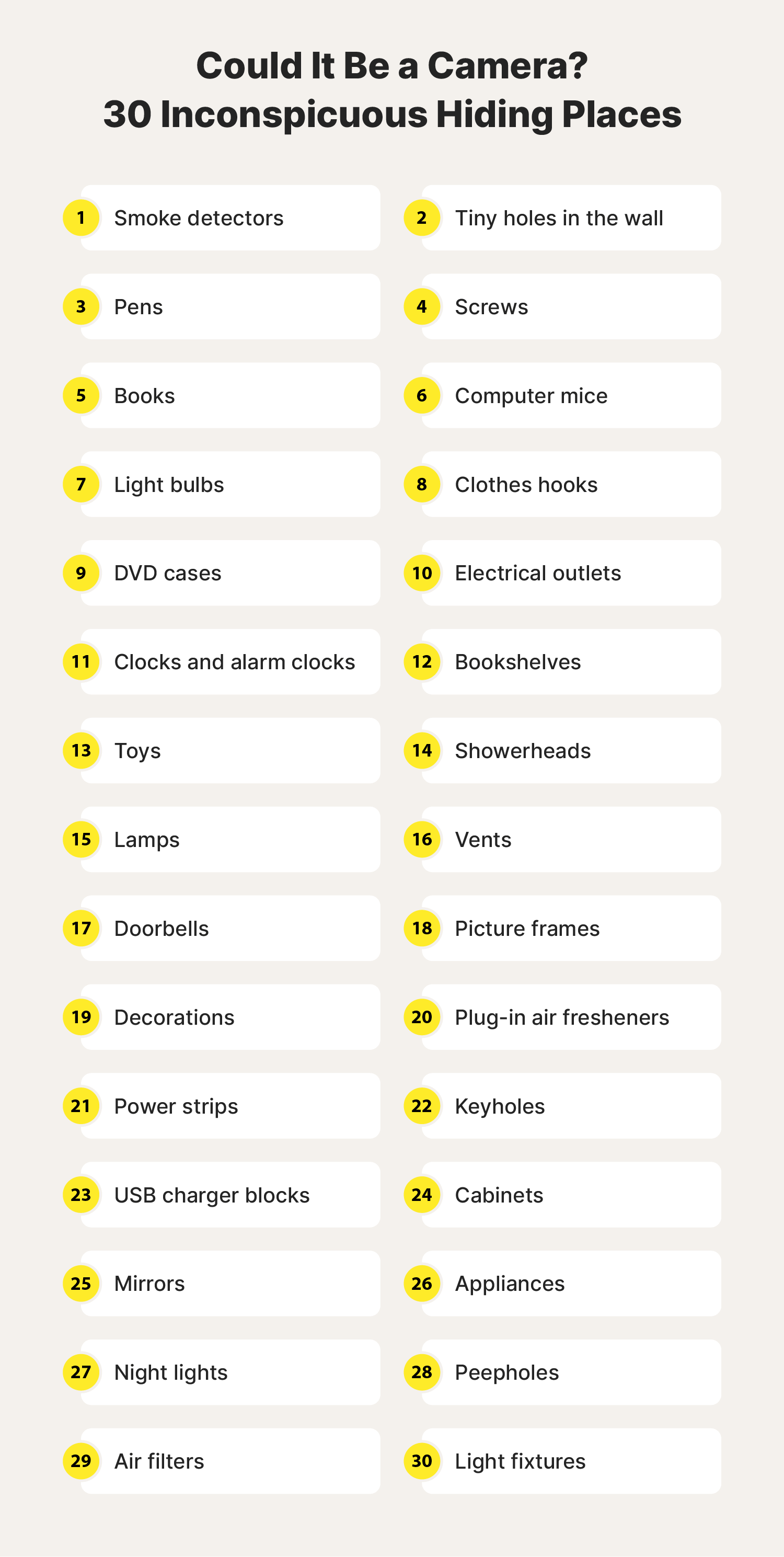
- Smoke detectors, clocks, and alarm clocks. Many models hide a lens behind a small hole.
- Air purifiers, wall outlets, and lamps. These items are often plugged in and stay still.
- Mirrors, picture frames, and stuffed toys. Reflective surfaces can conceal tiny cameras.
- Books, plants, and decorative boxes. These blend into shelves and corners.
- USB chargers, power strips, and small appliances. These offer power to hidden devices.
Source: norton.com
Step-by-step: How to detect hidden camera visually
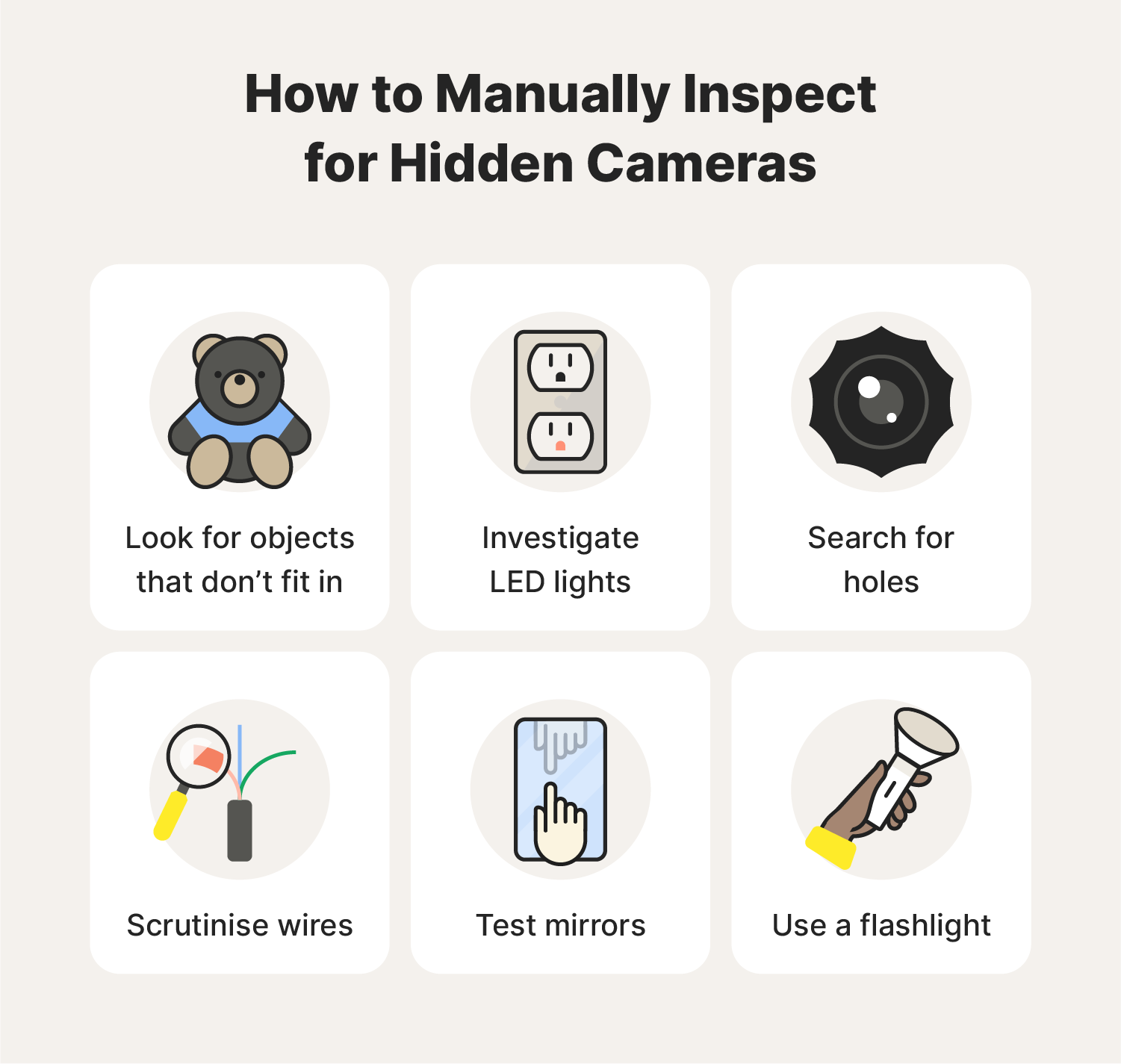
Start with a slow, careful sweep. Move methodically from left to right. Check eye level and higher ceilings.
- Inspect small holes and dark dots closely. Tiny lenses often look like pinpricks.
- Look for odd wires or fresh tape. New wiring can mean a camera or mic.
- Use a magnifying glass for small spaces. Lenses reflect light differently.
- Tap suspicious items gently. Hollow sounds can mean a hidden cavity.
- Check seams and vents. Cameras can hide behind vents or small grilles.
Source: norton.com
Tools and tech that help detect hidden cameras
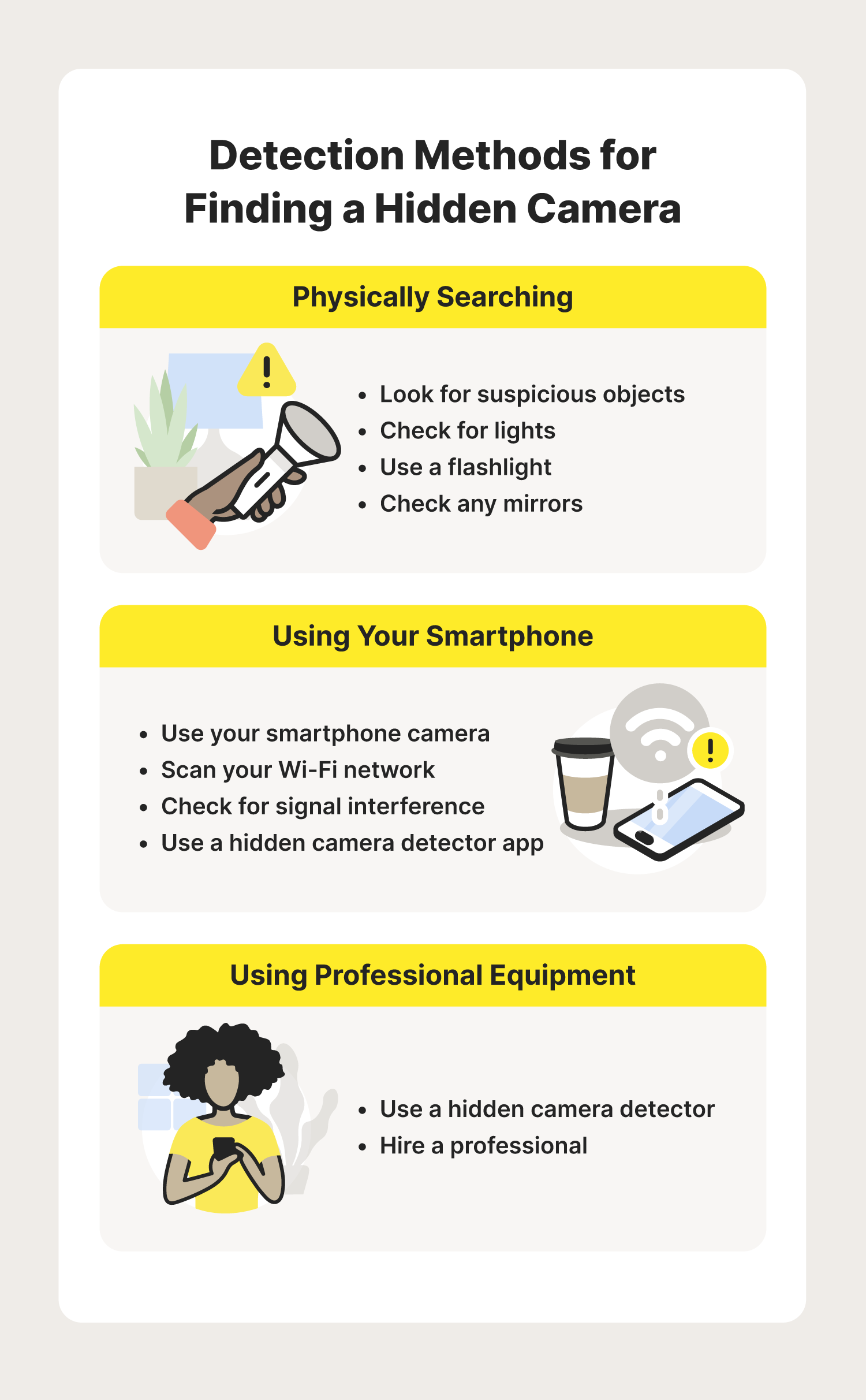
Technology makes detection faster and more reliable. Each tool has pros and cons.
- RF detector: Finds wireless camera signals. It works well for active transmitters but misses wired cameras.
- Lens detector: Uses a red LED to reveal camera lenses by reflection. It is cheap and quick.
- Network scanner app: Lists devices on local Wi-Fi. It can reveal IP cameras on the same network.
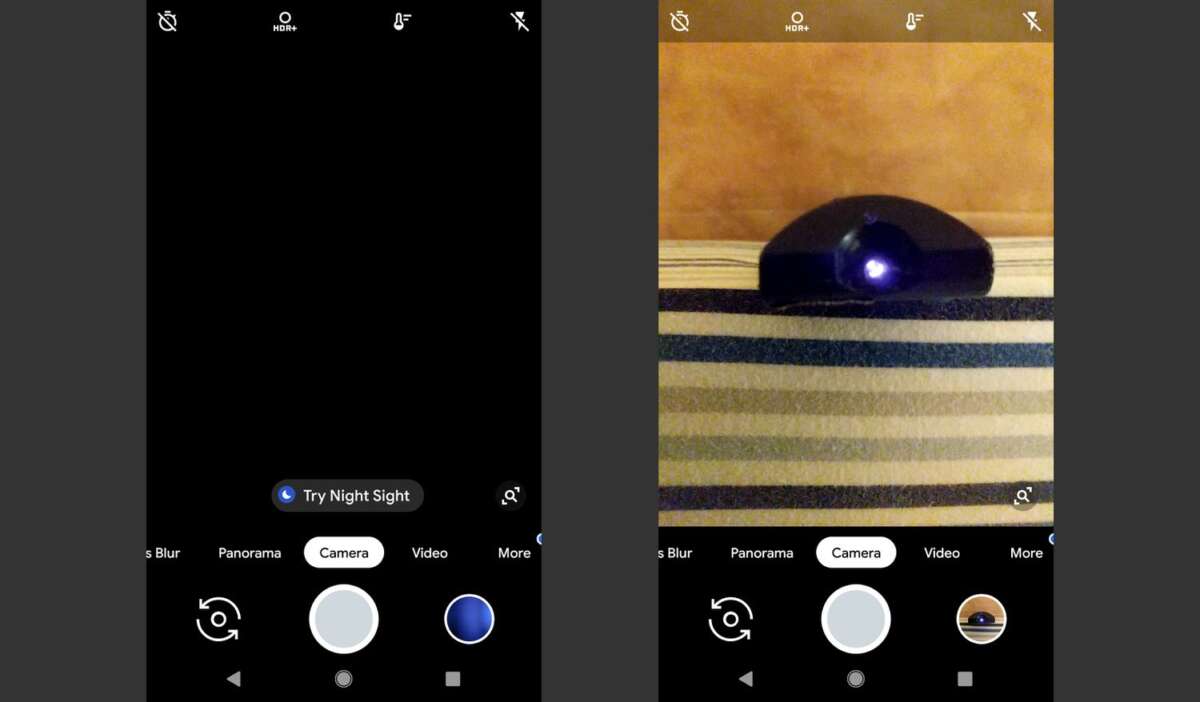
- Infrared viewer or smartphone camera: Many cameras use IR LEDs and the camera can reveal them as bright dots.
- Thermal camera: Shows heat from powered devices. It is pricier but effective for hidden or off-angle gear.
Source: norton.com
Using your smartphone and everyday gadgets
Your phone is often the fastest tool you have. Use its camera and simple checks.
- Turn off the lights and use phone camera to scan the room. Infrared LEDs appear as bright spots on many phone cameras.
- Shine your phone flashlight across reflective surfaces. A camera lens will glint back.
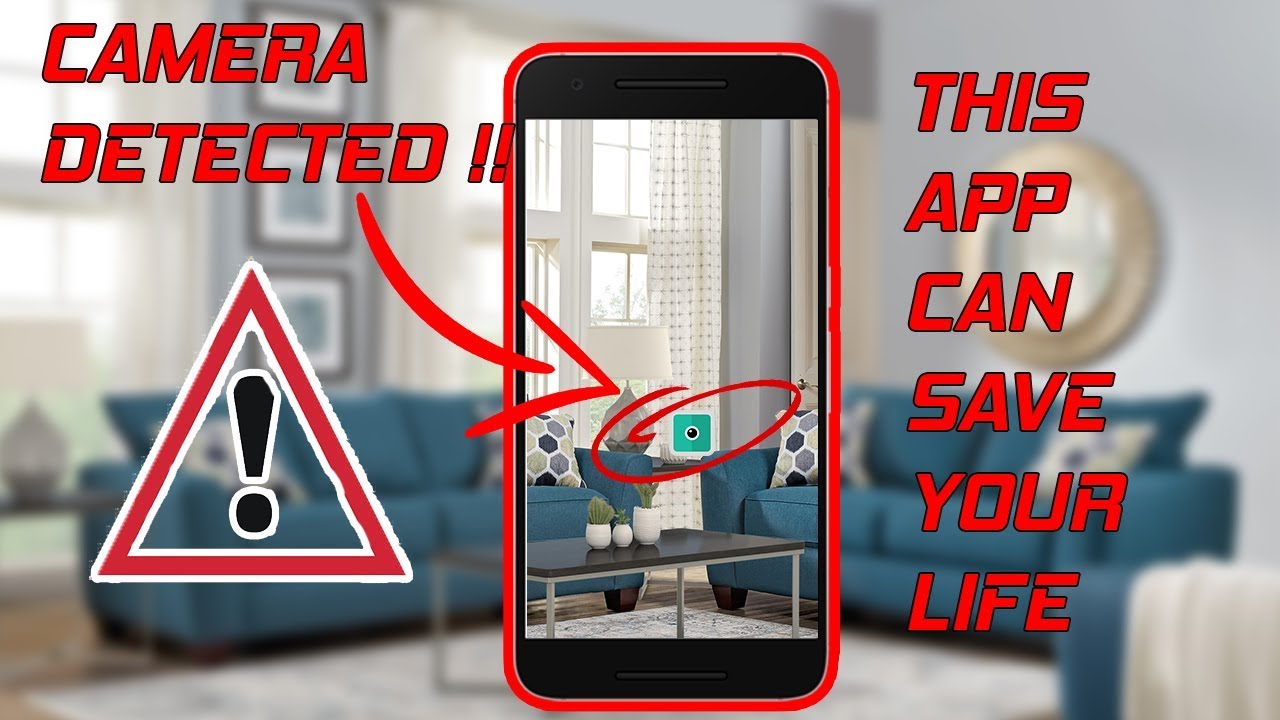
- Use network scanner apps to find unknown devices. Look for new device names and odd IP addresses.
- Try a call or audio test in a room. Some cameras include microphones that pick up odd echoes.
From my experience, a quick phone scan caught a hidden camera in a rental mirror. I then used a network app to confirm the device. Small checks like these often save time and stress.
Source: norton.com
Advanced methods and when to hire a pro
Some cameras are well hidden or offline. Advanced tools or pros are better in those cases.
- Hire a professional sweep if you suspect targeted surveillance. Pros use spectrum analyzers and thermal gear.
- Use a spectrum analyzer to spot subtle RF transmissions. It finds low-power or burst signals.
- Consider a full security audit for businesses or high-risk targets. This checks wiring, signals, and network traces.
Advanced sweeps cost more. But they give high confidence when privacy is critical.
Source: pueblosunidos.org
What to do if you find a hidden camera
Stay calm and do not touch evidence more than needed. Follow steps to preserve proof and get help.
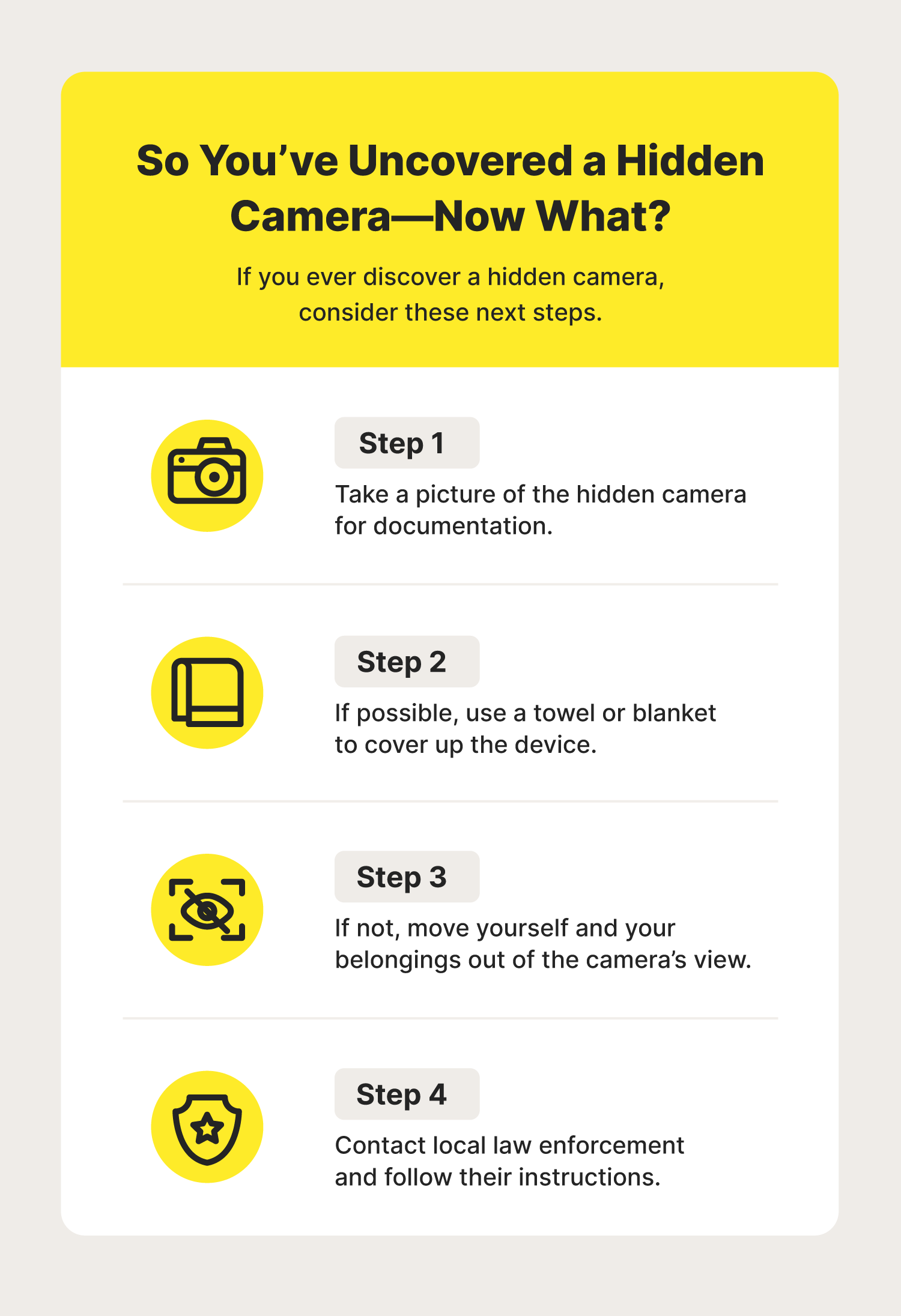
- Document the device with photos and video. Record location, time, and surroundings.
- Do not remove the device unless you are safe. Leave it for authorities if needed.
- Contact local law enforcement and report the find. Ask how to preserve evidence.
- Notify property owners or managers if found in a rental or hotel. Request a formal response in writing.
- Consider a legal consult if personal data was recorded or shared. Legal help protects your rights.
Source: microcomenviro.com
Prevention and privacy tips to reduce risk
Prevention is often easier than a cleanup. Small habits cut risk a lot.
- Cover suspected lenses with tape or a sliding cover. It blocks view instantly.
- Keep sensitive conversations out of public or rental spaces. Use private offices for important calls.
- Use a white noise machine to mask audio in bedrooms or meeting rooms.
- Inspect rooms on arrival when traveling. Do a quick sweep before settling in.
- Secure your home network with strong passwords and guest networks for visitors.
Common mistakes when searching for cameras
Avoid steps that waste time or damage property. Be practical and safe.
- Mistake: Only scanning visually. Many cameras are wired or turned off.
- Mistake: Over-relying on apps that require network access. Some tools miss devices not connected to Wi-Fi.
- Mistake: Rushing the search. A quick glance often misses small lenses.
- Mistake: Destroying property while searching. This can complicate legal action.
- Mistake: Ignoring legal steps. Evidence lost to careless handling can weaken your case.
Simple tool kit and a quick checklist
Carry a small kit when you travel or inspect locations. This list fits a bag or small case.
- Phone with camera and flashlight
- Small flashlight with narrow beam
- Magnifying glass or jeweler’s loupe
- Basic RF detector or pocket lens finder
- Small mirror on a stick or telescoping tool
Checklist to follow each time:
- Turn off lights and scan with phone camera.
- Inspect common hiding spots listed earlier.
- Run a network scan for unknown devices.
- Use RF or lens detector to sweep.
- Document and report anything suspicious.
Frequently Asked Questions of how to detect hidden camera
How can I quickly detect a hidden camera in a hotel room?
Do a visual sweep of common hiding spots and use your phone camera in the dark to spot infrared LEDs. Run a quick network scan to find unknown devices on the local Wi‑Fi.
Can I find hidden cameras with my smartphone alone?
Yes, a smartphone can detect many cameras by spotting infrared LEDs and running network scans. However, wired or well-hidden cameras may require special tools or a professional sweep.
Do RF detectors detect all hidden cameras?
RF detectors find wireless transmitters but miss wired or offline cameras. Use RF detectors along with visual checks and network scans for better coverage.
Is it legal to remove a hidden camera found in a rental?
Laws vary by place, but removing a camera can affect evidence and legal claims. Document it, notify authorities, and get legal advice before removing the device.
What if I find a camera pointing at a private area?
Preserve evidence and contact law enforcement immediately. Avoid confronting suspects alone and seek legal help to protect your rights.
Are there apps that reliably find hidden cameras?
Some apps can reveal cameras by scanning networks or using the phone camera for infrared. Apps help but are not foolproof; combine them with physical checks for best results.
Conclusion
Detecting hidden cameras is a practical skill you can learn. Use simple visual checks, your smartphone, and basic tools first. For higher risk or complex cases, hire professionals. Take small steps now to protect your privacy and build a habit of quick room checks. Try the checklist on your next trip, and share this guide if it helped you.

Everett Ashford is a tech reviewer at mytechgrid.com specializing in SSDs, cameras, TVs, earbuds, headphones, and other consumer electronics. He provides honest, data-driven reviews based on hands-on testing and real-world performance analysis. Everett simplifies complex tech details to help readers make smart, confident buying decisions.