Adjust settings, use good light, and leverage RAW or night mode to boost Android camera quality.
I have spent years testing phone cameras and building photo guides for everyday users. This article explains how to enhance camera quality in android with clear steps, practical tips, and real-world controls you can try now. I cover hardware limits, smart settings, the best apps, tips for shooting, and editing tricks. Read on to get faster results and better photos from your Android phone.

Understanding Android camera basics
To improve photos you first need to know the parts that matter. The main things are sensor size, lens aperture, image processing, and software features. Knowing these helps you pick settings that work with your phone instead of against it.
How to enhance camera quality in android starts with this: small sensors collect less light, so you must use light and smart software to compensate. Modern phones use multi-frame processing to reduce noise and boost detail. Learn what your phone offers and use those features.
Hardware versus software: what you can change
Hardware sets the top limit on photo quality. Software often bridges the gap. You can’t change sensor size or lens after buying the phone. But you can change software choices, camera apps, and shooting habits to push quality higher.
How to enhance camera quality in android means leaning on software when hardware is weak. Enable modes like night, HDR, and RAW capture. Use third-party apps that give manual control when the stock app is limited. Over time, small hardware gains help, but software wins in day-to-day shots.

Camera settings to tweak for better photos
Small setting changes yield big gains. Here are high-impact tweaks you can make now.
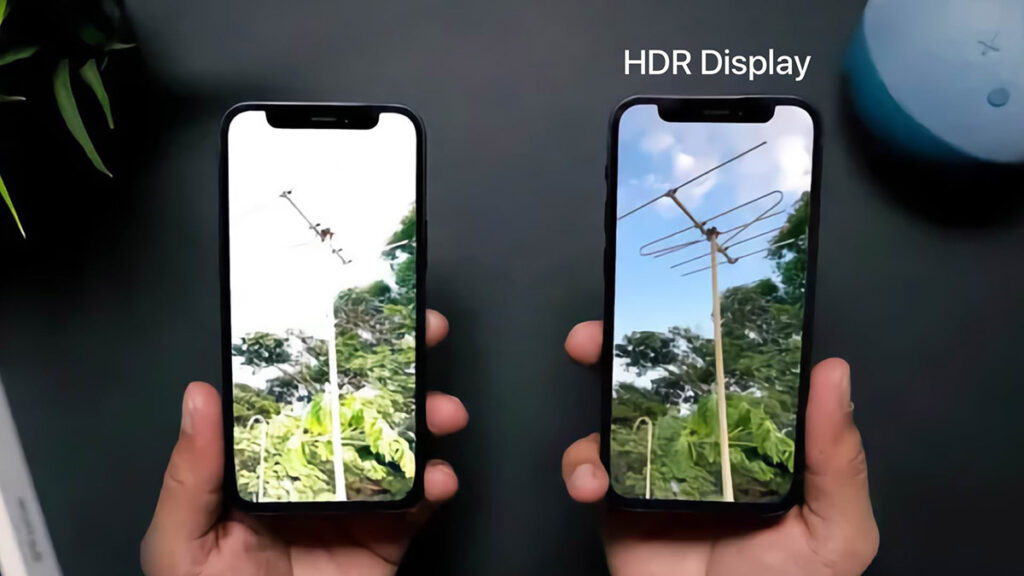
- Use HDR or multi-frame mode for high contrast scenes. This brings out detail in shadows and highlights.
- Switch to RAW when you plan to edit. RAW holds more detail and gives more correction room.
- Lock focus and exposure for tricky scenes. Tap and hold to lock and recompose.
- Lower ISO in bright light to avoid noise. Let the phone use a faster shutter instead.
- Use manual shutter control for motion blur or long exposure effects.
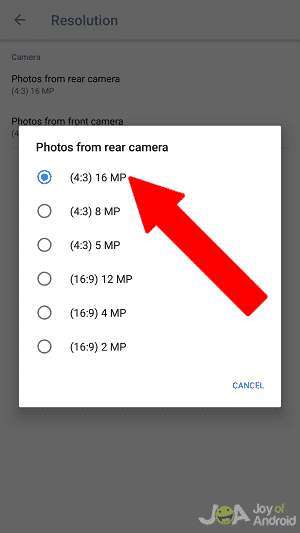
- Try different aspect ratios. Some phones preserve more pixels in 4:3 than 16:9.
- Turn off digital zoom; move closer or crop later for better detail.
How to enhance camera quality in android relies on these simple settings. I learned this after comparing dozens of shots and seeing how much RAW plus HDR improved final images.

Best apps and tools to improve image quality
The right app gives better control and better processing. Stock apps are fine for quick shots. But third-party apps add manual controls, better RAW support, and better export options.
- Use advanced camera apps that offer full manual control and RAW capture.
- Try editing apps that support non-destructive edits and RAW files.
- Use dedicated night mode apps when your stock app is limited.
- Use remote shutter or a tripod app for long exposures to avoid shake.
How to enhance camera quality in android often means choosing apps that respect the phone sensor and let you tweak key settings. I regularly switch camera apps to get the best result for a scene.
Shooting techniques that make a difference
Good technique matters more than gear. Small habits lift every photo.
- Seek soft, even light. Window light and shade give clean results.
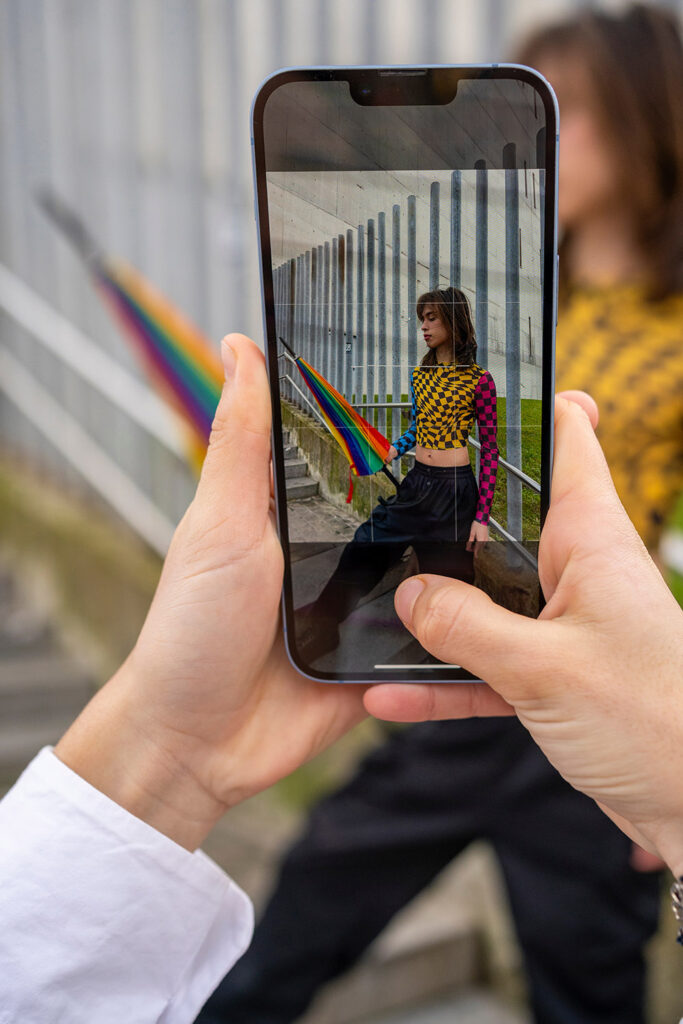
- Hold the phone steady. Use both hands and brace your elbows.
- Use a tripod or rest the phone on a stable surface for low light.
- Compose with simple backgrounds to highlight the subject.
- Move closer rather than zooming in digitally.
- Shoot multiple frames and pick the best one.
How to enhance camera quality in android is as much about how you shoot as what you shoot. I always take three frames and pick the cleanest one. It saves time in editing.

Post-processing and editing tips
Editing turns a good shot into a great one. Keep edits simple and data-driven when possible.
- Start with RAW files for more headroom.
- Adjust exposure, contrast, and white balance in small steps.
- Reduce noise selectively, preserving edges and textures.
- Sharpen lightly; oversharpening creates halos.
- Crop for better composition, not to hide issues.
- Use local edits for targeted improvements, like brightening eyes or dodging shadows.
How to enhance camera quality in android continues after you press the shutter. I often fix small exposure or color issues in post and rarely need heavy fixes with the right shooting setup.
Maintenance, accessories, and hardware upgrades
Routine care and small add-ons improve daily quality. You don't need many extras to see a clear jump.
- Clean the lens regularly with a soft cloth.
- Use a lens protector or case that doesn’t block the camera.
- Add a small tripod or tabletop stand for sharp low-light shots.
- Try external clip-on lenses for macro or wide-angle needs, but test carefully.
- Consider phones with better sensors when upgrading.
How to enhance camera quality in android also means keeping your gear clean and choosing the right accessories. I once fixed a blurred camera by simply cleaning a smudge on the lens.

Troubleshooting and advanced tips
When photos still look off, run a quick checklist. Often the fix is fast.
- Is autofocus locked on the wrong area? Tap to focus on the subject.
- Is HDR off when it should be on? Toggle HDR for contrasty scenes.
- Are you shooting at maximum resolution and not cropping? Check camera resolution.
- Are aggressive beauty filters active? Turn them off for natural detail.
- Try factory reset on the camera app if behavior seems wrong.
How to enhance camera quality in android sometimes needs these fixes. I’ve seen phones that shot better after disabling a noisy AI filter.
Frequently Asked Questions of how to enhance camera quality in android
How can I quickly improve my Android photos without buying gear?
Use good light, enable HDR, lower ISO, and shoot in RAW when possible. Clean the lens and hold the phone steady.
Does switching to RAW always make photos better?
RAW gives more editing room but raw files need post-processing. Use RAW when you plan to edit images.
Will third-party camera apps improve quality?
Yes, they often offer manual control, better RAW support, and advanced features not in stock apps. Try a trusted app to compare.
How important is lighting for phone photos?
Lighting is the single biggest factor. Soft, even light reduces noise and boosts detail more than any camera setting.
Can software fixes beat a small sensor?
Software helps a lot, but a larger sensor and good lens still produce better raw detail. Use software to get the most from your hardware.
How do I reduce noise in low-light Android shots?
Use a tripod, lower ISO, enable night mode, and use multi-frame noise reduction. Post-process with selective noise reduction too.
Conclusion
You can make clear, sharp, and color‑true photos by learning how to enhance camera quality in android and by practicing simple habits. Focus on light, use the right settings, try manual controls or better apps, and edit with care. Start with one change today—like shooting RAW or using a tripod—and build from there. Share your best shot, subscribe for more tips, or leave a comment with your phone model and scenes you struggle with.

Everett Ashford is a tech reviewer at mytechgrid.com specializing in SSDs, cameras, TVs, earbuds, headphones, and other consumer electronics. He provides honest, data-driven reviews based on hands-on testing and real-world performance analysis. Everett simplifies complex tech details to help readers make smart, confident buying decisions.