Reset Beats earbuds by powering off, forgetting the device, then performing the model-specific factory reset.
I’ve spent years troubleshooting wireless earbuds for friends and clients, and I know the exact steps that fix most connection and audio issues. This guide on how to reset Beats earbuds walks you through quick fixes, full factory resets for major Beats models, firmware updates, and real-world tips I’ve learned from hands-on use. Read on to get your Beats working like new, fast and with confidence.
Why you might need to reset your Beats earbuds
Resetting clears temporary bugs that cause pairing failures, one-sided sound, or low volume. A reset also removes old Bluetooth pairings so you can pair your earbuds to a new phone or device cleanly. Finally, a factory reset can fix firmware hangups that a normal restart won’t solve. Knowing how to reset Beats earbuds saves time and avoids unnecessary replacements.

Before you reset: quick checklist
Take a minute to try easy fixes before a full reset. These steps often resolve problems without losing saved settings.
- Make sure the earbuds and case are charged.
- Turn Bluetooth off and on on your phone or device.
- Forget the Beats from your device’s Bluetooth list and try pairing again.
- Update the Beats firmware in the Beats or iOS Settings app if available.
These checks reduce the need to perform a factory reset and are the first things I try when helping someone fix their earbuds.
How to reset Beats earbuds: quick reset vs factory reset
Use a quick reset when pairing fails or sound glitches appear. Use a factory reset when issues persist or when gifting/selling the earbuds.
Quick reset steps
- Put earbuds in the case and close the lid for 10–15 seconds.
- Open the lid and try pairing again.
- Turn Bluetooth off on your device, then back on, and select the earbuds.
Factory (full) reset general steps - Forget the Beats in your device’s Bluetooth settings first.
- With earbuds in the case, press and hold the pairing button or power button for about 10–15 seconds until the LED flashes or changes color.
- Release the button, then open the case and pair again.
These general steps cover many Beats models, but model-specific instructions are often required for a proper factory reset.

Model-specific resets: exact steps for popular Beats models
Different Beats models use different button combos and lights. Below are tested steps for each major model to show exactly how to reset Beats earbuds.
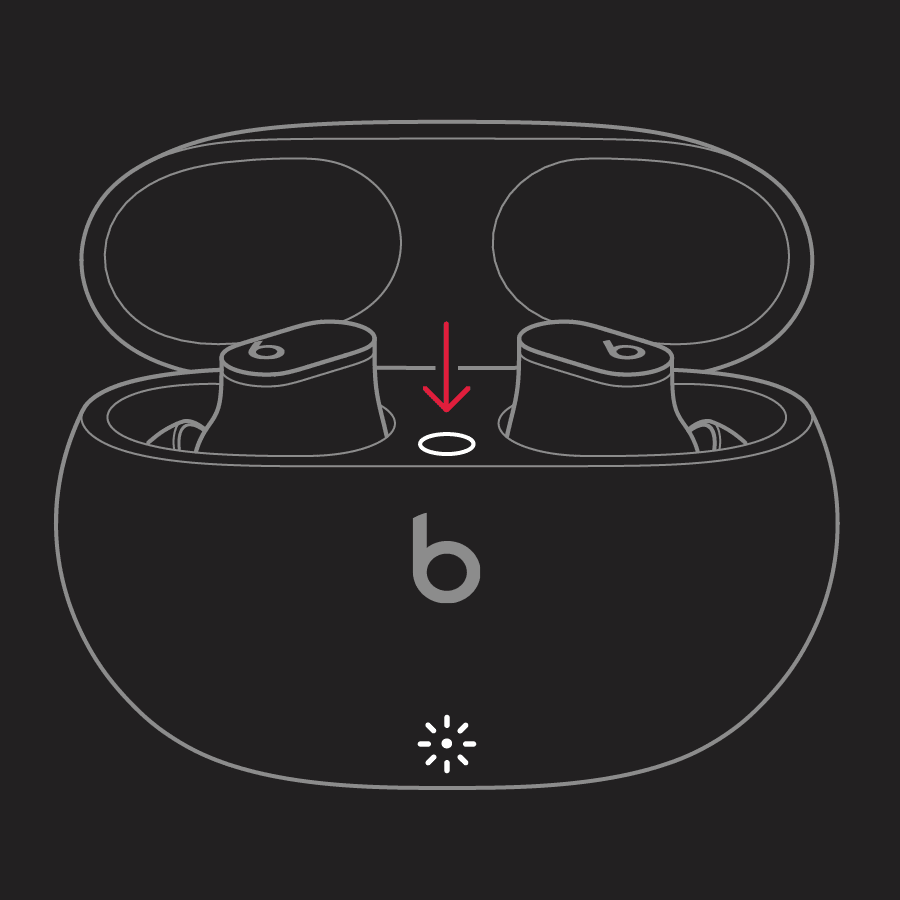
Beats Studio Buds
- Make sure the case has charge and earbuds are inside.
- Open the case lid.
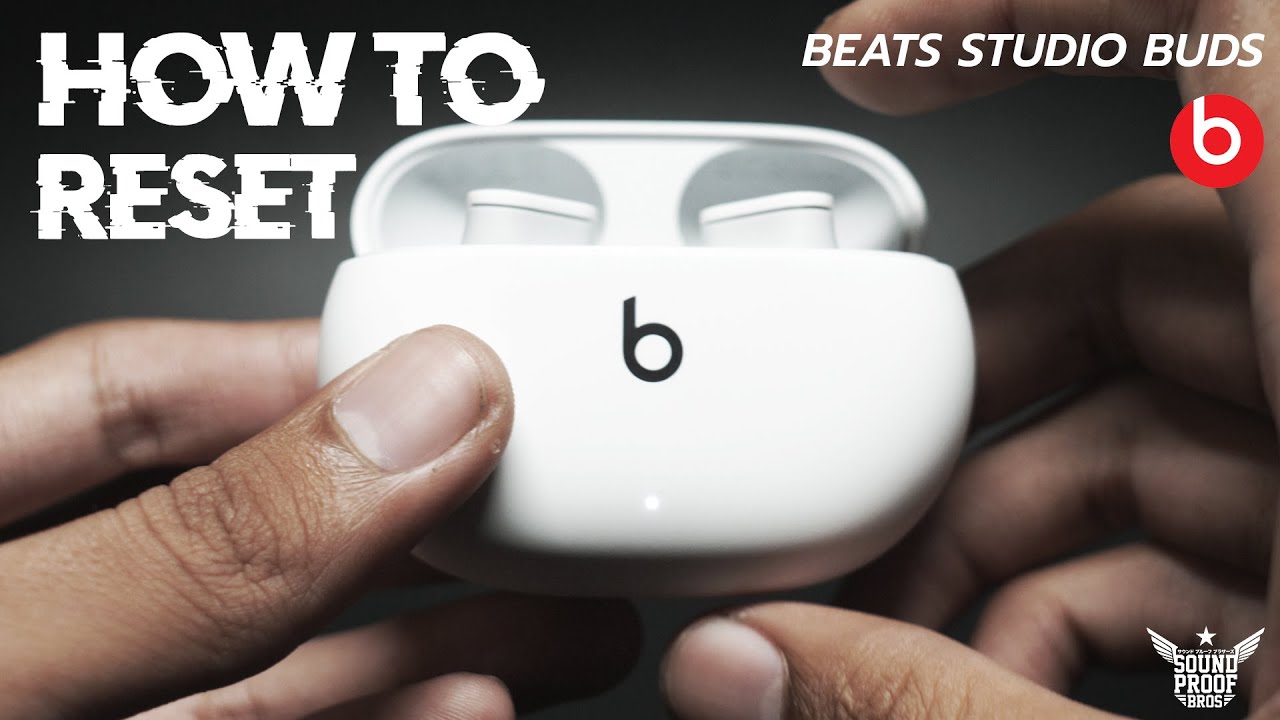
- Press and hold the system button inside the case for 15 seconds.
- LED will flash; close the lid and reopen to pair again.
These steps reset pairing and clear Bluetooth memory for Studio Buds.
Powerbeats Pro
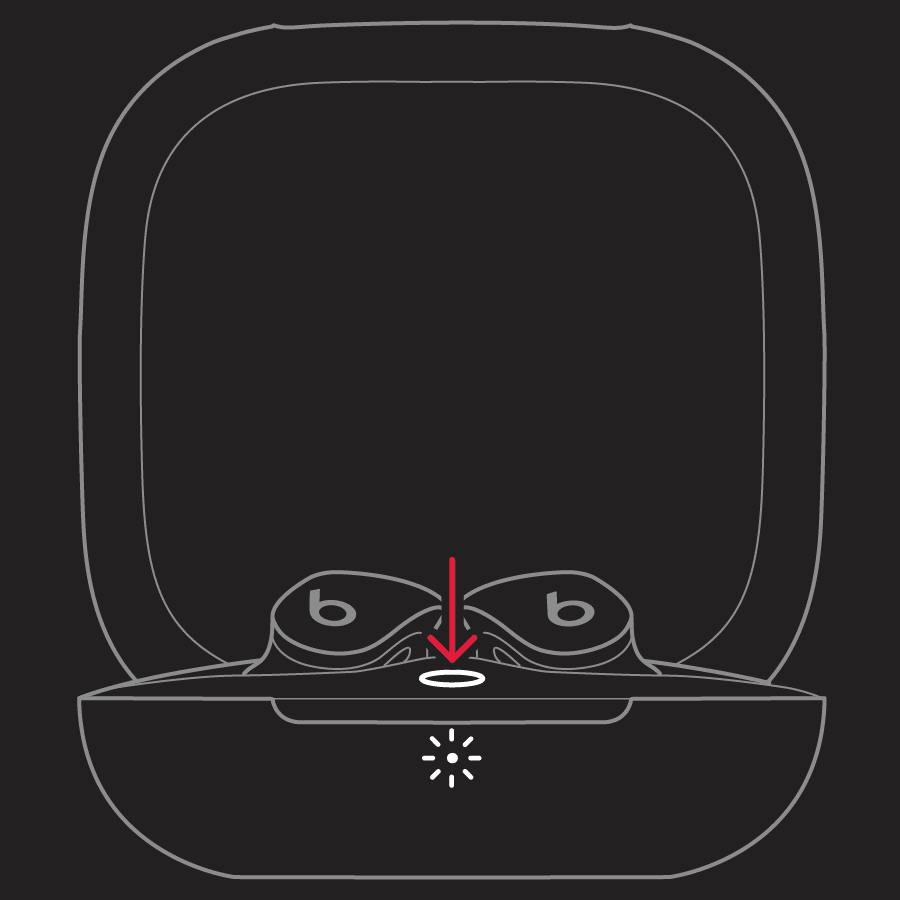
- Place both earbuds in the charging case and leave the lid open.
- Press and hold the system button on the case for 15 seconds.
- The LED on the front will flash red and white; release the button and close the lid.
- Reopen the lid and pair the earbuds again.
I often use this reset after a one-sided audio issue, and it restores balance reliably.
Beats Fit Pro
- Put both earbuds in the case and open the lid.
- Press and hold the system button on the case for about 15 seconds.
- Wait for the LED to flash and then release the button.
- Pair again via Bluetooth settings.
The Fit Pro follows the same pattern as Studio Buds but sometimes needs a second attempt if firmware is old.
Beats Solo Pro
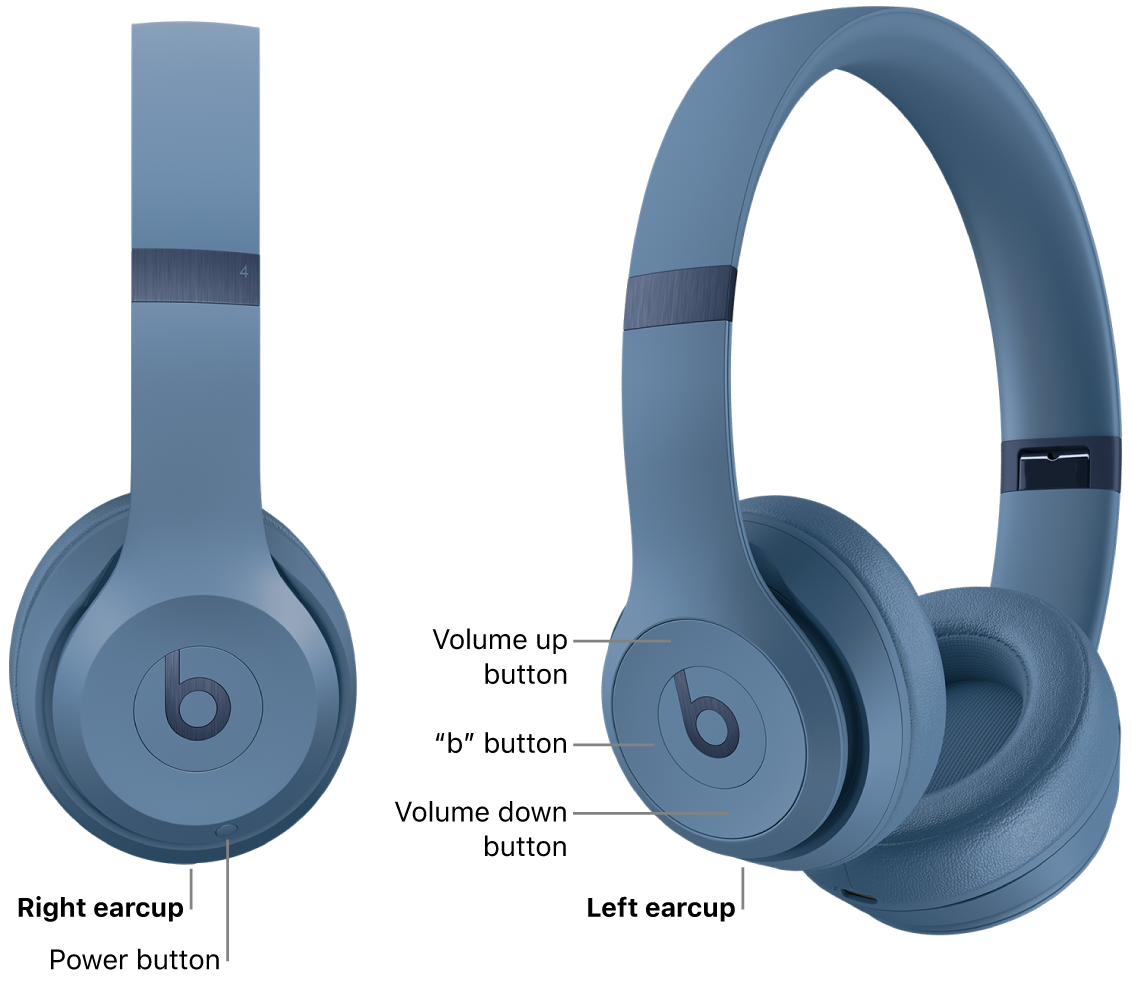
- Power off the headphones first by holding the power button.
- Hold the power button for 10 seconds until you see the LED flash.
- If that doesn’t work, forget the device in Bluetooth settings and then try again.
Solo Pro may require repeating the hold/reset cycle once.
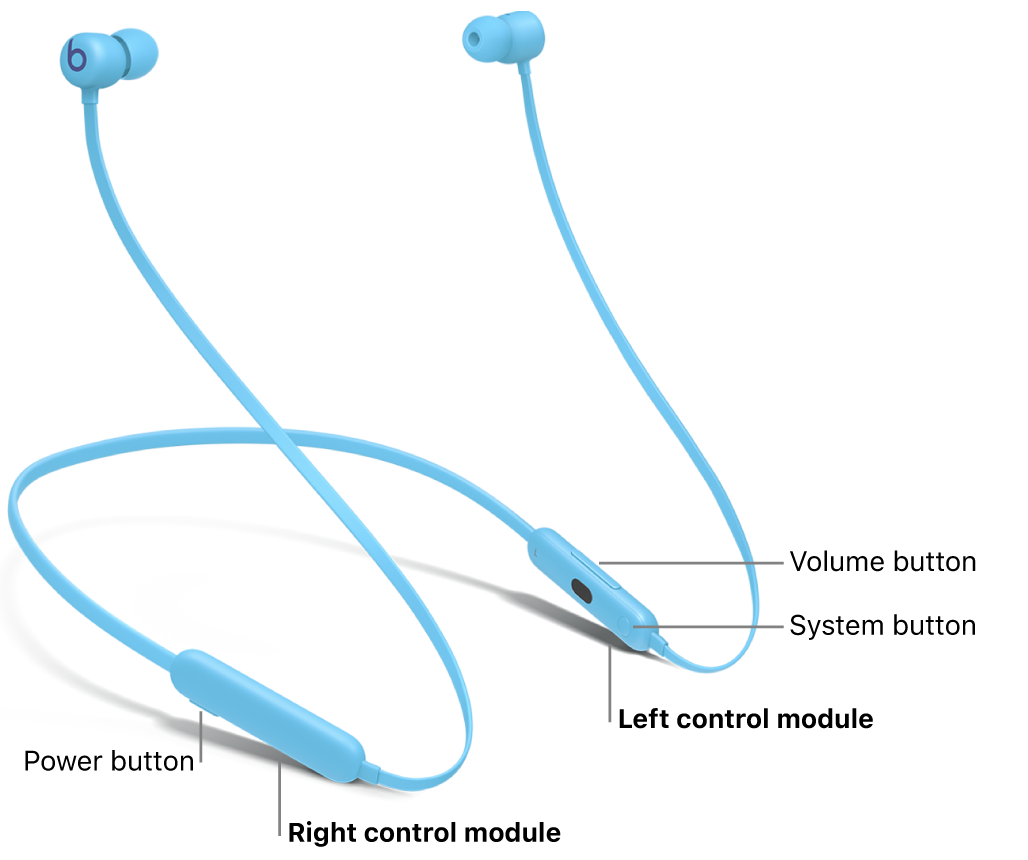
Beats Flex
- With the earbuds disconnected, hold the power button for about 10 seconds.
- When the LED indicator flashes, release and restart the earbuds.
- Go to your phone’s Bluetooth list and forget the device, then re-pair.
Beats Flex can often be recovered with this simple method.
Powerbeats (non-Pro)
- Turn off the earbuds.
- Press and hold the power button for 10 seconds until the LED flashes.
- Release and pair from scratch.
Older Powerbeats models follow a similar reset flow but can be more sensitive to battery state, so ensure they are charged.
Troubleshooting after a reset
If pairing still fails after you reset Beats earbuds, try these steps.
- Charge both earbuds and the case fully; low power can block pairing.
- Restart your phone, tablet, or laptop and try pairing again.
- Remove interference by turning off nearby Bluetooth devices during pairing.
- Clean charging contacts with a soft, dry cloth to ensure a solid connection.
From my experience, a full charge plus a device restart solves most stubborn pairing issues.
How to update Beats firmware (why it matters)
Firmware updates often fix bugs that cause the need to reset. Keep firmware current for best performance.
- iPhone users: Connect the Beats to your iPhone. Open Settings > Bluetooth, tap the “i” next to your Beats, and follow update prompts if available.
- Beats app users: Open the Beats app (or the manufacturer app) with earbuds connected; if an update appears, follow on-screen prompts.
- Windows/Android: Use the Beats companion apps or connect to a compatible Apple device for updates if direct updates are not supported.
I’ve seen resets stop recurring after a firmware update fixed the root cause.
When to contact Apple Support or consider replacement
If you’ve tried how to reset Beats earbuds, firmware updates, and cleaning the contacts, and problems persist, reach out for professional help. Check warranty status and repair options. If the earbuds show physical damage, battery failure, or repeated disconnections despite resets, replacement may be the best choice.

Frequently Asked Questions of how to reset beats earbuds
How long does it take to reset Beats earbuds?
A typical factory reset takes under a minute, excluding re-pairing time. Re-pairing may add another minute or two.
Will resetting my Beats erase firmware updates?
Resetting will not remove firmware updates; it only clears pairing and local settings. Firmware remains installed until you update or a new update is available.
Do I need to charge the earbuds before a reset?
Yes. Low battery can block reset and pairing processes, so charge the earbuds and the case to at least 50% before resetting. This avoids failed resets.
Can resetting fix one earbud not working?
Yes, a full reset often fixes one-earbud issues caused by pairing glitches. If sound still fails after reset, check the earbud speaker and charging contact.
Will resetting remove find-my-earbuds features?
Resetting disconnects the earbuds from your Apple ID and device, which may disable find-my features until you pair them again. Re-pairing with your device restores location features.
Final thoughts and next steps
Resetting your Beats earbuds is a fast, effective skill that solves most connection and audio issues. Start with quick fixes like forgetting the device and charging, then move to model-specific factory resets when needed. Keep firmware updated and maintain clean contacts to prevent future problems. Try the steps above, and if you’re still stuck, contact support or consider professional repair. If this guide helped, subscribe for more troubleshooting tips or leave a comment with your Beats model and issue so I can help further.

Everett Ashford is a tech reviewer at mytechgrid.com specializing in SSDs, cameras, TVs, earbuds, headphones, and other consumer electronics. He provides honest, data-driven reviews based on hands-on testing and real-world performance analysis. Everett simplifies complex tech details to help readers make smart, confident buying decisions.