Reset Skullcandy earbuds by unpairing devices, holding both earbud buttons 10–15 seconds, then re-pair.
I’ve spent years troubleshooting earbuds and audio gear, so I’ll walk you through exactly how to reset Skullcandy earbuds the right way. This guide covers universal resets, model-specific tips, common problems that require a reset, and practical troubleshooting steps so you can fix connection, audio, or charging issues fast.

Why reset your Skullcandy earbuds?
Resetting clears glitches and restores default pairing settings. It can fix one-sided audio, pairing failures, intermittent sound, or LED indicator problems. A reset removes corrupted Bluetooth pairings and forces earbuds to renegotiate roles and firmware states.
Reasons to reset your earbuds:
- Resolve pairing conflicts after multiple phone or laptop connections.
- Fix one earbud not connecting or low volume in one side.
- Clear firmware hiccups that cause stuttering or dropouts.
- Restore normal behavior after a failed firmware update.
how to reset skullcandy earbuds is a common question because wireless earbuds rely on small firmware and Bluetooth stacks that sometimes need a clean start to behave. Resetting is often the fastest, safest troubleshooting step before contacting support.
When to reset: common signs you need a reset
A reset is simple and often fixes these symptoms quickly. Try a reset if you notice:
- One earbud is silent while the other plays.
- Earbuds won’t enter pairing mode.
- Repeated disconnects or stuttering audio.
- LED lights behave unpredictably or don’t show correct status.
- The earbuds won’t charge or the case won’t recognize them.
If the problem persists after a reset, further troubleshooting is needed. Knowing when to reset helps avoid unnecessary steps and saves time. how to reset skullcandy earbuds should be your first step in many of these cases.
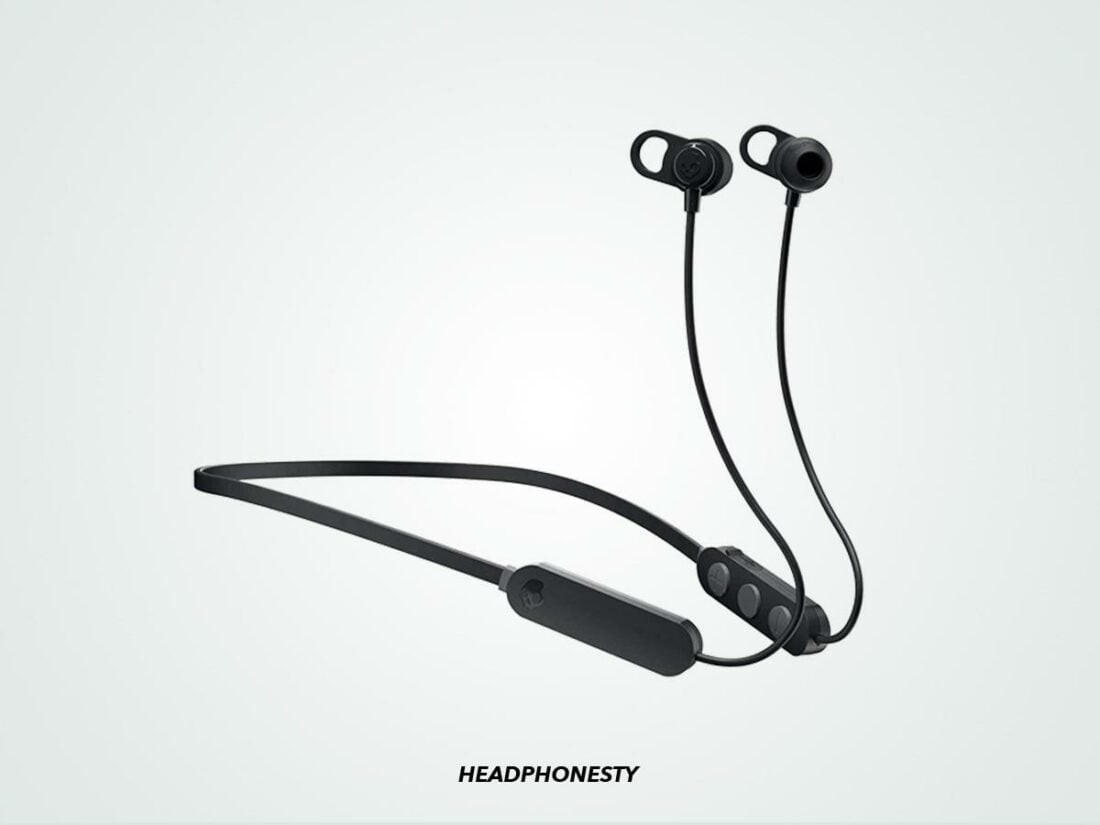
How to reset Skullcandy earbuds: universal step-by-step method
Use this universal method first. It works for most Skullcandy true wireless models and is safe.
Step-by-step universal reset:
- Forget the earbuds in your device Bluetooth settings.
- Place both earbuds in the charging case and make sure the case has charge.
- Close the case for 10 seconds, then open it.
- Remove the earbuds and power them off if they are on.
- Press and hold the main button on each earbud simultaneously for 10–15 seconds. Watch for LED flashes or color change.
- Release the buttons and return the earbuds to the case for 5 seconds.
- Remove earbuds to enter pairing mode and re-pair from your device.
If LEDs show different colors or timing on your model, hold the buttons slightly longer but avoid forcing or opening the case mid-press. Repeat the universal reset once more if needed. This simple process explains how to reset skullcandy earbuds in a way that resolves most Bluetooth and audio issues.
Model-specific reset tips
Different Skullcandy models vary slightly. Below are safe, concise model tips. If your model name differs, try the universal method first.
Sesh and Sesh Evo
- Forget the Bluetooth entry on your phone.
- Put both earbuds in the case and close the lid for 10 seconds.
- Open the case and press and hold the buttons on both earbuds for about 10 seconds until LEDs flash.
- Return them to the case and re-pair.
Indy and Indy Evo
- Unpair from all devices first.
- Place both earbuds in the case and ensure charging.
- With earbuds in the case, press and hold the button on both earbuds for 10–15 seconds until LEDs change.
- Remove and pair.
Dime and Dime 2
- Forget device from Bluetooth.
- Put earbuds in the case, then press and hold the case button (if present) or on-earbud buttons depending on model for 8–12 seconds.
- LEDs will indicate reset; then re-pair.
If you aren’t sure which model you have, check the box or the underside of the case lid for the name. When in doubt, follow the universal reset steps to reset Skullcandy earbuds safely.

Troubleshooting if a reset doesn’t fix the issue
If how to reset skullcandy earbuds didn’t solve your problem, try these next steps.
Charge and clean
- Fully charge earbuds and case for at least 30 minutes.
- Clean charging contacts with a dry soft brush or cotton swab. Dirty contacts can stop charging.
Bluetooth and device checks
- Restart your phone or laptop and turn Bluetooth off and on.
- Try pairing the earbuds with a different device to rule out device-specific issues.
Update and app
- Install the Skullcandy app if available for your model and check for firmware updates.
- Follow any update prompts; updates can fix persistent bugs.
Hardware checks
- Inspect earbuds for physical damage, water exposure, or debris.
- If one earbud physically charges but doesn’t power on, the battery could be defective.
When to contact support
- After multiple resets and the steps above, contact Skullcandy support or the retailer. Provide model, purchase date, and description of steps tried.
These troubleshooting steps pair well with how to reset skullcandy earbuds and often identify if the issue is software or hardware related.
Tips to avoid frequent resets
Preventive steps keep earbuds stable and reduce the need to reset.
Daily habits to reduce problems
- Keep firmware updated when updates are available.
- Avoid pairing with too many devices at once; remove old or unused pairings.
- Store earbuds in the case when not in use to preserve battery and reduce accidental resets.
Charging habits
- Don’t leave batteries completely drained for long periods.
- Charge the case regularly and avoid extreme temperatures when charging or storing.
Handling and cleaning
- Clean ear tips and charging contacts regularly.
- Handle the case and earbuds gently; accidental drops can cause internal damage.
Applying these tips minimizes how often you need to think about how to reset skullcandy earbuds and keeps your audio experience smooth.
Frequently Asked Questions of how to reset skullcandy earbuds
How long does a Skullcandy reset take?
A reset usually takes under a minute, but allow time for re-pairing and possible firmware updates. Total time is often 2–5 minutes.
Will resetting delete firmware updates?
Resetting will not remove firmware updates. It clears pairings and settings but leaves installed firmware intact.
Do I need to reset both earbuds or just one?
Reset both earbuds at the same time for true wireless models to ensure proper master/slave pairing and synchronization.
My earbuds won’t enter pairing mode after reset. What now?
Charge both earbuds fully, forget them in your device Bluetooth settings again, then repeat the reset steps. If that fails, try a different device.
Will resetting fix one earbud being quieter?
Often yes. Resetting re-establishes balance and connection and frequently restores normal volume across both earbuds.
Conclusion
Resetting is a quick, powerful fix for many Skullcandy earbud problems. Start with the universal reset, try model-specific tweaks, and follow simple troubleshooting if issues persist. Use preventive habits like updating firmware and cleaning contacts to reduce future resets.
Take action now: try the universal reset steps first, then apply the model-specific tips above. If you found this helpful, share your experience, ask questions below, or subscribe for more practical audio fixes and guides.

Everett Ashford is a tech reviewer at mytechgrid.com specializing in SSDs, cameras, TVs, earbuds, headphones, and other consumer electronics. He provides honest, data-driven reviews based on hands-on testing and real-world performance analysis. Everett simplifies complex tech details to help readers make smart, confident buying decisions.