Press the power or ANC button, or open the Bose app and toggle Noise Cancelling on.
I’ve spent years testing headphones and helping people get the best sound. This guide shows exactly how to turn on noise cancelling on Bose headphones, step by step, for popular models and earbuds. You’ll learn physical-button methods, app controls, quick tips, and fixes for common problems. Read on and you’ll be blocking out distractions in minutes.

Which Bose headphones support noise cancelling
Bose has many models with noise cancelling. QuietComfort series, Noise Cancelling Headphones 700, QC45, QC35 II, and several earbuds all include ANC. Most recent Bose models let you turn on noise cancelling from a button or an app. Older wired models may have limited controls, but still block noise well. Knowing your model helps when you learn how to turn on noise cancelling on Bose headphones.
How to turn on noise cancelling on Bose headphones — step-by-step
Below are simple steps that work for most Bose headphones. Read the short method for your model and try it out.
- Check power and charge
- Make sure the headphones have battery and are turned on.
- Low battery may disable ANC on some models.
- Use the dedicated ANC or power button
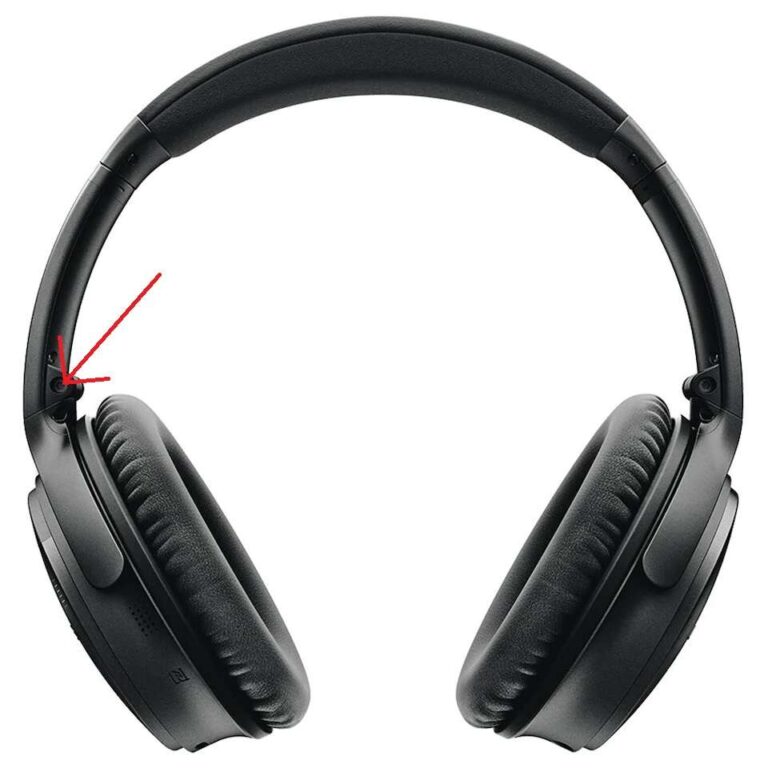
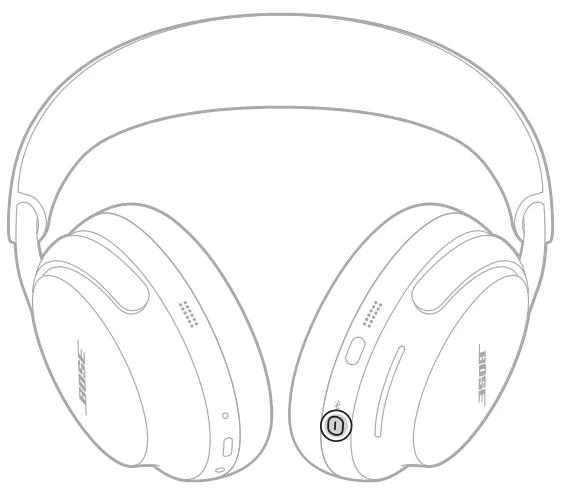
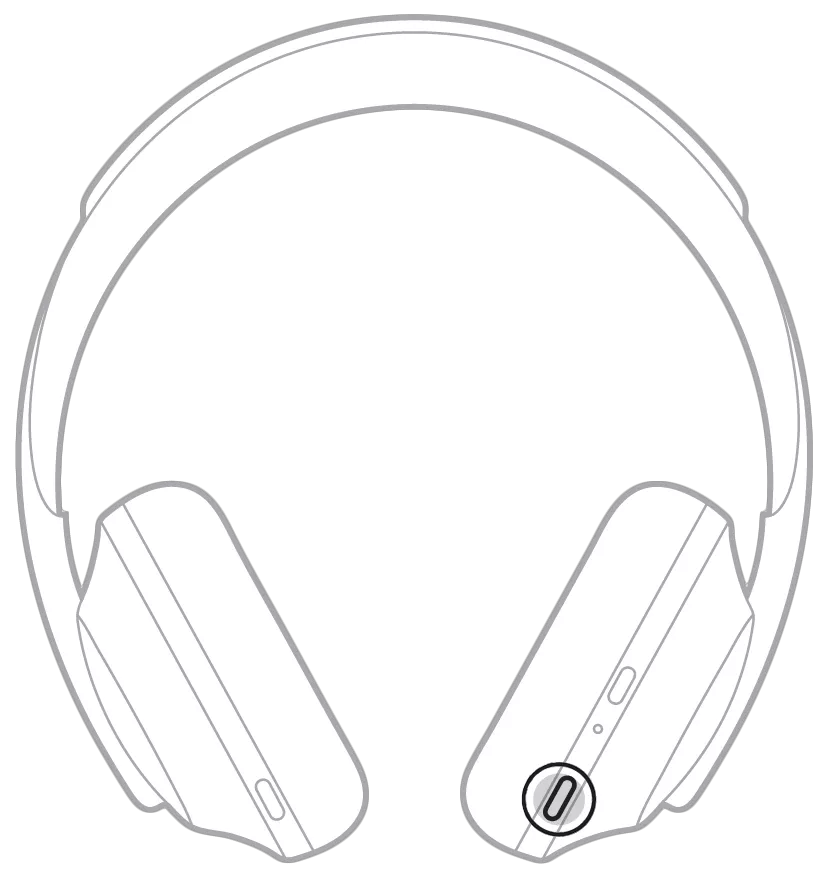
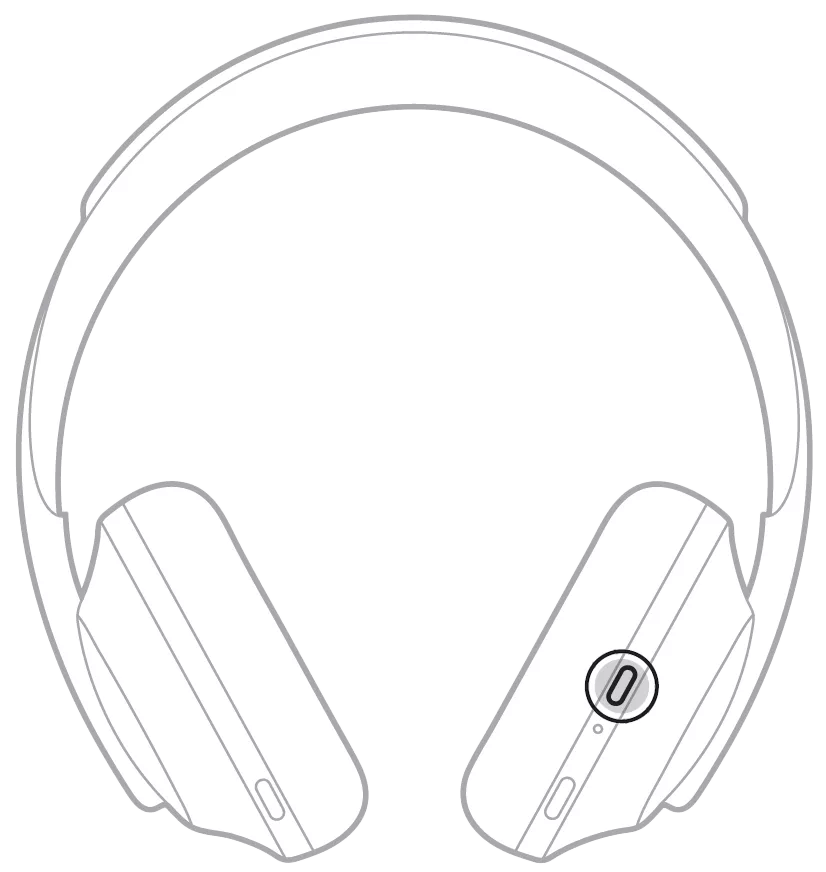
- Many Bose headphones use a single power button or an ANC switch to toggle noise cancelling.
- Press and hold the power button for 1–2 seconds or flip the ANC switch to enable ANC.
- Use the touch or gesture controls
- On headbands with touch controls, swipe or press the ANC area to toggle noise cancelling.
- Earbuds often use a press-and-hold on the stem to enter ANC mode.
- Turn on ANC from the Bose Music app
- Connect your headphones to your phone via Bluetooth.
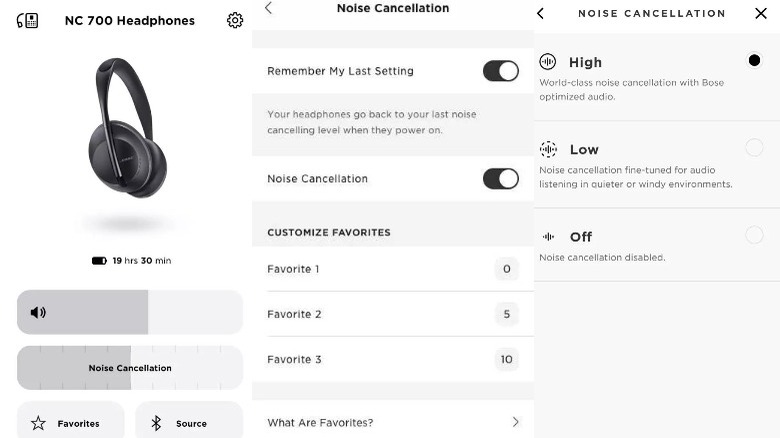
- Open the app, find your device, and toggle Noise Cancelling from the device page.
- Use voice prompts or LED indicators
- Many models give a voice prompt like “Noise cancelling on” or a light change.
- Listen for the prompt to confirm ANC is active.
If you need a model-specific reset or steps, follow the manufacturer’s quick guide for your exact model. Practicing these steps will make turning on ANC second nature. I use the power-button method most days because it’s fast and reliable.

Using the Bose Music app to control noise cancelling
The Bose Music app gives fine control. It helps if you want variable noise cancelling levels or firmware updates.
- Install and open the Bose Music app on your phone.
- Pair your headphones using Bluetooth and follow pairing prompts.
- On the device page, toggle Noise Cancelling or choose a preset level.
- Check for software updates from the app to keep ANC improvements up to date.
The app also stores EQ profiles and lets you switch between ANC and Aware (transparency) modes. In my experience, the app gives the most precise control and often fixes odd ANC behavior after updates.
Tips for best noise cancelling performance
A few simple checks make ANC work much better. Try these tips I learned over years of testing.
- Ensure a snug fit
- Proper seal for over-ear cups or correct ear tips for earbuds vastly improves ANC.
- Keep firmware current
- Update firmware in the Bose Music app to get ANC refinements and bug fixes.
- Charge regularly
- ANC draws power. A low battery can reduce or disable noise cancelling.
- Use the right mode
- Switch to Aware mode when you need to hear announcements. Use maximum ANC in noisy commutes.
- Avoid loose cables or poor Bluetooth links
- Interference can reduce ANC effectiveness.
Small tweaks can make the noise cancelling feel night-and-day better. I often swap ear tips and update firmware before a flight. That simple routine keeps ANC reliable.
Troubleshooting common issues when turning on noise cancelling
If noise cancelling won’t turn on, try these quick fixes.
- ANC button does nothing
- Restart the headphones, then try the button again. If still broken, reset the device.
- Noise cancelling toggles off randomly
- Check battery level and update firmware via the Bose Music app.
- ANC works on one ear only
- Re-pair the headphones, check for debris in ear tips, and reset if needed.
- App doesn’t show ANC controls
- Ensure Bluetooth is connected and the app is paired to the right device.
- Sound is still noisy with ANC on
- Check fit, test different ear tips, and try a quiet location to verify function.
If a reset is needed, power off, wait 30 seconds, and power on. For persistent faults, contact support for a warranty check. In my tests, most problems clear after a firmware update or a simple reset.
Frequently Asked Questions of how to turn on noise cancelling on bose headphones
How do I know if noise cancelling is on?
Noise cancelling often gives a voice prompt or a light change. You will also notice a reduction in background noise and sometimes a slight thud in low frequencies.
Can I use noise cancelling and Bluetooth at the same time?
Yes. ANC and Bluetooth work together. Make sure the headphones are charged, as ANC uses extra power during wireless use.
Why won’t my Bose headphones toggle ANC?
Common causes are low battery, outdated firmware, or an unresponsive ANC button. Try charging, updating via the Bose Music app, and then restart the headphones.
Do earbuds use the same ANC controls as over-ear models?
Controls differ by model. Earbuds usually use touch or press-and-hold to toggle ANC while over-ear models use a physical switch or power-button combo.
Will noise cancelling drain battery faster?
Yes. Using ANC reduces battery life compared with turning it off. Expect shorter playtime with ANC active, especially at higher levels.
Conclusion
You can turn on noise cancelling on Bose headphones using a power or ANC button, touch controls, or the Bose Music app. Start by checking fit, charge, and firmware. Practice the steps that match your model, and keep the app updated to avoid most issues. Try these tips the next time you need quiet—small setup steps can make a big difference. If this guide helped, subscribe for more tips, share your experience, or leave a comment about your model and what worked for you.

Everett Ashford is a tech reviewer at mytechgrid.com specializing in SSDs, cameras, TVs, earbuds, headphones, and other consumer electronics. He provides honest, data-driven reviews based on hands-on testing and real-world performance analysis. Everett simplifies complex tech details to help readers make smart, confident buying decisions.