Press and hold the power button for about 3 seconds until you hear a voice prompt or see the LED.
I’ve spent years testing bone-conduction headsets, and I’ll walk you through exactly how to turn on Shokz headphones, how to pair them, and how to fix common power problems. This guide gives clear steps, real-user tips from my experience, and simple troubleshooting so you can get sound fast and keep your Shokz working well.

Understanding Shokz power and controls
Shokz headphones use a single multi-function button for power and pairing on most models. You will typically hear a voice prompt such as "Power on" or see a small LED blink when the unit turns on. Models like OpenRun, Aeropex, and OpenMove share similar button behavior, but labeling can differ slightly. Knowing the LED colors and voice prompts helps you confirm the headphones are on and ready.

How to turn on Shokz headphones: step-by-step guide
Follow these steps to reliably turn on Shokz headphones.
-
Prepare the headset
- Make sure the headset has some charge. If it was unused a long time, charge for 10–15 minutes first.
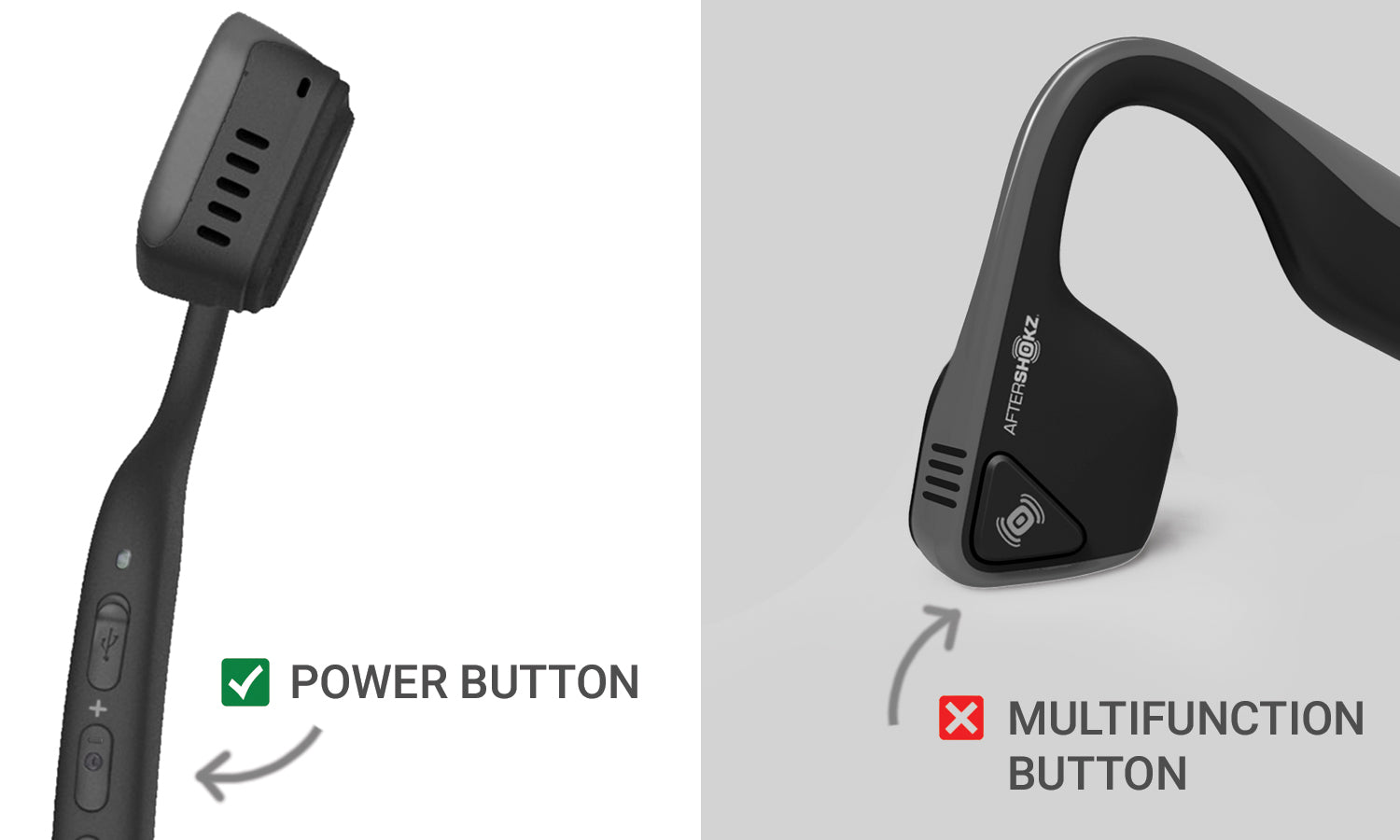
- Find the power button. It’s usually on the right ear or inline module.
-
Power on
- Press and hold the power button for about 3 seconds.
- Release when you hear a voice prompt or when the LED flashes. This confirms the unit powered up.
-
Confirm status
- Listen for a spoken “Power on” or “Pairing” cue.
- Check the LED: steady or blinking blue/white indicates power or pairing mode.
-
If it won’t turn on
- Charge fully for at least 30 minutes and try again.
- Try a different USB cable and power source to rule out a bad charger.
These steps show how to turn on Shokz headphones fast and reliably. Most issues are charge- or button-related and fix quickly with a short charge and a firm long-press.

Pairing and using the Shokz after power on
Once you know how to turn on Shokz headphones, pairing is the next step.
-
Enter pairing mode
- After powering on, keep holding the power button until the voice says “Pairing” or the LED flashes red/blue.
- On some models, a quick double-press can trigger Bluetooth settings; check the voice prompt.
-
Pair with your device
- Open Bluetooth on your phone or laptop and select the Shokz device name.
- Confirm connection when the voice says “Connected” or the LED changes.
-
Typical use tips
- Use the volume buttons on the headset or device for sound control.
- Play a short audio clip to ensure the bone conduction audio is audible and clear.
If you have multipoint or recent firmware updates, the exact pairing wording may vary, but the core steps after turning on Shokz headphones stay the same.

Charging, battery indicators, and troubleshooting if your Shokz won't turn on
Proper power management prevents many on/off problems.
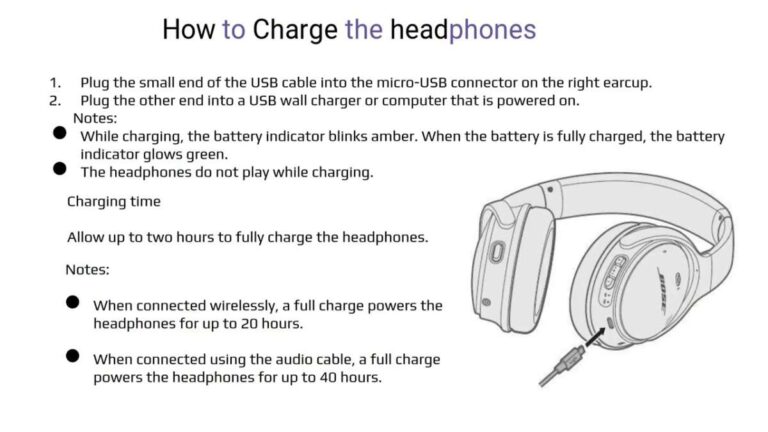
Charging basics
- Use the included magnetic charger or supplied cable for the best result.
- Full charge usually takes around 1.5 to 2 hours, depending on model.
Battery indicators
- Blinking red or solid red typically means low battery.
- Blue or white indicates power or Bluetooth status. Voice prompts also tell battery and connection states.
If your Shokz headphones won’t turn on
- Charge for a minimum of 30 minutes and retest.
- Inspect the charging port and cable for dirt or damage.
- Try a different USB power adapter or port.
- Press and hold the power button for a full 10 seconds to force a reset on some models.
If none of these work, a hardware fault may be present. Contact support or visit an authorized repair channel for further diagnosis. I’ve seen stubborn units come back to life after a long charge and a fresh cable, so don’t give up after one try.
Tips, common mistakes, and upkeep for reliable power
A few small habits keep your Shokz turning on when you need them.
Daily habits
- Keep them charged before long outings; short top-ups help.
- Store them dry and away from extreme heat to keep the battery healthy.
Avoid these mistakes
- Don’t use low-quality cables for charging; power delivery can be inconsistent.
- Don’t leave them fully drained for months; that stresses the battery.
Maintenance tips
- Clean charging contacts gently with a dry toothbrush if dirty.
- Update firmware when offered to fix bugs related to power or Bluetooth.
From my experience, treating these headphones like a quick daily accessory—charge often, clean when needed—saves time and frustration. Good care reduces the chances you’ll need to troubleshoot how to turn on Shokz headphones later.

Frequently Asked Questions of how to turn on shokz headphones
Why won’t my Shokz headphones turn on after charging?
If your Shokz headphones remain off, try a different cable and charger, charge at least 30 minutes, and press the power button firmly for 10 seconds. If still dead, the battery may be deeply discharged or faulty and might need professional service.
How long do I hold the power button to turn on Shokz headphones?
Hold the power button for about 3 seconds until you hear a voice prompt or see the LED flash. Some models require up to 10 seconds to enter a reset or pairing mode.
Do Shokz headphones have a power-saving mode?
Many Shokz models enter sleep mode after inactivity to save battery and will wake with a button press. If they don’t wake, charging and a long press usually restores normal operation.
Can I turn on Shokz headphones while they charge?
Yes, you can often power on while charging, though some models may only show charging LEDs until removed from the charger. Allow a short charge first if the battery was empty.
How do I know the Shokz are in pairing mode after turning them on?
You’ll hear a voice prompt like “Pairing” and see a flashing LED that alternates color or blinks quickly. Then find the device name in your phone’s Bluetooth menu to complete pairing.
Conclusion
You now have clear, practical steps for how to turn on Shokz headphones, pair them, and resolve common power issues. Try the long-press method first, keep a reliable charger, and use the troubleshooting checklist if problems persist. If you found this helpful, leave a comment with your model and issue, subscribe for more guides, or check the official support channel for firmware updates and repairs.

Everett Ashford is a tech reviewer at mytechgrid.com specializing in SSDs, cameras, TVs, earbuds, headphones, and other consumer electronics. He provides honest, data-driven reviews based on hands-on testing and real-world performance analysis. Everett simplifies complex tech details to help readers make smart, confident buying decisions.