Watch DAZN on your TV by installing the DAZN app or casting from a phone, or using HDMI.
I’ve helped friends and clients set up DAZN on every kind of TV, from old LCDs to the newest smart screens. In this guide you’ll get clear, tested steps on how to watch DAZN on TV, which devices work best, what to do when streams lag, and smart tips I learned the hard way. Read on and you’ll be ready to stream smoothly, whether you want boxing, soccer, or live motorsport on the big screen.

Devices that support DAZN and how to watch DAZN on TV
Most modern smart TVs and streaming boxes run the DAZN app. You can also cast from phones, use game consoles, or plug a laptop into your TV with HDMI to watch DAZN on TV. Check your TV’s app store or the device’s compatibility list if you are unsure.
Common options to watch DAZN on TV:
- Smart TVs that run Android TV, Google TV, Tizen (Samsung), or webOS (LG)
- Streaming devices like Apple TV, Amazon Fire TV, Roku, and Chromecast
- Game consoles such as PlayStation and Xbox
- Casting via Chromecast or AirPlay from the DAZN mobile app
- HDMI from a laptop or device that can run a web browser
If an app is not available on your TV, a small streaming stick or HDMI connection usually fixes the problem fast. Always check for the latest firmware updates on your TV before installing the DAZN app.

Step-by-step: how to watch DAZN on TV (install, sign in, start streaming)
Follow these steps to start watching DAZN on TV right now. I use this checklist when I set up a new device.
- Create or verify your DAZN account
- Sign up on the DAZN website with your email and payment info.
- Note your login details so signing in on TV is quick.
- Connect your TV to the internet
- Use Wi-Fi or, for best stability, use an Ethernet cable.
- Test your connection with a speed test app; aim for at least 5–25 Mbps depending on quality.
- Install the DAZN app
- Open your TV’s app store. Search for DAZN and install the app.
- If DAZN isn’t listed, try a streaming stick or console.
- Sign in or activate
- Open the app and sign in directly, or note the activation code shown and enter it at the activation link on another device.
- Start a stream and adjust quality
- Choose a live event or replay. If the picture skips, lower quality to stabilize playback.
If a fast sign-in method appears (like a QR code or activation code), follow it. That often saves time and avoids typing on the TV remote.
Best streaming devices and TVs to watch DAZN on TV
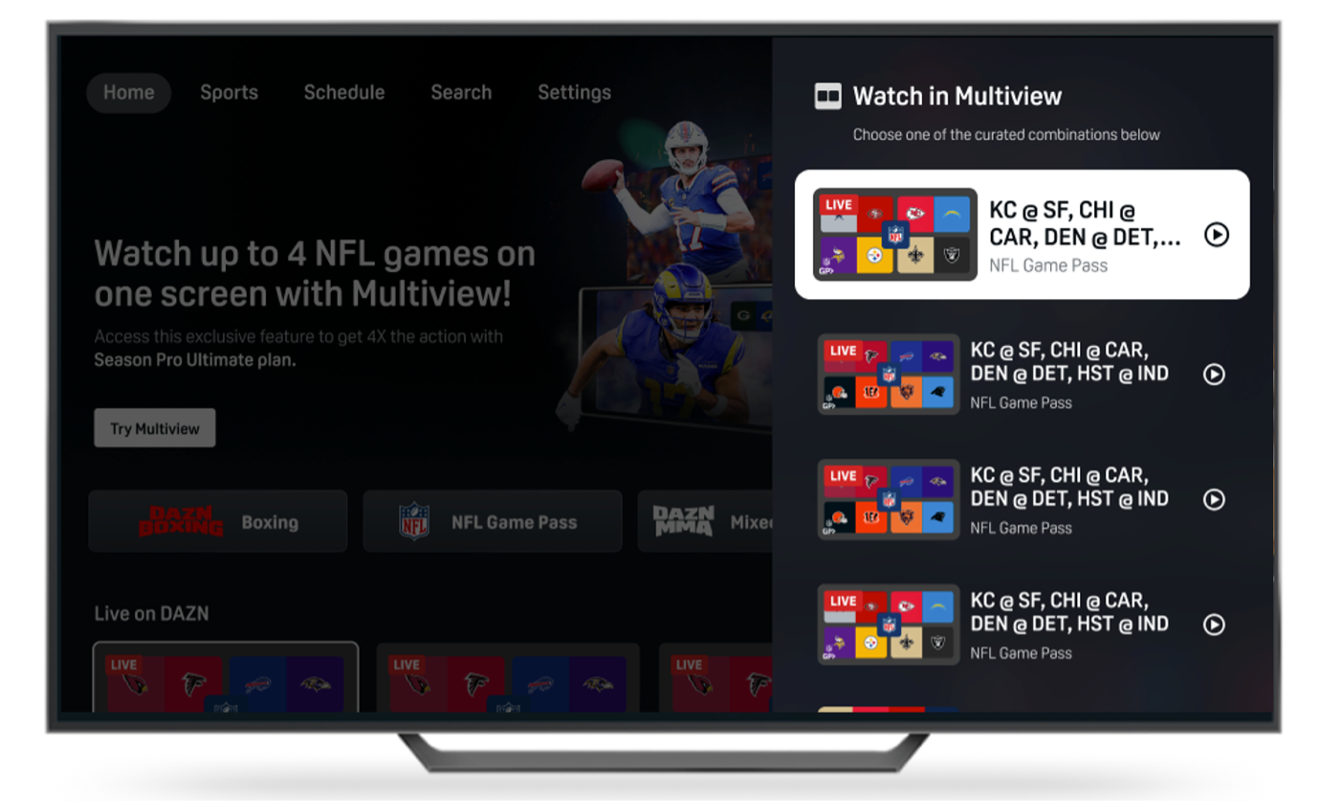
Picking the right device makes a big difference in picture quality and ease of use. Here are devices I trust most based on speed, app support, and updates.
Top picks:
- Apple TV 4K — great performance and reliable updates. Works well for 4K and HDR streams.
- Android TV / Google TV — flexible and full-featured. Good for app variety and casting.
- Amazon Fire TV Stick 4K — affordable and fast for most users.
- Roku devices — simple interface and wide app support on many models.
- Smart TVs (Samsung, LG, Sony) — best when your TV is recent and runs current OS versions.
- PlayStation / Xbox — stable apps and good for people who already own a console.
- Chromecast and AirPlay — easy casting from phone apps to watch DAZN on TV without installing the app on your TV.
If you stream in 4K often, prioritize devices that explicitly support 4K streaming and HDR for DAZN. Smaller, older smart TVs may struggle with high-bitrate streams.

Troubleshooting: common issues when you try to watch DAZN on TV
Problems happen. Here are fixes that work 80% of the time based on real tests.
Problem: App won’t open
- Fix: Reboot the TV or device, reinstall the DAZN app, and update your TV firmware.
Problem: Buffering or low-quality video
- Fix: Switch to Ethernet, close background apps, check router placement, and reduce stream quality.
Problem: Audio out of sync
- Fix: Restart the app. If it persists, try a different HDMI port or adjust audio delay in TV settings.
Problem: Login or activation code errors
- Fix: Clear the app cache, ensure correct account email, and try activating on a different browser.
Problem: App not available on device
- Fix: Use a supported streaming stick, console, or HDMI from a laptop to watch DAZN on TV.
When nothing works, a factory reset is a last resort. Before that, contact DAZN support or your device manufacturer with error codes and model info.
Tips to get the best picture and sound when you watch DAZN on TV
Small setup changes improve the live sports feel a lot. Use these practical tips I learned after several match-day setup runs.
- Use wired Ethernet when possible for steady speed.
- Aim for at least 5 Mbps for HD and 25 Mbps for 4K streaming; higher is better for stable live video.
- Keep your streaming device and TV firmware up to date.
- Close other streaming apps or devices that hog bandwidth during live events.
- Use the TV’s game or sports mode to reduce motion blur and improve response.
- If audio speaker sync issues occur, switch audio output modes (bitstream vs PCM) in the TV settings.
These tweaks reduce buffering and improve motion clarity for fast sports like boxing or soccer. They made a difference during my own watch parties.

Regional availability, subscriptions, and using VPNs to watch DAZN on TV
DAZN rights vary by country. Where you can watch certain sports depends on broadcasting deals in your region. That affects what content appears when you watch DAZN on TV.
Subscription basics:
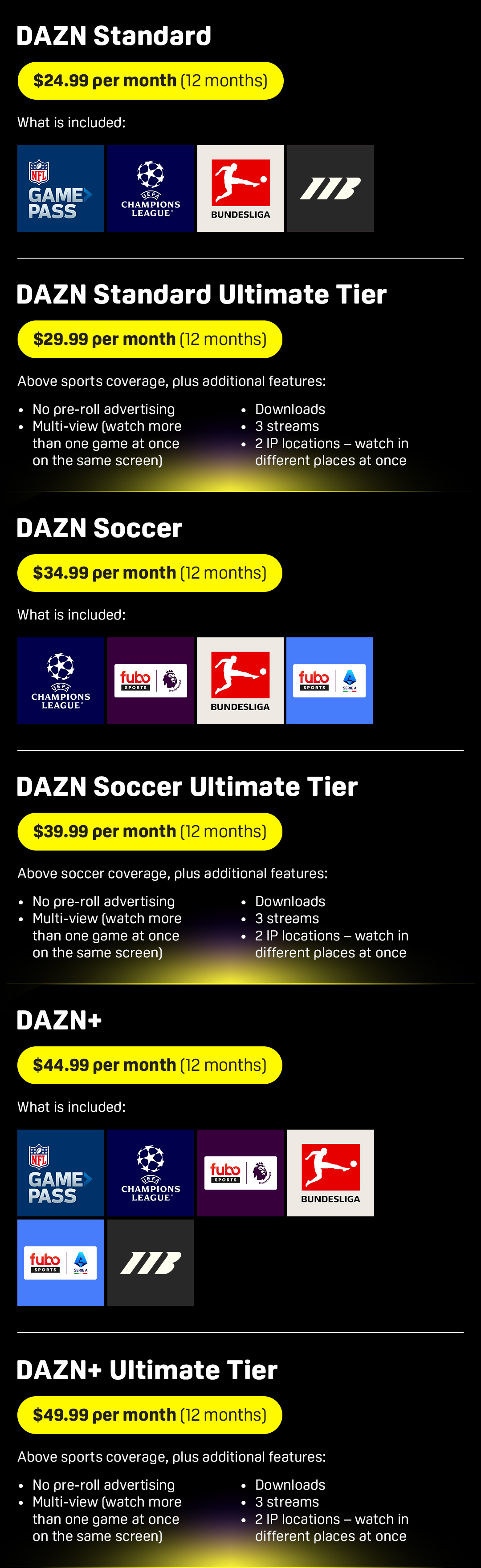
- DAZN requires a subscription. Prices and plans differ by country.
- Some regions offer monthly and annual plans. Others may include free trials or bundled deals.
About VPNs:
- VPNs can change your apparent region but may violate DAZN’s terms of service.
- Region switching can cause playback issues, payment problems, or account blocks.
- If you consider a VPN, understand the legal and terms-of-service risks and test carefully before using it on your main account.
Always check DAZN’s help pages or your account settings to confirm what sports and features are available in your country.

Personal experience, common mistakes, and lessons learned
I’ve set up DAZN for friends before big fights and live matches. These were the most common mistakes and what I do differently now.
Mistake: Relying on Wi-Fi in a crowded home on game night.
- Lesson: Use an Ethernet cable or prioritize traffic on your router.
Mistake: Not updating apps before kickoff.
- Lesson: Update the DAZN app and TV firmware a day before an event.
Mistake: Assuming all TVs support 4K.
- Lesson: Confirm device specs and test a 4K stream days ahead.
I once used an old streaming stick for a live event and faced repeated buffering. After switching to a wired Apple TV and tweaking the router, the stream ran perfectly. Planning ahead saves stress.

Frequently Asked Questions of how to watch dazn on tv
How do I install DAZN on my smart TV?
Open your TV’s app store, search for DAZN, download the app, and sign in with your account details. If DAZN isn’t listed, use a streaming device or HDMI connection.
Can I cast DAZN from my phone to the TV?
Yes. Use Chromecast on Android or AirPlay on iOS if your TV or streaming device supports casting. Open the DAZN app on your phone and tap the cast icon to send the stream to your TV.
What internet speed do I need to watch DAZN on TV?
Aim for at least 5 Mbps for HD streams and 25 Mbps for stable 4K. Live sports need more bandwidth to avoid buffering, so faster is better.
Is DAZN available on Roku and Apple TV?
DAZN is available on many Roku and Apple TV models, but availability can change by region and device model. Check the app store on your device for the most up-to-date info.
Will a VPN allow me to watch DAZN on TV from another country?
A VPN can change your region but may break DAZN’s service or violate their terms. Use caution and understand the risks before attempting this.
What do I do if DAZN keeps buffering on my TV?
Try a wired Ethernet connection, close other devices using the network, lower the stream quality, and restart your router and streaming device. If buffering continues, check for outages or contact support.
Conclusion
You can watch DAZN on TV by installing the DAZN app, casting from your phone, or using an HDMI connection. Pick a compatible device, ensure a strong internet connection, and test before a live event to avoid last-minute issues. Take one step today: check your device compatibility and update the app, then schedule a quick test stream. If this guide helped, leave a comment with your device and any setup questions — I’ll help you get match-ready.

Everett Ashford is a tech reviewer at mytechgrid.com specializing in SSDs, cameras, TVs, earbuds, headphones, and other consumer electronics. He provides honest, data-driven reviews based on hands-on testing and real-world performance analysis. Everett simplifies complex tech details to help readers make smart, confident buying decisions.