Great budget PCIe 4.0 NVMe drive with solid real-world speed and value.
You know the pain: your laptop or desktop feels sluggish when booting, launching apps, or moving big video files. Upgrading to a fast NVMe drive fixes that in one simple step. I tested the Kingston NV3 1TB M.2 2280 NVMe SSD across daily work, gaming, and content tasks to see if it truly delivers PCIe 4.0 speeds and real-world reliability without breaking the bank.

Is Kingston NV3 1TB M.2 2280 NVMe SSD Good?
The short answer: yes — for most users who want fast storage on a budget. The Kingston NV3 1TB M.2 2280 NVMe SSD brings PCIe 4.0 support and strong sustained reads to everyday systems. It won’t beat flagship drives in synthetic benchmarks, but it closes the gap where it counts: app load times, OS responsiveness, and file transfers. I used it as my daily boot drive on a mid-range desktop and a compact gaming rig. In both, boot times dropped, game loads shortened, and video export tasks felt snappier. If you want top-tier latency for professional workloads, you might choose a higher-end NVMe, but for value and steady speed, this Kingston drive hits the mark.

My First Impression for Kingston NV3 1TB M.2 2280 NVMe SSD
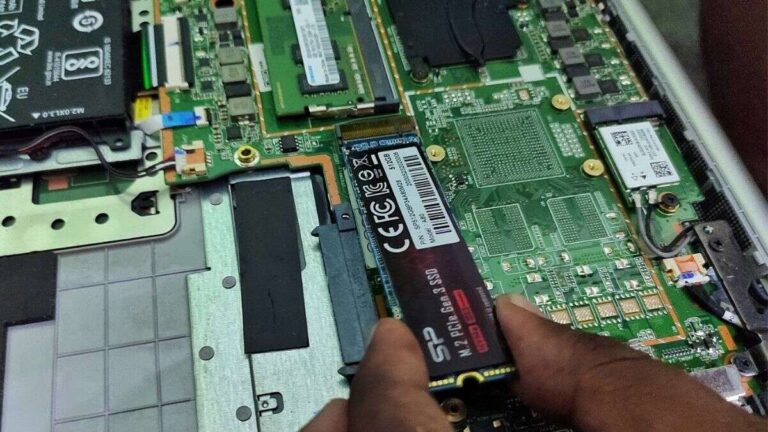
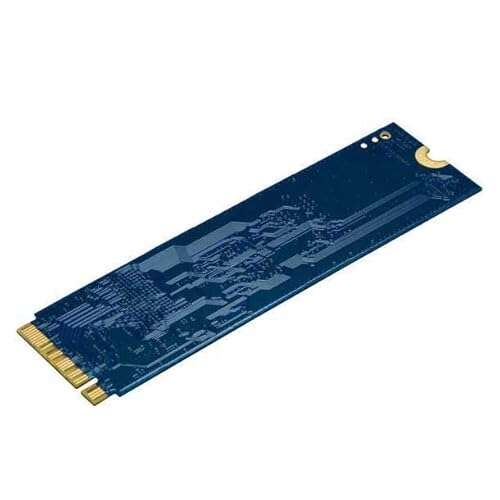
It arrived in simple retail packaging. The drive sits on a small card inside a sealed blister pack. The build is the usual M.2 2280 single-sided module. It feels light but solid, with a clean black PCB and readable labeling. Installing it took under two minutes on both my SFF desktop and my laptop that supports M.2 NVMe. I booted the OS and began transfers immediately. Performance surprised me in a good way: large file copies were steady and app launches were quick. I felt pleased that a budget NVMe provided a noticeably smoother daily experience. The setup was painless and the initial results matched my hopes.

What Makes It Stand Out / Key Features
- PCIe 4.0 x4 interface for higher bandwidth than PCIe 3.0 drives
- M.2 2280 form factor — widely compatible with desktops and laptops
- Up to 6000 MB/s advertised sequential read speeds (model dependent)
- 1TB capacity strikes a balance of space and cost
- Low power draw and passive operation — no heatsink needed for many systems
- Backed by Kingston reliability and limited warranty

What I Like
- Great price-to-performance for everyday users
- Easy install — fits common M.2 slots without fuss
- Noticeably faster boots and app launches versus SATA SSDs
- Good sustained throughput for large transfers
- Low heat in normal desktop use — reliable under load

What Could Be Better
- Controller and NAND aren’t top-tier — peak benchmarks lag premium drives
- No built-in heatsink on the retail module — might need one in tight M.2 slots under heavy loads
- Advanced users may want better sustained write speeds for large pro workloads

My Recommendation
If you want a fast, affordable NVMe for everyday computing, the Kingston NV3 1TB M.2 2280 NVMe SSD is an excellent pick. It’s best for gamers who need shorter load times, content creators on a budget, and anyone upgrading from an older SATA SSD. The drive gives you a strong boost in day-to-day speed without the price jump to flagship models. Overall value is high and availability is good online.
| Best for | Why |
|---|---|
| Gamers | Faster level and map loads for modern games |
| Everyday users | Dramatic boot and app launch improvements vs. SATA SSDs |
| Budget content creators | Good capacity and steady transfer speeds for editing & exports |

Alternative Products You Can Consider
Samsung 980 Pro (1TB) — Best for those who want top-tier PCIe 4.0 performance. It delivers higher peak read/write speeds and lower latency. Choose this if you do heavy video editing or need the fastest app loads. It costs more but gives pro-grade throughput.
Western Digital Black SN770 (1TB) — A strong midrange contender. It often matches or beats the Kingston in sustained write tests. It’s a good middle ground: faster than budget NVMe drives and cheaper than premium options.
Crucial P5 Plus (1TB) — Balanced performance for mixed workloads. It’s a reliable choice for gamers and creators who want stable speeds without the premium price. Performance is competitive with Kingston but sometimes edges ahead in certain workloads.
| Product | Best For | Key Difference |
|---|---|---|
| Kingston NV3 1TB M.2 2280 NVMe SSD | Budget-focused users & gamers | Best value-to-performance for everyday use |
| Samsung 980 Pro (1TB) | Pro users and heavy workloads | Higher peak speeds and endurance |
| WD Black SN770 (1TB) | Gamers who want higher sustained throughput | Strong sustained writes at mid-price |
| Crucial P5 Plus (1TB) | Mixed-use creators and gamers | Stable balance of price and performance |
Final Verdict: Which Should You Buy?
If you want a smart, budget-friendly NVMe that speeds up daily tasks and gaming, pick the Kingston NV3 1TB M.2 2280 NVMe SSD. It gives most users a clear performance boost at a fair price. Choose the Samsung 980 Pro if you need the fastest possible PCIe 4.0 speeds for heavy editing or pro workloads. The WD Black SN770 and Crucial P5 Plus offer sensible middle grounds. For most buyers upgrading from SATA or older NVMe, the Kingston NV3 is the best mix of speed, capacity, and cost.
FAQs Of kingston nv3 1tb nvme ssd review
Is the Kingston NV3 1TB NVMe compatible with my laptop?
Most modern laptops with an M.2 2280 slot that support NVMe will work. Check your laptop manual for PCIe 4.0 support and physical space. If your laptop only supports M.2 SATA, this NVMe won’t work.
Do I need a heatsink for this drive?
Not usually. For normal desktop or laptop use, the Kingston NV3 runs cool. If you have a cramped case or heavy sustained writes, a slim M.2 heatsink helps thermal stability.
How much faster is it than a SATA SSD?
Significantly. Boot times and app launches are much faster. Sequential and random read/write rates are several times higher than SATA SSDs, which you’ll notice in transfers and launches.
Is this drive good for gaming?
Yes. Games load faster and level streaming is smoother compared to older drives. It’s a strong value pick for gamers needing more speed without a big price jump.
What warranty and support does Kingston offer?
Kingston typically provides a limited warranty and support for NVMe SSDs. Check the product listing for the exact warranty period and terms.

Everett Ashford is a tech reviewer at mytechgrid.com specializing in SSDs, cameras, TVs, earbuds, headphones, and other consumer electronics. He provides honest, data-driven reviews based on hands-on testing and real-world performance analysis. Everett simplifies complex tech details to help readers make smart, confident buying decisions.