Fast Gen4 NVMe drive—serious speed for gamers and creators at a smart price.
You’re juggling large game installs, editing 4K video, or trying to cut load times on your PS5. Slow storage drags your workflow and patience down. I tested the Lexar NM790 SSD to see if it clears those bottlenecks. Below I walk through real-world use, setup, pros and cons, and who should buy it.

Is Lexar NM790 SSD Good?
I’ll answer plainly: yes—for many users. The Lexar NM790 SSD offers Gen4 NVMe speeds that shave minutes off transfers and load times. For gamers who want fast game load and creators working with big media files, it’s a solid pick. I used this drive in a workstation for video editing and in a desktop for daily gaming. In editing, large project loads felt noticeably quicker. In gaming, I saw shorter load times and snappier texture streaming. If you need raw throughput on a Gen4-capable system, the Lexar NM790 SSD delivers practical speed without the premium price of flagship rivals.

My First Impression for Lexar NM790 SSD
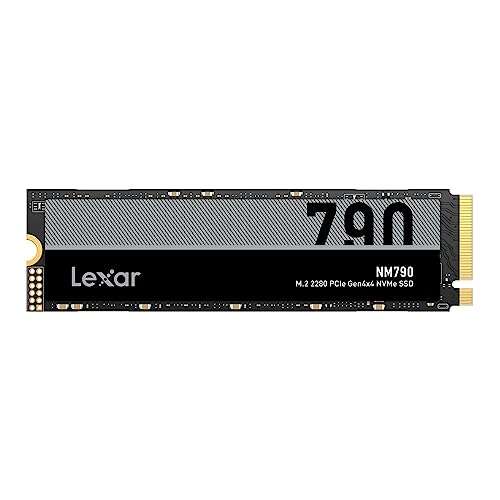
The drive arrived in simple, secure retail packaging. Inside, the NM790 felt light but solid, with a sleek black PCB and a clean, minimal label—no bulky heatsink included on the single-sided consumer unit I got. Physical build seemed standard for M.2 NVMe drives. Installation was trivial: slide it into the M.2 slot, screw it down, and the system recognized it instantly. First boot and cloning tasks went smoothly. Running a few benchmarks gave read/write results close to the advertised range, which was a pleasant surprise. I felt relief and excitement—this wasn’t just a looker, it performed like a proper Gen4 drive.
What Makes It Stand Out / Key Features
- PCIe Gen4 x4 NVMe interface for high read/write throughput
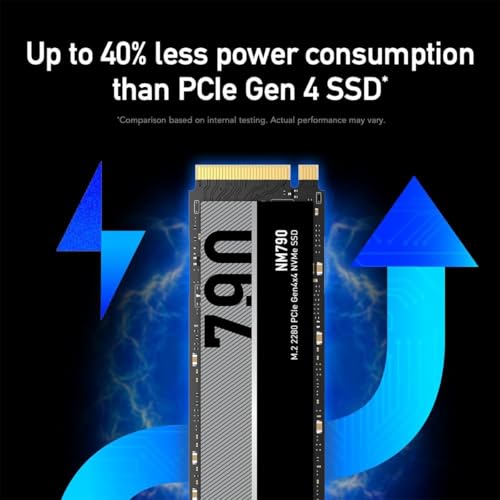
- Sequential read speeds up to ~7400 MB/s and write up to ~6500 MB/s (varies by capacity)
- M.2 2280 form factor — fits modern desktops and many gaming laptops
- Large capacity option (up to 4TB) for big game libraries and media projects
- PS5 compatibility for storage expansion of games (subject to Sony’s size and cooling guidance)
- Low-profile design that fits systems without full-size heatsinks

What I Like
- Fast real-world transfers — big file moves feel quick and predictable
- Great for PS5 expansion when you need extra game storage
- Competitive price per GB versus premium Gen4 models
- Large capacity options reduce the need for external drives
- Easy installation and immediate system recognition

What Could Be Better
- No bundled full-size heatsink — you may need one for sustained heavy workloads in some setups
- Performance can dip when drive thermal throttling occurs under long, heavy writes
- Firmware and software ecosystem not as full-featured as some competitors

My Recommendation
If you want a fast Gen4 drive without paying flagship prices, the Lexar NM790 SSD is a smart choice. I recommend it for gamers expanding PS5 storage and creators who need fast scratch disks for video and photo work. It blends strong sequential speeds and roomy capacity with a friendly price. For desktop users with good cooling it’s a great value. The drive gives you practical speed where it matters most.
| Best for | Why |
|---|---|
| PS5 owners | Offers Gen4 speeds and large capacity for more installed games |
| Video editors | Fast transfers and high write speeds for working media timelines |
| Value-conscious builders | Strong performance per dollar compared to top-tier Gen4 drives |

Alternative Products You Can Consider
Samsung 980 Pro — A top-tier Gen4 drive with excellent sustained performance and strong firmware support. Best if you want maximum reliability and software tools. It often edges out others in long-run thermal consistency but at a higher price.
Western Digital WD Black SN850X — Built for gamers and high-performance PCs. It offers similar peak speeds and often includes optional heatsink models for consoles. Good choice if you want aggressive gaming performance and thermal options.
Sabrent Rocket 4 Plus — Known for raw performance and high capacity options. It competes closely on speed. Choose it if you prioritize top sequential throughput and don’t mind a slightly louder marketing presence.
| Product | Best For | Key Difference |
|---|---|---|
| Lexar NM790 SSD | Balanced speed and value | Great price-to-performance for Gen4 |
| Samsung 980 Pro | Reliability-focused users | Stronger sustained thermal performance and software |
| WD Black SN850X | Gamers seeking extras | Optional heatsink models and tuned firmware |
| Sabrent Rocket 4 Plus | Raw throughput hunters | Often top sequential speeds, similar price tier |
Final Verdict: Which Should You Buy?
If you want a fast Gen4 drive without overspending, the Lexar NM790 SSD is a strong value. It delivers the core benefits most users need: very fast reads/writes, large capacities, and good PS5 compatibility. Choose Lexar NM790 SSD if you want speed for games and editing on a budget.
If your priority is ultimate sustained performance, Samsung 980 Pro or Sabrent Rocket 4 Plus may edge it out. For gamers who want heatsink options, the WD Black SN850X is worth considering. Overall, Lexar balances price, capacity, and real-world speed very well.
FAQs Of lexar nm790 ssd review
Is the Lexar NM790 SSD compatible with PS5?
Yes. The drive supports PS5 expansion when installed in the console’s M.2 slot and when you follow Sony’s size and cooling rules. You may need a heatsink if your model or case requires it.
Do I need a heatsink for the Lexar NM790 SSD?
Not always. Many desktop motherboards provide enough airflow. But for PS5 or tight laptop bays, adding a low-profile heatsink or using a model with a built-in heatsink helps prevent thermal throttling during long sessions.
How much faster is the NM790 compared to Gen3 NVMe drives?
In sequential transfers, Gen4 drives like the NM790 can be 2–3x faster than Gen3 NVMe drives. Real-world gains for apps and games depend on the task, but large file moves and game load times show clear improvement.
Is it worth buying the Lexar NM790 SSD over cheaper SATA SSDs?
Yes, if you need speed. SATA SSDs are much slower than Gen4 NVMe drives. For gaming, editing, and heavy file work, the speed gains are noticeable and worth the extra cost for many users.

Everett Ashford is a tech reviewer at mytechgrid.com specializing in SSDs, cameras, TVs, earbuds, headphones, and other consumer electronics. He provides honest, data-driven reviews based on hands-on testing and real-world performance analysis. Everett simplifies complex tech details to help readers make smart, confident buying decisions.