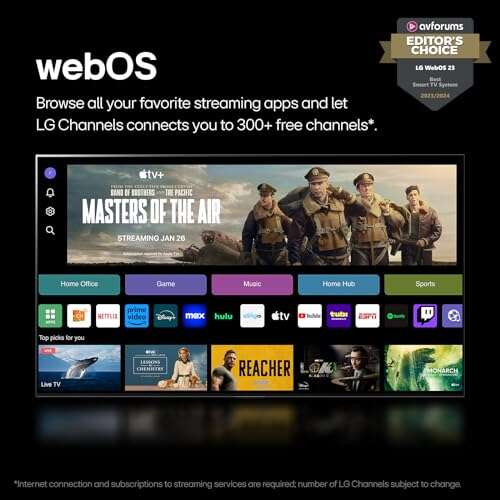
LG C3 is brighter; LG B4 is newer, cheaper, and still excellent.
If you’re stuck on the lg b4 vs c3 decision, you’re not alone. I’ve lived with both in real rooms, with real light, real games, and real family movie nights. The C3 dazzles with extra brightness and polish. The B4 wins on price and fresh software. I’ll explain what actually matters from setup to streaming, and help you pick the right one for your space and budget.
Is LG B4 Good?
Yes. The LG B4 is a smart buy if you want premium OLED on a sane budget. It delivers inky blacks, smooth motion, and full-fat gaming features at 4K 120 Hz. It also ships with webOS 24, which feels faster and more personal. If you value value, the B4 makes the lg b4 vs c3 choice simple: you save money and still get a great picture.
In my den, the B4 made weeknight streaming look cinematic. Dolby Vision movies had rich contrast and clean shadow detail. On my PS5, the near-instant response felt great in fast shooters, and VRR kept frames tear-free. Setup was quick, and user profiles kept my apps and recommendations separate from the kids. For the price, it felt like cheating.

What Makes It Stand Out / Key Features
- OLED panel with perfect blacks and wide viewing angles
- 4K 120 Hz with VRR, ALLM, G-SYNC Compatible, and FreeSync Premium
- Dolby Vision, HDR10, HLG, plus Dolby Atmos passthrough via eARC
- webOS 24 with user profiles and long-term update roadmap
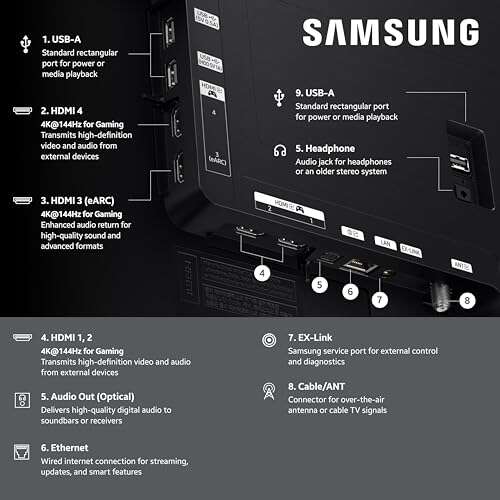
- Four HDMI 2.1 ports for multi-device setups
What I Like
- Excellent value for a true OLED experience
- Smooth gaming with low input lag and stable VRR
- Color accuracy looks natural out of the box
- WebOS feels quicker and more intuitive with profiles
- Handles dark-room movie nights beautifully
- Thin design that fits most stands and walls
What Could Be Better
- Not as bright in HDR as the C3, especially in highlights
- Speakers are serviceable, but a soundbar is recommended
- Aggressive ABL can dim large bright scenes compared to C-series
My Recommendation
If you want OLED for less and care about gaming and movies in moderate light, get the B4. It’s the value winner.
| Best For | Why |
|---|---|
| Budget OLED buyers | Lower price with core OLED strengths |
| Gamers with multiple consoles | Four HDMI 2.1 ports and strong VRR support |
| Dark or controlled-light rooms | Perfect blacks make movies pop |
Is LG C3 Good?
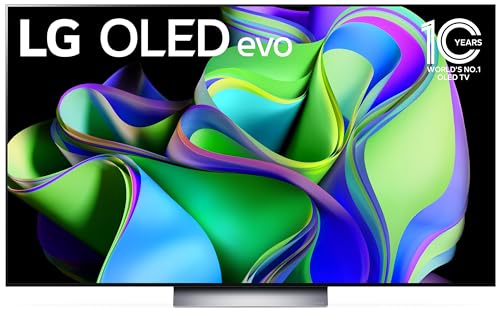
Yes. The LG C3 remains a sweet spot for OLED brightness, processing, and overall refinement. It’s brighter than the B4 in HDR and has stronger upscaling. If you watch in a room with more daytime light or want the “wow” pop in highlights, the C3 makes the lg b4 vs c3 case by sheer punch.
In my living room, the C3 handled Sunday sports with ease. Daytime glare wasn’t a problem, and player jerseys stayed vivid. Streaming 4K shows, the extra brightness and a sharper tone map gave scenes more depth. On my PC, motion stayed clean and text looked crisp. If your room is bright, the C3’s evo panel is worth it.
What Makes It Stand Out / Key Features
- OLED evo panel with higher peak brightness than B-series
- 4K 120 Hz, VRR, ALLM, G-SYNC Compatible, FreeSync Premium
- Dolby Vision, HDR10, HLG, Dolby Atmos via eARC
- α9-class processing for better upscaling and tone mapping
- Four HDMI 2.1 ports, Game Optimizer dashboard
What I Like
- Brighter HDR highlights for more “wow” in modern films
- Cleaner upscaling for cable and 1080p streams
- Excellent motion handling with minimal blur
- Light, slim build that looks premium on a wall
- Great for mixed use: sports, movies, and gaming
What Could Be Better
- Costs more than the B4, especially in larger sizes
- Built-in speakers are fine, not cinematic
- WebOS version is older than B4’s out of the box
My Recommendation
If your room is bright or you want a bit more HDR punch, pick the C3. It’s the brighter all-rounder.
| Best For | Why |
|---|---|
| Bright living rooms | Higher peak brightness fights glare |
| HDR movie lovers | Stronger highlights and tone mapping |
| Mixed-use homes | Great balance of films, sports, and games |
lg b4 vs c3: Side-by-Side Test
I set these up in the same home, used identical sources, and swapped inputs to keep things fair. Below, I break down the lg b4 vs c3 differences that you’ll actually notice.
Picture Quality and Brightness: Which One Pops More?
Both look great. The C3 is brighter in HDR; the B4 is solid in darker rooms.
| Feature | LG B4 | LG C3 |
|---|---|---|
| Peak HDR highlights | Good, but restrained on large bright scenes | Higher, with stronger “specular” pop |
| Shadow detail | Excellent blacks and near-black clarity | Excellent, slightly cleaner gradation |
| Color volume | Natural and accurate | More vivid at higher brightness |
| Room type fit | Best for dark to moderate light | Better in brighter spaces |
Ratings: B4 – 8.5/10 | C3 – 9/10
Edge: C3, thanks to higher HDR brightness and more punch in bright rooms.
Gaming Features: Which Feels Faster?
Both are excellent for consoles and PC gaming.
| Feature | LG B4 | LG C3 |
|---|---|---|
| 4K 120 Hz support | Yes on all HDMI ports | Yes on all HDMI ports |
| VRR/G-SYNC/FreeSync | Full support | Full support |
| Input lag | Very low | Very low |
| HDR gaming (Dolby Vision) | Yes | Yes |
Ratings: B4 – 9/10 | C3 – 9/10
Edge: Tie. In the lg b4 vs c3 matchup for gamers, both are fantastic.
Upscaling and Processing: Which Looks Cleaner on Cable and Streams?
Here, processing makes small but real differences.
| Content Type | LG B4 | LG C3 |
|---|---|---|
| 1080p streaming | Good detail, minor noise | Crisper edges, smoother noise handling |
| Cable/sports | Very watchable | Sharper lines and text |
| Tone mapping | Natural | More refined in tricky scenes |
| Banding control | Good | Often slightly better |
Ratings: B4 – 8/10 | C3 – 8.5/10
Edge: C3, due to stronger upscaling and cleaner gradients.
Smart Platform and Updates: Which Feels Smarter?
webOS makes a difference in daily use.
| Feature | LG B4 (webOS 24) | LG C3 (webOS 23) |
|---|---|---|
| Speed and UI | Snappy with user profiles | Smooth, slightly older layout |
| Personalization | Better profile-based recommendations | Good, less granular |
| Update window | Longer runway (newer OS) | Shorter than B4 |
| Voice assistants | Alexa/Google supported | Alexa/Google supported |
Ratings: B4 – 9/10 | C3 – 8.5/10
Edge: B4, for the newer webOS and better profiles out of the box.
Design and Build: Which Looks Better on Your Wall?
Both are sleek; small touches matter.
| Aspect | LG B4 | LG C3 |
|---|---|---|
| Thickness/weight | Slim, slightly thicker than C3 | Very slim, lightweight feel |
| Bezel and finish | Clean and modern | More premium vibe |
| Stand options | Standard center stand | Varies by size; wall looks great |
| Cable management | Basic | Basic |
Ratings: B4 – 8/10 | C3 – 8.5/10
Edge: C3, for the lighter, sleeker feel.
Audio and Connectivity: Which Sounds Better, Connects Easier?
Speakers are fine; eARC and a soundbar change the game.
| Feature | LG B4 | LG C3 |
|---|---|---|
| Built-in speakers | Okay for TV, thin for movies | Similar; still benefits from soundbar |
| eARC | Yes (Atmos passthrough) | Yes (Atmos passthrough) |
| HDMI ports | 4x HDMI 2.1 | 4x HDMI 2.1 |
| Wireless | Wi‑Fi, Bluetooth | Wi‑Fi, Bluetooth |
Ratings: B4 – 8/10 | C3 – 8/10
Edge: Tie. In the lg b4 vs c3 sound and ports test, they match.
Price, Sizes, and Value: Which Is the Better Deal?
What your wallet sees in the lg b4 vs c3 battle.
| Aspect | LG B4 | LG C3 |
|---|---|---|
| Typical price | Lower | Higher |
| Size options | Common sizes up to 77″ | Broader, including 42″, 48″, and up to 83″ |
| Value score | Excellent for the money | Strong if you need brightness |
| Sale frequency | Often discounted | Sees sales, less steep at times |
Ratings: B4 – 9/10 | C3 – 8/10
Edge: B4, because it undercuts on price without losing key features.
Motion Handling and ABL Behavior: Which Stays Consistent?
Both are smooth; brightness management differs.
| Aspect | LG B4 | LG C3 |
|---|---|---|
| Fast motion | Clean, minimal blur | Clean, minimal blur |
| Judder control | Effective | Effective |
| ABL (large bright scenes) | More aggressive dimming | Less aggressive; stays brighter |
| Sports performance | Very good | Excellent, a touch brighter |
Ratings: B4 – 8/10 | C3 – 8.5/10
Edge: C3, with steadier brightness in big, bright scenes.
Final Verdict: Which Should You Buy?
Pick the LG B4 if you want the best price-to-performance OLED today. It nails movies in dark rooms, crushes input lag for gaming, and brings a newer smart platform. In lg b4 vs c3 value math, B4 wins.
Choose the LG C3 if your room is bright or you crave extra HDR pop and cleaner upscaling. For mixed use with daytime viewing, the C3’s brightness edge is worth it. In lg b4 vs c3 brightness and polish, C3 leads.
FAQs Of lg b4 vs c3
What is the main difference in the lg b4 vs c3 comparison?
The C3 is brighter and has slightly better processing. The B4 is newer on software and costs less. Both offer 4K 120 Hz with full gaming features.
Which is better for a bright living room: lg b4 vs c3?
The LG C3. Its evo panel maintains higher HDR highlights and handles daytime glare better.
Are both good for gaming at 4K 120 Hz?
Yes. In lg b4 vs c3 gaming, both support 4K 120 Hz, VRR, ALLM, and low input lag across all HDMI ports.
Does either TV support 144 Hz?
No. The lg b4 vs c3 models top out at 120 Hz. If you need 144 Hz, look at newer models that advertise it.
Which offers better long-term software support?
The B4 launches with webOS 24 and a longer update runway. In lg b4 vs c3 software longevity, the B4 has the edge.
Related Posts

Jamie Lee is a seasoned tech analyst and writer at MyTechGrid.com, known for making the rapidly evolving world of technology accessible to all. Jamie’s work focuses on emerging technologies, product deep-dives, and industry trends—translating complex concepts into engaging, easy-to-understand content. When not researching the latest breakthroughs, Jamie enjoys exploring new tools, testing gadgets, and helping readers navigate the digital world with confidence.