Fast, budget-friendly SATA upgrade that makes old PCs feel new again.
Your laptop takes ages to boot, apps hang, and you’re tired of the spinning wheel. A simple SATA SSD swap is often the smartest fix—no new system needed. That’s where the RONGSHU RS550 2TB SATA SSD steps in. It promises snappy load times, quiet operation, and a huge storage bump without breaking the bank. If you want smooth everyday speed for a fraction of a new PC’s price, this drive targets exactly that need and does it well.

Is RONGSHU RS550 2TB SATA SSD Good?
Yes—for everyday speed, large storage, and painless upgrades, the RONGSHU RS550 2TB SATA SSD hits the mark. It’s ideal if you’re refreshing an older desktop or laptop that still uses a 2.5-inch SATA bay. You’ll see faster boots, quicker app launches, and smooth file transfers. If you need NVMe-level speeds for pro video or 4K edits, look elsewhere. But for daily use, gaming libraries, and light creative work, it’s a strong value.
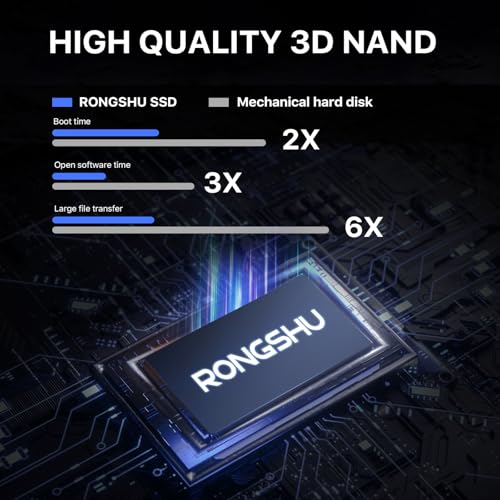
I dropped the RONGSHU RS550 2TB SATA SSD into a 2015 laptop. Boot time fell from nearly two minutes to under 20 seconds. Apps opened fast, and the fan ran less. I also cloned a family desktop to the RONGSHU drive for a clean handoff; the PC felt brand new without reinstalling Windows.

My First Impression for RONGSHU RS550 2TB SATA SSD
The drive arrived well-padded with simple, clean packaging. No fluff—just the SSD and the essentials. The RONGSHU RS550 2TB SATA SSD has a sturdy metal shell and a standard 2.5-inch form factor. The SATA connectors felt solid, and the finish looked neat and uniform.
Setup was easy. I used a USB-to-SATA cable to clone my old drive, then swapped it into the laptop. No tools beyond a small screwdriver. First boot was quick, and Windows felt responsive right away. I expected a lift, but the jump in everyday speed still made me smile. Quiet, cool, and smooth—exactly what I wanted.
What Makes It Stand Out / Key Features
- 2TB capacity for large game libraries, photos, and project files
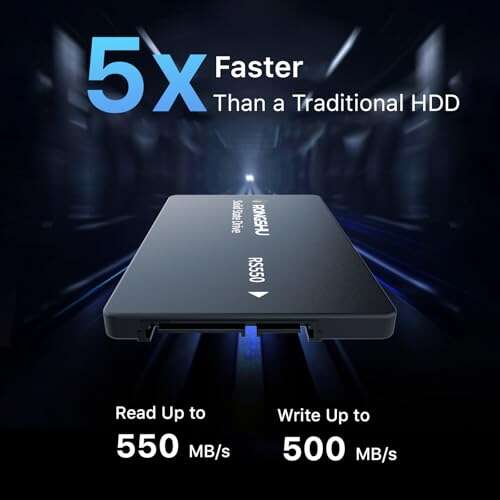
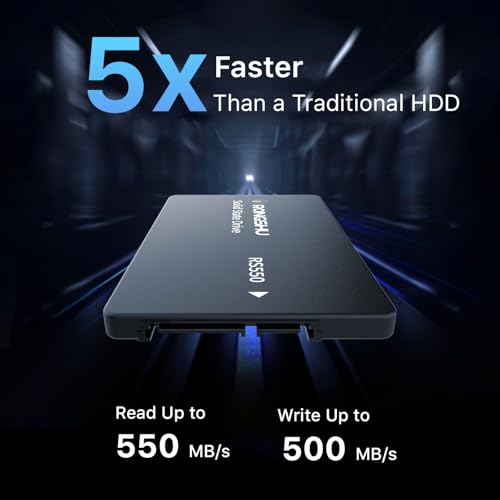
- SATA III 6 Gb/s interface with read speeds up to 550 MB/s
- 2.5-inch, 7mm design fits most laptops and desktops
- 3D NAND for better efficiency and reliability than older NAND
- Silent, cool operation with low power draw
- Plug-and-play upgrade path—great for older systems
What I Like
- Big speed jump from HDDs—boots and apps feel instant
- Great price-to-capacity ratio for 2TB
- Simple upgrade for aging laptops and desktops
- Runs cool and quiet—no more HDD noise
- Enough space for games, media, and backups
- Reliable day-to-day performance for work and school

What Could Be Better
- Not as fast as NVMe SSDs for heavy pro workflows
- No included cloning software—use a third-party tool
- Write speeds can dip during large, sustained transfers

My Recommendation
If you want a simple upgrade that makes a big difference, the RONGSHU RS550 2TB SATA SSD is a smart buy. It suits everyday users, students, and gamers who want faster load times and lots of space. It’s also great as a quiet storage drive in desktops. If your system can only use SATA, this offers near-peak SATA performance at a fair price. For NVMe-capable rigs, you may prefer an M.2 drive, but as a 2.5-inch option, this one is hard to beat for the money.
| Best for | Why |
|---|---|
| Older laptops and desktops | Easy 2.5-inch swap, big speed boost without new hardware |
| Gamers with large libraries | 2TB capacity holds many modern titles with fast loads |
| Everyday work and school use | Quick boots, quiet runs, and snappy app performance |
Alternative Products You Can Consider
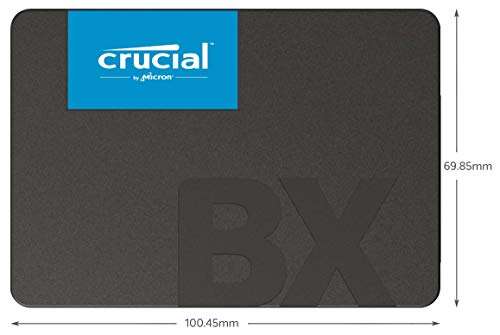
Crucial MX500 2TB — A well-known SATA SSD with strong reliability and proven firmware. It often includes good software support. Compared to the RONGSHU RS550 2TB SATA SSD, the MX500 may feel a bit more polished, though pricing can be higher.
Samsung 870 EVO 2TB — Premium SATA performance and endurance with a long track record. It’s ideal for heavy daily use and frequent writes. Versus the RONGSHU RS550 2TB SATA SSD, expect better sustained speeds and software, but you’ll pay more.
WD Blue 3D NAND 2TB — Balanced speed and reliability from a trusted brand. Great for general use and upgrades. Compared to the RONGSHU RS550 2TB SATA SSD, it’s similar in day-to-day feel, with wider retail support and frequent sales.
| Product | Best For | Key Difference |
|---|---|---|
| RONGSHU RS550 2TB SATA SSD | Budget-friendly, big-capacity SATA upgrades | Strong value and easy drop-in speed boost |
| Crucial MX500 2TB | Reliability with solid software tools | Established firmware and cloning suite |
| Samsung 870 EVO 2TB | Heavy daily use and frequent writes | Premium endurance and sustained speeds |
| WD Blue 3D NAND 2TB | General-purpose upgrades | Balanced performance, broad availability |
Final Verdict: Which Should You Buy?
If you want the best price-to-space upgrade that still feels fast, the RONGSHU RS550 2TB SATA SSD is a smart, no-drama pick. It boots quick, runs cool, and makes old systems feel new. The Crucial MX500 is a great middle ground with proven software. The Samsung 870 EVO is the premium choice for heavy writers and long-term workloads. For most everyday users and gamers on SATA, the RONGSHU RS550 2TB SATA SSD delivers the right blend of speed, capacity, and cost.
FAQs Of RONGSHU RS550 2TB SATA SSD Review
Will this SSD speed up an old laptop?
Yes. Replacing a hard drive with the RONGSHU RS550 2TB SATA SSD will cut boot time and make apps open faster. It’s the best single upgrade for older machines with SATA.
Does it work with desktops?
Yes. It’s a 2.5-inch SATA drive. Use a SATA data cable and a SATA power connector from your power supply. A 2.5-inch bay or adapter bracket may help with mounting.
Is it good for gaming?
For SATA, yes. Games load much faster than from HDDs. The 2TB capacity is great for big libraries. NVMe drives are faster, but many users won’t notice a big in-game difference.
Can I clone my old drive to this SSD?
Yes. Use third-party cloning software and a USB-to-SATA cable. After cloning, swap the drives and set the SSD as the boot drive in BIOS if needed.
What speeds should I expect?
Up to about 550 MB/s read under ideal conditions. Real-world speeds vary by system, file type, and how full the drive is. It’s still far faster than a hard drive.

Everett Ashford is a tech reviewer at mytechgrid.com specializing in SSDs, cameras, TVs, earbuds, headphones, and other consumer electronics. He provides honest, data-driven reviews based on hands-on testing and real-world performance analysis. Everett simplifies complex tech details to help readers make smart, confident buying decisions.