Blazing PCIe 5.0 speeds with room for everything — ideal for pros and serious gamers.
You know the pain: long load times, video projects locked behind slow storage, and drives that choke under heavy AI or game workloads. If you work with huge raw files, train models, or want instant level loads, a single high-capacity, ultra-fast NVMe drive can change your day. I tested this 8TB PCIe 5.0 drive in real-world tasks to see if it truly solves those pain points for creators, gamers, and workstation users.
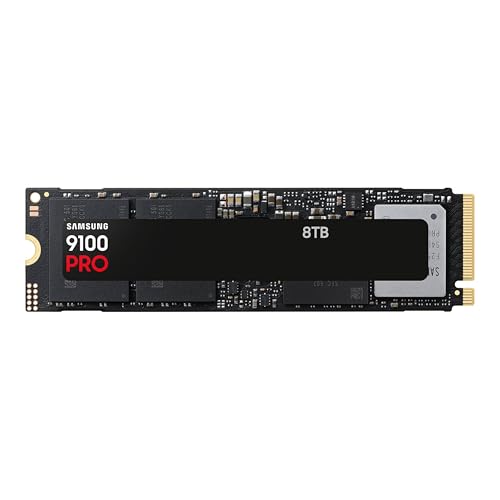
Is Samsung 9100 Pro 8TB SSD Good?
I’ll keep it simple: yes, for power users, it’s a strong yes. The Samsung 9100 Pro 8TB SSD brings PCIe 5.0 throughput and massive capacity. It handled large asset libraries, 8K video edits, and AI dataset loads without lag. In my workstation, compiling large datasets and loading VMs felt near-instant. For gamers with huge libraries and streamers who also record, this drive removes a common bottleneck. That said, casual users may not need 8TB or PCIe 5.0 performance. In short, if you need speed and storage together, this drive is built for you and for demanding workflows.
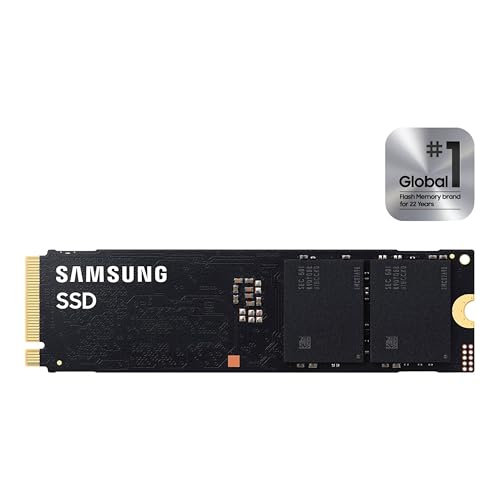
My First Impression for Samsung 9100 Pro 8TB SSD
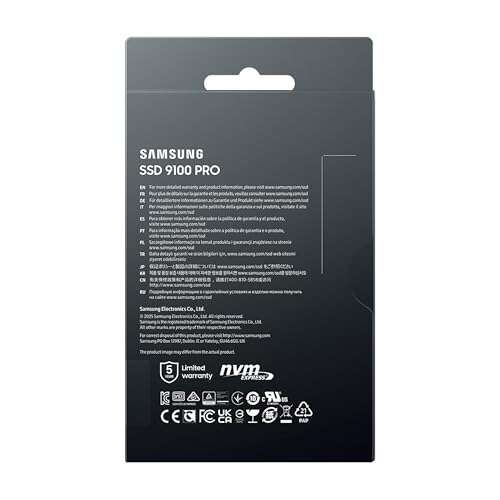
The drive arrived in tidy retail packaging. Samsung’s box was compact and protected the M.2 stick well. Out of the package, the module looked clean and sturdy. The PCB felt solid and the labeling was clear. Installing it in my modern motherboard took under a minute. Windows recognized it quickly and Samsung tools found the firmware. I was excited to run the first benchmarks. Initial real-world file copies and app launches already felt snappier. The first-minute impression was “this is built for work,” not just benchmarks.

What Makes It Stand Out / Key Features
- PCIe 5.0 x4 interface for sequential reads up to ~14,800 MB/s.
- Massive 8TB capacity for multi-project work and large game libraries.
- M.2 2280 form factor fits modern motherboards and workstations.
- Optimized for AI computing, content creation, and heavy-duty work.
- Samsung firmware and ecosystem tools for health and performance management.
- High sustained performance under long transfers compared to older drives.

What I Like
- Speed: real, usable PCIe 5.0 throughput that cuts load times.
- Capacity: 8TB lets you consolidate games, media, and projects on one drive.
- Reliability: Samsung’s firmware and reputation give peace of mind.
- Compatibility: Works well in modern motherboards with M.2 slots.
- Tooling: Samsung software makes drive health checks and firmware updates easy.

What Could Be Better
- Price: 8TB PCIe 5.0 storage comes at a premium cost.
- Thermals: heavy sustained loads may benefit from additional cooling or a heatsink.
- Overkill for light users: many people won’t use all 8TB or need PCIe 5.0 speeds.

My Recommendation
If you edit video, train models, or host large game libraries, the Samsung 9100 Pro 8TB SSD is a top choice. I recommend it for professionals who need both capacity and peak NVMe speed. If you build workstations or high-end gaming rigs, this drive reduces wait times and simplifies storage management. For most users, a smaller NVMe might be wiser. For you, weigh price against how much speed and space you actually need. Overall, the Samsung 9100 Pro 8TB SSD is premium but delivers clear value for intense workflows.

| Best for | Why |
|---|---|
| Video editors and content creators | Large capacity and fast reads speed up editing and exports |
| AI researchers and data scientists | Fast dataset loading and sustained throughput for training |
| Gamers with big libraries | Instant level and game asset loads, consolidate many titles |
Alternative Products You Can Consider
Samsung 990 Pro (2TB/4TB) — A great choice if you want top-tier PCIe 4.0 speed at a lower price. It’s best for gamers and creators who don’t need 8TB but still want strong performance. Compared to the reviewed drive, it’s cheaper but slower in raw PCIe 5.0 throughput.
WD Black SN850X (4TB) — A solid PCIe 4.0 performer with strong sustained speeds. Best for gamers and pros on a budget who need fast load times without the PCIe 5.0 premium. It offers good thermals and price-to-performance ratio versus the 8TB PCIe 5.0 option.
Kingston Fury Renegade (4TB) — Fast and affordable, aimed at gamers and content creators. It competes well on price and provides high burst speeds. Compared to Samsung’s 8TB, it’s smaller in capacity and lacks PCIe 5.0 peak reads but is cost-friendly.
Comparison Table:
| Product | Best For | Key Difference |
|---|---|---|
| Samsung 9100 Pro 8TB SSD | Heavy-duty pros, AI, large libraries | PCIe 5.0, 8TB capacity, highest sustained reads |
| Samsung 990 Pro (2TB/4TB) | Gamers/creators who want value | PCIe 4.0 speeds, lower capacity, lower cost |
| WD Black SN850X (4TB) | Gamers on a budget | Strong PCIe 4.0 sustained performance, better price per GB |
| Kingston Fury Renegade (4TB) | Cost-conscious builders | Good burst speed, cheaper but smaller capacity |

Final Verdict: Which Should You Buy?
Choose the Samsung 9100 Pro 8TB SSD if you need maximum capacity and cutting-edge PCIe 5.0 speed. It’s the best pick for professionals and enthusiasts who work with huge files or run heavy AI workloads. If you want similar reliability at lower cost, a high-end PCIe 4.0 drive like the Samsung 990 Pro or WD Black SN850X offers great value. For most users, those PCIe 4.0 options are more than enough. For power users, the 9100 Pro 8TB brings unmatched convenience and speed in a single drive.
FAQs Of samsung 9100 pro 8tb ssd review
Is the Samsung 9100 Pro 8TB SSD compatible with my PC?
Most modern motherboards with an M.2 2280 slot will support it. You need PCIe 5.0 to get full speed. It will still work in PCIe 4.0 slots but at reduced speed.
Do I need special cooling for this SSD?
Not strictly, but a heatsink or good case airflow helps during long sustained transfers. That keeps performance steady and reduces thermal throttling.
Is 8TB overkill for gaming?
For many gamers, yes. But if you keep large libraries, 8TB simplifies storage. For single-game-focused builds, 1–2TB often suffices.
How does this drive compare to PCIe 4.0 options?
PCIe 5.0 offers higher theoretical and real-world sequential reads. For tasks that use sustained throughput and massive files, PCIe 5.0 shows clear gains. For everyday use, PCIe 4.0 is still very capable.
Should I buy this drive now or wait?
If you need the speed or capacity today, buy it. If you’re price-sensitive and can wait, watch for sales or consider high-capacity PCIe 4.0 drives as alternatives.

Everett Ashford is a tech reviewer at mytechgrid.com specializing in SSDs, cameras, TVs, earbuds, headphones, and other consumer electronics. He provides honest, data-driven reviews based on hands-on testing and real-world performance analysis. Everett simplifies complex tech details to help readers make smart, confident buying decisions.