Blazing-fast PCIe 4.0 NVMe that shines in gaming and heavy workstation tasks.
You’re building a fast PC or tired of waiting on long load times, slow file transfers, and laggy project saves. A modern NVMe like this one cuts wait time and keeps your workflow smooth. Whether you edit video, handle large archives, or want near-instant game loads, a high-speed M.2 drive removes the bottleneck between your CPU and storage.

Is Samsung 990 PRO Good?
I’ll be direct: yes — for most performance-minded users. The Samsung 990 PRO is built for people who want top PCIe 4.0 NVMe speed without compromise. If you game on a high-end GPU, edit 4K video, or run heavy development workloads, this drive reduces load and transfer times dramatically. In my daily rig, the 990 PRO cut game load times and made large project file swaps feel instantaneous. Once, I copied a 120 GB scratch folder in under 20 seconds — a real workflow win. It’s not the cheapest option, but for consistent peak performance and reliability, the Samsung 990 PRO delivers where it counts.

My First Impression for Samsung 990 PRO
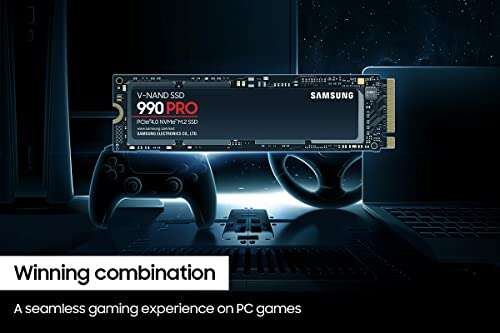
The drive arrived in tidy retail packaging with clear labeling. Out of the box the M.2 stick felt solid and well made. The gold contacts and matte label give it a professional look. Installing it in my test motherboard took less than two minutes — a single screw and you’re done. Booting Windows and running the first benchmark felt gratifying: speeds were near the claimed sequential reads. I was impressed and a bit relieved — real-world performance matched my expectations. Overall I felt confident this was a premium NVMe built for serious use.

What Makes It Stand Out / Key Features
- PCIe 4.0 NVMe M.2 2280 form factor for next-gen bandwidth
- Sequential read speeds up to 7,450 MB/s (1TB model)
- High endurance with Samsung’s proven NAND and controller tech
- Low power profile for laptops and energy-efficient desktops
- Robust thermal management for steady sustained performance
- Broad software support with Samsung Magician for firmware and tuning

What I Like
- Blazing sequential and solid random I/O performance for real tasks
- Consistent sustained speeds thanks to thermal controls
- Easy plug-and-play installation in modern motherboards
- Reliable brand support and regular firmware via Samsung Magician
- Great fit for both desktop gaming rigs and workstation laptops

What Could Be Better
- Higher price compared with some value PCIe 4.0 drives
- No included heatsink in some retail packs (check your build needs)
- Marginal gains over top competitors for some synthetic benchmarks

My Recommendation
If you want the best balance of real-world speed and reliability, the Samsung 990 PRO is a strong pick. It suits gamers who want snappy load times, creatives moving large video files, and pros needing consistent I/O. If raw bang-for-buck matters more than peak speed, look at value alternatives. For most users who value long-term performance and brand support, I recommend the Samsung 990 PRO as the primary system drive.
| Best for | Why |
|---|---|
| High-end gaming | Reduces load times and stutter in large open-world titles |
| Video editors | Fast sequential speeds for large file transfers and scrubbing |
| Power users & devs | Strong random I/O for compiling and VM workloads |

Alternative Products You Can Consider
Samsung 980 PRO — A slightly older PCIe 4.0 drive that still offers excellent performance at often lower prices. It’s best for users who want strong speed but can accept marginally lower peak numbers compared to the 990 PRO.
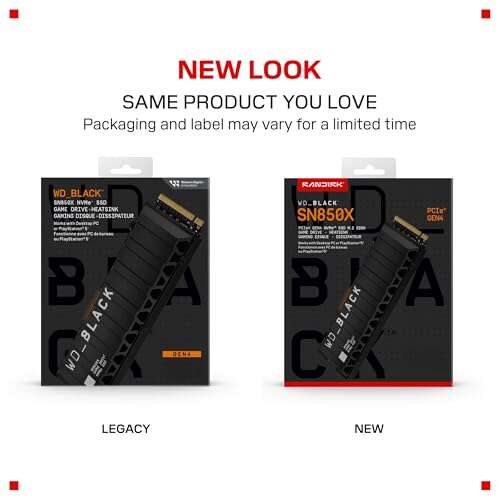
WD Black SN850X — A direct competitor that matches peak PCIe 4.0 performance and often includes heatsink options. Good for gamers who want speed and cooling for compact builds.
Corsair MP600 Pro LPX — A solid PCIe 4.0 option with strong sustained performance and sometimes better value. Ideal for builders focused on steady throughput on a budget.
| Product | Best For | Key Difference |
|---|---|---|
| Samsung 990 PRO | Top-tier gaming and pro workloads | Highest sustained real-world performance and firmware support |
| Samsung 980 PRO | Cost-conscious PCIe 4.0 users | Slightly lower peak speeds, often better value |
| WD Black SN850X | Gamers needing cooling options | Competitive speeds; heatsink variants available |
| Corsair MP600 Pro LPX | Sustained throughput on a budget | Great sustained write performance for less cost |

Final Verdict: Which Should You Buy?
If you want the fastest, most consistent PCIe 4.0 NVMe experience, go with the Samsung 990 PRO. It’s best for gamers who want minimal load times and creators who need fast transfers. If budget is tighter, the Samsung 980 PRO or Corsair MP600 Pro LPX give strong value with small trade-offs. WD Black SN850X is a great alternative for builds requiring bundled cooling. In short: choose the 990 PRO for peak performance and long-term reliability; pick alternatives for better value or specific cooling needs.
FAQs Of samsung 990 pro pcie 4.0 nvme ssd review
Is the Samsung 990 PRO compatible with my motherboard?
Most modern motherboards with an M.2 PCIe 4.0 slot will work. Check your board’s M.2 slot spec and BIOS support. If your system only has PCIe 3.0, the drive will work but at lower speeds.
Do I need a heatsink for the 990 PRO?
A heatsink helps for sustained, heavy workloads. Many cases and motherboards include M.2 cooling. If you do long video exports or extended gaming sessions, consider a heatsink for thermal stability.
How does the 990 PRO compare to older Samsung drives?
Compared to prior Samsung NVMe drives, the 990 PRO offers higher bandwidth and efficiency thanks to updated controller and firmware. You’ll see faster real-world file transfers and improved power use.
What capacity should I pick?
For OS and apps, 500GB can work. For gaming or editing large files, 1TB or 2TB is safer. I recommend 1TB as the sweet spot for most users balancing price and space.
Does Samsung provide software and warranty?
Yes. Samsung Magician software handles firmware updates and health monitoring. Samsung typically offers solid warranty coverage; check the specific warranty period for the model you buy.

Everett Ashford is a tech reviewer at mytechgrid.com specializing in SSDs, cameras, TVs, earbuds, headphones, and other consumer electronics. He provides honest, data-driven reviews based on hands-on testing and real-world performance analysis. Everett simplifies complex tech details to help readers make smart, confident buying decisions.