When your creative team is spread across different locations, sparking fresh ideas can feel like a challenge. You want every voice heard, every idea captured, and the energy of a live brainstorm—even from miles apart.
The right tools can transform your remote sessions from scattered chaos into smooth, inspiring collaboration. Imagine having a virtual space where your team’s creativity flows freely, where ideas build on each other instantly, and where you can track progress without missing a beat.
You’ll discover the best tools designed specifically to boost brainstorming sessions for remote creative teams like yours. Ready to unlock your team’s full creative potential? Keep reading to find the perfect tools that will turn your next session into a breakthrough.
Popular Brainstorming Tools
Popular brainstorming tools help remote creative teams share ideas fast and clear. These tools combine collaboration and visualization to make sessions productive. Teams can build on ideas together, no matter the distance.
Using the right tool keeps everyone engaged and organized. It also helps track progress and make ideas easier to follow. Below are some popular tools that many remote teams use for brainstorming.
Mindmeister For Microsoft Teams
MindMeister integrates directly with Microsoft Teams. It allows users to create and edit mind maps in real-time. Teams can start new maps or open existing ones without leaving the chat. This tool keeps ideas visible and easy to organize during meetings.
Miro And Figjam
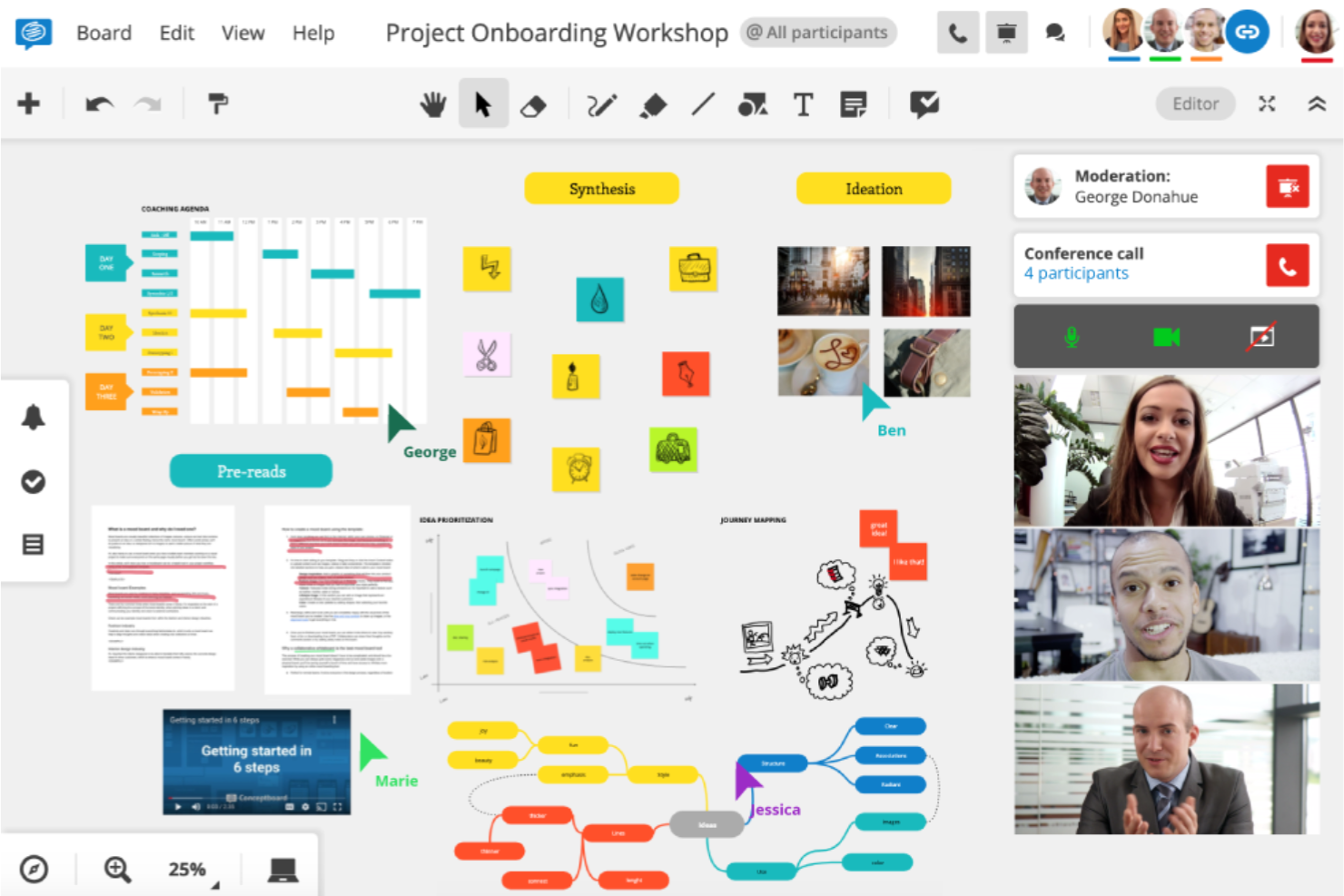
Miro and FigJam offer flexible online whiteboards for brainstorming. They support sticky notes, drawing, and templates to structure ideas. Both tools work well for visual thinkers and encourage team participation. Their simple interfaces suit teams new to digital brainstorming.
Coggle Mind Mapping
Coggle is a straightforward mind mapping tool. It lets teams create colorful, easy-to-read diagrams. Users can customize templates and add images or links. Coggle works well for breaking down complex ideas into simple parts.
Canva’s Collaborative Whiteboards
Canva offers collaborative whiteboards that blend design and brainstorming. Teams can add text, shapes, and images on a shared canvas. The tool is user-friendly and helps teams visualize ideas clearly. It suits creative teams who want polished presentations.
Trello For Idea Organization
Trello uses boards and cards to organize ideas visually. Teams can assign tasks, set deadlines, and add comments. This tool helps track the flow from brainstorming to execution. Trello keeps ideas structured and easy to manage in remote work.
Features To Look For
Choosing the right tools for brainstorming sessions in remote creative teams requires careful thought. Certain features make collaboration smoother and ideas flow better. These features help teams stay connected, organized, and productive, no matter where members are located.
Real-time Collaboration
Real-time collaboration allows team members to work together simultaneously. Everyone can add ideas, comment, and edit content live. This feature keeps the energy high and ideas fresh. It reduces delays and speeds up decision-making.
Customizable Templates
Customizable templates provide a starting point for brainstorming. Teams can adjust layouts to fit their needs. Templates save time and guide the session structure. They help keep discussions focused and organized.
Voting And Feedback Options
Voting and feedback tools let teams prioritize ideas quickly. Members can rate or comment on suggestions easily. This feature highlights the best concepts and builds consensus. It creates a clear path forward for projects.
Integration With Communication Apps
Integration with communication apps connects brainstorming tools to daily workflows. Teams can share ideas directly within chat or video platforms. This feature reduces app switching and keeps conversations in one place. It improves team engagement and follow-up.
Asynchronous Collaboration Support
Asynchronous collaboration allows team members to contribute anytime. This suits different time zones and schedules well. Ideas can be added, reviewed, and edited without needing everyone online together. It ensures no voice is missed and boosts inclusivity.
Facilitating Remote Sessions
Facilitating remote brainstorming sessions requires clear structure and active engagement. Teams need a focused environment to share ideas freely. Remote settings pose challenges like distractions and communication delays. Using the right methods can keep sessions productive and inclusive. Below are key steps to facilitate successful remote creative meetings.
Preparing The Digital Workspace
Choose a reliable platform for video and collaboration. Set up shared digital tools like whiteboards or mind maps. Organize files and links before the session starts. Ensure all participants have access and understand the tools. Test technical settings to avoid delays during the meeting.
Assigning A Facilitator Role
Designate one person to guide the session. The facilitator keeps the team focused on the topic. They manage speaking turns and encourage quieter members. This role helps avoid side conversations and distractions. A strong facilitator drives a smooth and fair discussion.
Setting Clear Goals
Define the session’s purpose in simple terms. Share specific questions or problems to solve. Clear goals help team members prepare their ideas. Goals keep the discussion on track and meaningful. Without them, brainstorming can become scattered and less useful.
Encouraging Participation
Create a safe space for all ideas to be heard. Use prompts and questions to involve everyone. Allow time for thinking and writing before sharing. Recognize contributions to boost confidence and energy. Diverse input leads to more creative and varied solutions.
Documenting And Following Up
Record all ideas using notes or digital tools. Share the session summary with the team afterward. Assign action items and deadlines for next steps. Follow-up keeps momentum and shows respect for participants’ efforts. Documentation also helps track progress and revisit ideas later.

Credit: uxdesign.cc
Hardware For Virtual Brainstorming
Hardware plays a key role in virtual brainstorming sessions for remote creative teams. It supports clear communication and smooth collaboration. Proper tools help team members share ideas naturally and stay engaged. Using the right devices reduces technical issues and distractions.
Choosing hardware designed for virtual teamwork improves the creative flow. It allows real-time interaction and easy sharing of thoughts. Let’s explore essential hardware options that boost virtual brainstorming.
Interactive Whiteboards
Interactive whiteboards replace traditional boards in virtual meetings. They allow multiple users to draw, write, and add notes simultaneously. Teams can visualize ideas clearly and organize thoughts faster. These boards sync with cloud services to save and share sessions easily. Interactive whiteboards enhance creativity and team participation.
High-quality Video Conferencing Tools
Video conferencing tools connect team members face-to-face. High-quality cameras and microphones capture clear video and sound. This clarity reduces misunderstandings and keeps everyone focused. Reliable video tools support screen sharing and recording, making brainstorming productive. Good video conferencing hardware creates a natural meeting feel.
Digital Pens And Tablets
Digital pens and tablets offer precise control for drawing and note-taking. They mimic pen and paper, making idea expression easier. Team members can sketch, highlight, and edit without delays. Tablets are portable and work well with interactive whiteboards. These tools allow creative freedom during brainstorming.
Noise-cancelling Headsets
Noise-cancelling headsets block background noise and improve audio quality. They help users concentrate on conversations and ideas. Clear sound reduces repeated explanations and distractions. Comfortable headsets are important for long brainstorming sessions. They keep remote teams connected and focused.
Tips For Effective Brainstorming
Effective brainstorming fuels creativity and innovation in remote teams. It requires careful planning and the right methods to ensure every voice is heard. These tips help teams generate ideas clearly and efficiently, even when working apart.
Creating An Open Environment
Encourage team members to share ideas without fear of judgment. Use positive language and acknowledge all contributions. Set ground rules that respect each opinion. A welcoming space boosts confidence and creativity. Leaders should model openness by accepting all thoughts.
Using Breakout Rooms
Divide large groups into smaller breakout rooms for focused discussions. Smaller groups make it easier to speak and collaborate. Assign clear tasks to each room to keep discussions on track. After the session, regroup to share ideas and insights. This method increases participation and idea variety.
Time Management Techniques
Set strict time limits for each brainstorming phase to maintain energy. Use timers to keep the team aware of remaining time. Break sessions into short bursts to avoid fatigue. Allocate specific times for idea generation, discussion, and selection. Good time management improves focus and productivity.
Combining Synchronous And Asynchronous Methods
Mix live meetings with asynchronous tools to maximize input. Use real-time video calls for immediate feedback and idea building. Employ shared documents or boards for ongoing contributions outside meetings. This approach gives team members flexibility to think deeply and share at their own pace.

Credit: cpoclub.com
Credit: www.teamdynamics.io
Frequently Asked Questions
Does Teams Have A Brainstorming Tool?
Microsoft Teams offers a brainstorming tool through its integrated Whiteboard app. It enables real-time mind mapping and idea collaboration. Teams also supports third-party apps like MindMeister and Miro for enhanced brainstorming sessions within meetings.
How To Facilitate A Brainstorming Session Virtually?
Use collaborative tools like Miro or Microsoft Whiteboard for real-time idea sharing. Set clear goals and assign a facilitator. Encourage participation and document ideas. Follow up with a summary to keep momentum. Keep sessions focused and time-bound for best results.
What Is The Best Tool For Brainstorming?
The best brainstorming tool depends on your needs. Miro offers real-time collaboration and an infinite canvas. MindMeister integrates well with Microsoft Teams for mind mapping. Coggle provides intuitive, customizable templates. Canva supports interactive whiteboards and templates. Choose based on your team’s collaboration style.
How To Run A Brainstorming Session On Teams?
Schedule a Microsoft Teams meeting and open the Whiteboard feature. Select a brainstorming template, set clear goals, and invite team members to contribute ideas in real-time. Appoint a facilitator to guide the session and document key points for follow-up. Use collaborative tools for better engagement.
Conclusion
Choosing the right tools helps remote teams share ideas clearly and quickly. Simple apps with easy features keep everyone involved and creative. Clear goals and good communication make sessions more productive. Using these tools often leads to better teamwork and fresh ideas.
Try different options to find what fits your team best. Keep brainstorming fun and focused to get the best results.