Are you looking to boost your remote workflow with smarter, faster tools? Integrating AI into your daily tasks can transform how you work, making routine jobs easier and freeing up time for what really matters.
But with so many options out there, it’s easy to feel overwhelmed. This guide will help you discover the best tools designed to fit right into your remote setup, helping you stay organized, productive, and ahead of the curve. Ready to see how AI can work for you?
Let’s dive in.

Credit: blog.box.com
Ai Workflow Automation Tools
AI workflow automation tools simplify remote work by automating routine tasks. They reduce manual effort and help teams focus on important projects. These tools connect different apps and use AI to speed up processes. They save time and improve accuracy in daily workflows.
Using AI automation tools also helps with managing data, tracking progress, and communication. They fit well into remote setups where teams work from different locations. Choosing the right tool depends on your team’s needs and budget.
Popular Platforms And Pricing
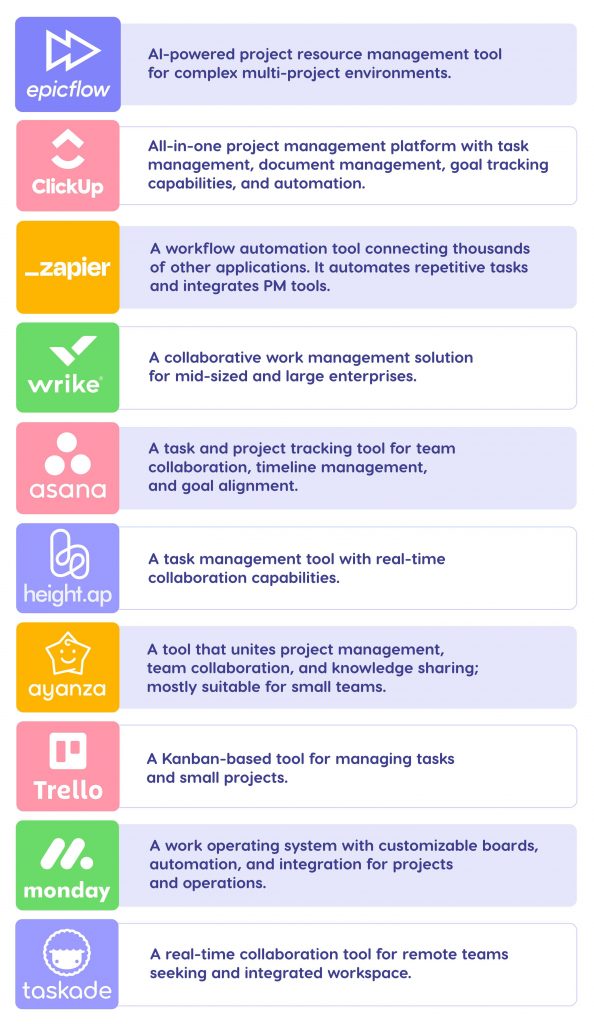
Many platforms offer AI workflow automation for remote teams. Zapier is popular and connects with thousands of apps. It has a free plan and paid options starting at $19.99 per month. Another option is Automation Anywhere, which provides custom pricing based on company size.
Kissflow offers easy-to-use automation tools with pricing starting around $15 per user per month. Creatio focuses on process management and AI with plans customized to business needs. FlowForma provides no-code automation with flexible pricing. Each platform has different features and costs to fit various budgets.
Features That Boost Efficiency
AI workflow automation tools offer features that improve productivity. They include task scheduling, automatic notifications, and real-time data updates. Some tools use AI to analyze workflows and suggest improvements. Integration with popular apps like Google Workspace and Slack is common.
Other useful features are drag-and-drop workflow builders, templates, and reporting dashboards. These help teams automate tasks without coding knowledge. AI also helps detect bottlenecks and optimize work steps. Alerts and reminders keep everyone on track and reduce missed deadlines.
Choosing The Right Tool
Select a tool that fits your team’s size and tasks. Consider how easy it is to use and the available integrations. Check if the tool supports your main apps and data sources. Pricing should match your budget without limiting growth.
Look for features that address your specific workflow challenges. Test free trials to see how the tool fits your remote environment. Support and training options are important for smooth adoption. The right AI automation tool will make remote work faster and less stressful.

Credit: www.larksuite.com
Integrating Ai With Existing Apps
Integrating AI with existing apps allows businesses to enhance remote workflows without rebuilding systems. It helps automate tasks, analyze data, and improve decision-making directly within familiar tools. This approach keeps teams productive by using AI where they already work.
Choosing the right method to connect AI to current software is key. The integration must support growth and remain stable over time. Also, AI should blend in smoothly, avoiding disruption to daily tasks.
Connecting Ai To Business Software
AI can link to popular business apps like CRM, email, and project management tools. APIs and plugins make these connections possible. This setup lets AI process data and trigger actions automatically. Teams get AI insights without switching platforms.
Tools like Zapier and Microsoft Power Automate simplify this linking process. They support many apps and require little coding. This ease helps businesses adopt AI faster.
Ensuring Scalability And Reliability
Integrations must handle growing data and users. Cloud-based AI services offer flexible resources to scale as needed. Reliable uptime and fast responses keep workflows smooth. Monitoring tools track performance to avoid slowdowns or errors.
Choosing AI solutions with proven stability reduces risks. Regular updates and support also improve long-term reliability.
Embedding Ai Without Disruption
AI should fit into workflows without interrupting daily work. Start with small, low-risk tasks to test the integration. Train employees on new AI features to ease adoption. Gradual rollout avoids overwhelming teams.
Maintain existing processes while adding AI support. This approach keeps work steady as AI capabilities grow. Clear communication and feedback help fix issues quickly.
Ai Tools For Remote Team Collaboration
Integrating AI tools into remote team collaboration boosts productivity and teamwork. These tools help teams communicate clearly, share code efficiently, and manage projects smoothly. AI can reduce misunderstandings and speed up daily tasks. Teams working from different locations can stay connected and organized.
Enhancing Communication And Coordination
AI tools improve communication by offering real-time language translation and smart replies. They help team members understand each other, even if they speak different languages. AI chatbots can answer common questions quickly, saving time. Virtual assistants schedule meetings and send reminders automatically. These features keep teams aligned and reduce delays.
Code Collaboration Platforms
AI-powered code platforms assist developers by suggesting code snippets and spotting errors early. They support version control, so team members can work on the same project without conflicts. AI can review code quality and suggest improvements. These platforms make remote coding faster and less error-prone. Developers can focus more on solving problems.
Project Management Solutions
AI-driven project tools track progress and predict deadlines. They organize tasks by priority and assign them to team members based on skills. AI analyzes project data to identify risks and suggest solutions. These systems provide clear dashboards showing team performance. Remote teams benefit from better planning and timely delivery.
Automation Platforms With Ai Capabilities
Automation platforms with AI capabilities help remote teams work smarter. They connect apps and services to automate tasks and add AI features. These platforms save time and reduce errors. They also make workflows smoother and faster. Choosing the right tool depends on your team’s needs and the apps you use.
Zapier And Ai Orchestration
Zapier links thousands of apps to create automated workflows called Zaps. It now includes AI features to improve task handling. For example, AI can analyze data or generate content within workflows. Zapier’s user-friendly interface helps teams set up automation without coding. It supports apps like Google Workspace, Salesforce, and Microsoft 365. This makes it easier to integrate AI into everyday remote work.
Airtable Automation Features
Airtable blends a spreadsheet with a database, plus automation tools. Its automation triggers actions based on conditions you set. AI can assist in sorting, filtering, and managing data automatically. Airtable’s visual builder helps teams design workflows without technical skills. It works well for project tracking, content planning, and customer management. AI-powered automations reduce manual work and speed up processes.
Emerging Ai Automation Tools
New AI automation tools are appearing to meet diverse needs. They focus on natural language processing, machine learning, and smart predictions. Some tools offer AI agents that handle complex workflows independently. Others provide easy integration with popular apps and cloud services. These platforms grow rapidly and often include free trials. Experimenting with emerging tools can find new ways to boost remote productivity.
Best Practices For Ai Integration
Integrating AI into remote workflows requires careful planning and clear steps. Following best practices helps teams use AI tools effectively and smoothly. These practices support better collaboration and more productive results.
Starting With Clear Goals
Define specific goals for AI integration before starting. Identify tasks that AI can improve or automate. Clear goals guide tool selection and workflow changes. This approach prevents confusion and wasted effort.
Training Remote Teams
Provide training to ensure all team members understand AI tools. Use simple guides and live sessions to demonstrate features. Regular training helps teams adapt quickly and work confidently. Support is key for successful adoption.
Balancing Automation And Creativity
Use AI to handle repetitive tasks, freeing time for creative work. Avoid relying too much on automation, which may limit innovation. Encourage team members to use AI as a helpful assistant, not a replacement.
Maintaining Ethical Standards
Set clear rules to protect privacy and data security when using AI. Ensure AI tools follow company policies and legal requirements. Transparency about AI use builds trust among team members and clients.
Continuous Evaluation And Adaptation
Regularly review AI tool performance and its impact on workflows. Collect feedback from users to find issues and improvement areas. Update tools and processes to stay efficient and relevant over time.
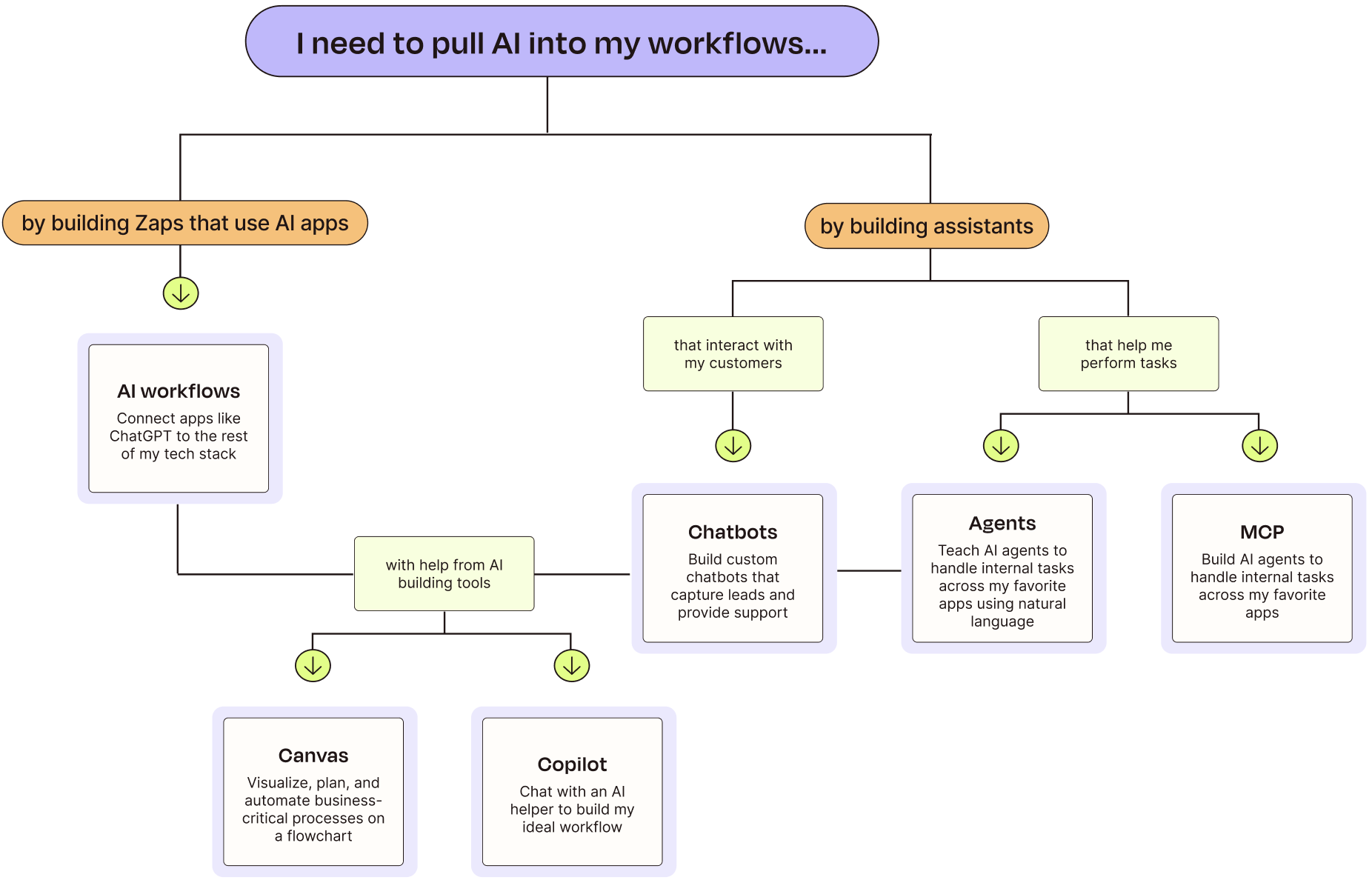
Credit: zapier.com
Ai Agents And Agentic Workflows
AI Agents and agentic workflows bring smart automation to remote work. They help teams handle tasks with less manual effort. These tools act like digital assistants that can think and act independently.
Using AI agents in workflows boosts productivity. They manage routine jobs and support decision-making. This lets employees focus on complex and creative work.
What Are Ai Agents?
AI agents are software programs that perform tasks automatically. They understand commands, learn from data, and make choices. These agents work without constant human control.
They can respond to changes and solve problems. AI agents often use natural language to interact with users. This makes them easy to work with in remote teams.
Implementing Agentic Workflow Solutions
Agentic workflows use AI agents to run parts of a process independently. To implement them, start by mapping your current tasks. Identify repetitive or rule-based jobs that AI can handle.
Choose AI tools that fit your needs and integrate well with existing software. Train the agents with your data to improve accuracy. Monitor their work and adjust settings over time.
Real-world Use Cases
Many companies use AI agents in remote workflows. Customer support teams deploy chatbots to answer common questions quickly. Marketing teams use AI to schedule social media posts automatically.
Project managers rely on AI agents to track deadlines and send reminders. HR departments use AI to screen resumes and schedule interviews. These examples show AI agents save time and reduce errors.
Frequently Asked Questions
How Do You Incorporate Ai Into Your Workflow?
Incorporate AI by setting clear goals, training your team, using automation tools, enhancing creativity, and continuously adapting workflows.
What Is The Ai Tool For Creating Workflows?
AI tools like Zapier, Automation Anywhere, FlowForma, and Kissflow help create and automate workflows efficiently.
What Are Ai Integration Tools?
AI integration tools connect AI models with apps and data to automate tasks and enhance workflows efficiently and reliably.
How To Integrate Ai Into A Platform?
Define clear AI goals and choose suitable tools. Integrate AI APIs or platforms like Zapier. Train your team and test workflows. Monitor performance and adapt for improvement continuously.
Conclusion
Integrating AI into remote workflows can boost efficiency and ease tasks. Choose tools that fit your team’s needs and skills. Start small and learn as you go. Train your team well to make the most of AI features. Keep checking if the tools work well and improve them.
Use AI to support creativity, not replace it. With the right approach, AI can help remote work run smoothly and smartly.