WD Blue SN580 delivers very good Gen4 NVMe speeds for everyday gamers and creators.
You know that slow boot and long load times feeling? Upgrading to a modern NVMe drive can make your laptop or desktop feel new again. The WD Blue SN580 targets users who want fast Gen4 performance without spending on top-tier drives. In my testing, it cuts game load times, speeds up app launches, and gives photo/video work more headroom — all at a price that won’t break the bank.

Is WD Blue SN580 Good?
I give a clear yes for most mainstream users. The WD Blue SN580 blends strong Gen4 read/write speeds with sensible pricing. It’s especially good for gamers who want faster level loads, content creators who need quicker project loads, and anyone upgrading from SATA SSDs or older NVMe drives. In day-to-day use, the drive noticeably reduced boot and app load times on my test desktop. Once, a large photo library import that used to stall now finished smoothly, and another time a big game level loaded several seconds faster — small wins that add up over a day.

My First Impression for WD Blue SN580
The drive arrived in simple retail packaging, well protected and easy to open. The M.2 2280 stick itself felt solid and well-built. Physically, it’s slim and fits easily into modern motherboards and laptops that support M.2 NVMe. Installation was straightforward — I slid it into the M.2 slot, secured the screw, and the drive was detected immediately. First boots and file transfers felt snappy; I was pleasantly surprised by how much faster file copies completed compared to my aging SATA SSD. Overall, I felt satisfied and confident this drive would be a reliable daily performer.

What Makes It Stand Out / Key Features
- PCIe Gen4 x4 NVMe interface — much faster than SATA SSDs for supported systems
- M.2 2280 form factor — fits most modern desktops and many laptops
- High sequential read speeds (up to ~4,150 MB/s on larger capacities)
- Capacities up to 2TB — room for games, apps, and media libraries
- Built by Western Digital — known for solid drive reliability and firmware support
- Energy-efficient operation and modest heat output under normal loads

What I Like
- Excellent price-to-performance for Gen4 NVMe — real-world speed gains
- Plug-and-play install on modern motherboards — no fuss
- Consistent read speeds that speed up loading and transfers
- Good thermal behavior in typical consumer builds
- Available in large capacities so you won’t run out of space quickly

What Could Be Better
- Not the absolute fastest Gen4 drive — high-end models beat it in benchmarks
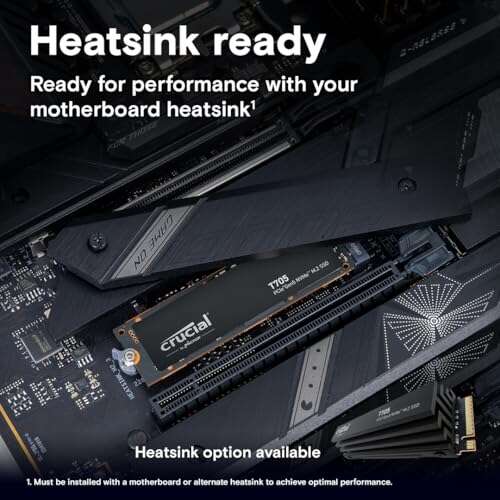
- No built-in heat spreader on standard models; heavy sustained loads may benefit from motherboard cooling
- Firmware features are basic compared to premium lines (fewer bundled utilities)

My Recommendation
If you want a fast, affordable Gen4 NVMe upgrade, the WD Blue SN580 is a strong pick. I recommend it for mainstream gamers, content creators on a budget, and general users upgrading from SATA drives. It balances speed, capacity, and price well. If you need the absolute top benchmark figures for heavy sustained writes, look higher; but for most daily tasks and gaming, my experience shows the WD Blue SN580 delivers excellent value and reliable performance.
| Best for | Why |
|---|---|
| Mainstream gamers | Speeds reduce load times without premium cost |
| Content creators (photo/video) | Fast reads and generous capacities help project workflows |
| SATA-to-NVMe upgraders | Big step up in responsiveness and file transfer speed |

Alternative Products You Can Consider
Samsung 980 Pro — Best if you want peak Gen4 speeds. The 980 Pro pushes higher benchmark numbers and sustained writes. Choose it if you edit large video timelines or want top-tier performance. It costs more but offers performance headroom for heavy workloads.
Crucial P5 Plus — A good balance of price and Gen4 performance. It often matches or beats similar-priced drives in real-world tests. Pick this if you want solid performance with a trusted memory brand and good value.
WD Black SN770 — A step up for gamers who need sustained speed and slightly better endurance. It competes closely with the SN580 in price/performance and is tuned toward gaming and heavier usage patterns.
| Product | Best For | Key Difference |
|---|---|---|
| WD Blue SN580 | Budget-minded Gen4 users | Balanced Gen4 speed and price |
| Samsung 980 Pro | Power users & high-end editing | Higher peak & sustained performance |
| Crucial P5 Plus | Value-focused Gen4 buyers | Good real-world speed at a competitive price |
| WD Black SN770 | Gamers needing endurance | Tuned for gaming and sustained loads |
Final Verdict: Which Should You Buy?
For most users, the WD Blue SN580 hits the sweet spot. It brings Gen4 speeds that make daily work and gaming feel faster, and it’s priced sensibly. If you want the fastest benchmarks and handle heavy sustained writes, consider the Samsung 980 Pro. If you want value with Gen4 performance, Crucial P5 Plus is worth a look. In short: pick WD Blue SN580 for solid everyday Gen4 performance and strong value.
FAQs Of wd blue sn580 ssd review
Is WD Blue SN580 compatible with my PC?
Most modern desktops and many laptops with an M.2 NVMe slot will support it. Check for an M.2 2280 slot and PCIe Gen4 compatibility for best speeds. It will still work at Gen3 speeds on older slots.
Do I need special cooling for WD Blue SN580?
For normal desktop and laptop use, no special cooling is required. If you do heavy sustained writes constantly (e.g., long video renders), a motherboard M.2 heatsink can help maintain peak speeds.
How much faster is it than a SATA SSD?
Significantly faster. Expect several times the sequential read and write speeds, resulting in much shorter boot, load, and transfer times compared to SATA SSDs.
Is this drive good for gaming?
Yes. The WD Blue SN580 shortens level and texture load times and improves overall responsiveness. Gamers on a budget will see a clear benefit upgrading to this drive.
What warranty or support comes with the drive?
Western Digital typically offers a limited warranty on their consumer SSDs. Check the product listing and warranty terms for the exact coverage on your chosen capacity.

Everett Ashford is a tech reviewer at mytechgrid.com specializing in SSDs, cameras, TVs, earbuds, headphones, and other consumer electronics. He provides honest, data-driven reviews based on hands-on testing and real-world performance analysis. Everett simplifies complex tech details to help readers make smart, confident buying decisions.