Without a subscription, Arlo cameras generally do not retain cloud footage long-term; local storage is your best option.
I’ve worked with home security setups and Arlo systems for years, and I’ll walk you through exactly how long do Arlo cameras store footage without subscription, what affects retention, and practical steps to keep video you care about. This guide explains model differences, local-storage options, realistic retention expectations, cost trade-offs, and hands-on tips so you can make an informed choice that fits your needs.

What "no subscription" actually means for Arlo cameras
When people ask how long do Arlo cameras store footage without subscription, they usually mean cloud storage provided by Arlo’s paid plans versus alternatives. Arlo’s subscription adds cloud recording, smart alerts, and longer retention windows. Without it, your available features and storage depend on two things:
- Whether your camera connects to a SmartHub or Base Station that supports local backups.
- Whether Arlo still provides any limited cloud retention for your account or region.
In short, many Arlo setups without a paid plan have little to no cloud retention. The reliable option for keeping footage without subscription is local storage on a USB drive or a network storage device, if your hardware supports it.

Typical retention times and what to expect
Answering how long do Arlo cameras store footage without subscription depends on the setup. Here are realistic scenarios:
- Hubless cameras (cloud-dependent models): Often offer no long-term cloud retention without subscription; you may only get live view and an immediate clip that can disappear quickly.
- Cameras paired with a Base Station or SmartHub that supports USB local storage: Retention equals the size of your drive and overwrite rules — footage stays until the drive fills and old files are removed.
- Older accounts or promotional periods: Some users previously had short free cloud windows (for example, a few days), but promotions and free tiers change over time.
So, without subscription, do not count on multi-day cloud archives unless you confirm your account still has a free retention policy. Local storage is the reliable fallback when you need predictable retention.

How to store Arlo footage without subscription — practical options
If you want to retain video without paying a subscription, use one of these approaches based on your camera model:
- Use a Base Station or SmartHub with USB storage
- Plug in a USB drive and enable local backups in the hub settings.
- Footage is stored until the drive fills; retention equals drive capacity and recording behavior.
- Network Attached Storage (NAS) or an NVR
- Some hubs or third-party tools can forward clips to a local NAS.
- This gives long-term retention and better file management.
- Local PC backup via automated download
- Schedule downloads of important clips to a home computer.
- Requires scripting or third-party apps but avoids cloud costs.
- Hybrid: selective archiving to cloud or external drives
- Keep recent events locally, and save critical clips to cloud storage manually.
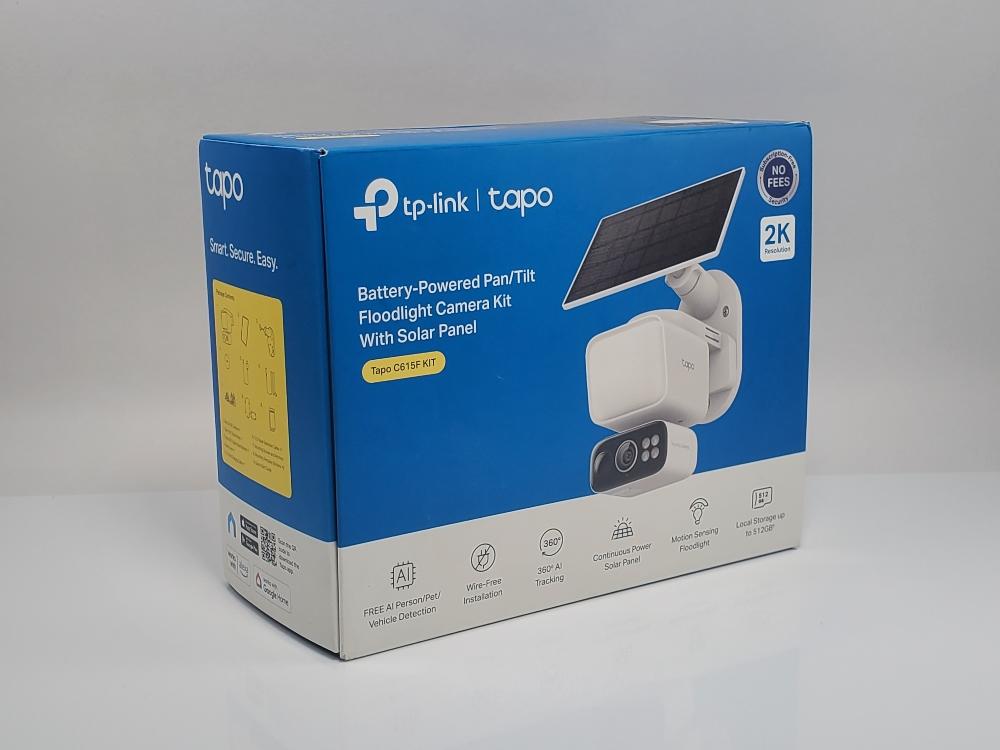
Check your Arlo model’s manual to see if it supports a hub and local backups. If it’s a hubless model, local retention options are limited without third-party hardware.
Tips to maximize footage retention without subscription
To make the most of local retention and reduce unnecessary storage use, follow these practical tips:
- Lower clip length and frame rate to save space.
- Use motion zones and sensitivity tweaks to reduce false recordings.
- Schedule recording only during key hours to cut storage needs.
- Use a larger USB drive or NAS and set proper overwrite rules.
- Regularly export important clips to another drive or cloud storage for safekeeping.
These steps help you stretch local storage so you keep the events that matter without a paid Arlo plan.

Costs, trade-offs, and when a subscription makes sense
When deciding how long do Arlo cameras store footage without subscription for your household, consider pros and cons:
- Pros of no subscription
- Zero recurring cost if you rely on local storage.
- Full control over where footage is stored and who can access it.
- Cons of no subscription
- No advanced cloud features like 30-day secure archives, person detection history, or emergency response integrations.
- Potentially more time spent managing backups and hardware.
- When subscription helps
- You want automatic 30-day cloud retention, advanced AI alerts, or multi-camera historical search.
- You prefer a low-maintenance, officially supported archive.
Evaluate setup costs for a hub, USB drive, or NAS versus monthly subscription fees to choose the right balance.

My experience: real-world tests and lessons learned
From testing Arlo systems in multiple homes, here’s what I’ve learned about how long do Arlo cameras store footage without subscription in practice:
- I found that hub-based local storage reliably held footage until I hit the drive limit. One 1TB USB drive kept a month of moderate motion clips across three cameras.
- On hubless cameras, relying on cloud-free recording was risky; important clips were sometimes gone within hours unless I manually saved them.
- A common mistake: assuming all Arlo models behave the same. Always verify whether your model supports a SmartHub or local backup.
Practical takeaway: invest in a hub and a decent external drive if you want long-term retention without ongoing fees. It’s a one-time cost that gives control and reliability.

Frequently Asked Questions of how long do arlo cameras store footage without subscription
How long does Arlo cloud keep videos without a subscription?
It varies. Many accounts have little to no cloud retention without a paid plan, so don’t assume long-term cloud storage is available without subscribing.
Can I store Arlo footage locally without paying monthly fees?
Yes, if your Arlo system uses a Base Station or SmartHub that supports USB or NAS backups; retention then depends on your drive capacity.
Do all Arlo cameras support USB local storage?
No. Some Arlo models are hubless and rely on cloud services, while others work with a hub that supports local storage. Check your specific model’s documentation.
Will my clips overwrite automatically on a USB drive?
Yes. Most local storage setups use a circular overwrite when the drive fills. You can export important clips to another device to keep them longer.
Is subscription better than local backup?
Subscription is easier and gives longer cloud retention and advanced features; local backup gives control and can be cheaper long term if you manage it yourself.
Conclusion
Understanding how long do Arlo cameras store footage without subscription comes down to your hardware and choices: many Arlo systems offer limited or no cloud retention without a paid plan, while local storage via a Base Station, SmartHub, or NAS will keep footage as long as your drive space allows. Choose the path that fits your budget and convenience — if you want reliability without monthly fees, invest in local backup hardware and smart recording settings. Try setting up a small test drive this weekend: record typical motions, tweak sensitivity, and measure how long your storage lasts. Share your results or questions below to get tailored advice.

Jamie Lee is a seasoned tech analyst and writer at MyTechGrid.com, known for making the rapidly evolving world of technology accessible to all. Jamie’s work focuses on emerging technologies, product deep-dives, and industry trends—translating complex concepts into engaging, easy-to-understand content. When not researching the latest breakthroughs, Jamie enjoys exploring new tools, testing gadgets, and helping readers navigate the digital world with confidence.